Apex
PRIVATE SOFTWARE
ANCIENT
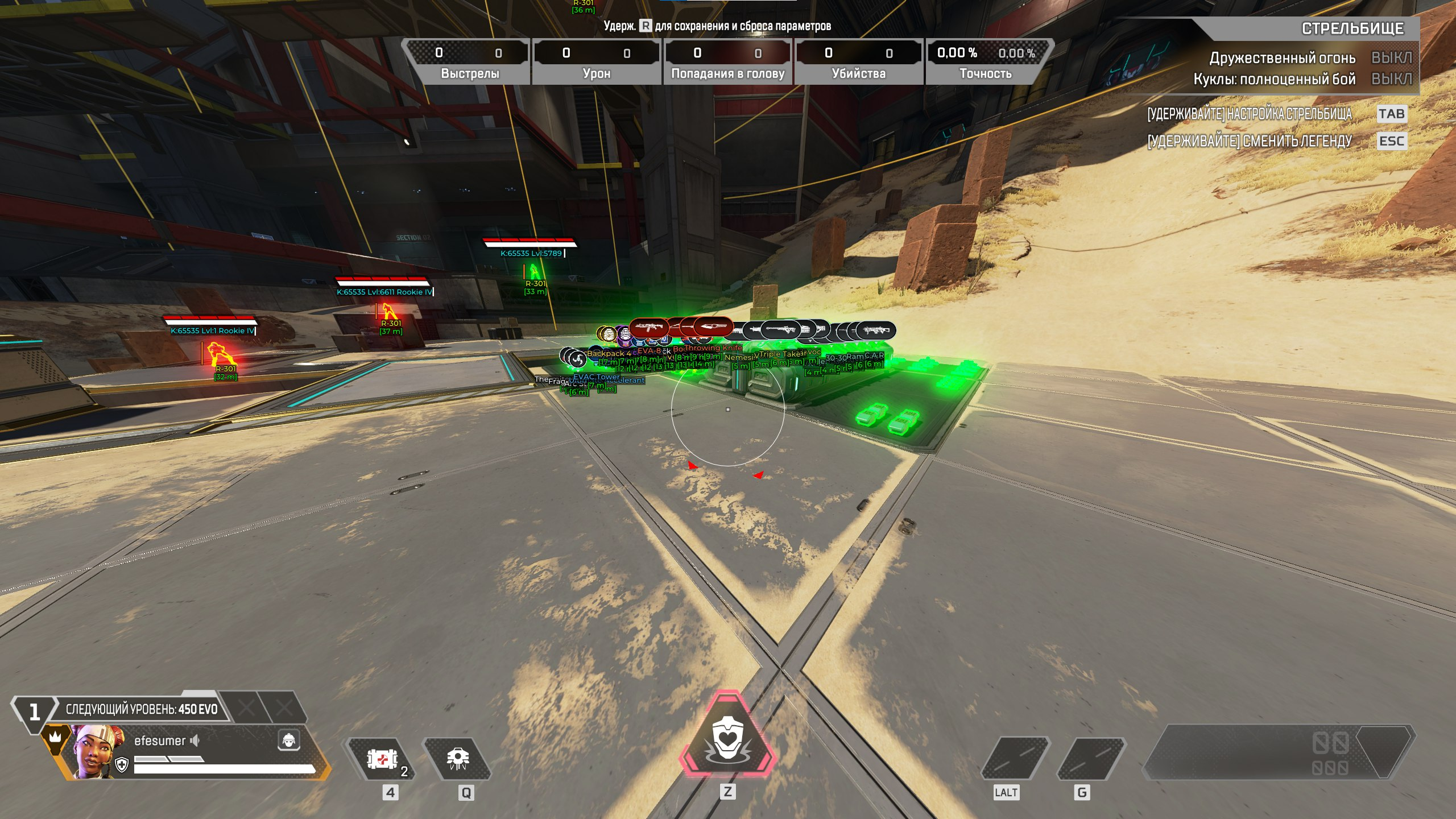
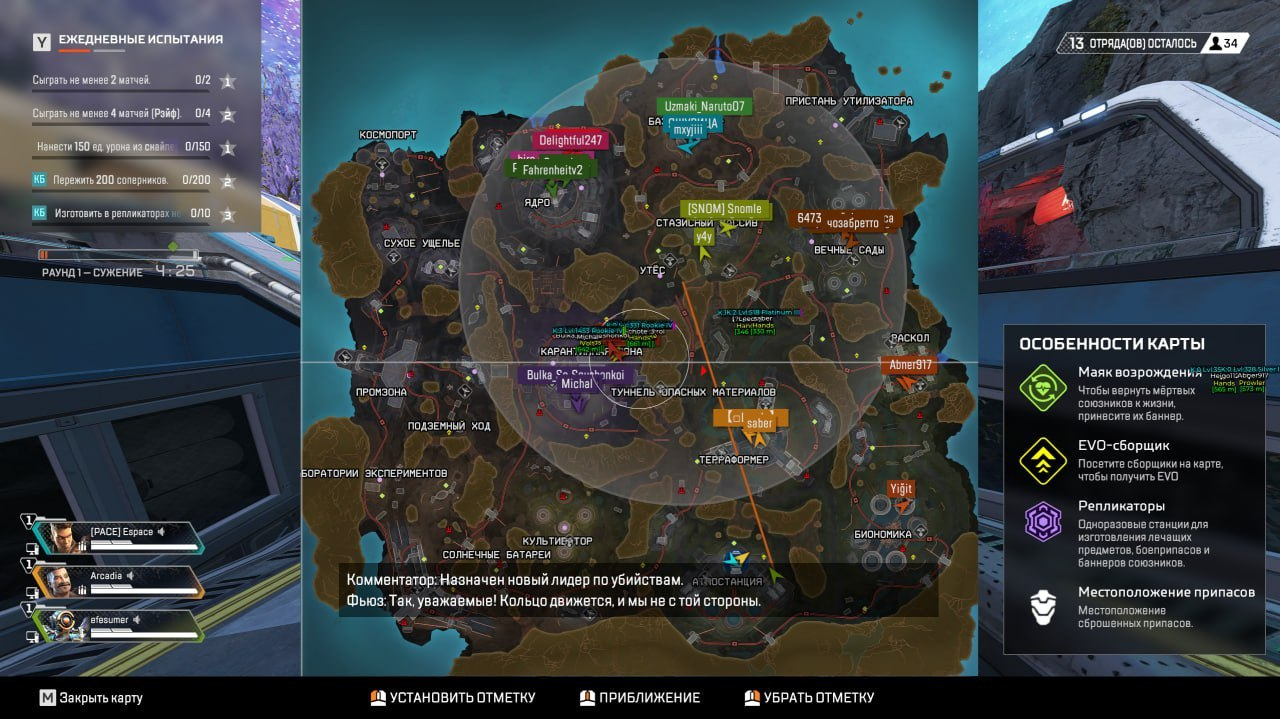
Ancient is a private cheat for Apex Legends, offering exceptional visuals and robust features. It includes an aimbot with prediction, triggerbot, player and item ESP and glow, and auto-movement features, and much more, providing players with a comprehensive advantage. Enhance your gameplay and dominate the competition in Apex Legends with Ancient's powerful capabilities.
STATUS
ON UPDATE

FEATURES
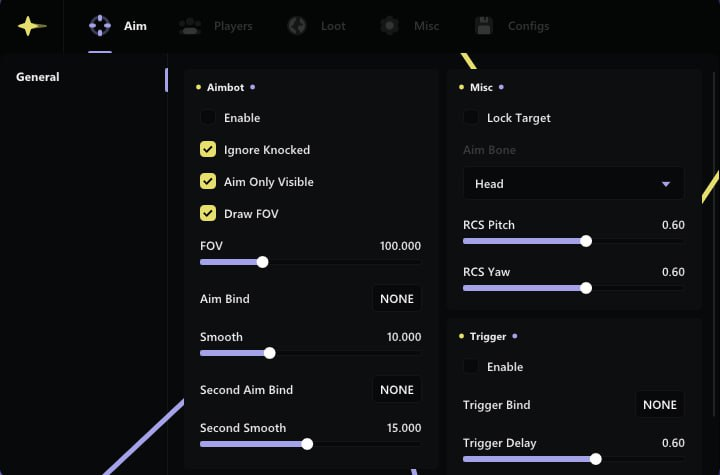
AIMBOT
- Enable
- Ignore Knocked
- Aim Only Visible
- Draw FOV
- FOV (slider)
- Aim Bind
- Smooth (slider)
- Second Aim Bind
- Second Smooth (slider)
- Lock Target
- Aim Bone: Head | Neck | Chest | Stomach | Nearest
- RCS Pitch (slider)
- RCS Yaw (slider)
- Triggerbot
- Trigger Bind
- Trigger Delay (slider)
- Trigger Distance (slider)
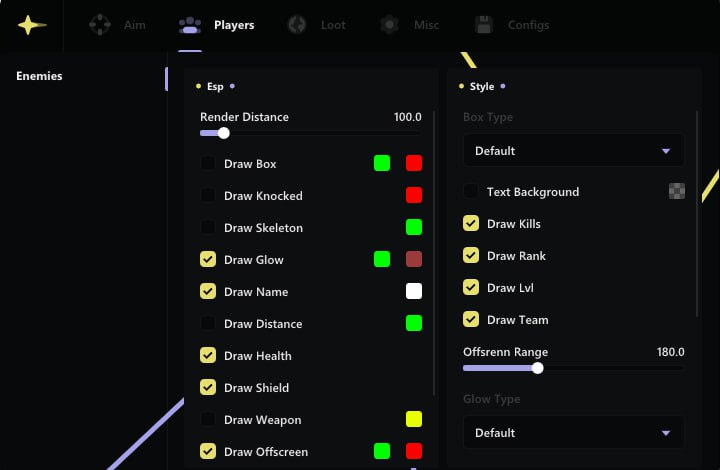
PLAYER ESP
- Render Distance (slider)
- Box (visible and invisible colors)
- Knocked: color
- Skeleton: color
- Glow (visible and invisible colors)
- Name: color
- Distance: color
- Health
- Shield
- Weapon: color
- Offscreen (visible and invisible colors)
- Info
- Seer
- Box Type: Default | Outline | Filled
- Text Background: color
- Kills
- Rank
- Lvl
- Team
- Offscreen Range (slider)
- Glow Type: Default | Vis Only | Invis Only | Flat
- Skeleton Thickness (slider)
- Seer Type: Always | FOV | Distance | FOV& Distance
- Seer Distance (slider)
- Weapon Type: Text | Icon
ITEM ESP
- Enable
- Category:
- Weapon
- Gear
- Regen
- Attachment
- Ammo
- Special
- Smart Loot
- Enable Smart Loot
- Ammo (with customize ammo count)
- Custom Loot (with customize all loot)
- Icon
- Name
- Lobe
- Glow: color
- Death Box
- Distance
- Render Distance: color
- Text Background: color
- Icon Size (slider)
- Icon Type: Default | Game
- Glow Type: Default | Outline | Filled
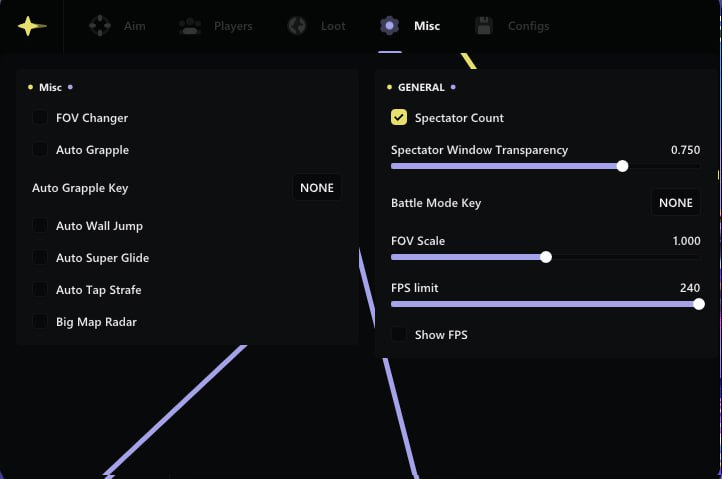
MISC
- FOV Changer
- Auto Grapple
- Auto Wall Jump
- Auto Super Glide
- Auto Tap Strafe
- Big Map Radar
- Spectator Count
- Spectator Window Transparency (slider)
- Battle Mode Key
- FOV Scale (slider)
- FPS Limit (slider)
- Show FPS
- Load/Save config
MEDIA