Apex
PRIVATE SOFTWARE
MaSoN Full
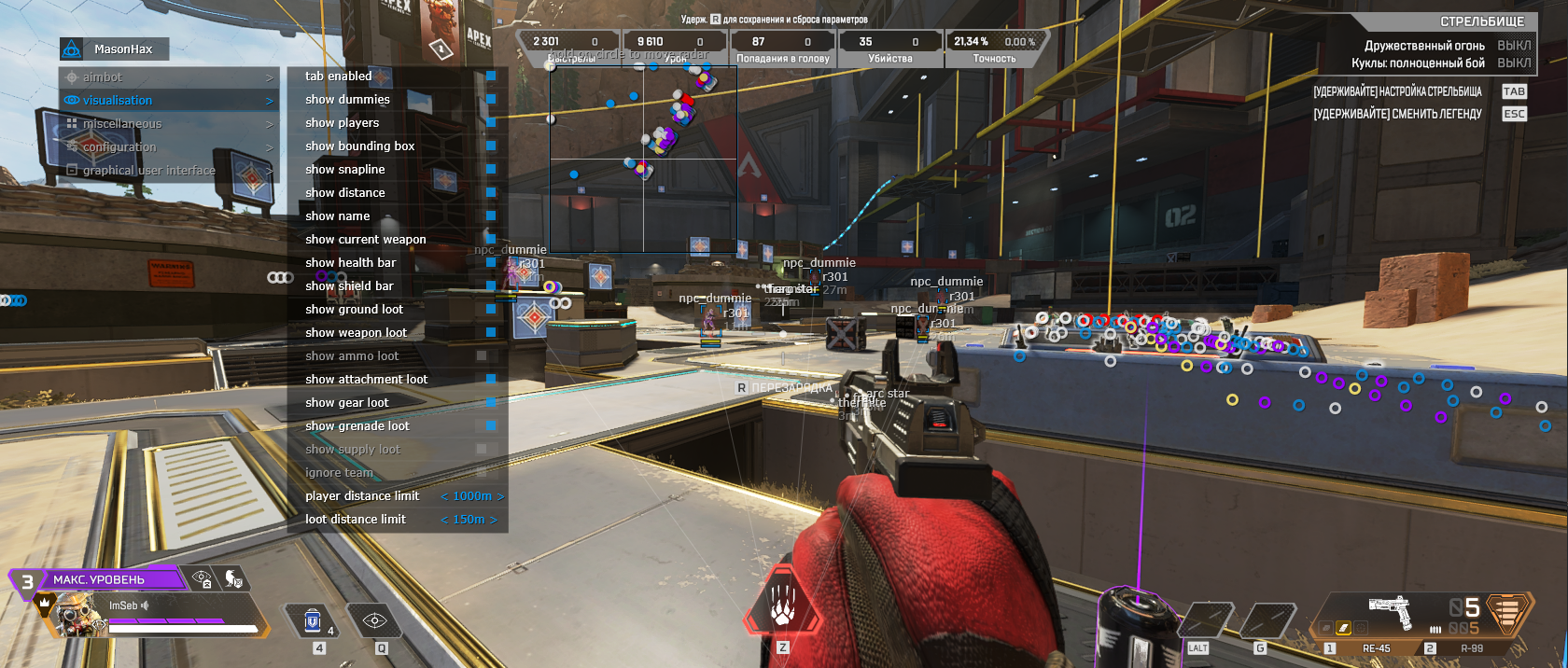
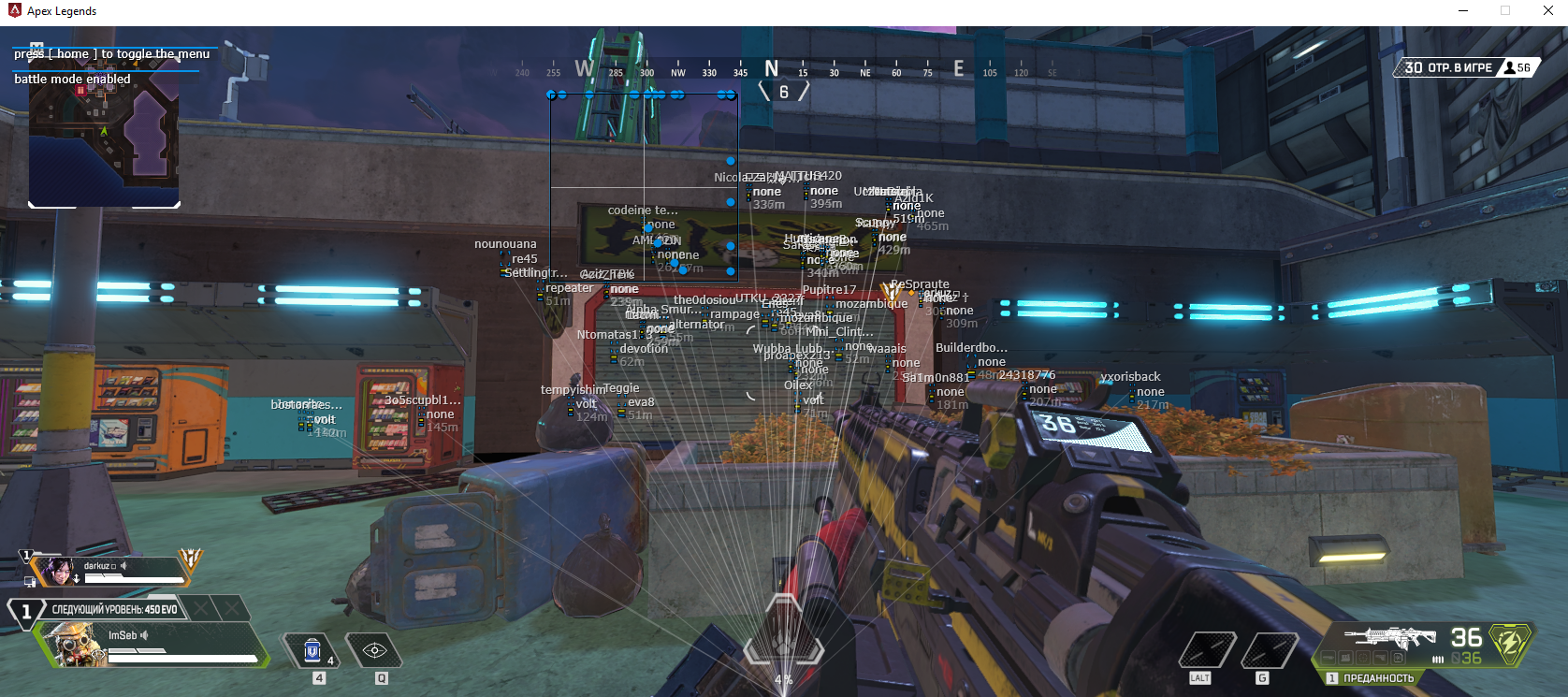
MaSoN Full for Apex Legends is a private cheat equipped with a powerful aimbot, ESP for players and loot, and a variety of useful misc options. Designed to boost your awareness and accuracy, it provides the essential tools needed to stay ahead and perform at your best in every match.
STATUS
ON UPDATE

FEATURES
AIMBOT
- Enable Aimbot - activate aimbot functionality
- Aim Key - set key to activate the aimbot
- Aim Radius - define aimbot working radius
- Aim Smooth - set smoothness of aim movement
- Aim Spot - select body part to aim at
- Auto Switch - automatically switch to next target within radius
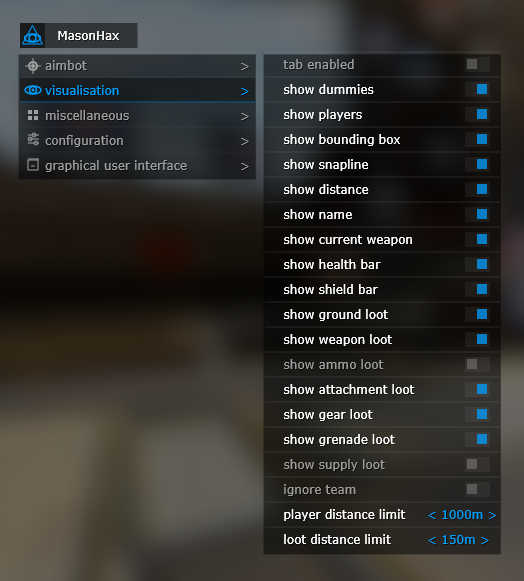
VISUALISATION
- Enable ESP - toggle visual features
- Show Players - display enemy players
- Show Dummies - display dummy targets
- Show Bounding Box - draw 2D box on enemies
- Show Snapline - draw line to enemies
- Show Health Bar - display enemy health
- Show Shield Bar - display enemy shield
- Show Name - display enemy class name
- Show Weapon - show enemy weapon
- Show Distance - show distance to enemies
- Show Ground Loot - display items on ground
- Show Loot Name Key - set key to show loot names
- Show Weapon Loot - show weapon loot
- Show Ammo Loot - show ammo loot
- Show Attachment Loot - show weapon attachments
- Show Gear Loot - show armor loot
- Show Grenade Loot - show grenade loot
- Show Supply Loot - show health and shield items
- Ignore Team - do not display teammates
- Player Distance Limit - limit distance to display players
- Loot Distance Limit - limit distance to display loot
- Minimal Loot Rarity - filter loot by rarity (common, rare, epic)
MISC
- Enable Misc Features - toggle extra features
- Reduce Recoil - enable recoil reduction
- Recoil Reduce Percent - set recoil reduction percentage
CONFIG
- Save CPU - optimize performance
- Menu Key - set key to open cheat menu
- Panic Key - instantly disable cheat
- Battle Mode Key - key to show only players
- Load Config from Clipboard - load config from clipboard
- Save Config to Clipboard - save config to clipboard
MEDIA