Arc Raiders
PRIVATE SOFTWARE
GHOST
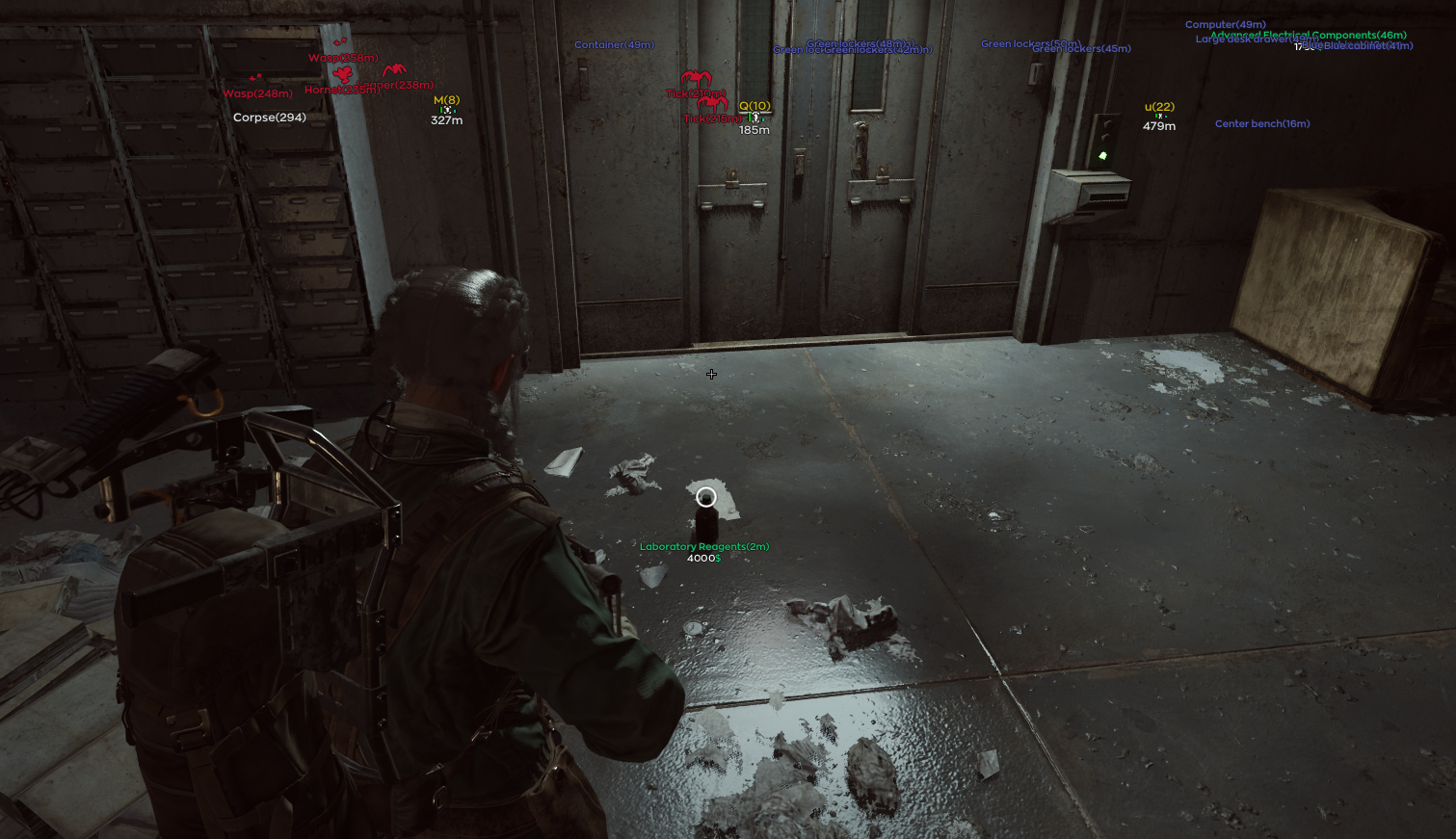
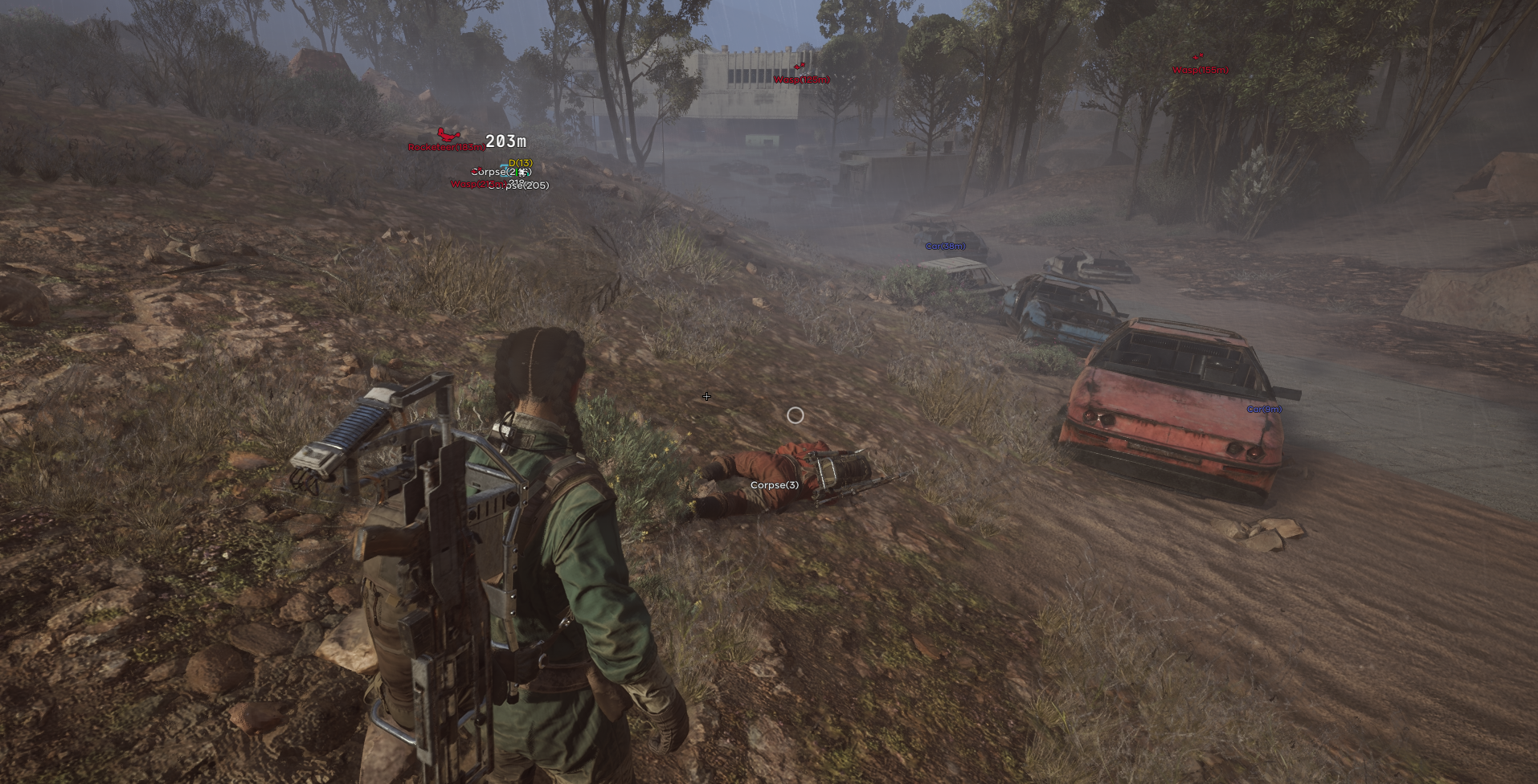
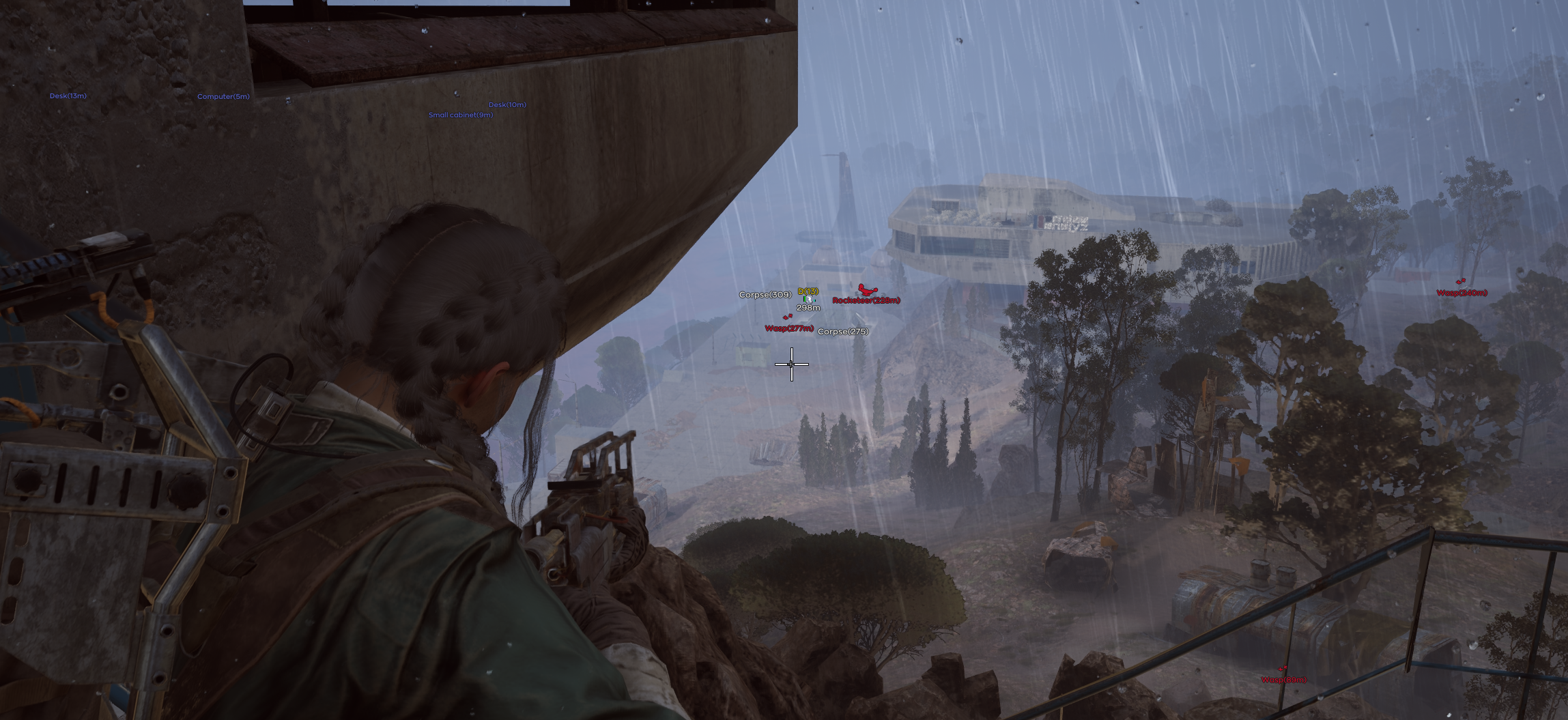
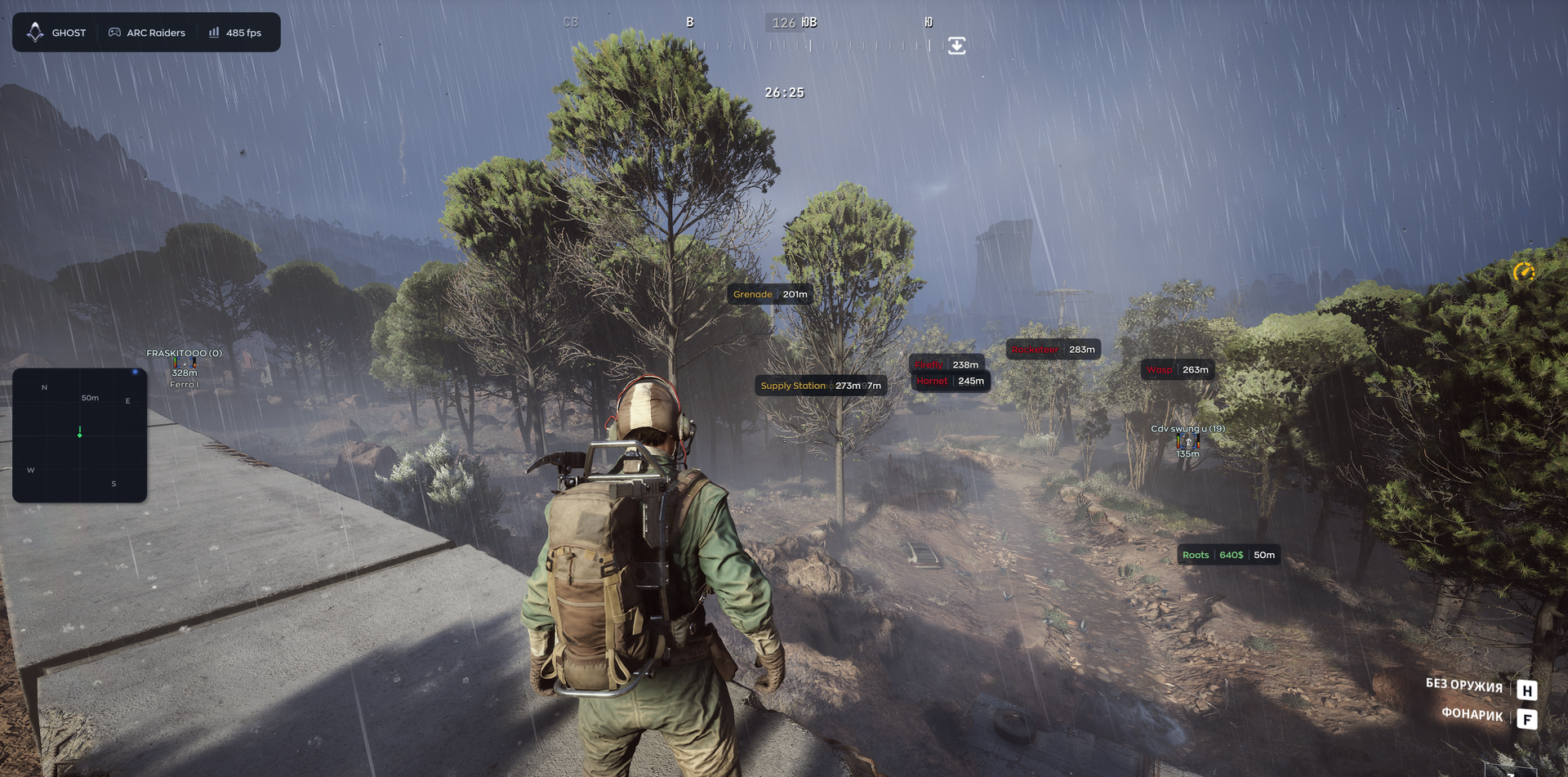
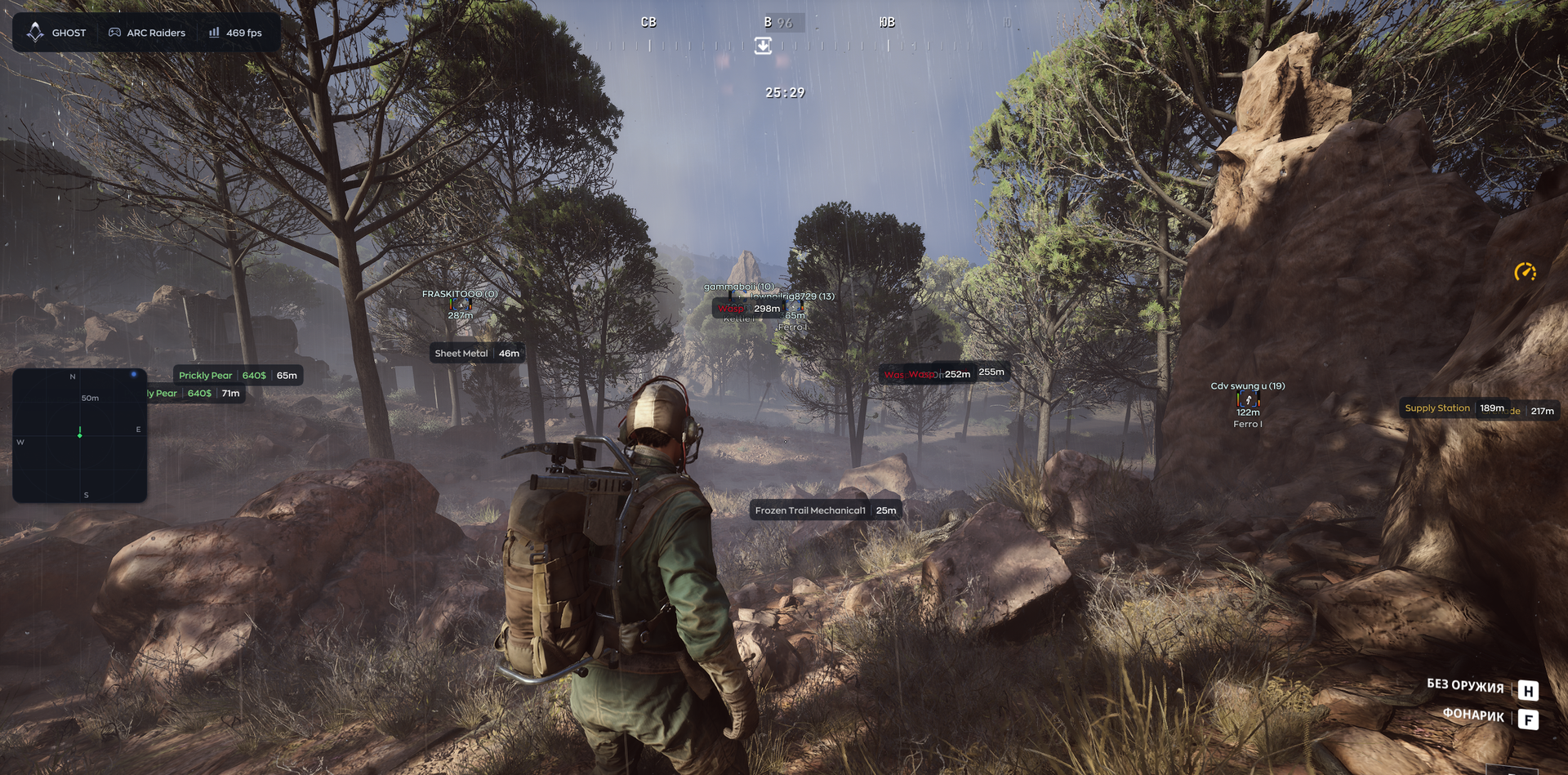
Ghost for Arc Raiders puts combat control and raid awareness in one configurable cheat. Player ESP and radar help you follow nearby threats, while loot filters let you focus on the rarity and value of items worth collecting. Adjustable aiming supports controlled engagements, and drone and world-object markers give you more context for choosing your next move. Save your preferred setup and approach each raid with a clearer view of the fight and the supplies around you.
STATUS
UNDETECTED

FEATURES
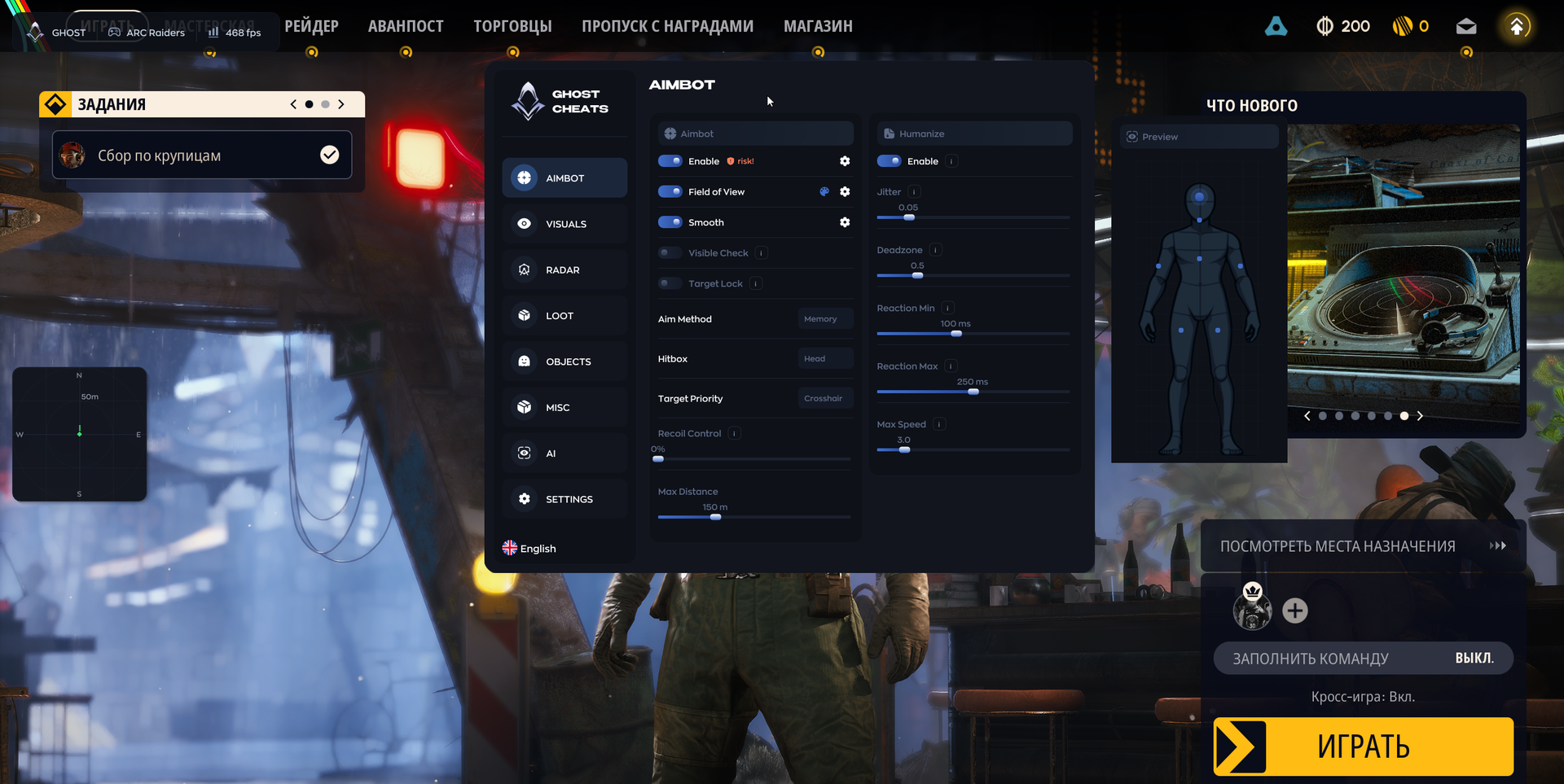
AIMBOT
- Enable — toggle aimbot
- Field of View — set the angle within which aimbot responds
- Smooth — adjust aim smoothing; higher values make the movement less noticeable
- Visible Check — fire only at visible targets
- Target Lock — keep the target locked until eliminated
- Aim Method — choose Memory or Mouse aiming
- Hitbox — select a body part, such as head or chest
- Target Priority — choose how targets are prioritized, including proximity to the crosshair or health
- Recoil Control — compensate for weapon recoil
- Max Distance — limit aiming range
AIM HUMANIZATION
- Enable — humanize aim movement with jitter, deadzone and reaction settings
- Jitter — add small movements to imitate hand tremor
- Deadzone — set an area where aimbot does not adjust aim
- Reaction Min / Max — set the minimum and maximum reaction delay before aiming, without an additional false delay when switching targets
- Max Speed — limit mouse aiming speed with FOV taken into account
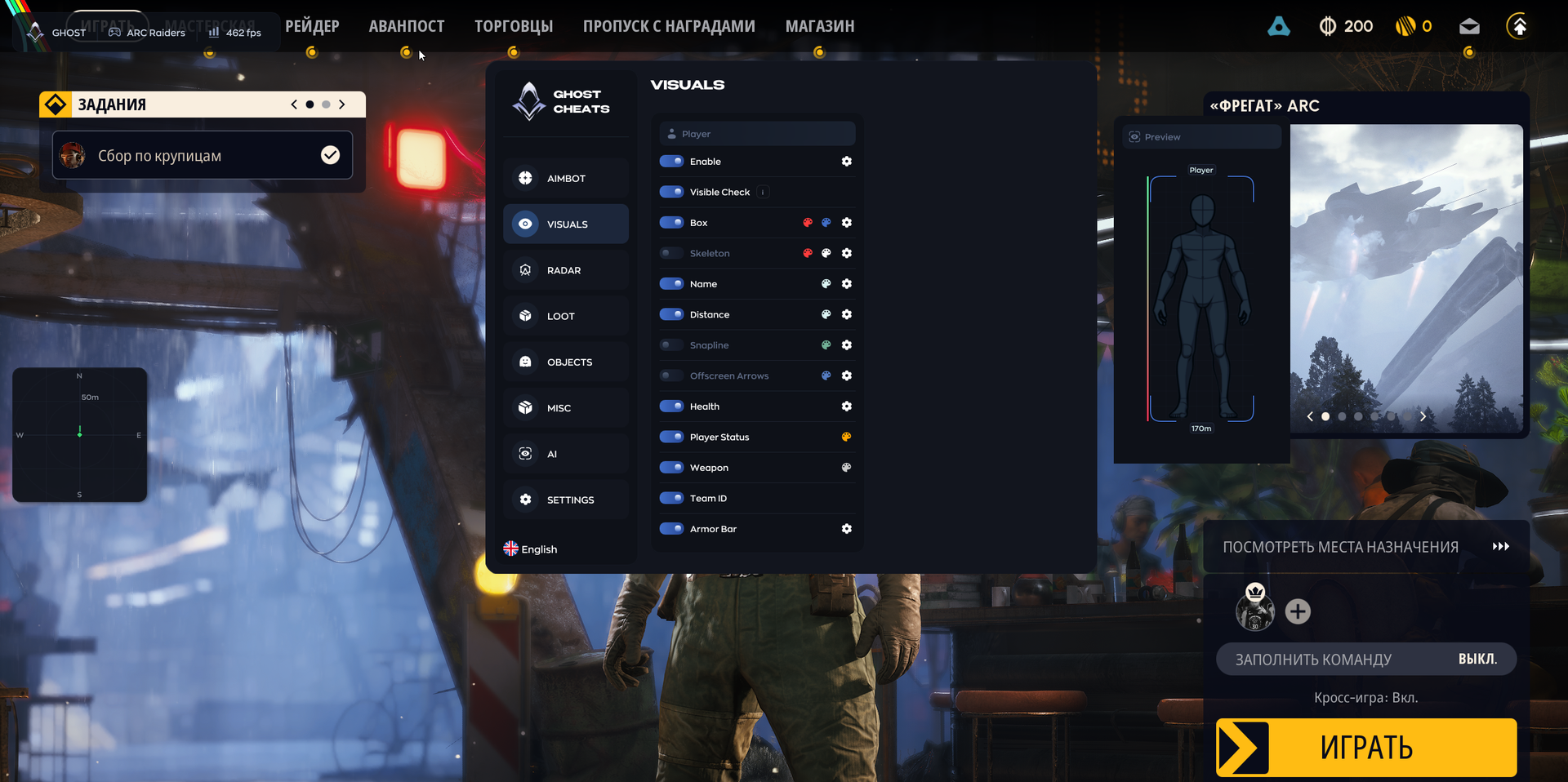
PLAYER ESP
- Enable — toggle player visuals
- Visible Check — show only visible players
- Box — outline the player model
- Skeleton — display the model skeleton
- Name — show the player name
- Distance — show distance to the target
- Snapline — draw a line from the player to the target
- Offscreen Arrows — point toward enemies outside the screen
- Health — show a health indicator
- Player Status — show real-time action tags; select multiple tags in a dropdown and set their display distance and color:
- Sprint
- ADS
- Reload
- Fire
- Map
- Inv
- Loot
- Craft
- Climb
- Weapon — show the weapon currently held, updated in real time, with magazine and total ammunition counts beside it
- Team ID — show team affiliation
- Armor Bar — show armor level
- Inline ESP layout applies to the selected elements
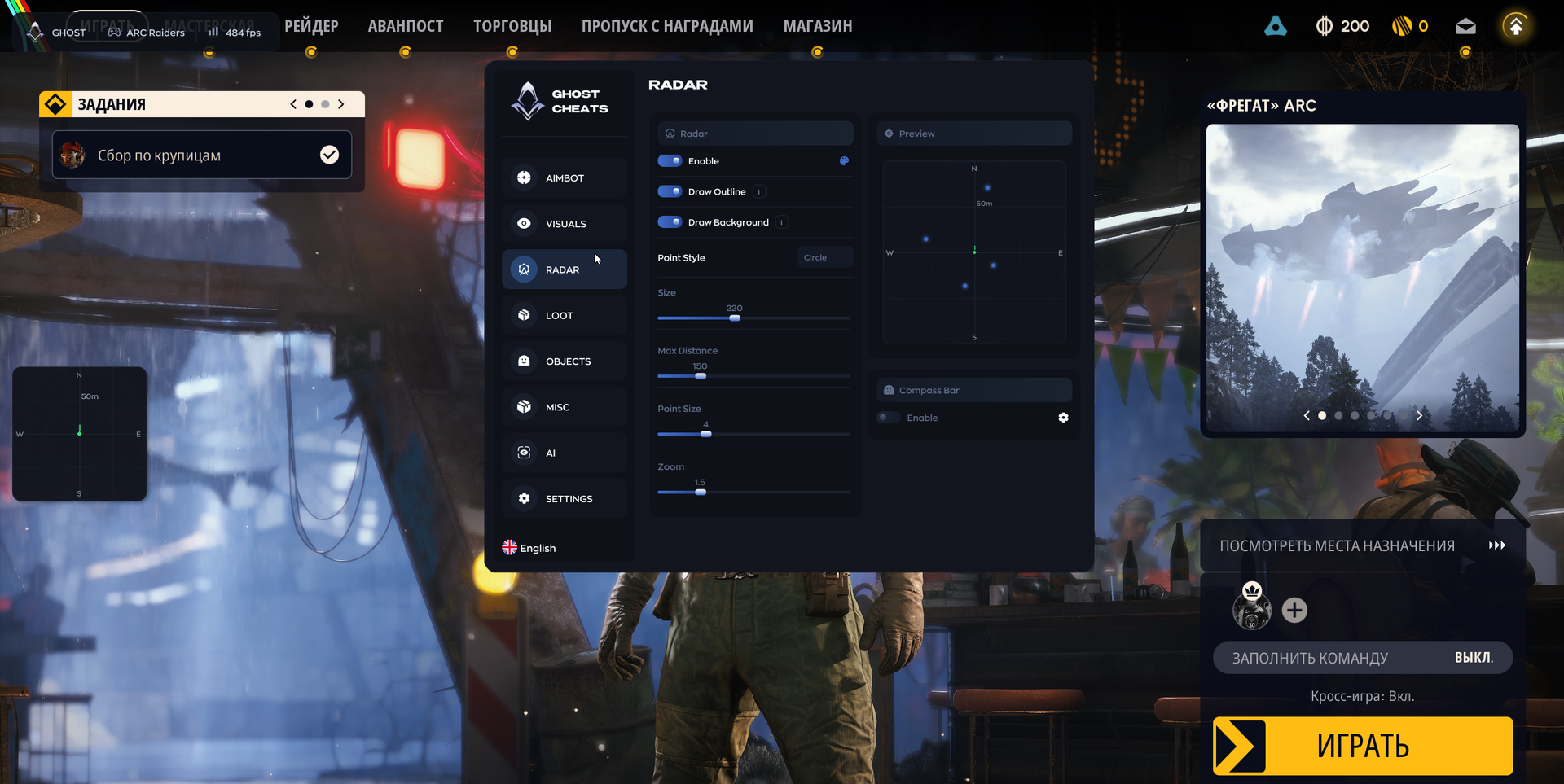
RADAR
- Enable — toggle radar
- Draw Outline / Draw Background — configure the radar outline and background
- Point Style — choose circle, square or triangle markers
- Size — adjust radar size
- Max Distance — adjust detection range
- Point Size — adjust marker size
- Zoom — adjust radar zoom
- Display gaze direction on radar with adjustable line length
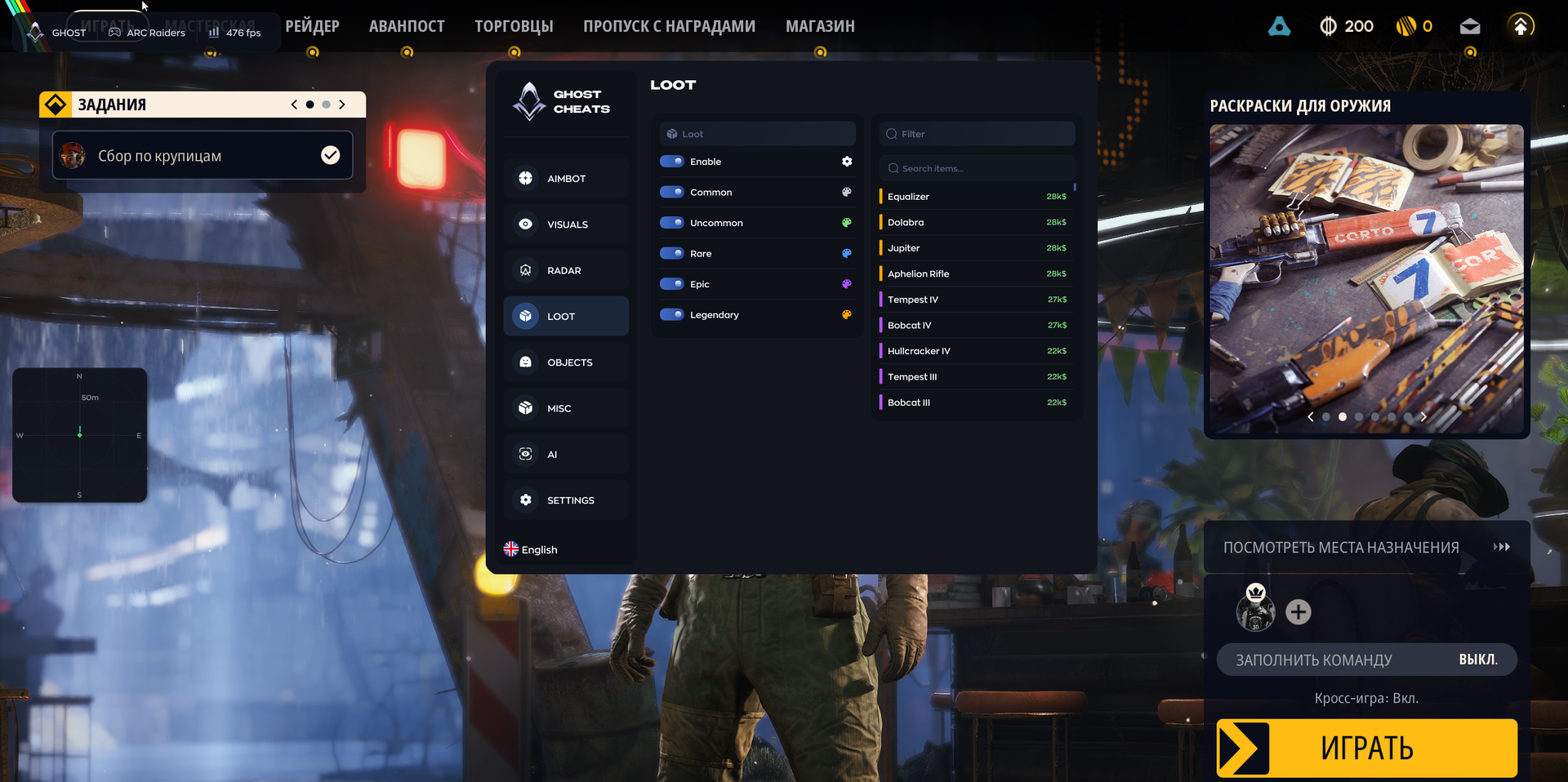
LOOT
- Enable — toggle loot display
- Common / Uncommon / Rare / Epic / Legendary — filter items by rarity
- Item list — select specific items, including Equalizer, Dolabra and Aphelion Rifle, with their value shown
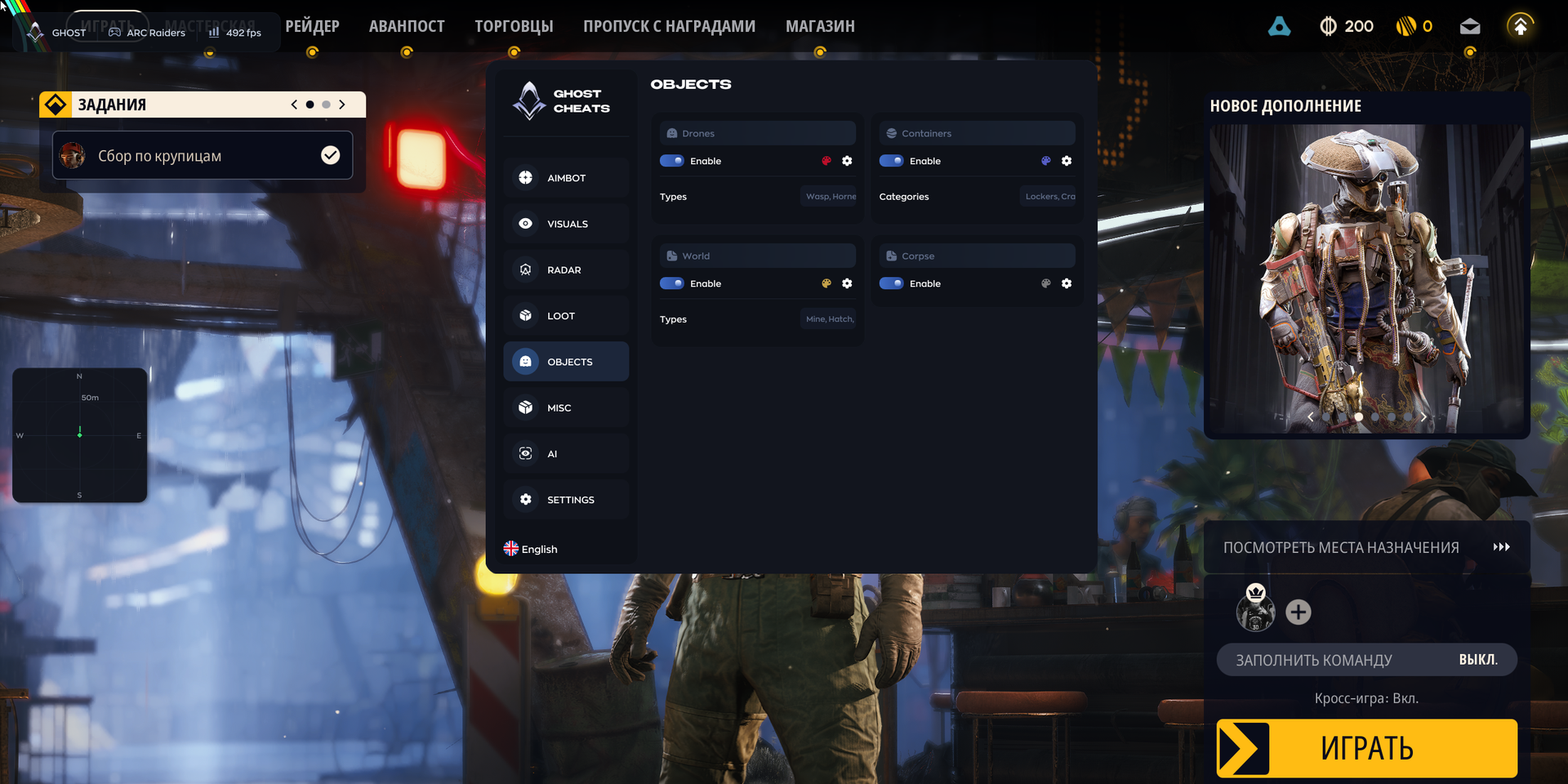
OBJECTS
- Drones — display drone types, excluding destroyed drones from ESP:
- Wasp
- Hornet
- Rocketeer
- Pop
- Fireball
- Tick
- Turret
- Sentinel
- Snitch
- Bastion
- 1Spotter
- Leaper
- Surveyor
- Queen
- Bombardier
- Shredder
- Matriarch
- Firefly
- Comet
- Vaporizer
- Turbine
- Containers — display container types; opened containers are marked Looted in a separate color, with a Show Looted checkbox and color palette:
- Lockers
- Crates
- Furniture
- Dumpsters
- Plants
- Vehicles
- Weapon Cases
- Shelves
- Cabinets
- Electronics
- Servers
- Wall Panels
- Bags
- Other
- Raider Cache
- Special
- World — display environmental objects:
- Mine
- Hatch
- Supply
- Fuel Cell
- Puzzle
- Field Crate
- Barricade
- Grenade
- Corpse — display enemy corpses; looted corpses are marked Looted in a separate color, with a Show Looted checkbox and color palette
- Extraction-point ESP — show extraction points with real-time statuses:
- Open
- Offline
- Arriving
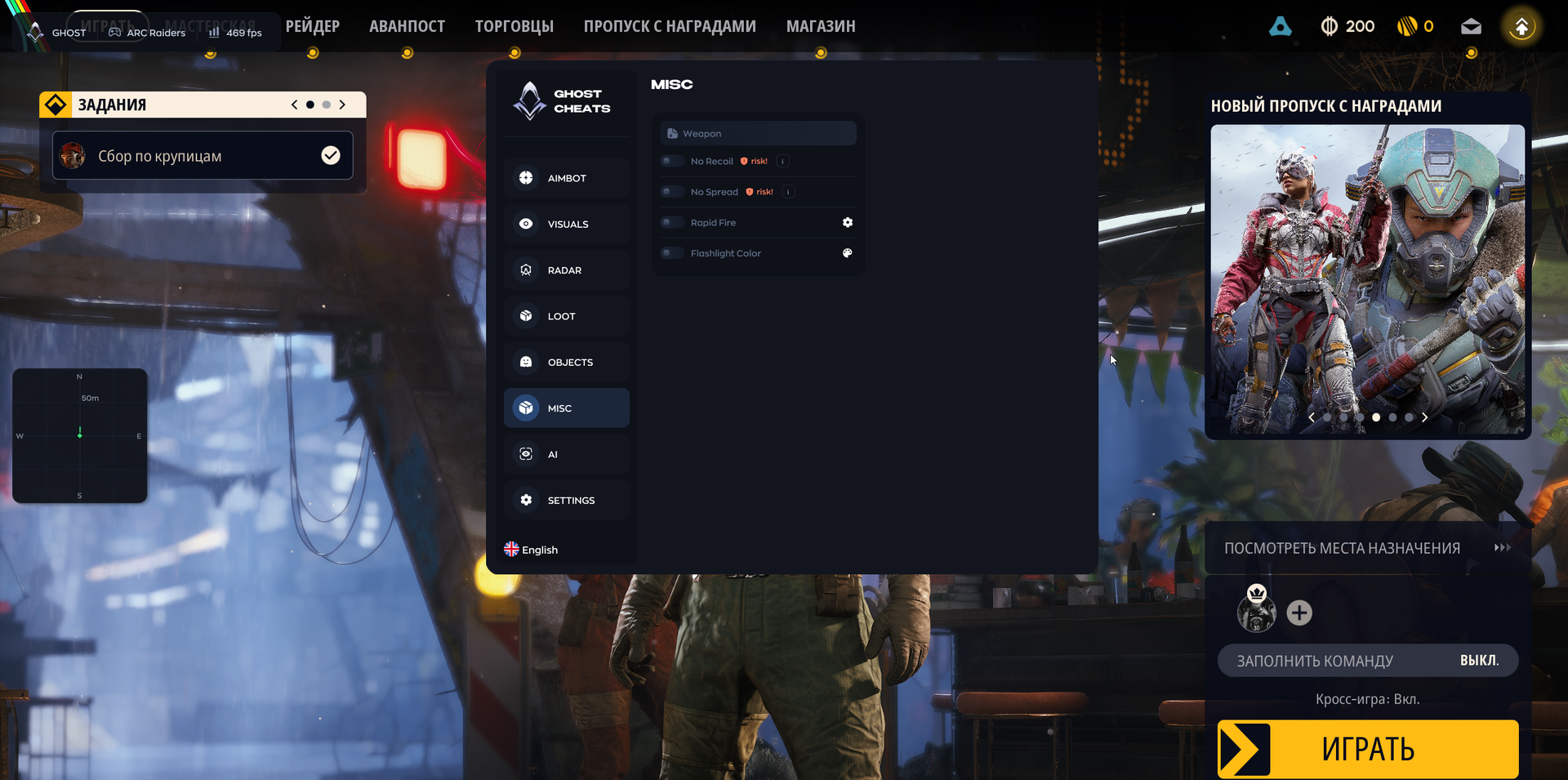
WEAPON
- No Recoil — remove weapon recoil; marked “risk!” in the menu
- No Spread — remove bullet spread; marked “risk!” in the menu
- Flashlight Color — change flashlight color
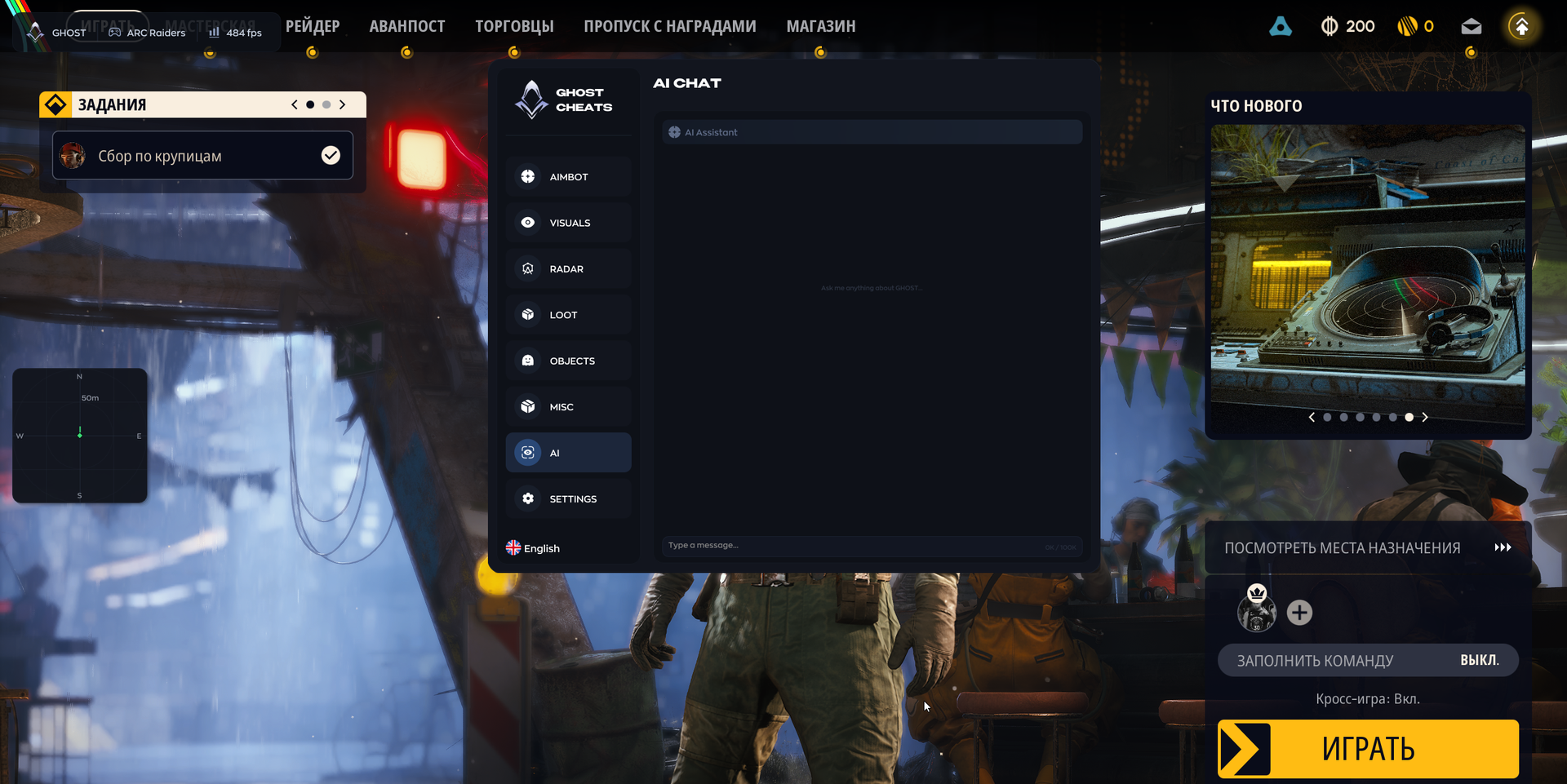
AI CHAT
- AI Assistant — built-in chat assistant that answers questions about cheat settings
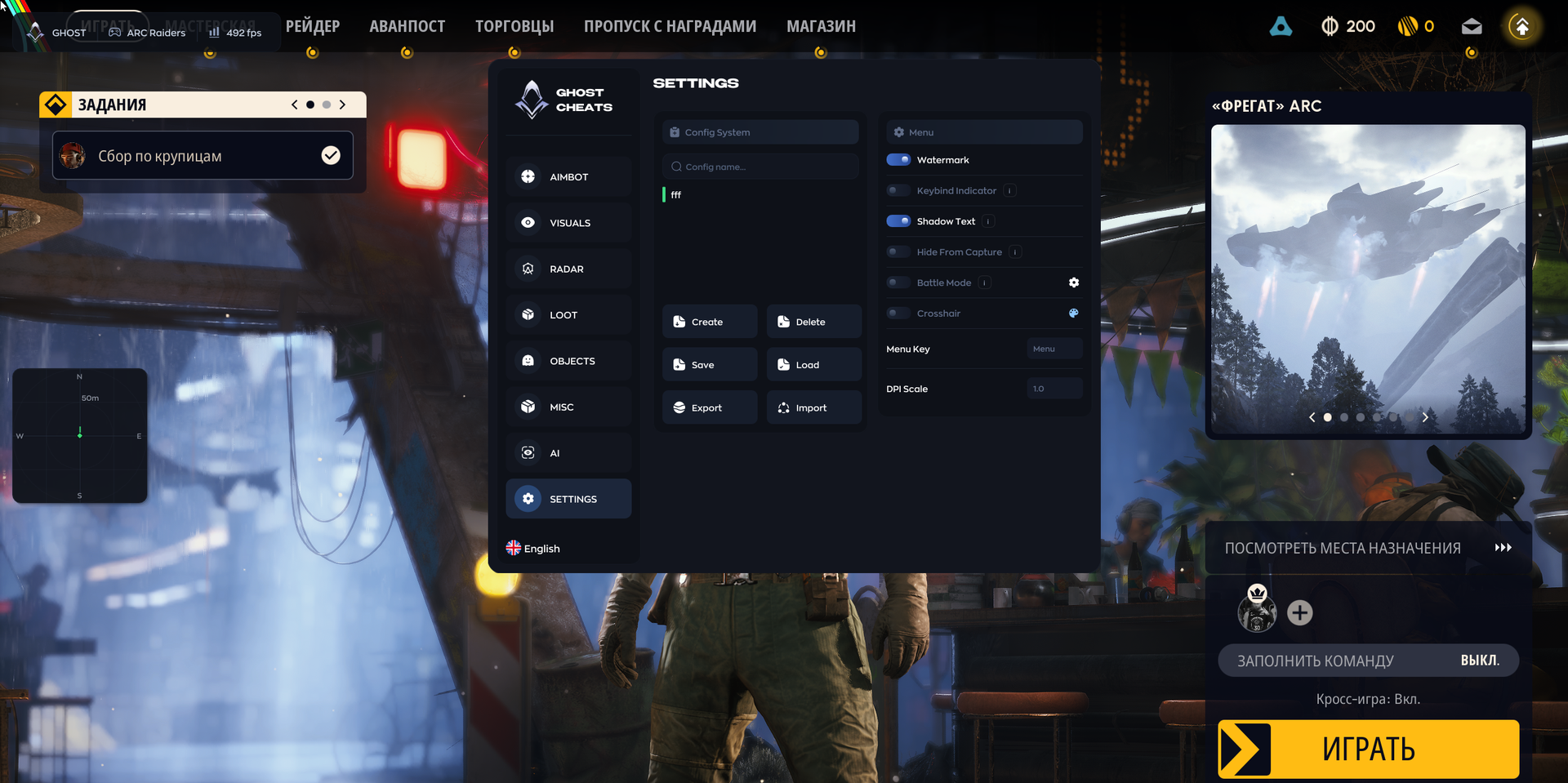
SETTINGS
- Config System — create, save and load configurations
- Create / Delete / Save / Load / Export / Import — manage configurations
- Watermark — display the cheat logo or watermark
- Keybind Indicator — show a panel of assigned hotkeys
- Shadow Text — add text shadows to the menu and ESP for readability
- Battle Mode — hide loot, objects and extraction points
- Crosshair — display a custom crosshair over the game
- Menu Key — set the hotkey for opening the menu
- DPI Scale — adjust interface scale
MEDIA