COD BO & MW
PRIVATE SOFTWARE
DULL WAVE
DullWave: Your ultimate solution for all recent Call of Duty games. Packed with essential Visuals and a robust Aim Assist, it supports every game mode in Modern Warfare 2 and 3. Elevate your gameplay and dominate with DullWave today!
Supports:
- 🟢 Black Ops 7 🔥
- 🟢 Black Ops 6
- 🟢 Warzone 1,2
- 🟢 MW2, MW3
- 🟢 DMZ
STATUS
UNDETECTED

FEATURES
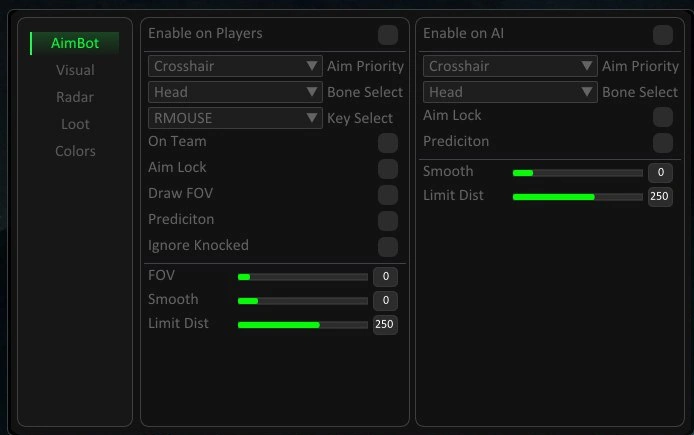
AIMBOT
- Enable — enable/disable aimbot for selected targets (players, bots)
- Aim Priority — target selection method (crosshair / closest)
- Aim Keys — activation keys (mouse/controller)
- Aim Lock — lock aim on a target until eliminated or lost
- On Team — allow targeting teammates
- Prediction — compensate for target movement
- Ignore Knocked — ignore downed targets
- Visible Check — aim only at visible targets
- Draw FOV — display aimbot working area
- FOV — adjustable targeting radius
- Smooth — aim smoothing
- Max Distance — maximum aimbot range
- Target Bone — select hitbox (head, chest, etc.)
- Humanizer — makes aim behavior more human-like
- Humanize Min / Max — randomization range
- Miss Factor (%) — chance to intentionally miss
- Humanize Smooth — smoothing for humanized aim
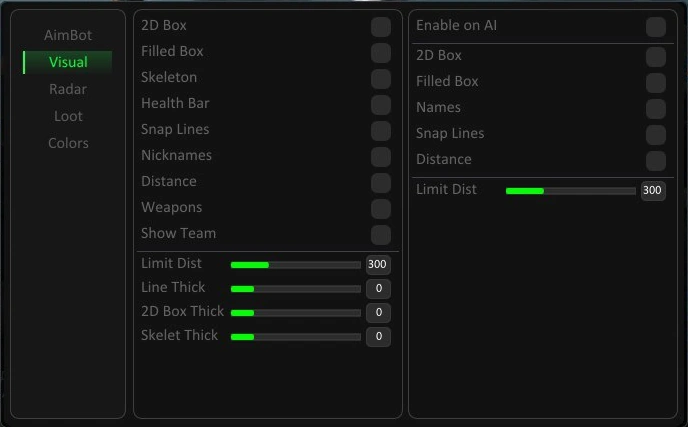
VISUALS
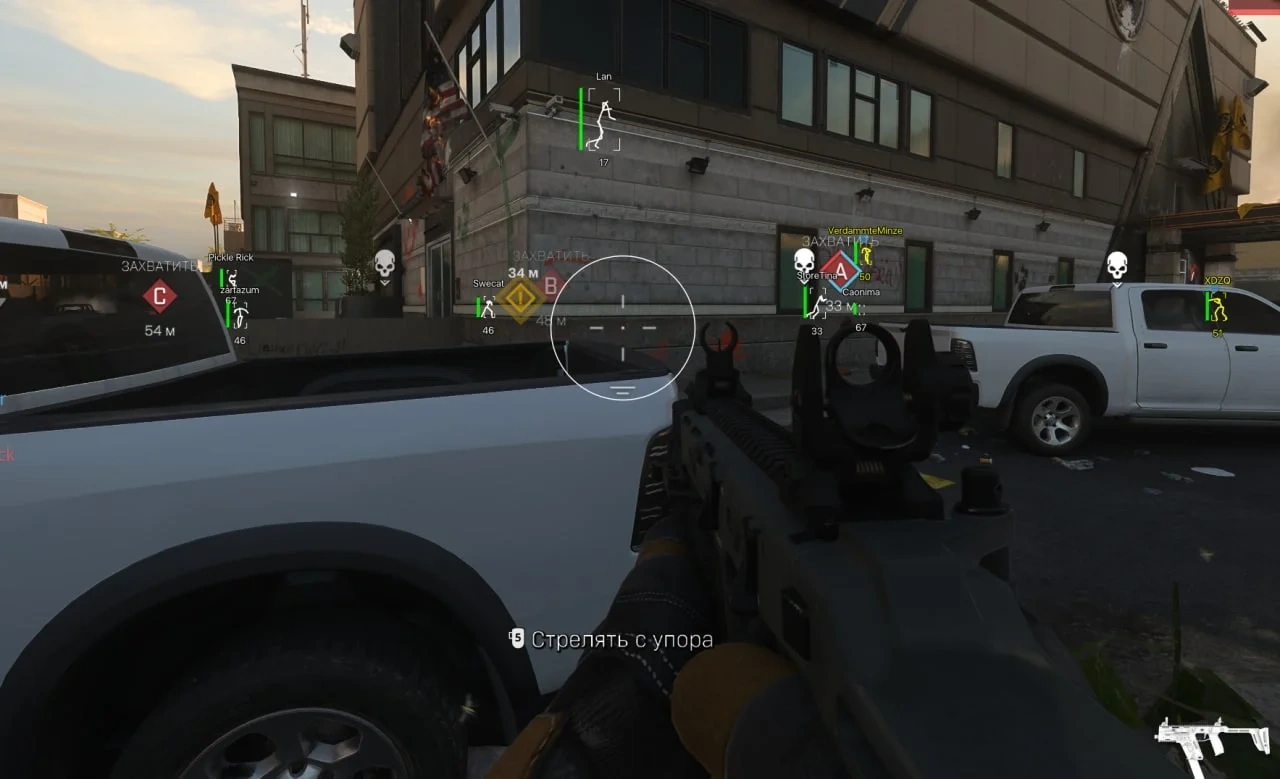
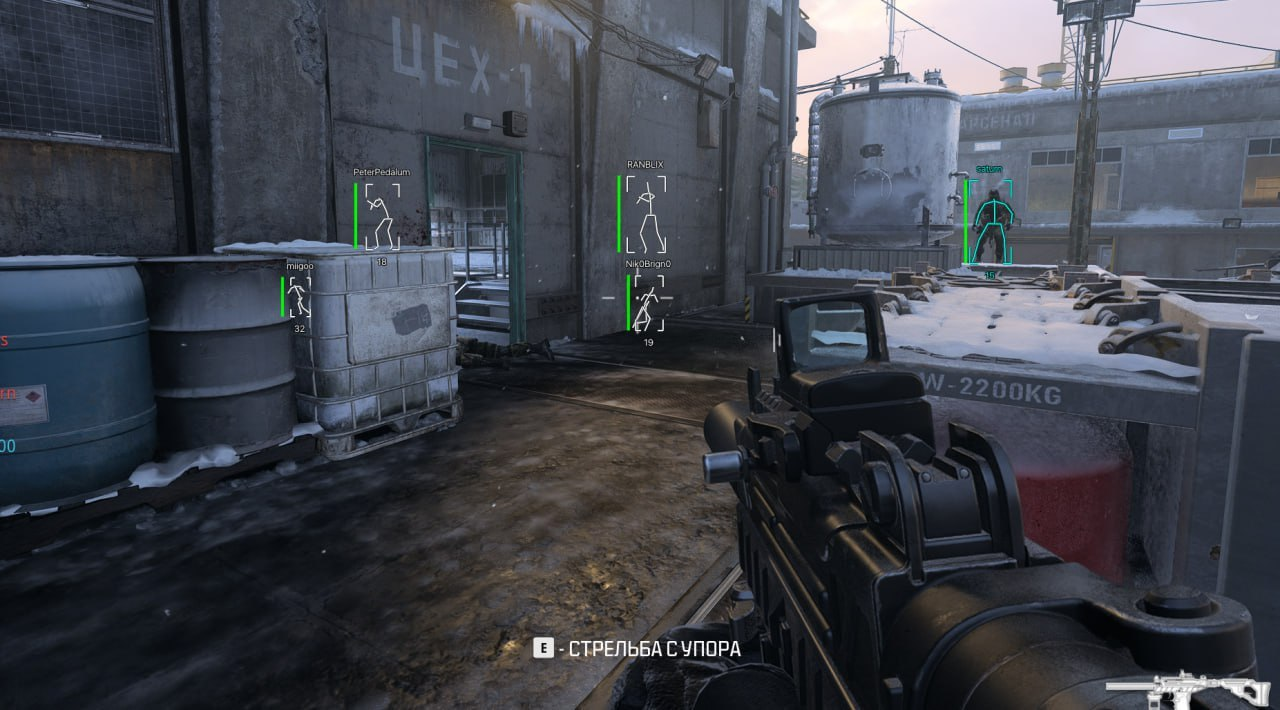
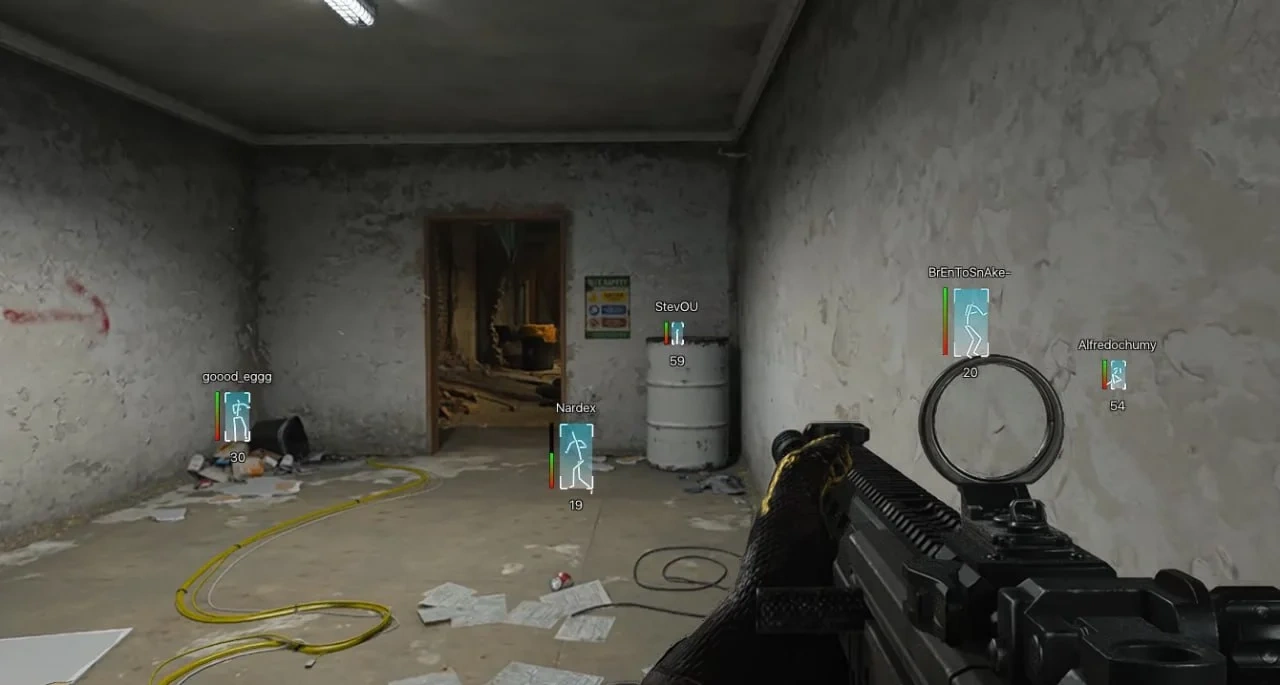
- Box — display targets with 2D boxes
- Filled Box — filled background for boxes
- Skeleton — display skeleton overlay
- Health Bar — health indicator
- Snap Lines — lines from screen to targets
- Nicknames — show player names
- Distance — distance to targets
- Weapons — show equipped weapons
- Show Team — display teammates
- Box Thickness — box line thickness
- Line Thickness — snapline thickness
- Skeleton Thickness — skeleton line thickness
- Max Distance — ESP render distance
RADAR
- Enable — enable radar or compass overlay
- Enable Compass — directional arrows to targets
- Compass Radius Sync Aim FOV — sync radar radius with aimbot FOV
- Compass FOV — adjust compass radius
- Show Team — display teammates on radar
- Show Distance — show distance on radar
- Compass Size — radar size
- Max Distance — radar range
- Lobby Stats — display lobby statistics
- Show / Hide Key — toggle lobby stats
LOOT ESP
- Armor Plate — show armor plates
- Armor Vest / Heavy — show armor vests
- Ammo — show ammunition
- Gas Mask — show gas masks
- Weapon — show weapons
- Money — show money
- Kill Streak — show killstreaks
- Crates — show loot crates
- Crate Blue — show blue crates
- Crate Orange — show orange crates
- Support Box — show support boxes
- Armor Box — show armor boxes
- Crate Legendary — show legendary crates
- Stimulator — show stimulators
- Medical Kit — show medkits
- Perk Pack — show perk packs
- Perk Case — show perk cases
- LAB2 Keycard — show LAB2 keycard
- Mysterious Key — show mysterious key
- Limit Distance — max loot render distance
- Distance — show distance to items
- Box Style — box type (2D / 3D / Corner)
- Filled — filled box style
WORLD ESP
- Mine — show mines
- Recon Drone — show recon drones
- Counter UAV — show UAV jammers
- Deadeye Drone — show deadeye drones
- Air Strike Target — show airstrike targets
- Limit Distance — max object render distance
- Box Style — box type (2D / 3D / Corner)
- Filled — filled box style
- Distance — show distance to objects
MISC
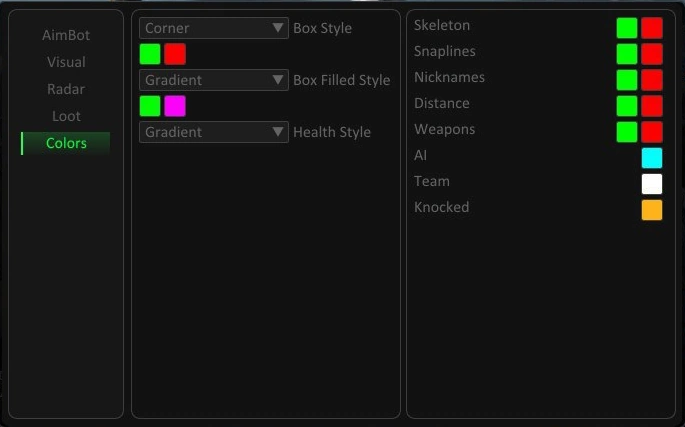
- ESP Styles — customize boxes, skeletons, lines, indicators
- Filled Styles — static or gradient fill
- General Colors — separate colors for visible/hidden targets
- Team / AI / Knocked Colors — custom colors per target type
- Text Style — background, transparency, rounding, font size
- StreamProof — hide visuals from recordings/streams
- Gamepad Support — supports Xbox / PlayStation controllers
- Zombie Mode Support — works in zombie modes (Black Ops, DMZ)
- Supports multiple COD titles:
- Warzone
- MW2
- MW3
- BO6
MEDIA