COD BO & MW
PRIVATE SOFTWARE
MaSoN BO6
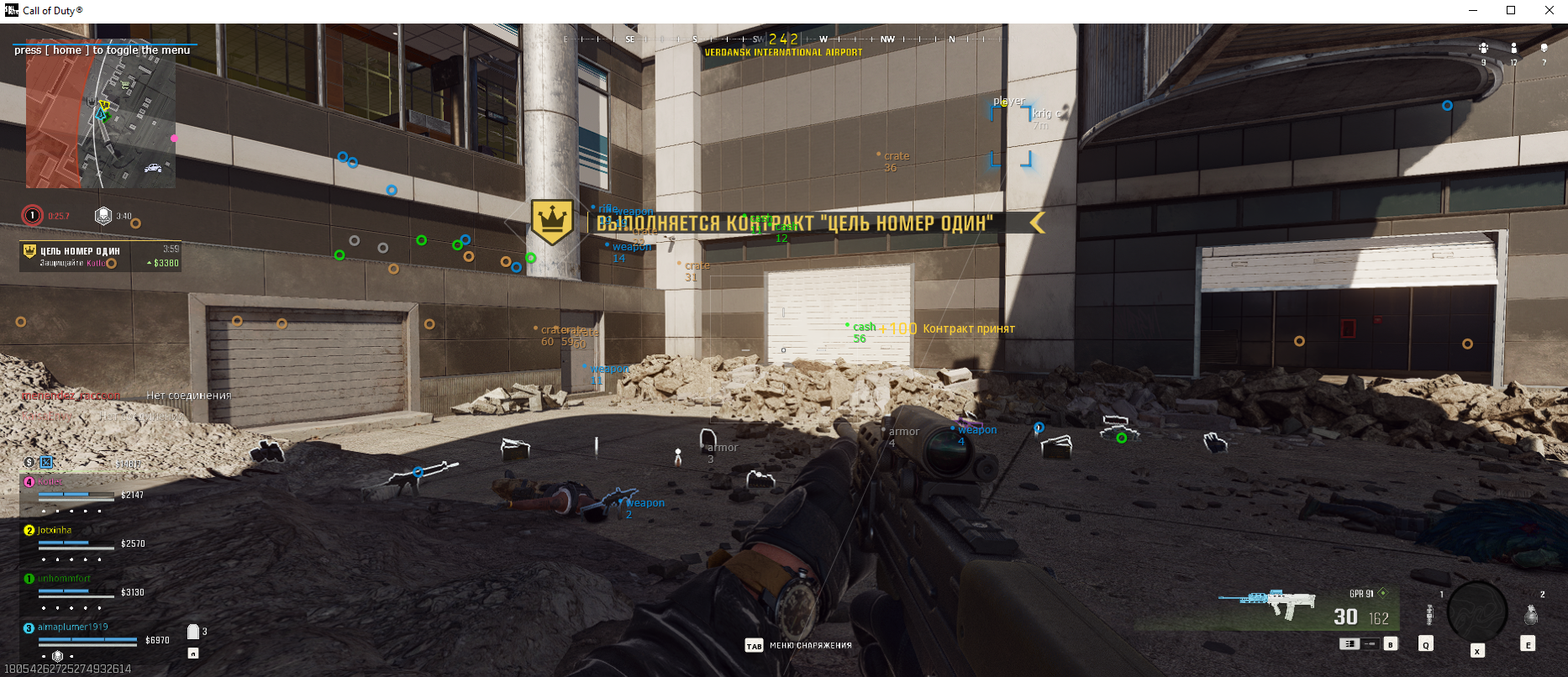
MaSoN for Call of Duty: Black Ops 6 is a private cheat featuring a precise aimbot, player ESP for improved visibility, and loot ESP to quickly locate valuable items. With customizable hotkeys for quick control, Masion offers a streamlined and efficient way to gain an edge in every match.
Supports:
- 🟢 Black Ops 6
STATUS
ON UPDATE

FEATURES
AIMBOT [UNSAFE]
- Tab enable – Enable aimbot
- Auto switch – Automatically switch target body part
- Aim key – Set aimbot activation key
- Aim radius – Set aimbot working radius
- Aim smooth – Set aim smoothness
VISUALISATION
- Tab enable – Enable visual features
- Show players – Display players
- Show bounding box – Draw 2D boxes
- Show snapline – Draw lines to targets
- Show distance – Display distance to players
- Show name – Display player names
- Show current weapon – Show current weapon held
- Show ground loot – Display loot on the ground
- Show weapon loot – Show weapon loot
- Show cash loot – Show cash loot
- Show armor loot – Show armor loot
- Show crate loot – Show crates
- Ignore team – ESP will ignore own team
- Player distance limit – Set player display distance
- Loot distance limit – Set loot display distance
CONFIGURATION
- Save CPU – Optimize resource usage, reduces load (for low-end PCs)
- Menu key – Set key to open menu (default: "HOME")
- Panic key – Set key to instantly disable all features
- Battle mode key – Set key to enable combat mode (disables all extras)
- Load config from clipboard – Load user config from clipboard
- Save config to clipboard – Save user config to clipboard
GRAPHICAL USER INTERFACE
- Show aim radius – Display aimbot radius
- Show crosshair – Show crosshair at screen center
MEDIA