Dayz
PRIVATE SOFTWARE
PHOENIX
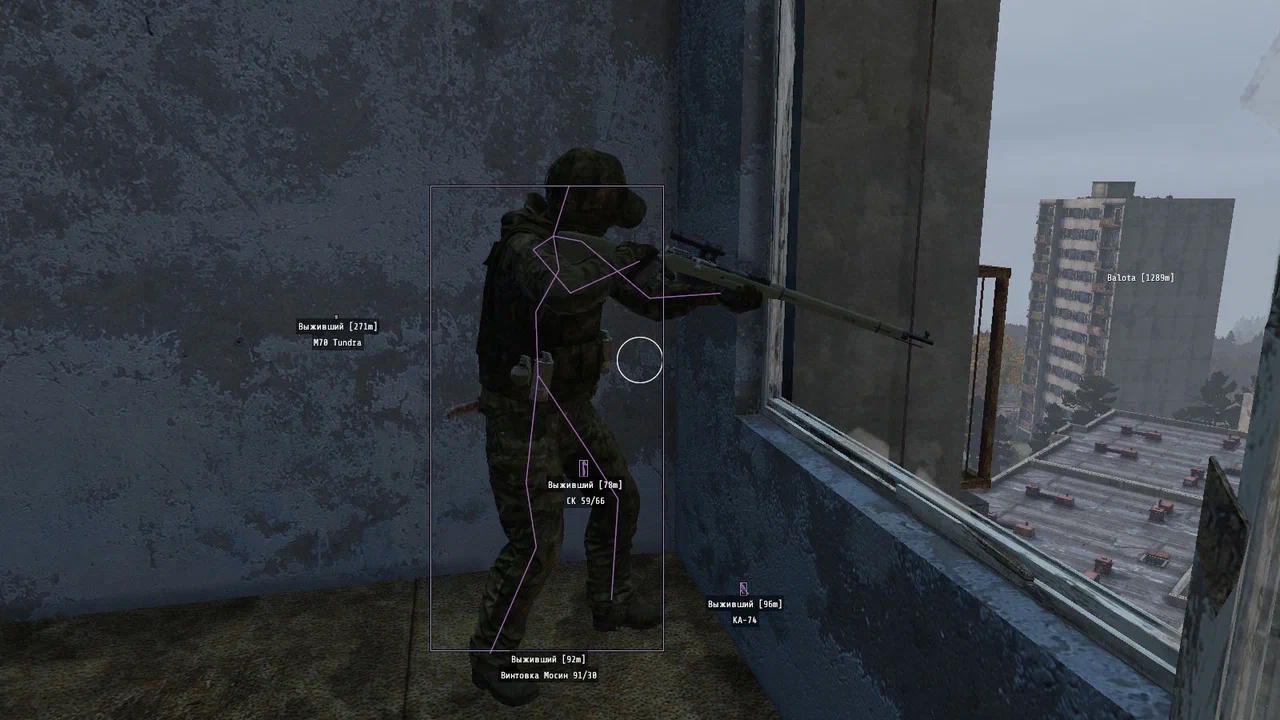
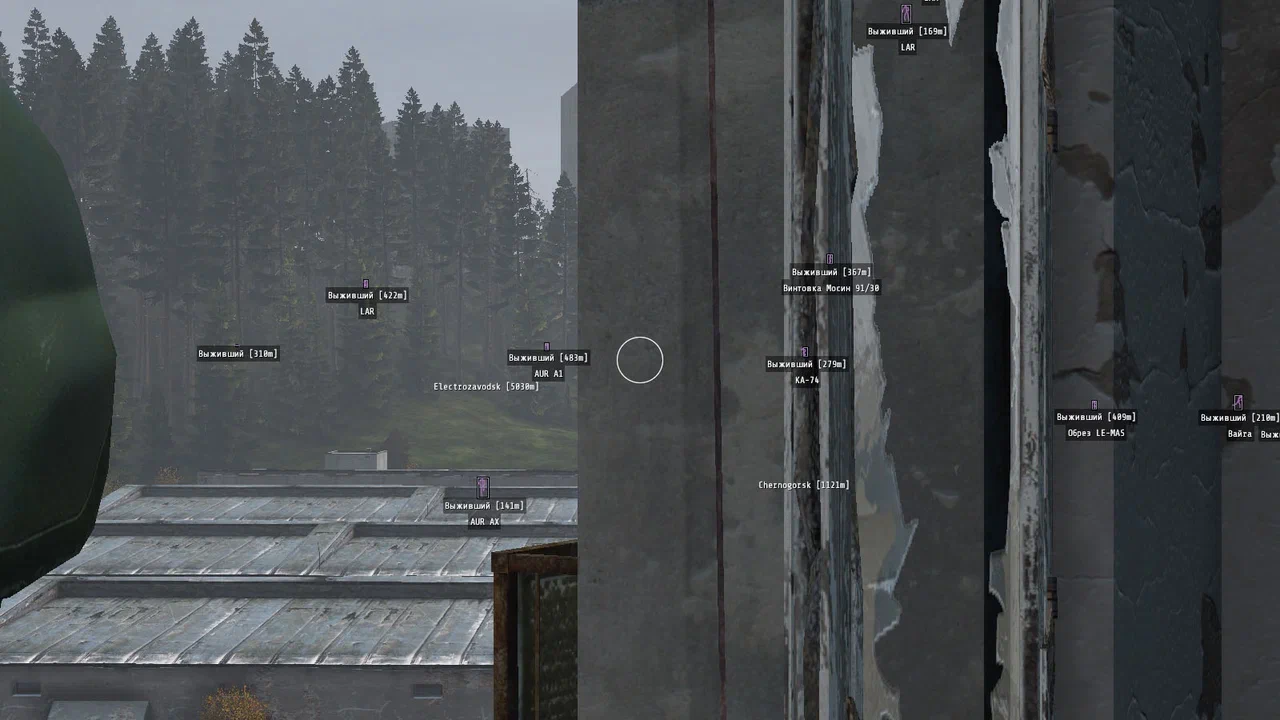
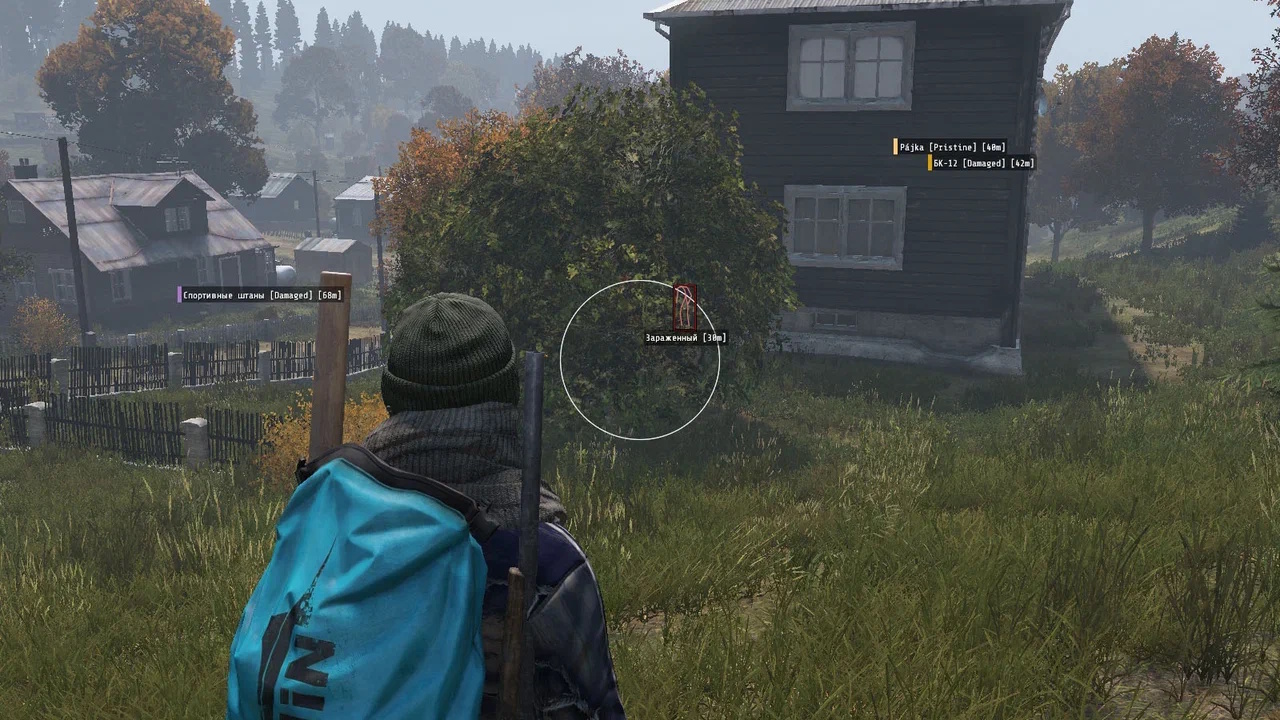
Phoenix for DayZ is a complete private cheat designed for accuracy, awareness, and tactical dominance. Featuring player ESP, world ESP, and loot ESP, it reveals every threat, resource, and point of interest across Chernarus and Livonia. The precise aimbot ensures smooth, consistent accuracy in every fight, while powerful exploits provide creative ways to outmaneuver opponents. Built for performance and clarity, Phoenix helps you track, aim, and react with confidence—giving you full control and a lasting advantage in every encounter.
STATUS
UNDETECTED

FEATURES
PLAYER ESP
- Player ESP — WH against players
- Enabled — turn ESP on/off
- Local — enable visuals on yourself
- Boxes (2D, Corners) — draw player boxes
- Filled — fill box background
- Skeleton — draw player skeletons
- Distance — distance to targets (meters)
- Corpses — show dead enemies (corpses)
- Name ESP — show nicknames
- Render Distance — ESP working range (up to 1000 m)
- Item In Hand — show the item/weapon in player hands
- Contains — display player inventory contents
WORLD ESP
- Zombie ESP — shows zombies and their info like players
- Vehicles — transport location and loot inside
- Animals — animal ESP
- Cities Chernarus — display city names on Chernarus
- Cities Livonia — display city names on Livonia
- Name — show object names
- Distance — show distance to objects
- Render Distance — limit world ESP range
AIMBOT
- Aimbot — auto-aim when shooting
- Enabled — enable/disable aimbot
- Silent Aim — hit enemies without visibly aiming
- Max Distance — maximum aiming distance
- Zombies — works against zombies
- Players — works against players
- FOV — aiming area
- Bone — choose body part to target
- Draw FOV — show FOV circle around crosshair
- Target Color — highlight hittable enemies
- Animals — target animals
- Mode (Always, On Key) — aimbot mode
LOOT ESP
- Items ESP — show loot around you
- Item Filter — loot filtering
- Loot Quality — item quality display
- Weapons — firearms
- Melee — melee weapons
- Attachments — weapon attachments
- Ammo — ammunition
- Clothes — clothing
- Backpacks — bags and backpacks
- Food — food items
- Drinks — beverages
- Medical — med items
- Vehicle Parts — car parts
- Building — building materials
- Others — other items
MISC
- Time — set any time
- No Grass — disable grass
- Colors — full color customization
- Language — English & Russian supported
- Interactive Map — shows map + your location
- Crosshair — static crosshair
- Debug Camera — free-cam mode, fly through walls
- No Clip — free movement, fly, pass through objects
- NoClip Speed — speedhack through NoClip multiplier
- Combat Mode — hides all ESP except players
- Weather Changer — manage time & weather
- FOV Changer — increase field of view
MEDIA