Dayz
PRIVATE SOFTWARE
PUSS
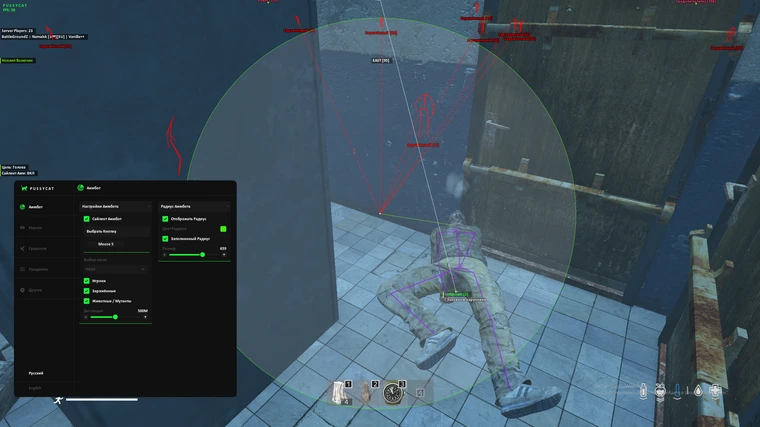
PUSS for DayZ is built for players who want a clearer read of a dangerous raid in Day Z. Configure targeting for players, zombies, or animals with hitbox and FOV controls, then use player and zombie visuals, health and inventory details, item and weapon highlights, and vehicle information to keep threats and useful gear in view. World-time, weather, compass, city markers, configuration saving, and map controls round out a focused toolkit for navigating the map.
STATUS
UNDETECTED
FEATURES
AIMBOT
- Silent Aimbot
- Aimbot Key
- Aimbot Hitbox:
- Head
- Neck
- Body
- Nearest
- Silent for Official
- Instant Hit:
- Bullet Speed
- Targets:
- Players
- Zombies
- Animals / Mutants
- Max Distance
- FOV:
- Draw FOV
- FOV Color
- Filled FOV
- Aimbot FOV
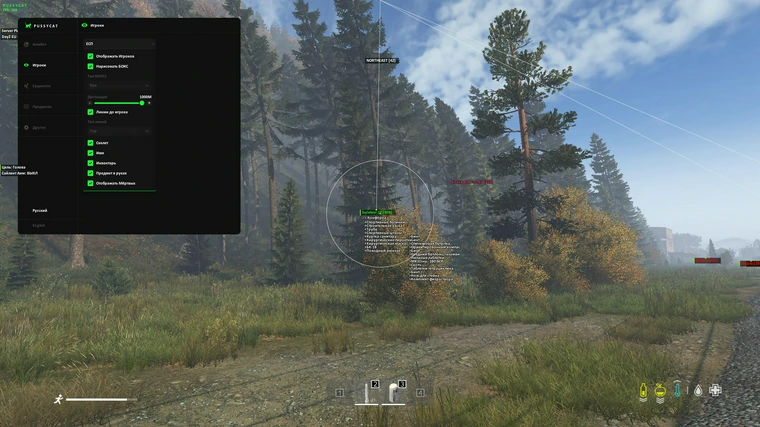
PLAYERS
- Show Players
- Visuals:
- Draw BOX
- Box Style
- Snaplines
- Snaplines Style
- Skeleton
- Name
- Inventory:
- Inventory List
- Item in hands
- Health:
- Health Value
- Healthbar
- Dead
- Distance
- Friend List [MIDDLE BUTTON]
- Friend List Settings:
- Ignore from Aimbot
- Ignore from ESP
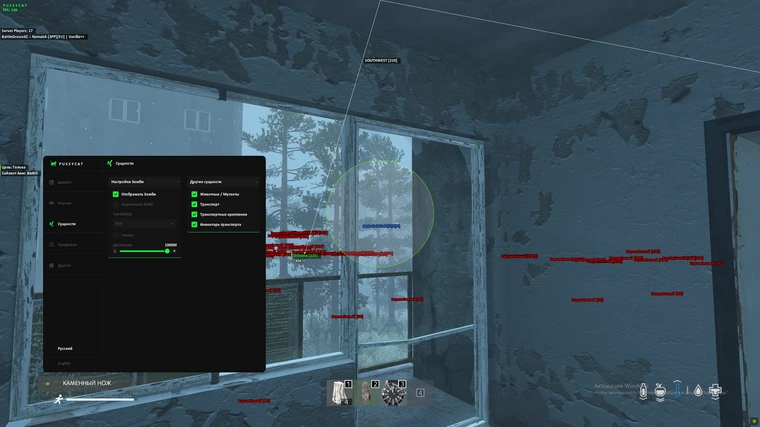
ZOMBIES
- Show Zombie
- Visuals:
- Draw BOX
- Box Style
- Skeleton
- Distance
ENTITIES
- Animals / Mutants
- Vehicle:
- Vehicle Attachments
- Vehicle Inventory
ITEMS
- General:
- Items Quality
- Distance
- Categories:
- Food
- Medical
- Inventory Items
- Building Items
- Car Items
- Storage:
- Storage Inventory [20m]
CLOTHING
- Show Clothing
- Categories:
- Headgear
- Belts
- Masks
- Tops
- Backpacks
- Vests
- Gloves
- Pants
- Shoes
- All Clothing
WEAPONS
- Show Weapons
- Categories:
- Firearms
- Shotguns
- Pistols
- Magazines
- Ammo
- Optics
- Bayonet
- Buttstock
- Melee
- Explosives
- All:
- All Attachments
- All Weapons
- Weapon Inventory
EXPLOITS
- World:
- Show WorldTime
- TP Storages 4m
- Unlock Thirdperson
- Disable Grass
- Time:
- Time Set
- Time
- Night Vision
- Weather:
- Change Weather
- Overcast
- Fog
- Rain
- Snowfall
SETTINGS
- Config:
- Lock Overlay FPS
- Save Config
- Load Config
- Menu Key
VISUAL HELPERS
- Compass
- Crosshair
- Fonts:
- Entity Font Size
- Item Font Size
- Cities:
- Show Cities
- Main City
- Military:
- Tier 2
- Tier 3
- Tier 4
- Others
- Count Players
NOCLIP
- Noclip
- Noclip Key
- Noclip Speed
- W A S D Control
- Arrows Control
MEDIA