Fortnite
PRIVATE SOFTWARE
ANCIENT
Ancient for Fortnite is a private cheat offering aimbot for precise targeting, ESP for players and loot, radar, and full font and color customization to match your visual preferences. Built for clarity and control, Ancient gives you a tailored edge in every match.
STATUS
ON UPDATE

FEATURES
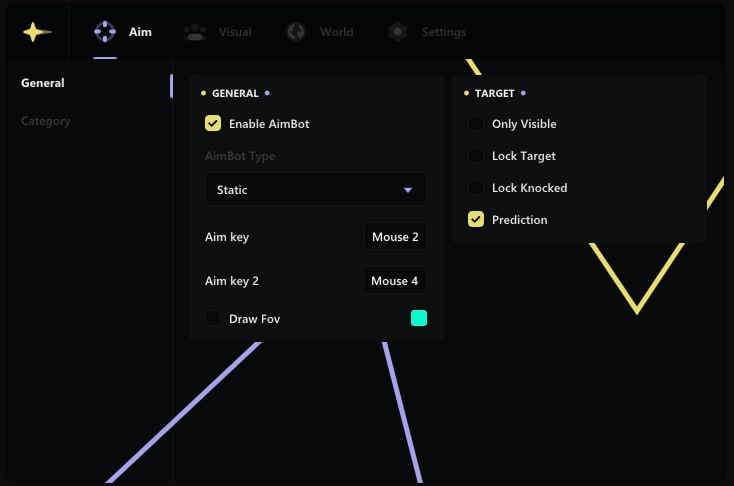
AIM
- General
- Enable AimBot
- AimBot Type (Static; Curved)
- Aim key
- Aim key 2
- Draw FOV
- Target
- Only Visible
- Lock Target
- Lock Knocked
- Prediction
- Category Settings
- Global
- Melee
- Rifle
- Shotgun
- SMG
- Pistol
- Sniper
- Other
- Additional
- FOV
- Smooth
- Trigger Bot
- Enable Trigger Bot
- Trigger Bot Key
- Delay before firing
- Firing time
- Delay after firing
- Bone Selection
- Bone
- Head
- Neck
- Body
- Stomach
- Nearest Bone
- Force Bone
- Force Key
VISUAL
- General
- Draw Distance
- Draw AI
- ESP Box
- ESP Skeleton
- Skeleton Thickness
- ESP Line
- Line Type
- ESP Nick
- ESP Distance
- Additional Info
- ESP Team
- Unique Team Color
- ESP Kills
- ESP Platform
- ESP Rank
- ESP Weapon
- Radar
- Enable Radar
- Radar Size
- Draw Player
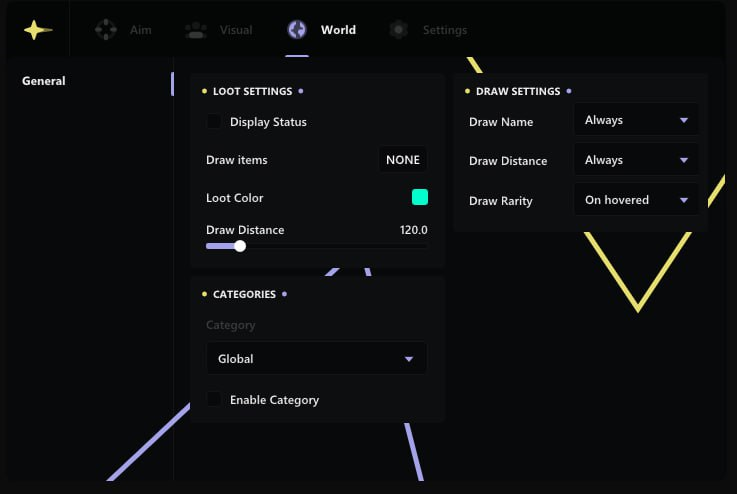
WORLD
- Loot Settings
- Display Status
- Draw Items
- Loot Color
- Draw Distance
- Categories
- Category: Weapon
- Enable Category
- Draw Settings
- Draw Name: Always
- Draw Distance: Always
- Draw Rarity: Always / On hovered
- Categories Settings
- Distance
- Font
- Color
SETTINGS
- Show FPS Overlay
- FPS Locker
- Crosshair
- Crosshair Size
- ESP text font size
- Loot text font size
- Language (English / Chinese)
CONFIGS
- Add
- Load
- Share
MEDIA