Hunt Showdown
PRIVATE SOFTWARE
PHOENIX
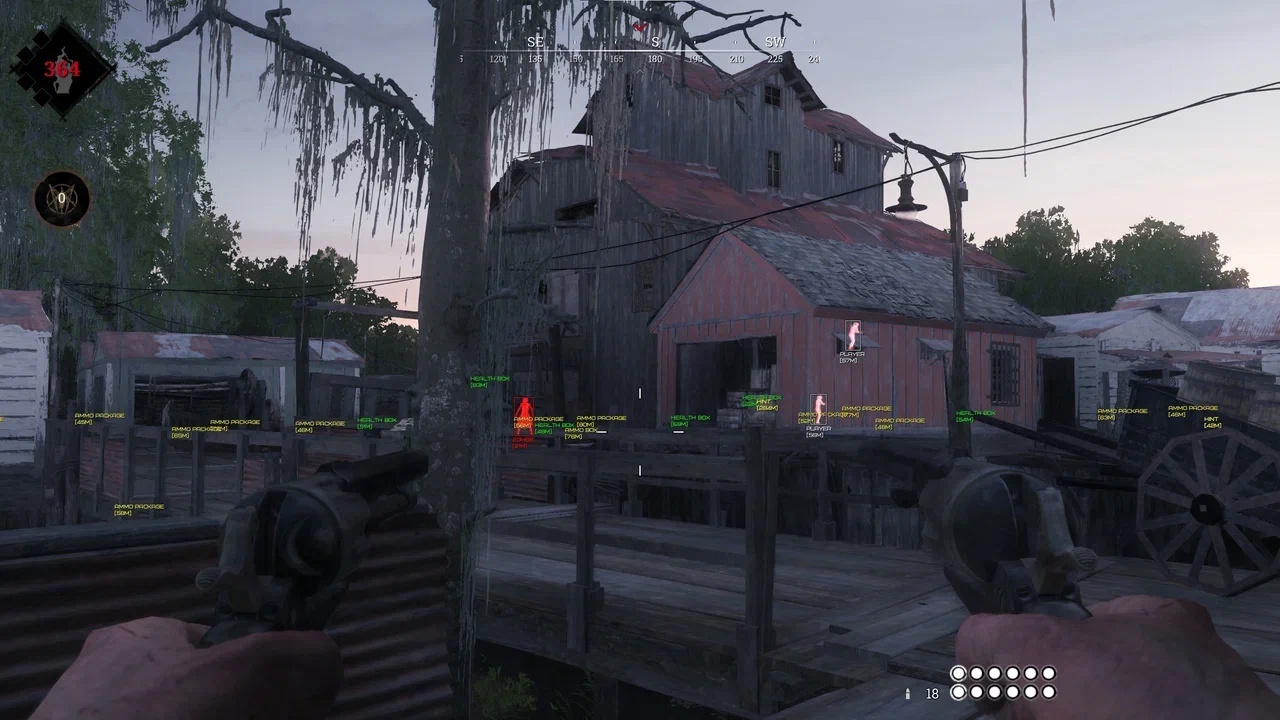
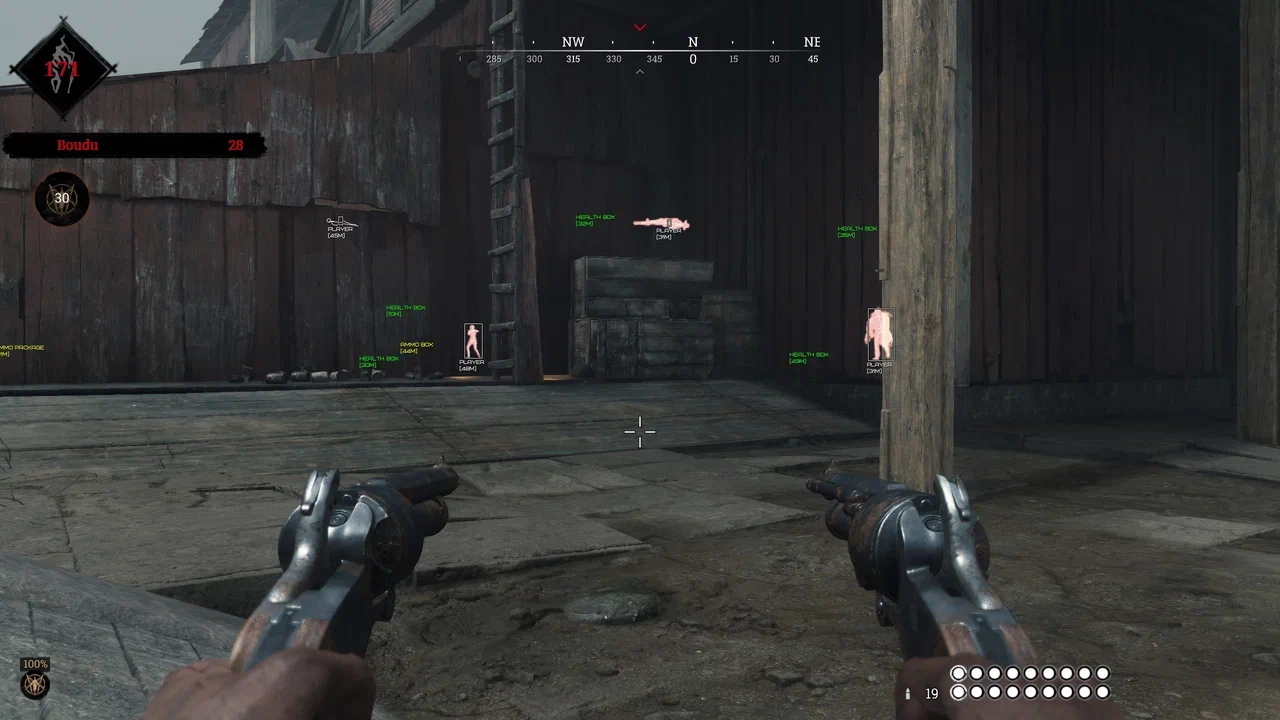
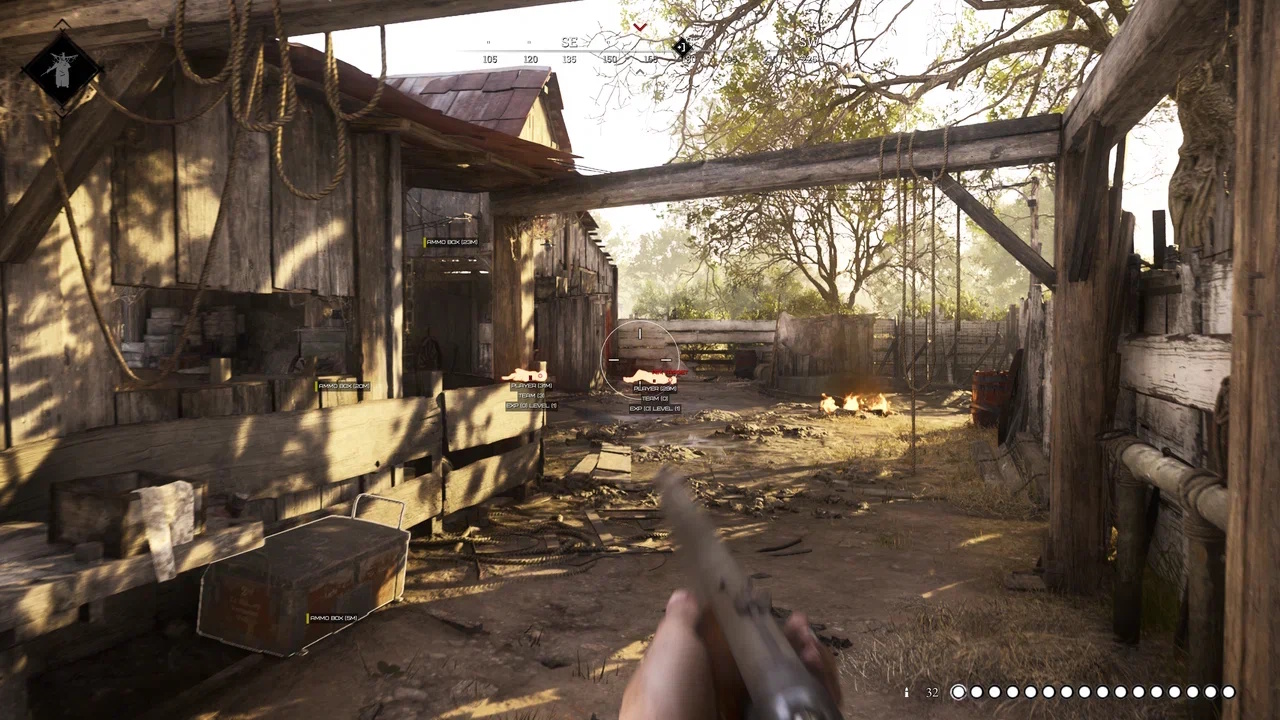
Phoenix for Hunt: Showdown is a complete private cheat built for awareness, precision, and tactical control. Featuring player and mob ESP along with world and loot ESP, it gives you a clear view of enemies, creatures, and valuable items across every location. Powerful exploits enhance flexibility and strategy, letting you navigate, engage, and extract with full confidence. Designed for smooth visuals and consistent performance, Phoenix keeps you informed, responsive, and ready for every encounter in the bayou’s most dangerous hunts.
STATUS
ON UPDATE

FEATURES
ESP
- Players — show players using WH
- Zombies — show regular zombies
- Special Zombies — show special infected
- Bosses — show boss enemies
- Distance — distance to ESP targets
- Render Distance — limit the ESP working range
- Player Health — display HP amount of players
- Visible Check — targets in line of sight and behind obstacles are highlighted in different colors
- Boxes — box-style ESP
- Filled Boxes — dark transparent box background
- Skeleton — skeleton-style ESP
- Chams — full-color model highlighting
- Head Dot — small dot on enemy heads
WORLD & LOOT ESP
- Health Box — healing boxes
- Ammo Box — bullet containers
- Hints — show hints
- Posters — show posters
- Cash Registers — show cash registers
- Horse Bags — show horse bags
- Material Boxes — boxes with materials
- Blueprints — show blueprints
- Coin Bags — money bags
- Distance — distance to objects
- Max Distance — world ESP range
MISC
- Magic Bullet — bullets hit targets inside FOV even through obstacles
- Working Radius (FOV) — size of the area where magic bullets work
- Working Distance — max distance where magic bullets are effective
- Magic Bullet Key — key to activate magic bullet while held
- Spectators — shows how many players are watching you
- Language (English, Russian) — two UI languages available
- Developer Mode — allows taking screenshots of objects and sending them for ESP addition
- Custom Colors — customize WH colors to your preference
MEDIA