ROB RUN
PRIVATE SOFTWARE
Arcane
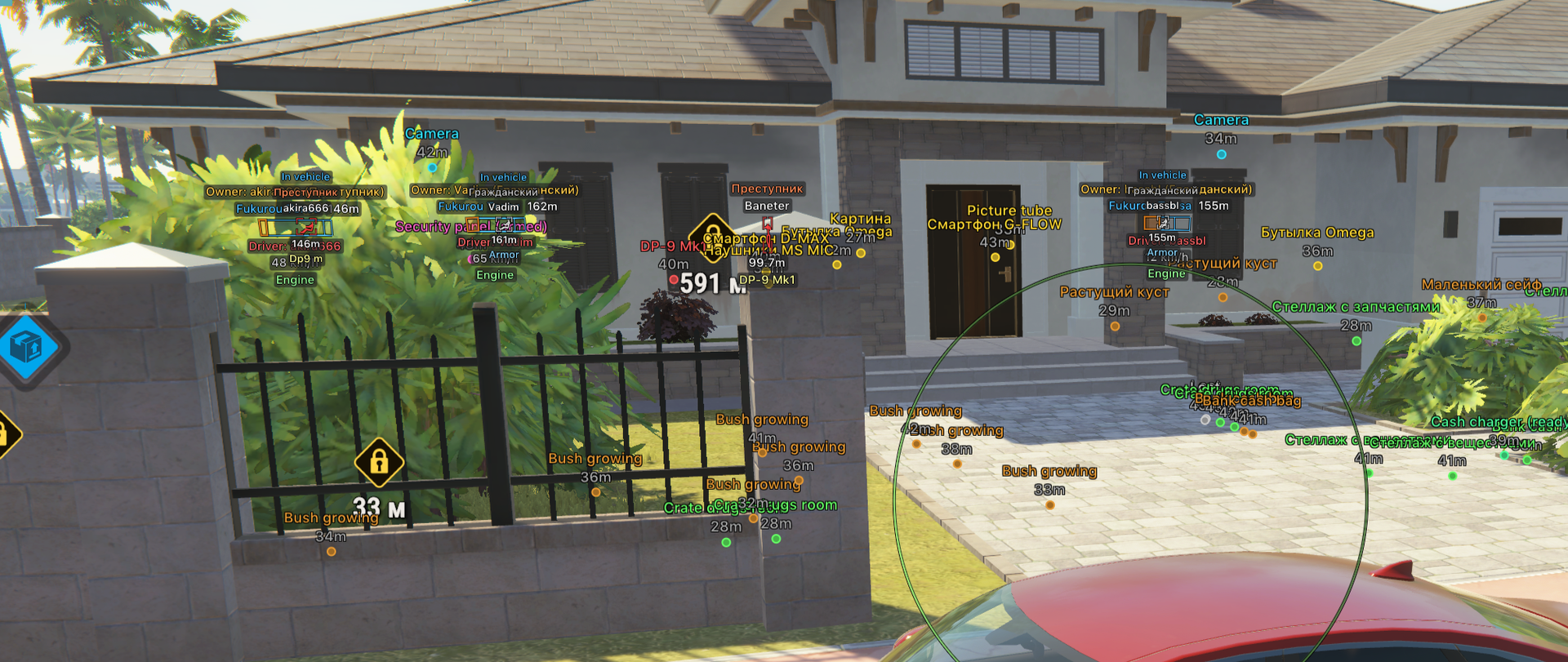
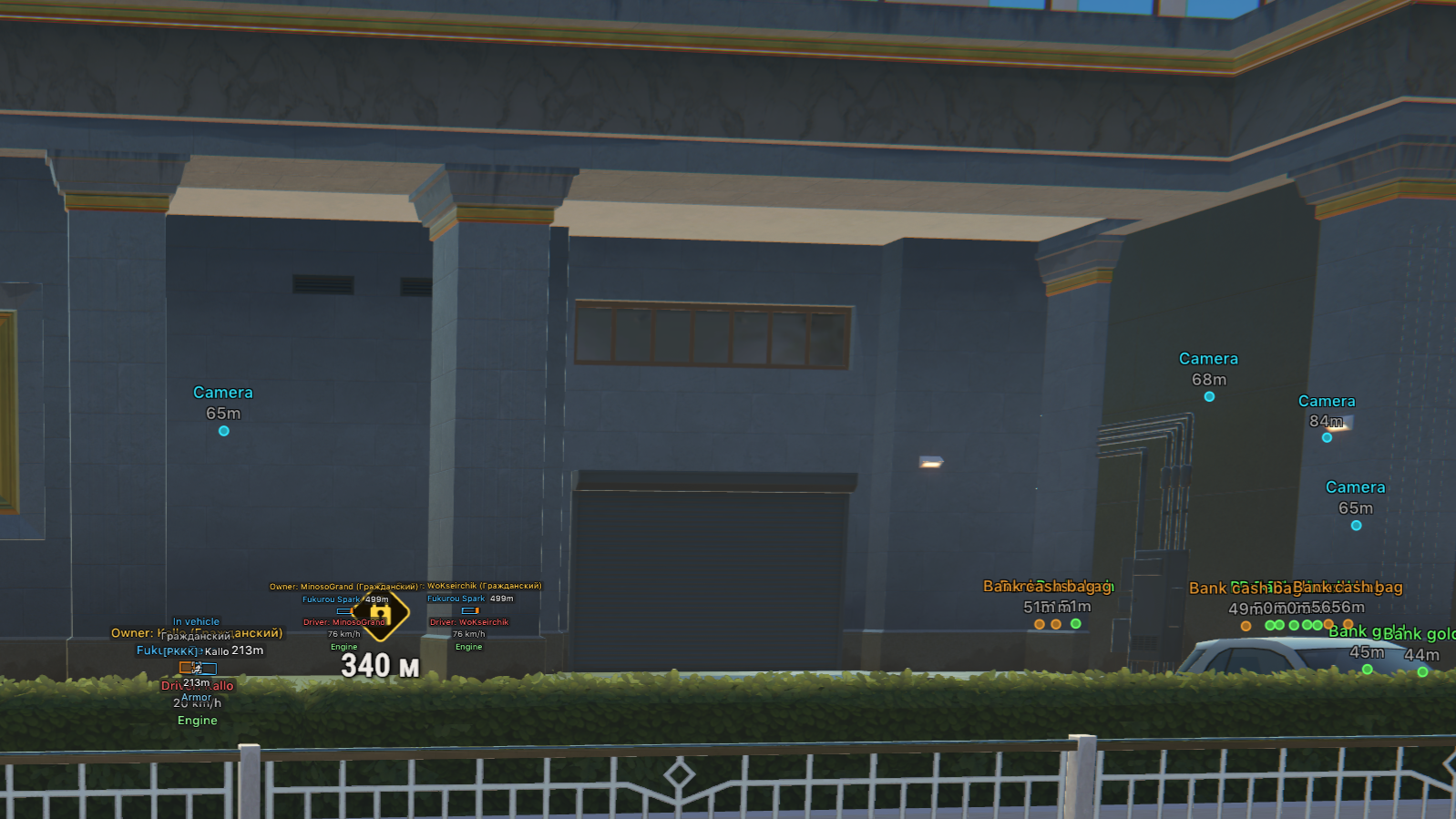
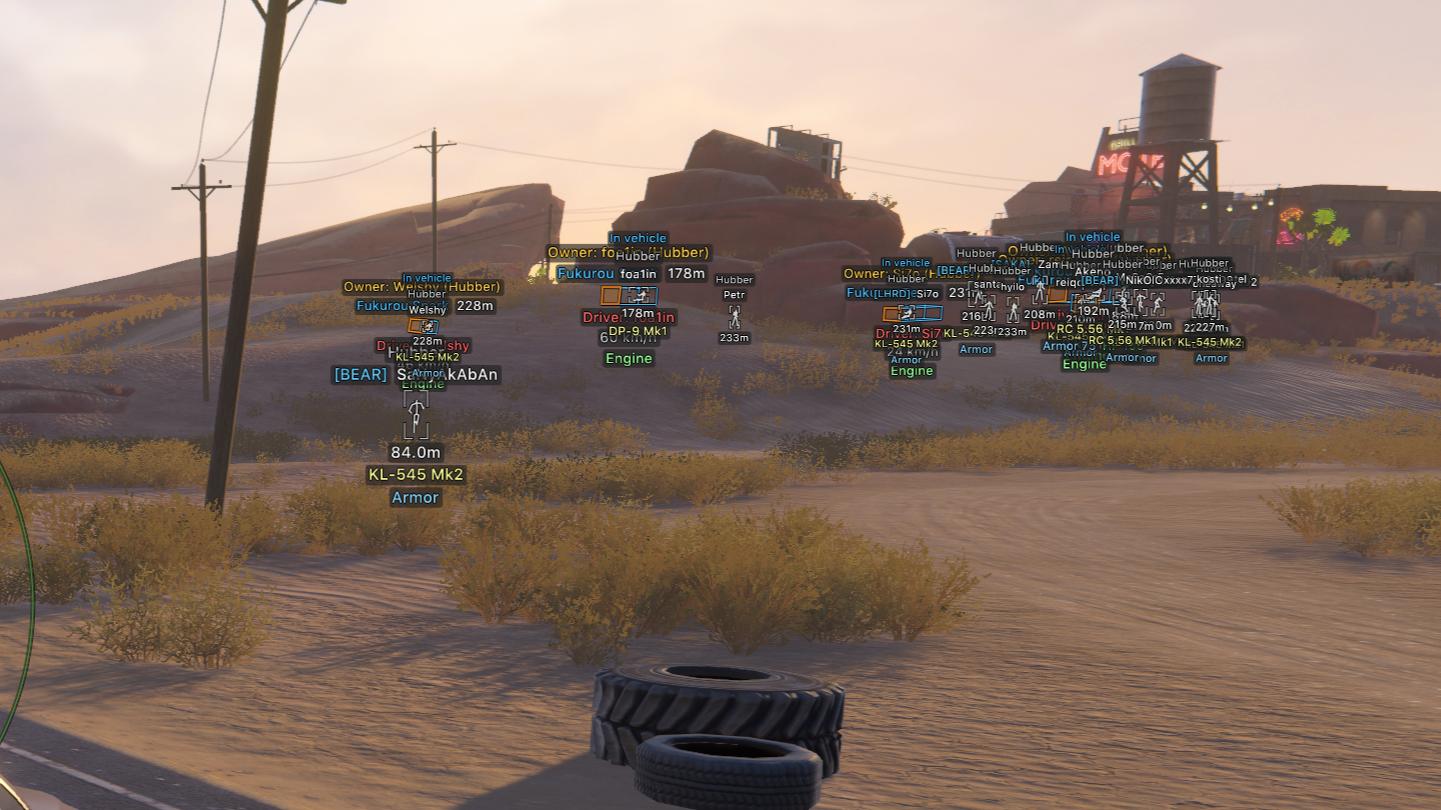
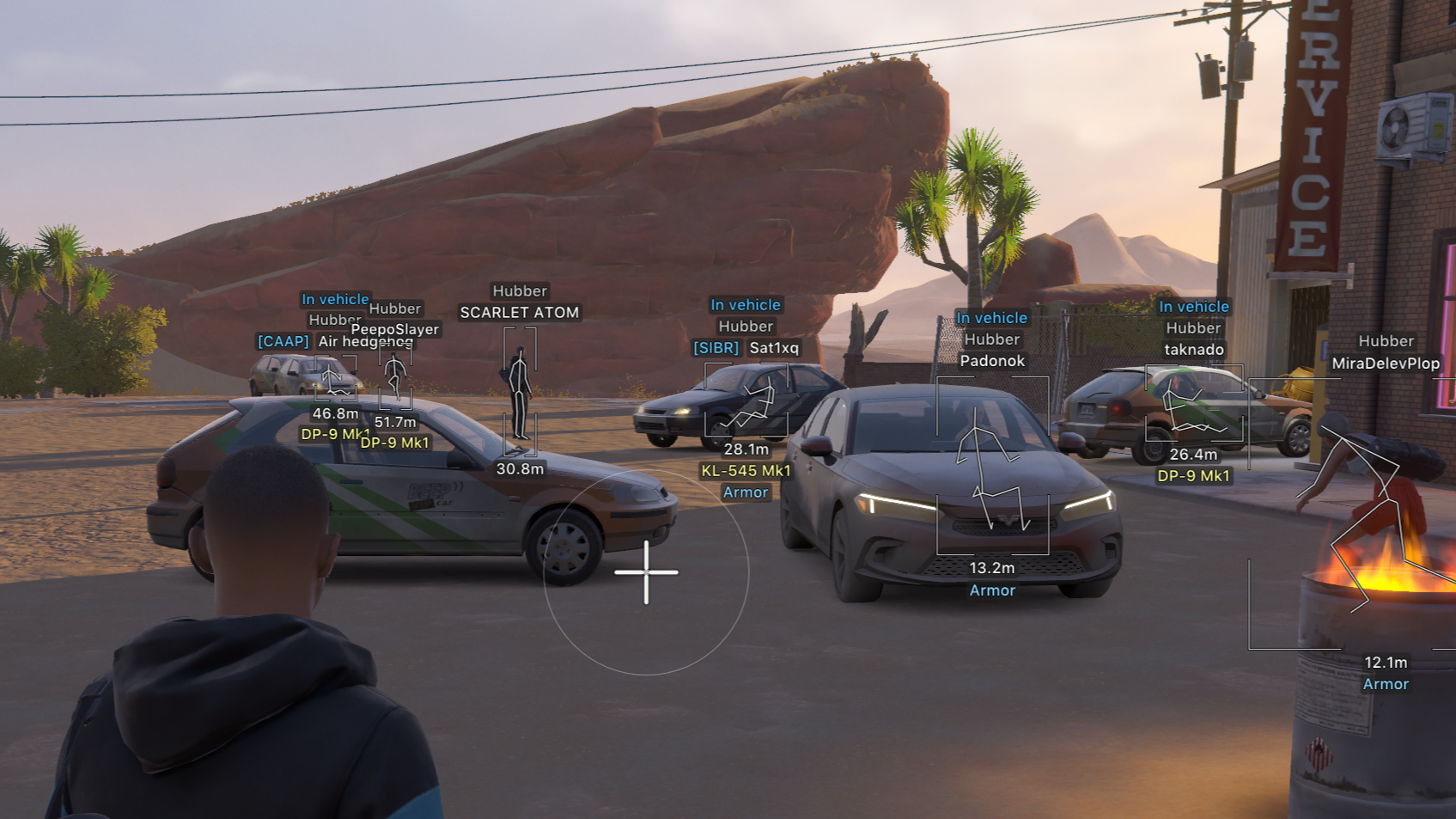
Arcane for ROB RUN brings aim support and a broad view of the action to the city’s fights and pursuits. Player ESP, vehicle ESP and item ESP help you assess nearby threats, follow transport and decide which loot is worth a detour, while the aimbot supports controlled engagements. Camera information and radar add useful reference points when planning your next move; recoil, sway and spread controls focus on weapon handling. Read the situation, choose your approach and keep the next encounter in view. A spoofer is not included.
STATUS
UNDETECTED

FEATURES
AIMBOT
- Weapon categories:
- Global
- Pistol
- Automatic
- Other
- Enable
- Keybind
- Force aim key
- In scope
- Lock target
- Shift to head
- Max distance
- Target switch delay:
- Delay
- Humanization system:
- Humanization factor
- Ignore dead
- Ignore in vehicle
- Ignore knocked
- Target:
- Cops
- Robbers
- Civilians
- NPC...
- Bone selection method:
- Selected bones
- Closest bone
- Target bones:
- Head
- Neck
- Body
- Pelvis...
- Activation:
- On hold
- Always
- Prediction:
- Prediction strength
- Prediction cross:
- Cross size
- Adaptive FOV
- Draw FOV Border:
- Thickness
- Draw FOV Background
- Draw locked target
- FOV Size
- Smoothness
ESP PLAYERS
- Categories:
- Cops
- Robbers
- Civilians
- Enable
- ESP preview
- ESP Style:
- No background
- With background
- Max distance
- Bounding box:
- 2D
- 3D
- Box
- Corner
- Box height
- Box width
- Fill box:
- Static
- Gradient
- Skeleton:
- Thickness
- Head circle
- Fade with distance
- Line to enemy:
- Color
- Position
- Hide dead
- Hide team
- Team colors:
- Box color
- Skeleton color
- Hide knocked
- Knocked colors:
- Box color
- Skeleton color
- Name
- Clan tag
- Role
- Held item
- Armor
- State
- Health
- In vehicle
- Colors in vehicle:
- Box color
- Skeleton color
- Distance
- ID
ESP NPC
- Enable
- ESP preview
- ESP Style:
- No background
- With background
- Max distance
- Hide dead
- Bounding box:
- 2D
- 3D
- Box
- Corner
- Name
- State
- Distance
VEHICLES ESP
- Enable
- ESP Style:
- No background
- With background
- Max distance
- Only occupied
- Hide own vehicle
- Hide vehicle I am in
- Bounding box:
- 2D
- 3D
- Box
- Corner
- Front face:
- Fill front face
- Fill box:
- Static
- Gradient
- Line to vehicle:
- Color
- Position
- Vehicle name
- Distance
- Owner
- Driver
- Speed
- Status
CAMERAS ESP
- Enable
- Max distance
- Distance
- Hide broken
- Colors:
- Color
- Broken color
- Alarm color
- View zone:
- Fill zone
ESP ITEMS
- Enable
- Max distance
- Distance
- Hide empty
- Objects:
- Loot
- Loot nodes
- Cargo
- Cash chargers...
- Loot categories:
- Weapons
- Ammo
- Armor
- Equipment...
RADAR
- Enable
- Distance rings
- FOV cone
- Scale by distance
- Zoom
- Size
- Transparency
- Entities:
- Cops
- Robbers
- Civilians
- NPC...
- Max distance
- Show on rim
OFF SCREEN
- Enable
- Range
- Size
- Max distance
MISC
- No recoil
- No sway
- No spread
BATTLE MODE
- Keybind
- Show indicator
- Compact info
- Hide dead
- Hide radar
- Hide off-screen
- Hide:
- Cops
- Robbers
- Others
- Vehicles...
SETTINGS
- Menu key
- Unload key
- DPI scale:
- 100%
- 125%
- 150%
- VSync
- FPS limit
- Theme:
- Murky
- Sunny
- Watermark
- Layout:
- Two columns
- One column
- Language:
- English
- Russian
- Chinese
CONFIGS
- Create new
- Launch
- Save
- Edit name
- Remove
MEDIA