PRIVATE SOFTWARE
GHOST ESP
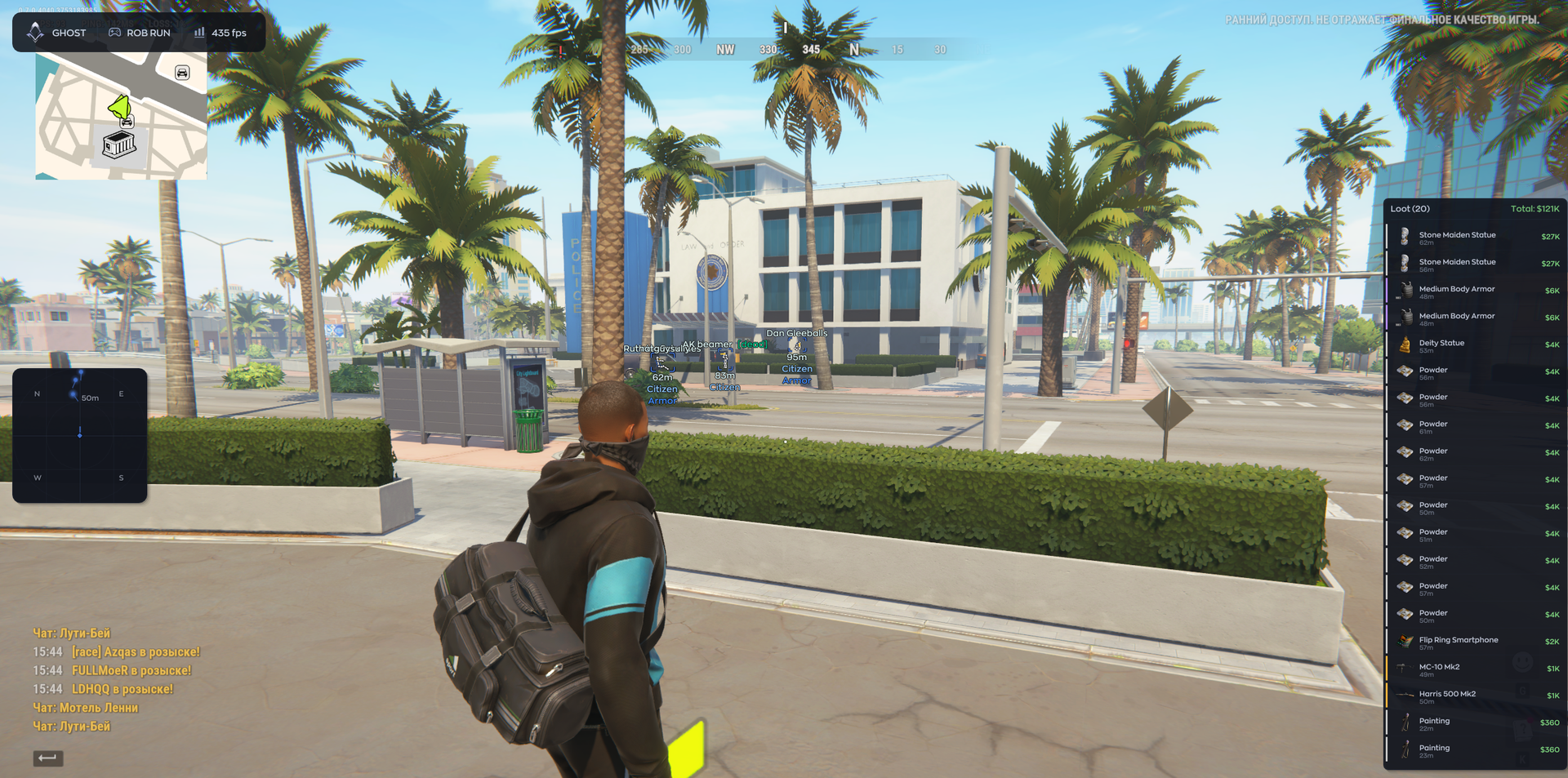
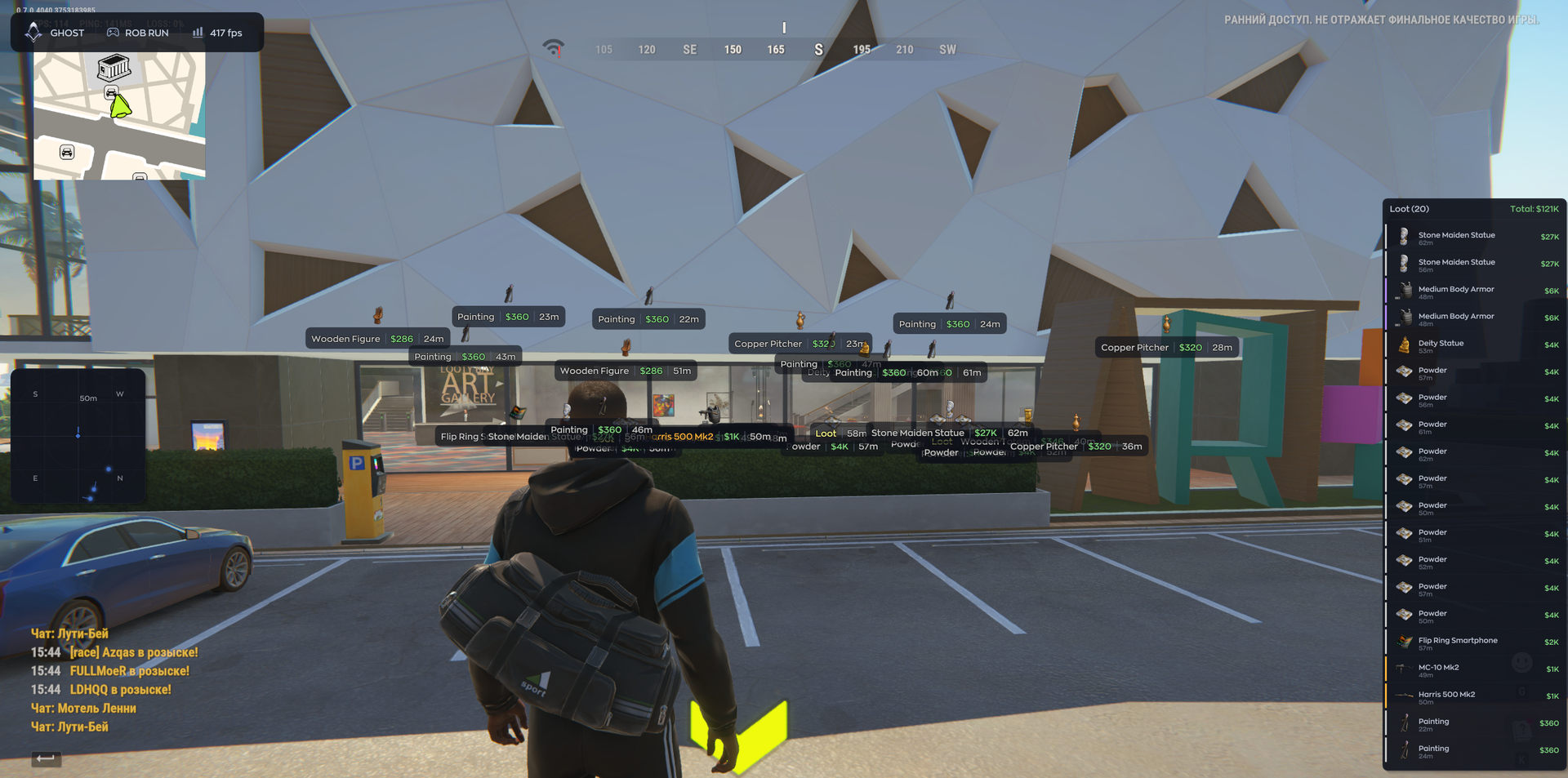
Ghost ESP for ROB RUN is a visual-only cheat focused on reading the situation before your next move. Player ESP and radar help you follow opponents, while loot and world-object highlighting give you useful reference points when deciding where to look for supplies. Adjust the display and filters to keep the information you want in view, then save your setup in a configuration. Assess your surroundings and choose your approach with a clearer picture of what is nearby.
The provider’s interactive demonstration on the ESP page marks player Visible Check, vehicle Enabled and Legendary loot with “risk!”. These are warnings in a generic demonstration, not confirmation that every demo control belongs to this ESP package and not an assurance against detection or bans.
FEATURES
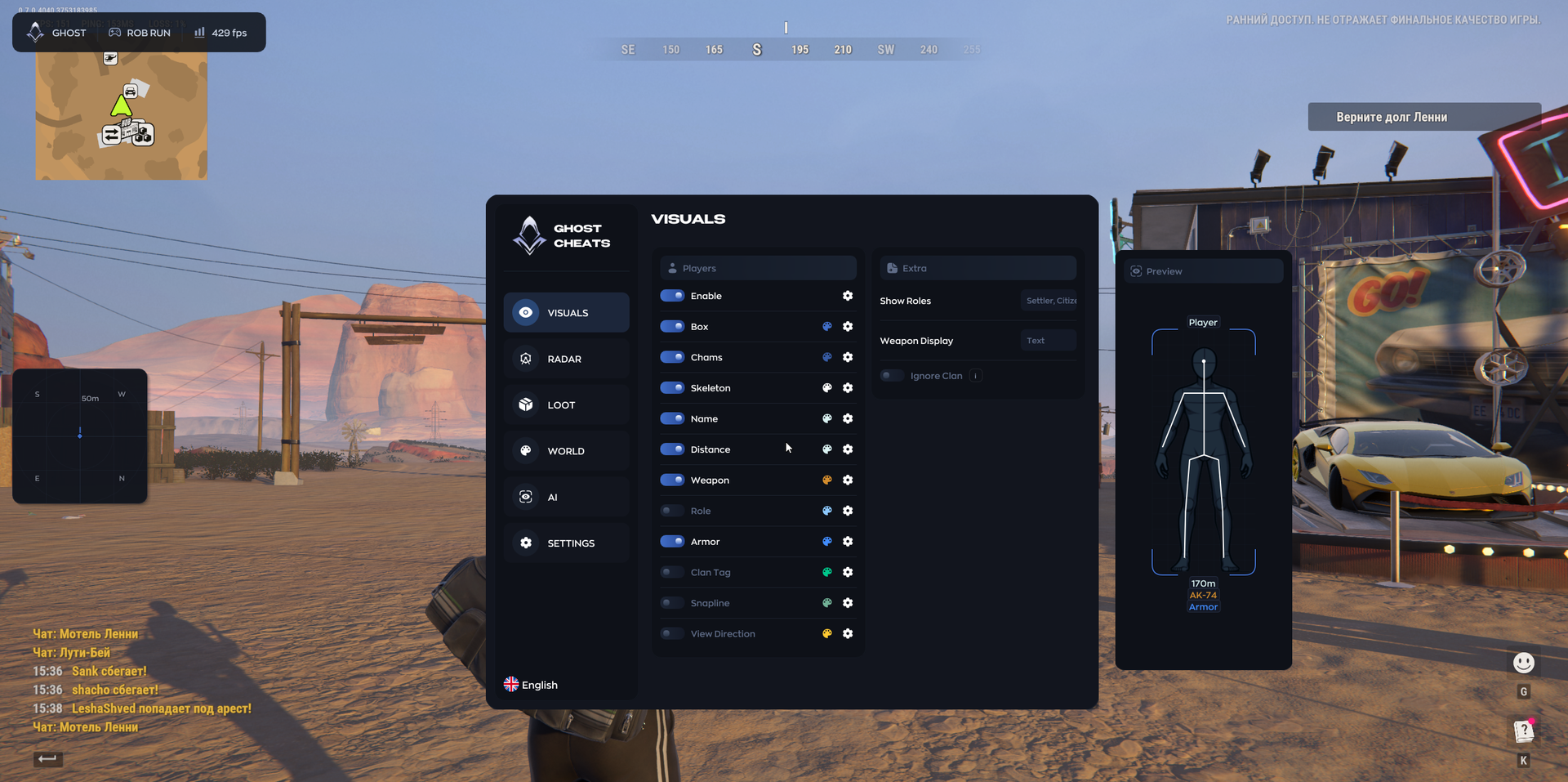
VISUALS
- Box — Draw a rectangle around the player model.
- Chams — Apply a solid color to the player model.
- Skeleton — Display the player's skeleton.
- Name — Display the player's nickname.
- Distance — Display the distance to the player.
- Weapon — Display the player's weapon.
- Role — Display the player's in-game role or profession.
- Armor — Display whether the player has armor and its level.
- Clan Tag — Display the player's clan or faction tag.
- Line — Draw a line from the edge or bottom of the screen to the player.
- View Direction — Display a line indicating where the player is looking.
- Show Factions — Filter which factions are displayed.
- Weapon Selection — Choose the weapon display format: icon or text.
- Ignore Clan — Ignore specified clans or tags.
- Preview — Preview visual settings on a model in a separate window.
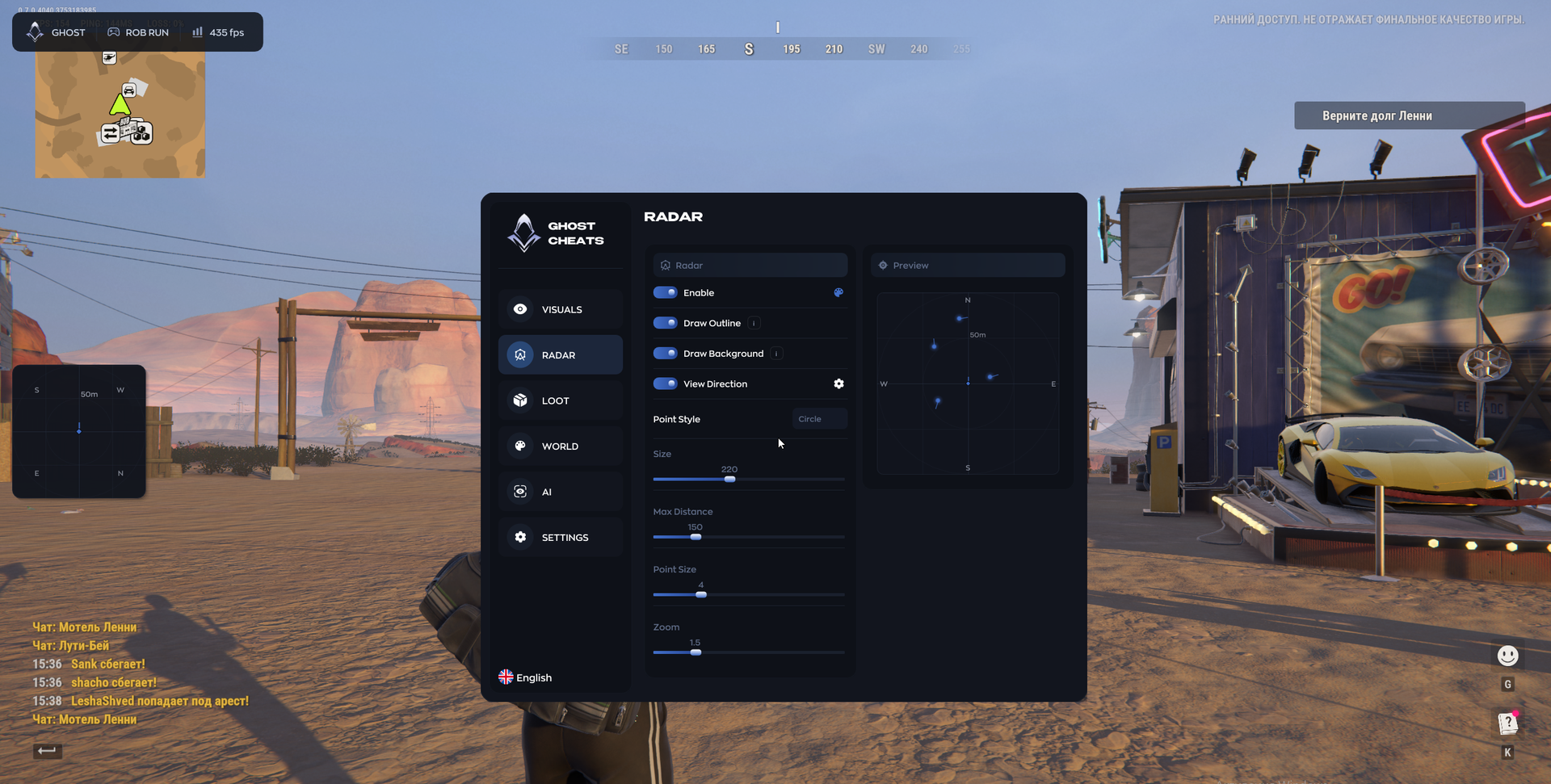
RADAR
- Outline — Add a border around the minimap.
- Background — Enable or disable the radar background.
- View Direction — Show where other players are looking on the radar.
- Dot Style — Choose the shape of player markers.
- Size — Adjust the radar widget's overall size on screen.
- Max Distance — Set the maximum distance at which the radar displays players.
- Dot Size — Adjust the size of radar markers.
- Zoom — Zoom the map in or out within the radar.
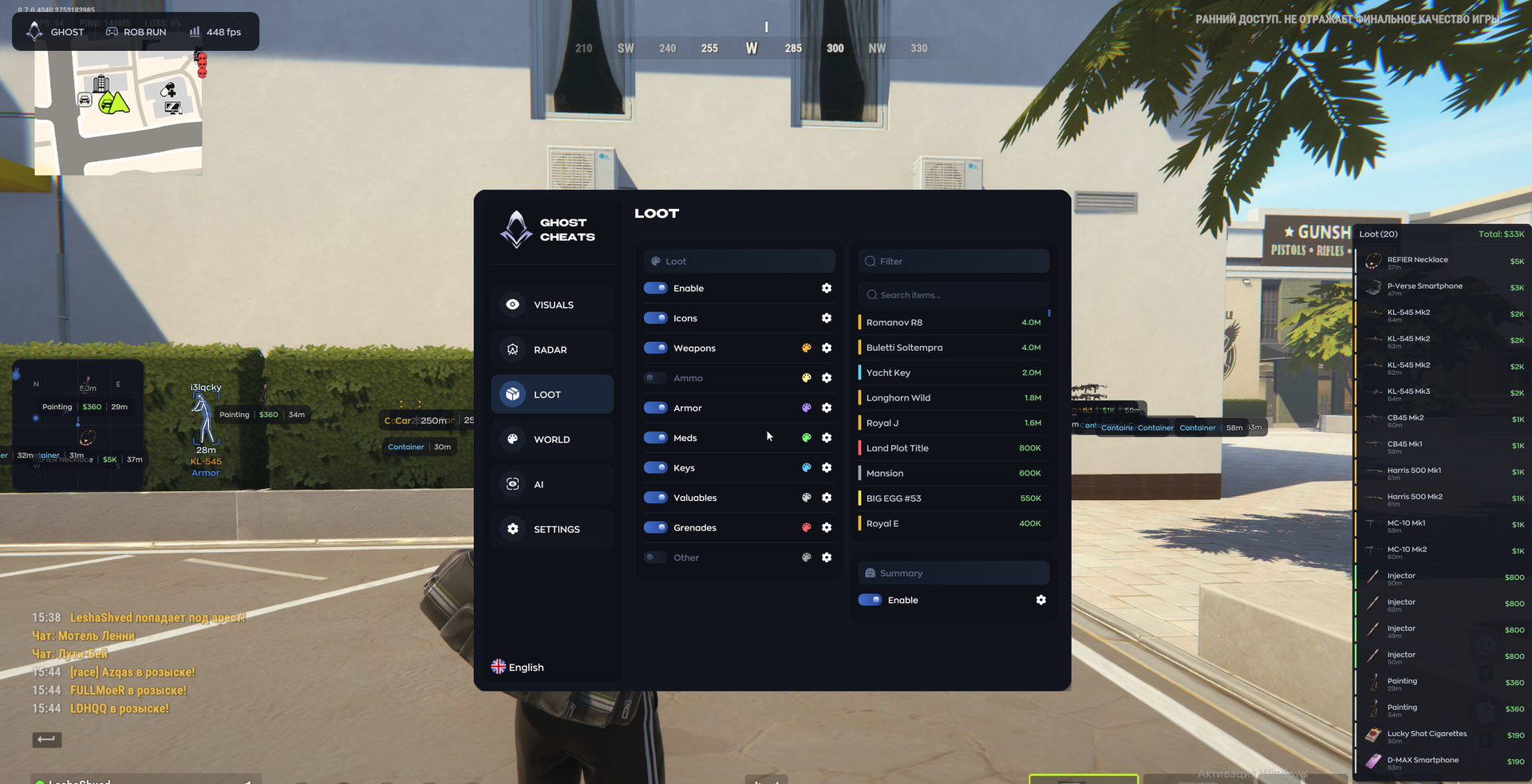
LOOT
- Icons — Display item icons instead of text.
- Weapon — Display weapons on the map.
- Ammo — Display ammunition.
- Armor — Display armor.
- Medications — Display first-aid kits and medical supplies.
- Keys — Display keys.
- Valuables — Display valuable items.
- Grenades — Display grenades.
- Other — Display other loot categories.
- Filter / Search Items — Search for specific items to select.
- Summary / Enable — Enable a separate window listing all detected loot.
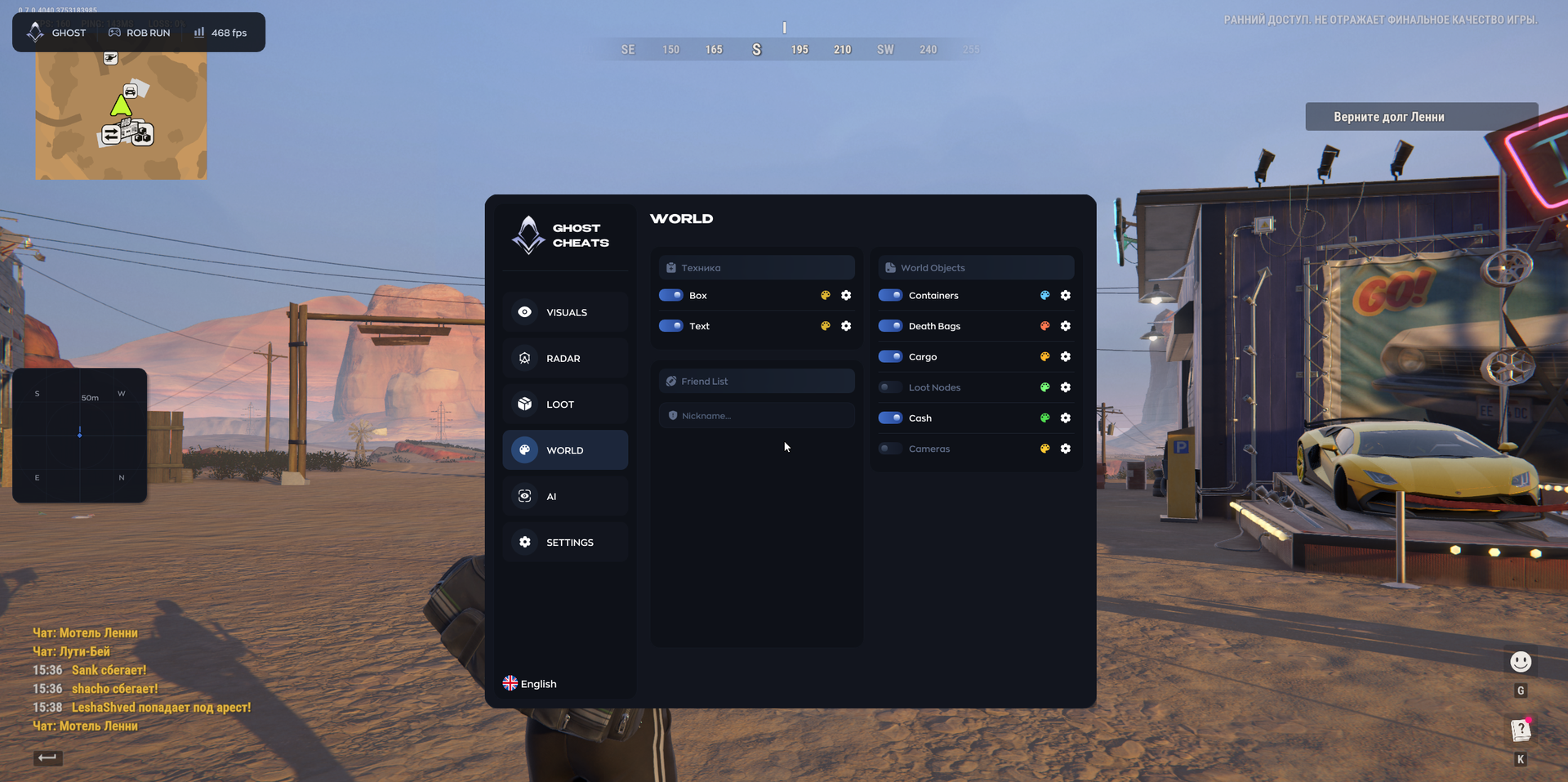
WORLD
- Vehicles
- Box — Draw a box around vehicles.
- Text — Display the vehicle name and distance.
- Friends — Show a list of friends with their distances.
- World Objects
- Containers — Highlight containers.
- Bags — Highlight bags.
- Cargo — Highlight cargo.
- Loot Spots — Display loot spawn locations.
- Cash — Highlight dropped money.
- Cameras — Highlight surveillance cameras.
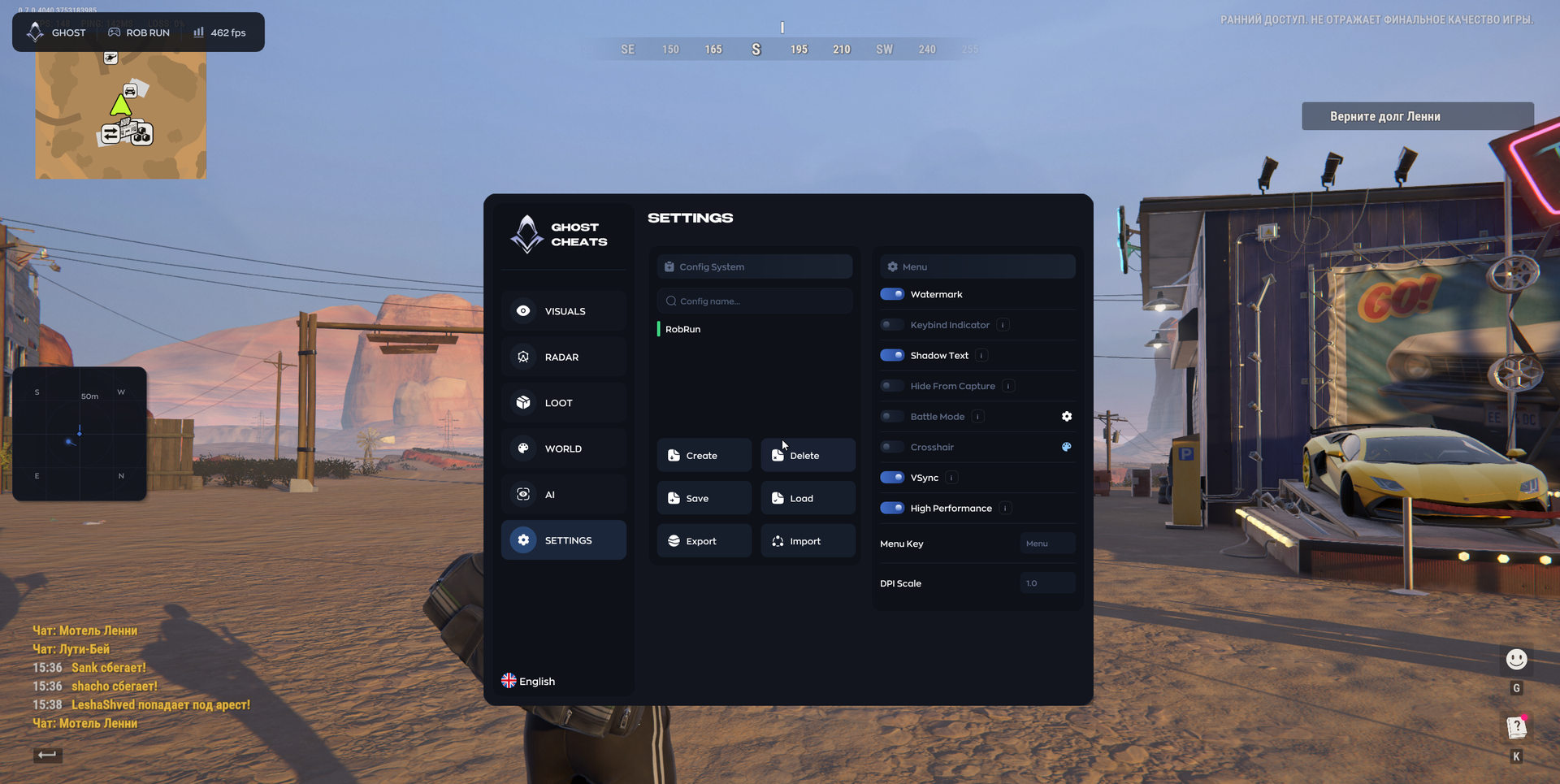
SETTINGS
- Config System
- Create — Create a new configuration.
- Delete — Delete the selected configuration.
- Save — Save current settings to a configuration.
- Load — Load settings from the selected configuration.
- Export — Save a configuration to a file.
- Import — Load a configuration from a file.
- Watermark — Display the cheat logo on screen.
- Binds Indicator — Display pressed keys on screen.
- Text Shadow — Enable shadows for interface text.
- Hide from Capture — Menu visibility setting for screenshots and streams.
- Combat Mode — Hide the menu when a specified key is pressed.
- Crosshair — Enable a custom crosshair.
- V-Sync — Enable vertical synchronization.
- High Performance — Menu optimization mode.
- Menu Key — Set the key for opening and closing the menu.
- DPI Scale — Adjust the size of menu elements.
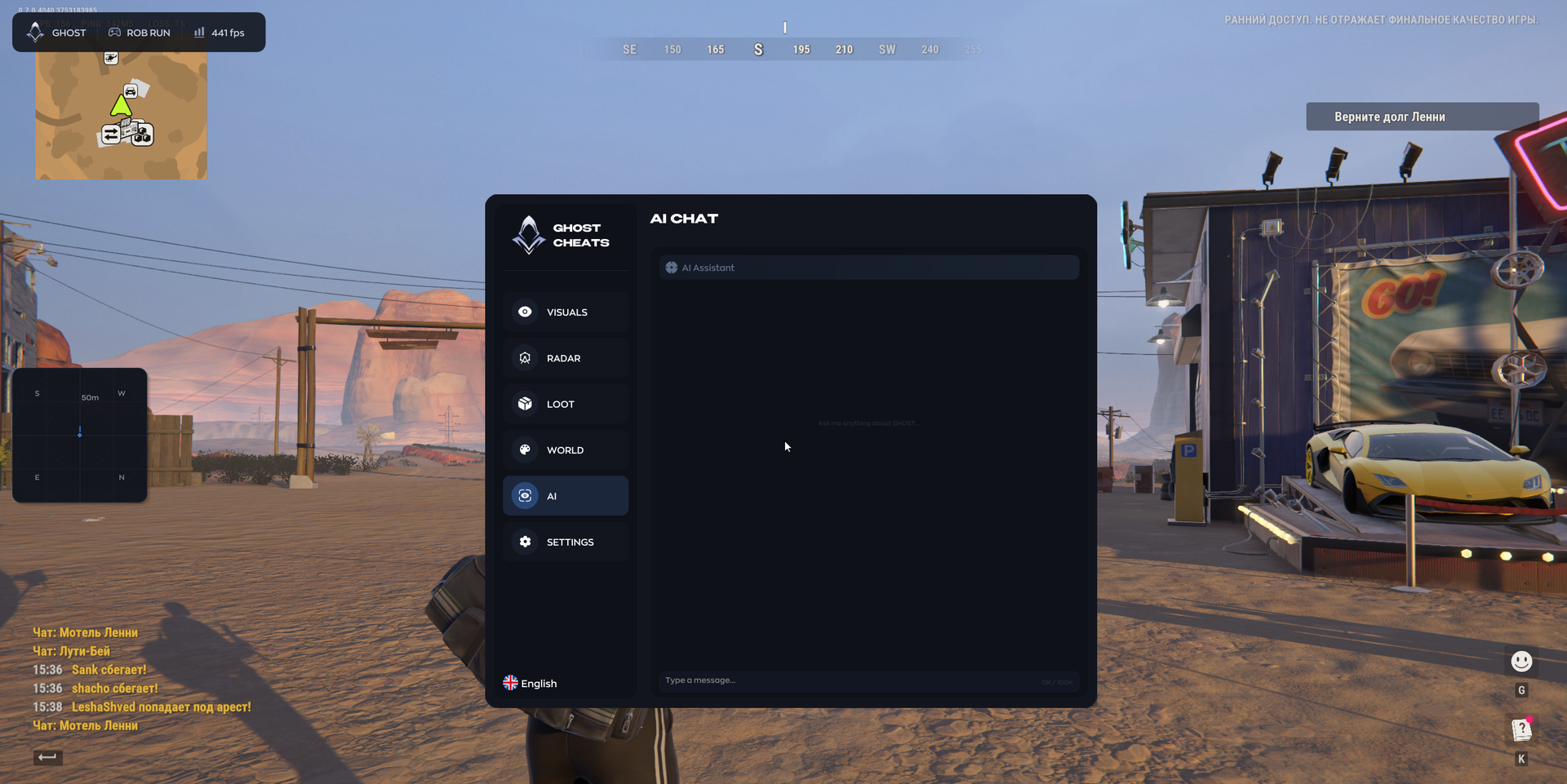
AI CHAT
- AI Assistant — Built-in chatbot for answering questions and helping with menu use.
MEDIA