ROB RUN
PRIVATE SOFTWARE
Mason Void
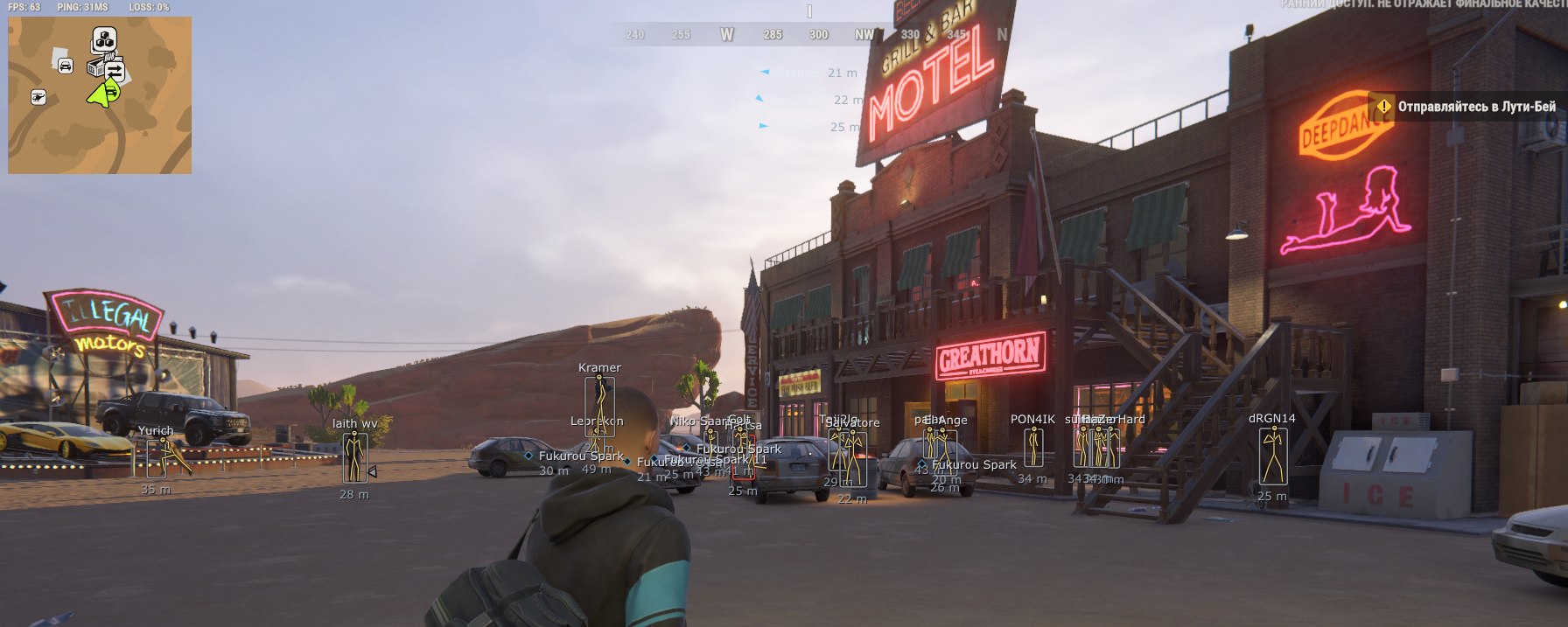
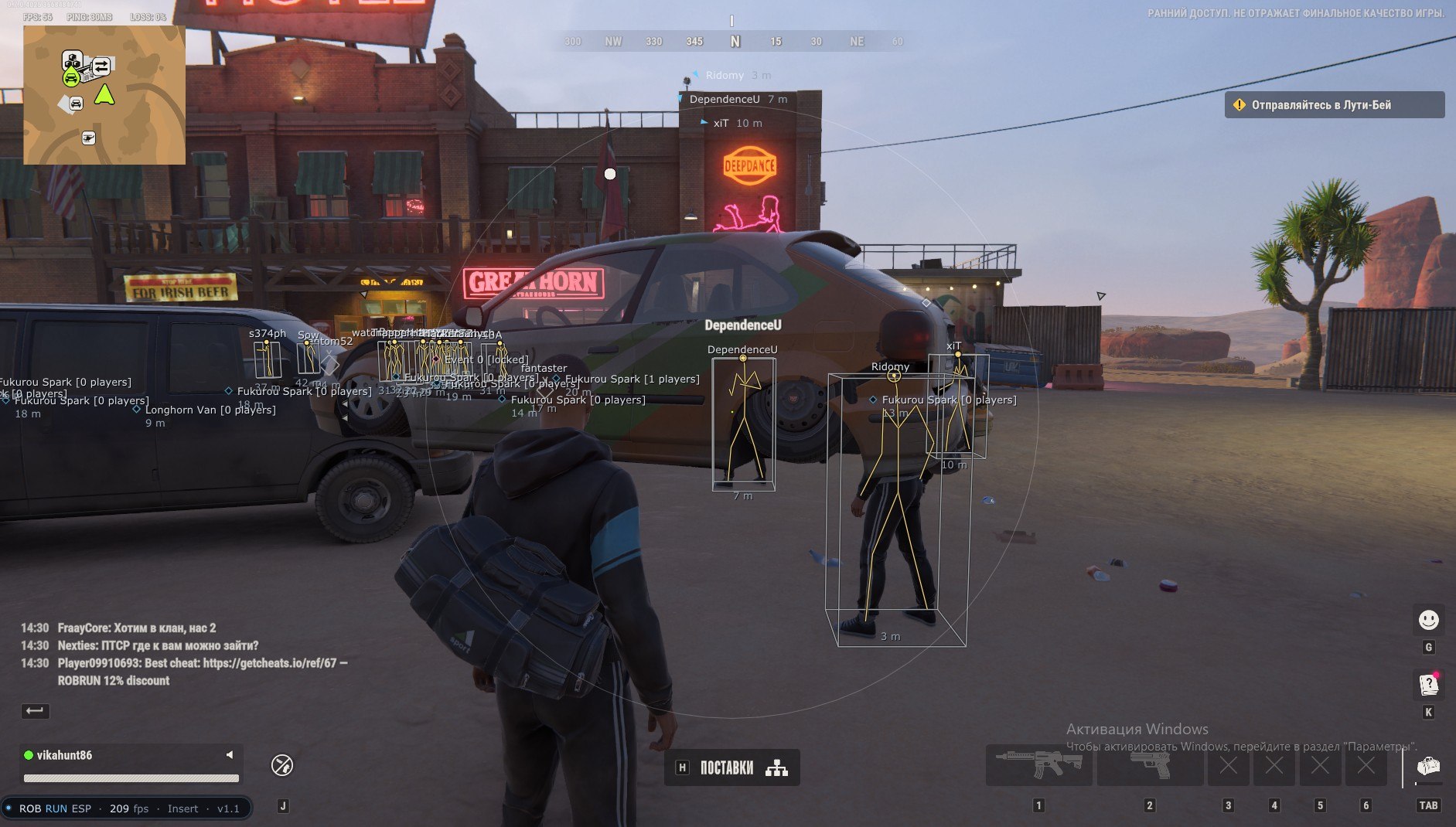
Mason Void for ROB RUN brings a clearer view of the action together with control over your aim. Player and world ESP help you follow opponents, distinguish allies and locate loot bags, so you can weigh an encounter before committing to it. Aim Assist works while you hold the assigned key, while No Recoil and No Spread add control over weapon handling. Keep the surrounding players and useful objects in view, choose your moment and approach the next fight with a plan.
Supported anti-cheat: in-game anti-cheat.
STATUS
UNDETECTED

FEATURES
ESP (players and world objects)
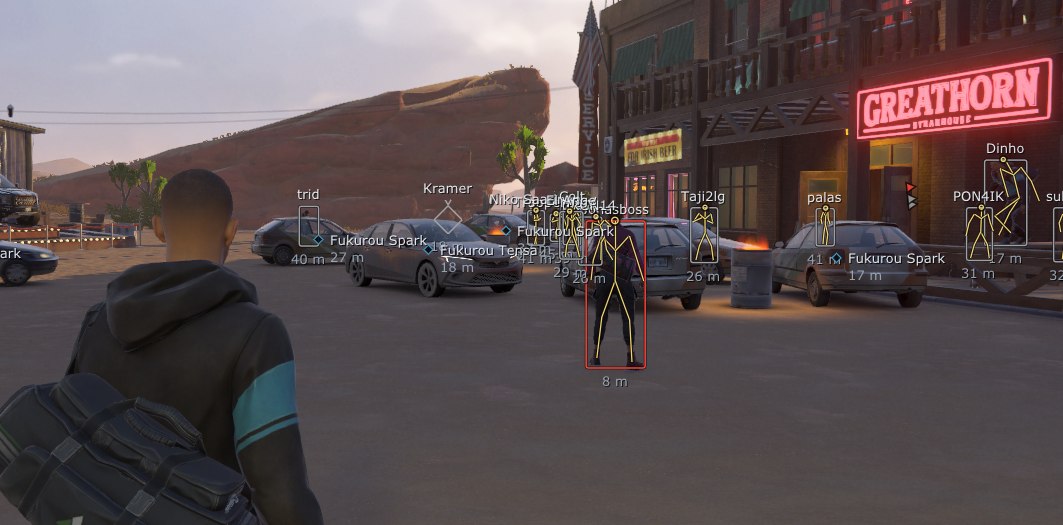
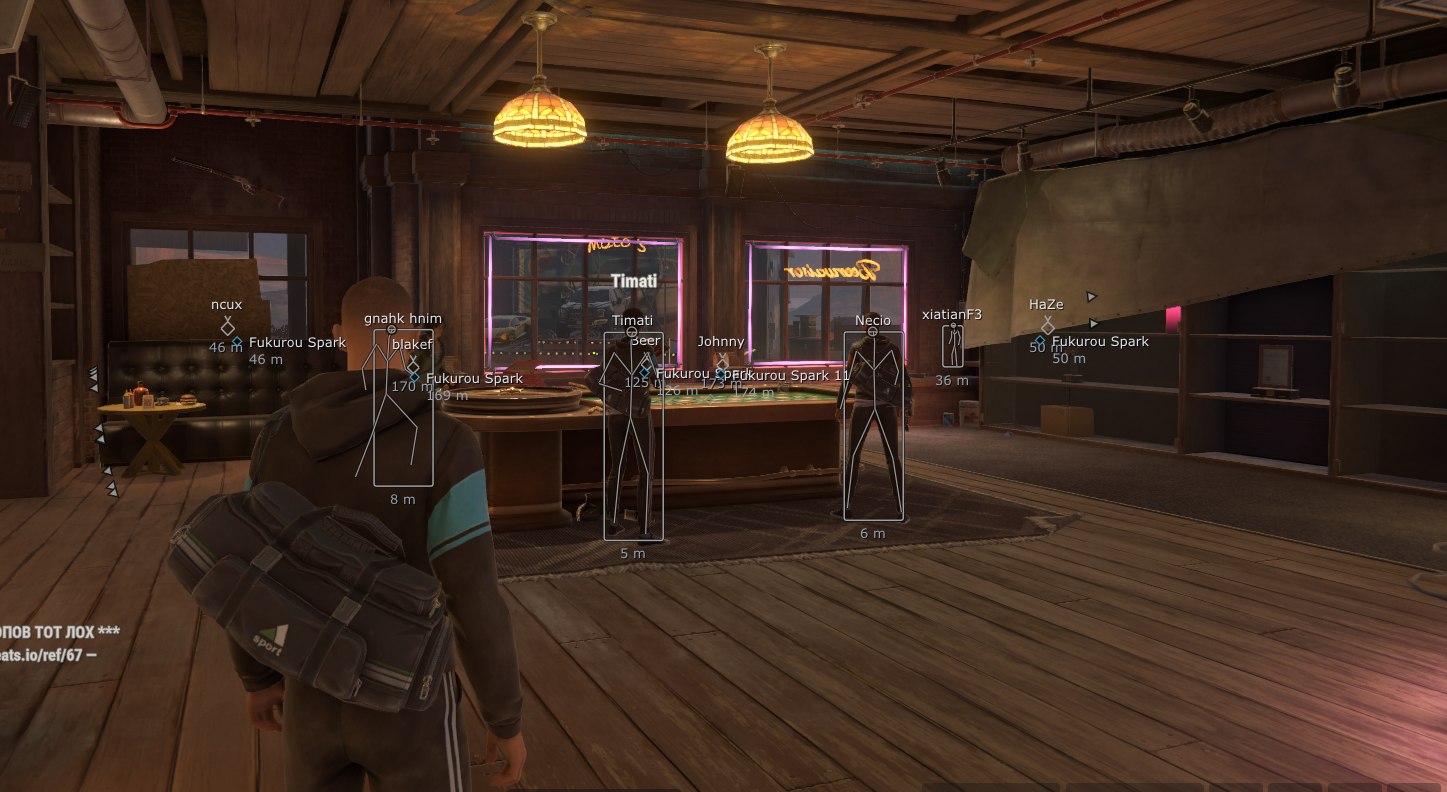
PLAYER ESP
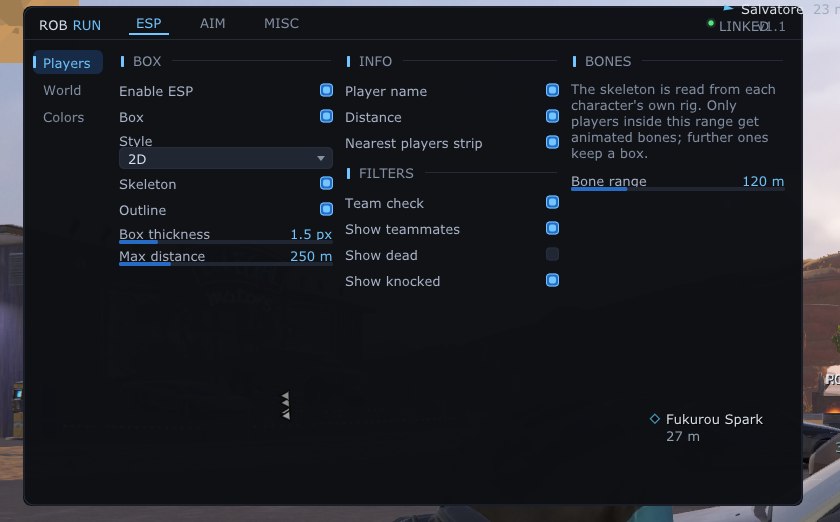
- Player boxes:
- 2D
- Corner
- 3D Fill
- 3D Box
- Player skeletons based on the actual Unity Rig
- Skeleton outline with adjustable line thickness
- Player names
- Distance to players
- Nearby-player bar
- Team check distinguishes allies from opponents
- Display dead and downed players
- Adjust player ESP distance
- Separate skeleton display distance
- Custom colors:
- Opponents
- Allies
- Dead players
- Skeletons
- Separate role colors:
- Police
- Robbers
- Neutral players
- Highlight members of your clan
WORLD ESP
- Loot bags
- Cars
- Helicopters
- Highlight doors and entrances
- Adjust object display distance
- Individual object colors
AIM ASSIST
- Aim Assist while holding the assigned key
- Target bone:
- Head
- Chest
- Nearest Bone
- Team check excludes allies from aiming
- Adjust the aiming FOV radius
- Adjust aiming smoothness
- Adjust the deadzone with no aim correction
- Maximum Aim Assist distance
- Reset aim points
SHOOTING MODIFICATIONS
- No Recoil removes weapon recoil
- No Spread removes firing spread
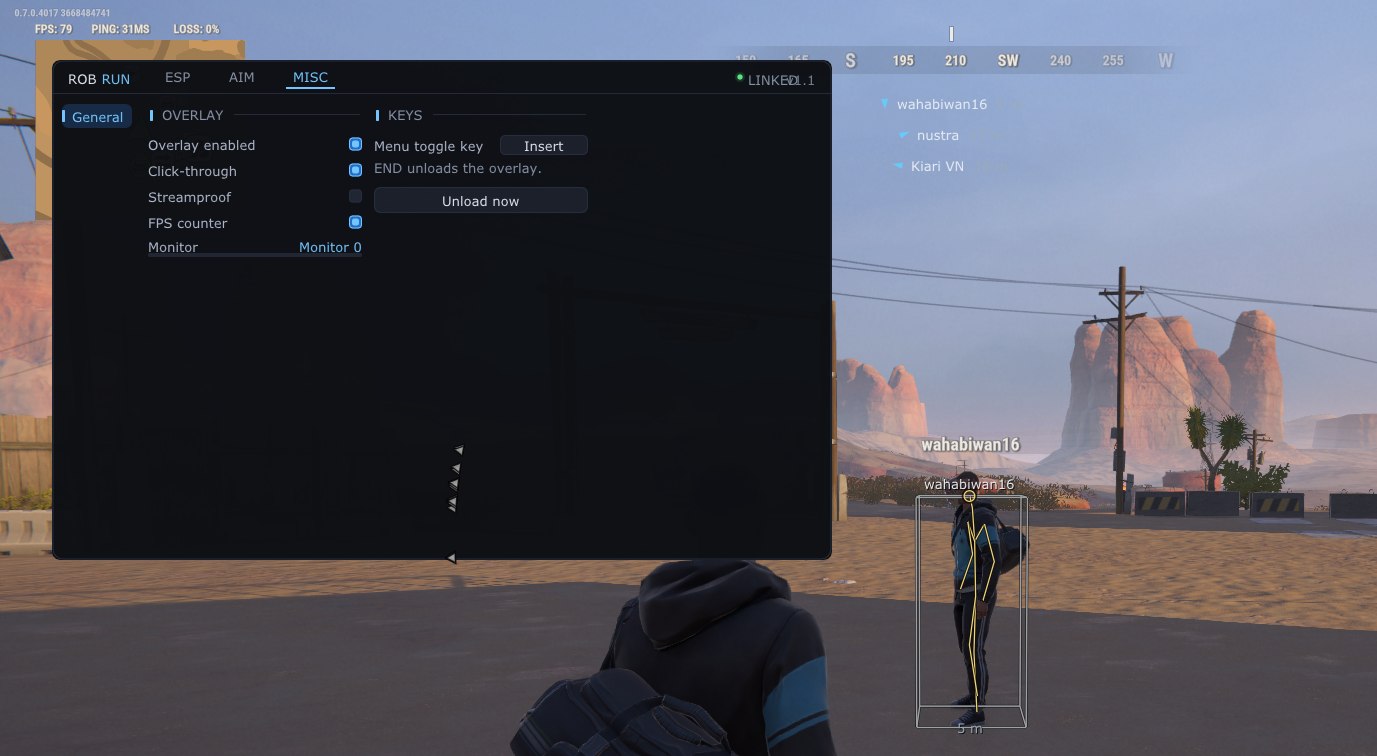
OVERLAY AND CONTROLS
- Show or hide the overlay interface
- Click-through allows interaction with the game through the overlay
- Hide the overlay from supported image-capture methods
- FPS counter
- Select the monitor used for the overlay
- Configure the menu-opening key
- Unload with END or the Unload Now button
The developer may change functionality at any time.
MEDIA