ROB RUN
PRIVATE SOFTWARE
PUSS
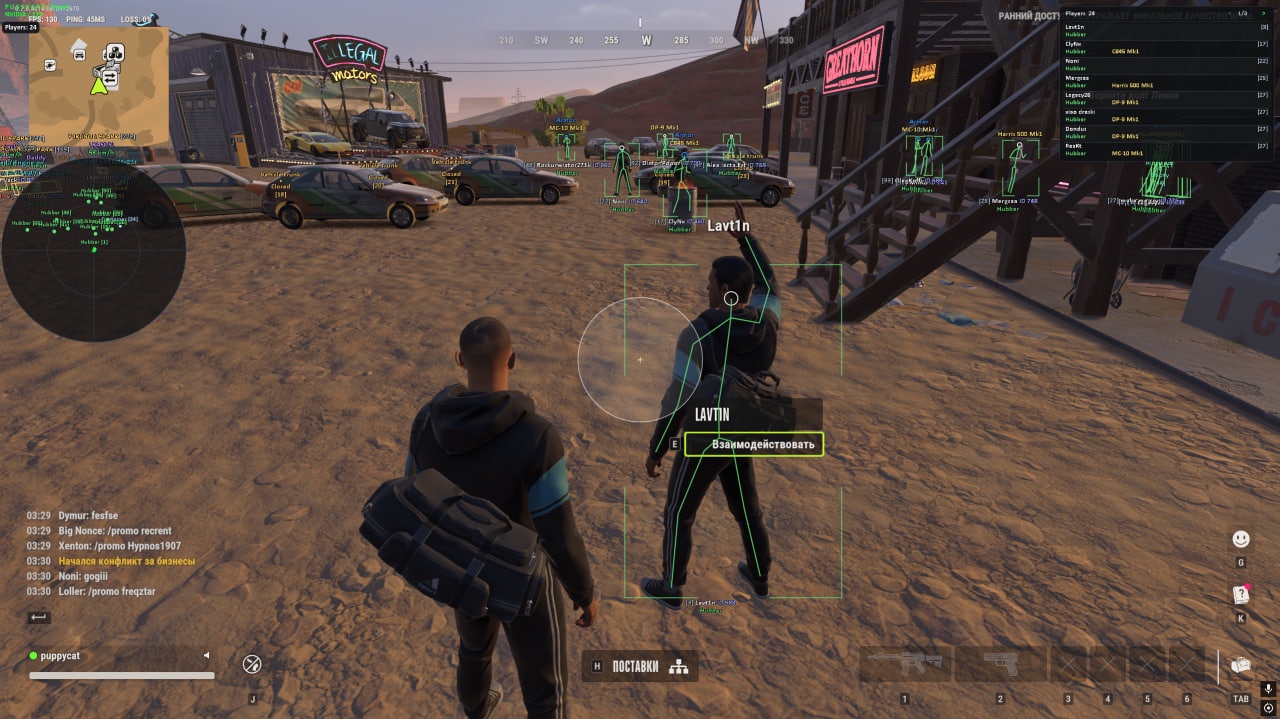
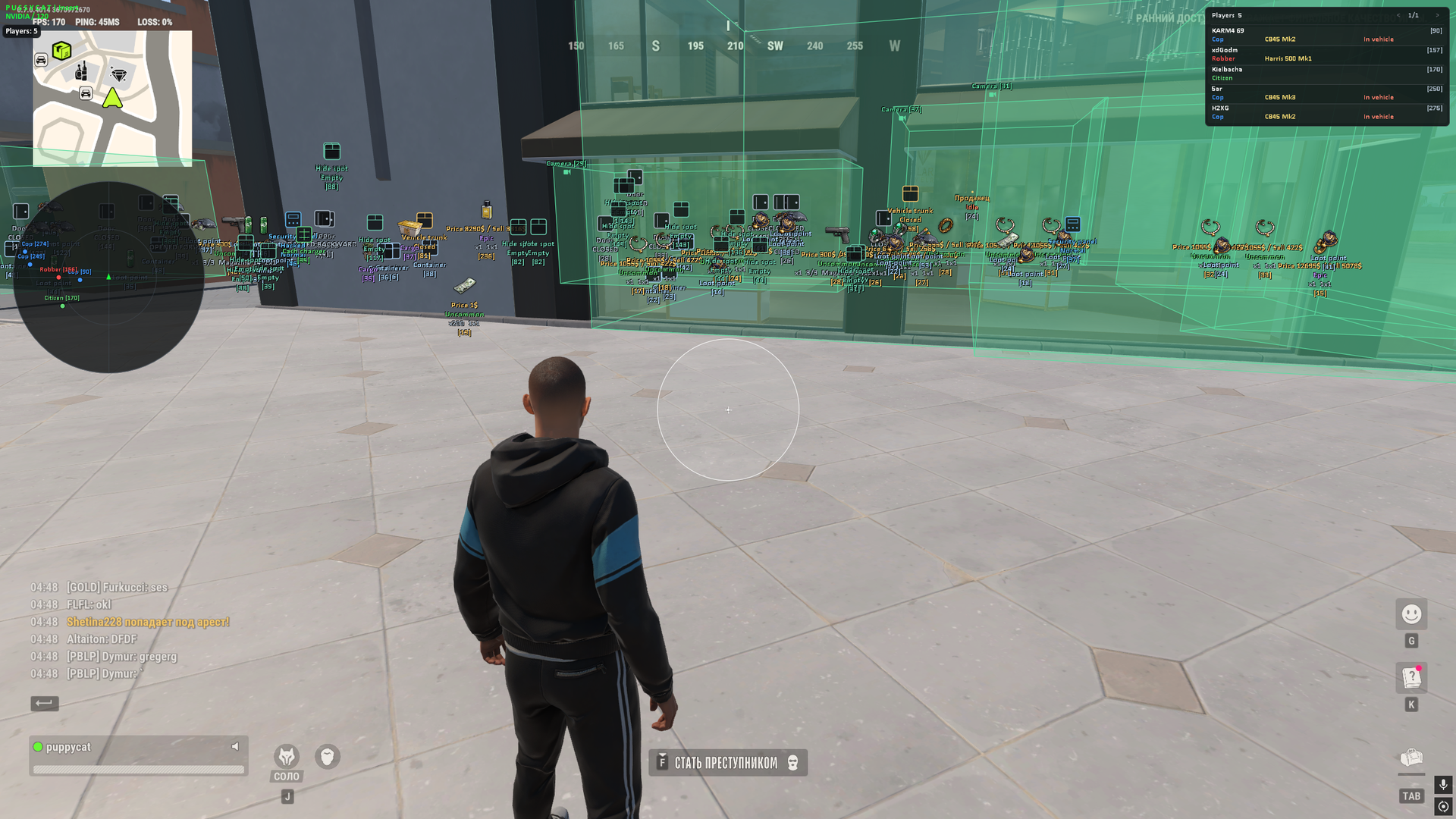
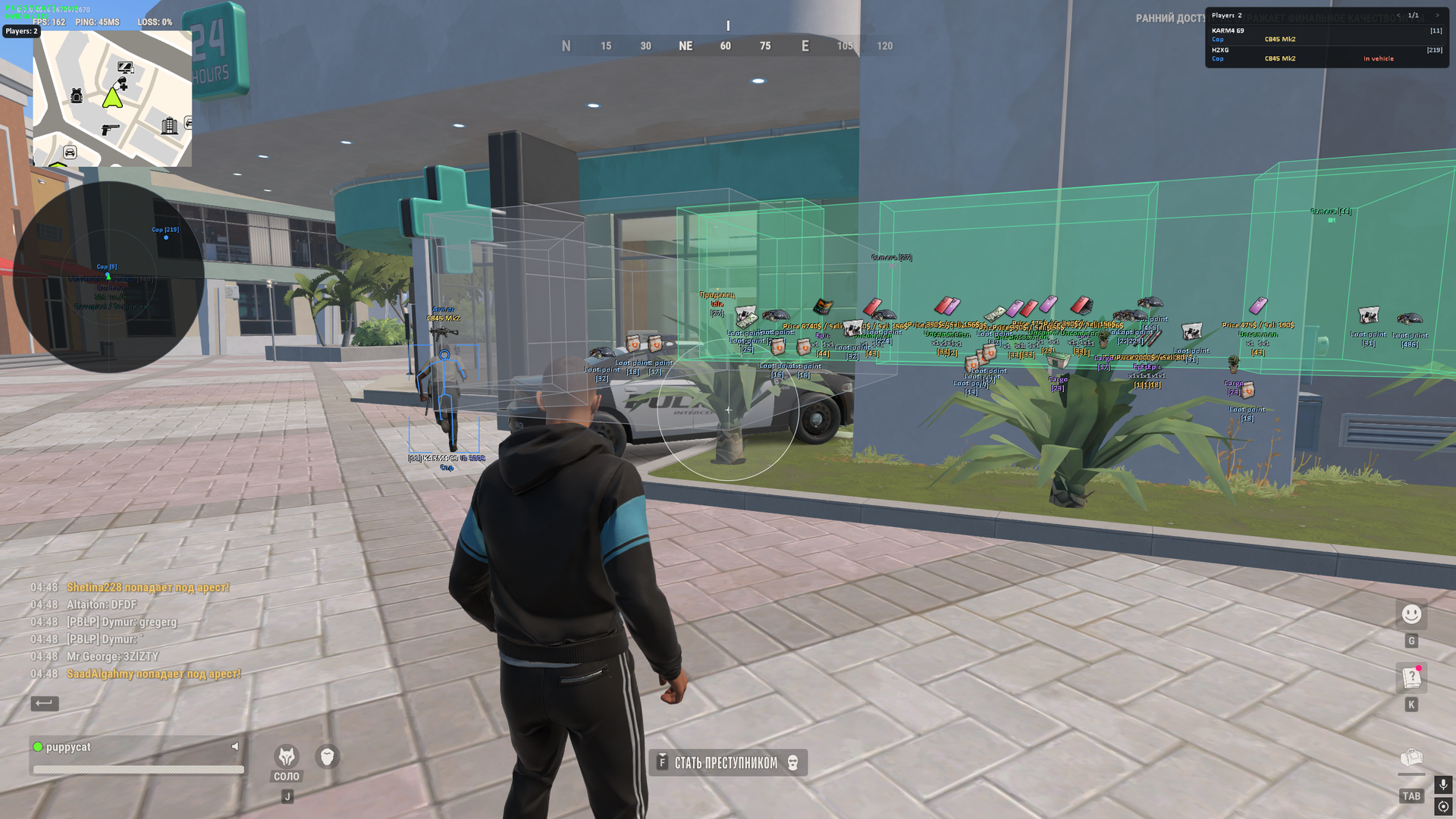
PUSS for ROB RUN brings aiming control and a clearer view of your surroundings into one package. Aimbot, player ESP and radar help you follow opponents and choose when to engage, while vehicle and camera displays add context to the situation around you. Loot filters let you narrow the search by rarity and price instead of treating every item alike. Keep the information that matters in view and approach your next encounter with a plan.
Requires borderless window mode. NVIDIA users need the NVIDIA App overlay; AMD users need the MedalTV overlay.
STATUS
UNDETECTED

FEATURES
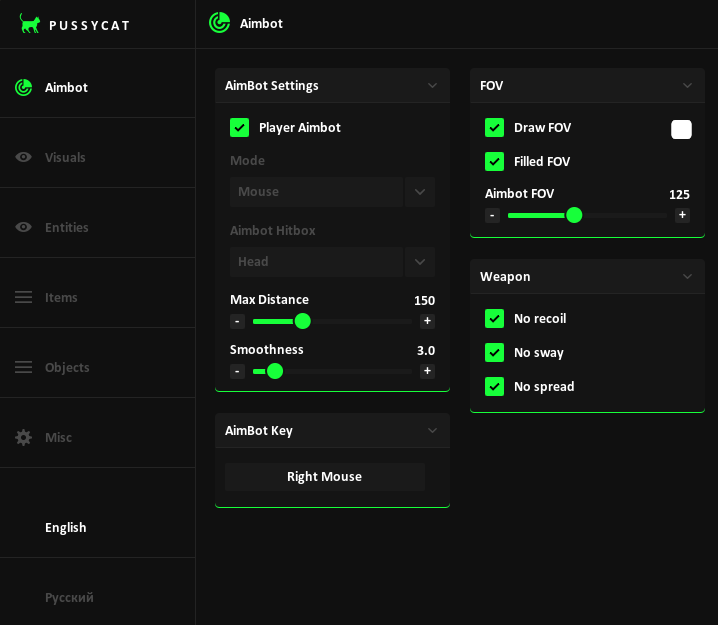
Aimbot
AimBot Settings
- Player Aimbot
- Mode
- Memory
- Mouse
- Aimbot Hitbox
- Head
- Neck
- Body
- Max Distance
- Smoothness
- AimBot Key
FOV
- Draw FOV
- Filled FOV
- Aimbot FOV
Weapon
- No recoil
- No sway
- No spread
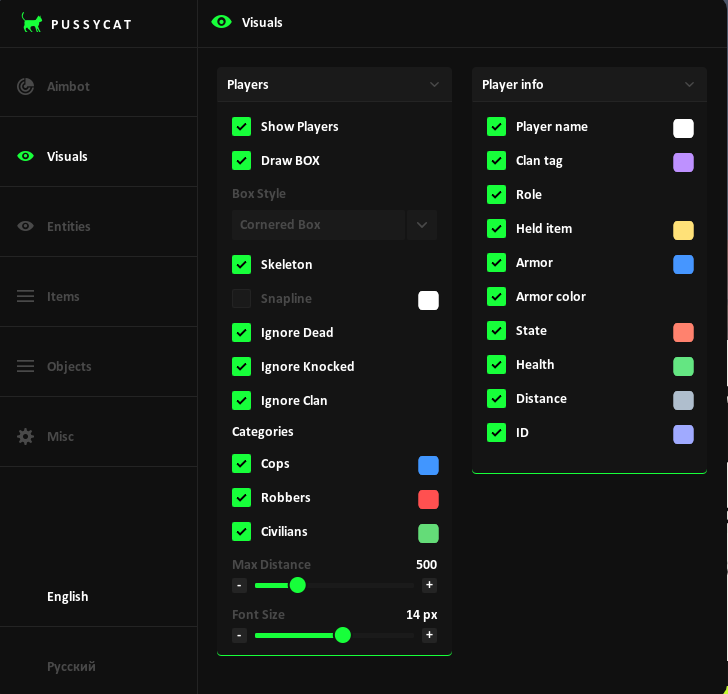
Visuals
Players
- Show Players
- Draw BOX
- Box Style
- Full Box
- Cornered Box
- Skeleton
- Snapline
- Snaplines Style
- Bottom To Enemy
- Top To Enemy
- Crosshair To Enemy
- Ignore Dead
- Ignore Knocked
- Ignore Clan
- Categories
- Cops
- Robbers
- Civilians
- Max Distance
- Font Size
Player info
- Player name
- Clan tag
- Role
- Held item
- Item Icons
- Armor
- Armor color
- State
- Health
- Distance
- ID
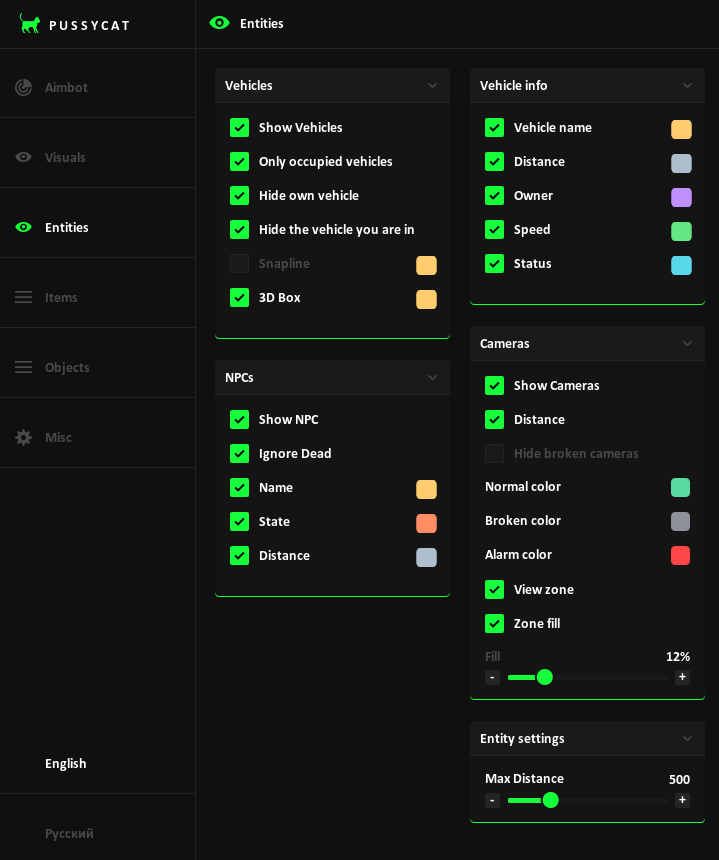
Entities
Vehicles
- Show Vehicles
- Only occupied vehicles
- Hide own vehicle
- Hide the vehicle you are in
- Snapline
- 3D Box
Vehicle info
- Vehicle name
- Distance
- Owner
- Speed
- Status
NPCs
- Show NPC
- Ignore Dead
- Name
- State
- Distance
Cameras
- Show Cameras
- Distance
- Hide broken cameras
- Normal color
- Broken color
- Alarm color
- View zone
- Zone fill
- Fill
Entity settings
- Max Distance
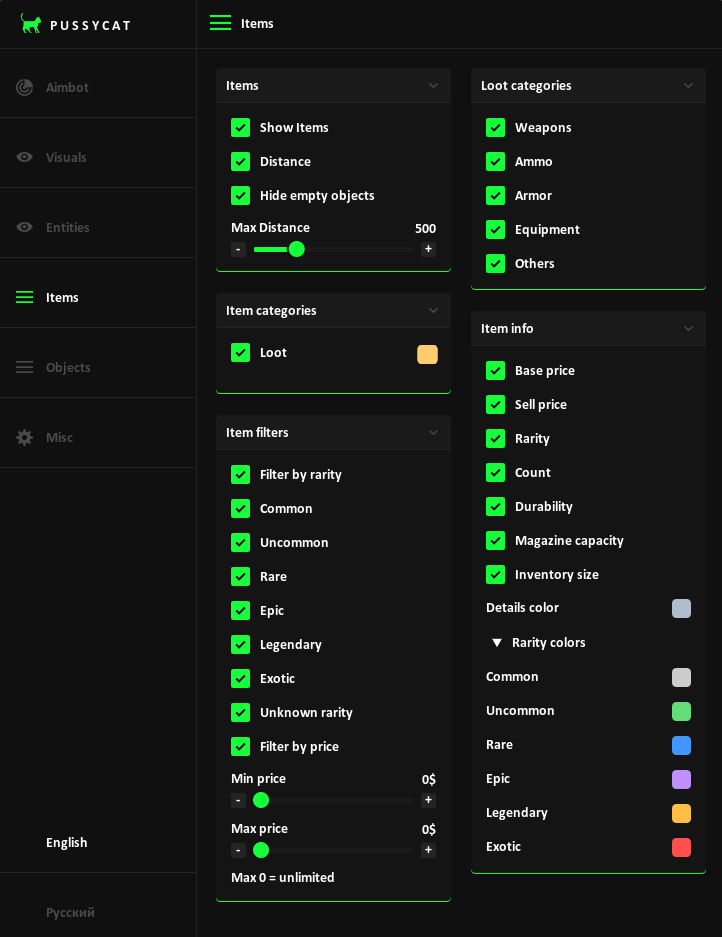
Items
Items
- Show Items
- Item Icons
- Distance
- Hide empty objects
- Max Distance
Item categories
- Loot
Item filters
- Filter by rarity
- Common
- Uncommon
- Rare
- Epic
- Legendary
- Exotic
- Unknown rarity
- Filter by price
- Min price
- Max price
Loot categories
- Weapons
- Ammo
- Armor
- Equipment
- Others
Item info
- Base price
- Sell price
- Rarity
- Count
- Durability
- Magazine capacity
- Inventory size
- Details color
- Rarity colors
- Common
- Uncommon
- Rare
- Epic
- Legendary
- Exotic
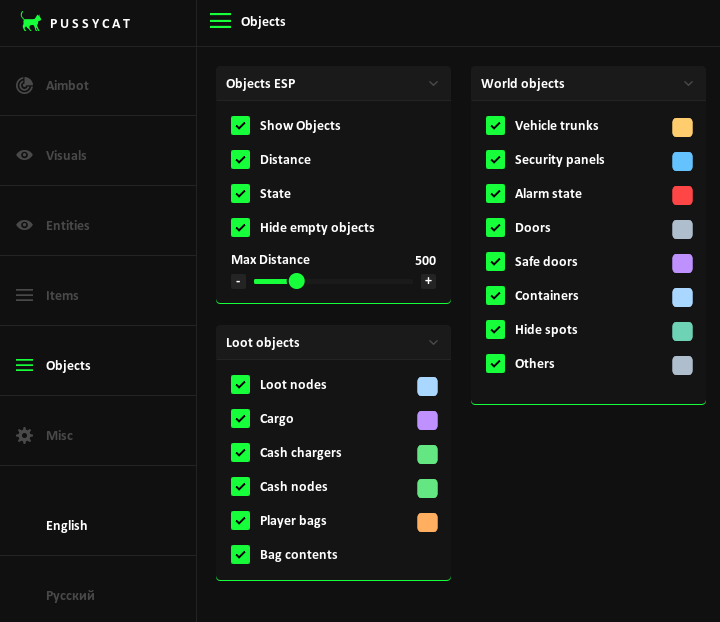
Objects
Objects ESP
- Show Objects
- Item Icons
- Distance
- State
- Hide empty objects
- Max Distance
Loot objects
- Loot nodes
- Cargo
- Cash chargers
- Cash nodes
- Player bags
- Bag contents
World objects
- Vehicle trunks
- Security panels
- Alarm state
- Doors
- Safe doors
- Containers
- Hide spots
- Others
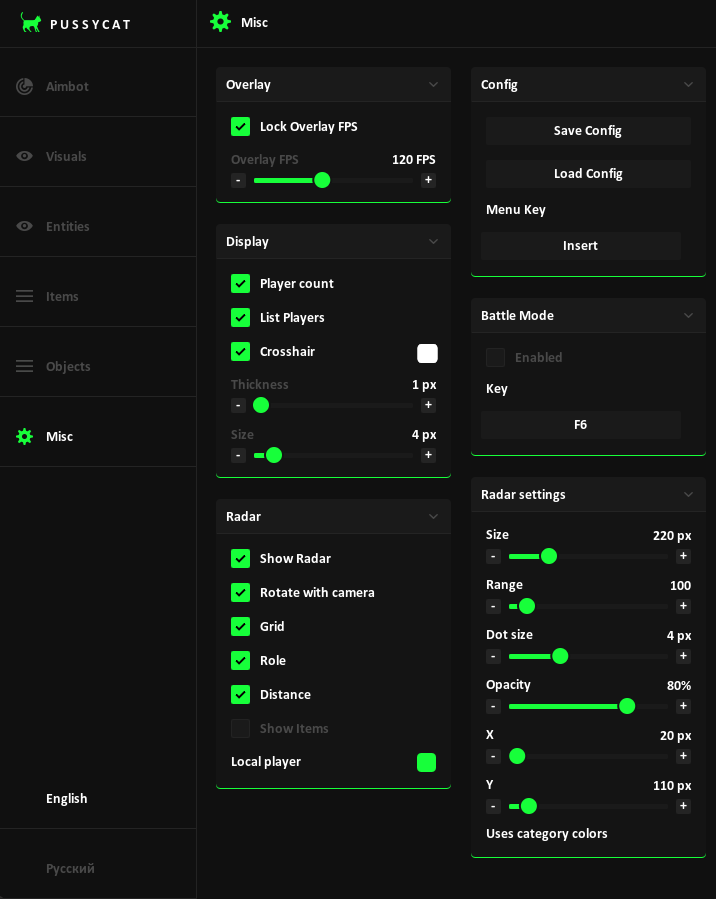
Misc
Overlay
- Lock Overlay FPS
- Overlay FPS
Display
- Player count
- List Players
- Crosshair
- Thickness
- Size
Radar
- Show Radar
- Rotate with camera
- Grid
- Role
- Distance
- Show Items
- Item names
- Local player
Radar settings
- Size
- Range
- Dot size
- Opacity
- X
- Y
Config
- Save Config
- Load Config
- Menu Key
Battle Mode
- Enabled
- Key
Language
- English
- Russian
MEDIA