Rust
PRIVATE SOFTWARE
ANCIENT
Ancient for Rust is a private cheat offering a customizable aimbot, ESP for players, world items, and objects, as well as a radar for improved situational awareness. It also includes a range of powerful exploits, providing the tools you need to gain a significant advantage and dominate the game.
STATUS
UNDETECTED
FEATURES
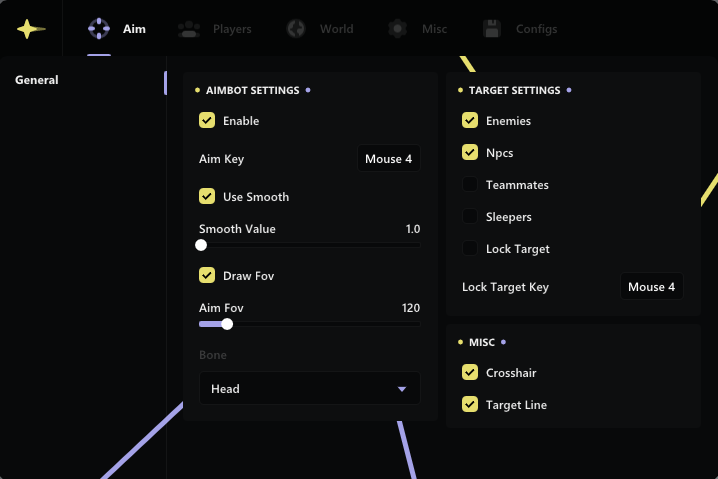
AIMBOT
- Aimbot Settings
- Enable
- Aim Type (Silent; Memory)
- Aim key
- Hit Chance (slider)
- Max Aim Distance (slider)
- Use Smooth (slider; works only with memory aim)
- Draw FOV
- Aim FOV (slider)
- Aim Bone: Head | Neck | Stomach | Closet | Closet No Head
- Target Settings
- Enemies
- NPCs
- Teammates
- Sleepers
- Friends
- Lock Target
- Lock Target key
- Show Belt Items
- Belt Items Scale (slider)
- Misc
- Crosshair
- Target line
- Prediction Dot
- Weapon Settings
- Recoil Modify (x; y slider)
- Spread Modify (slider)
- Fast Eoka
- No Shotgun Spread
- Increase Bullet Speed
- Rapid Fire
PLAYERS
- Player Categories
- Enemies, Teammates, NPCs, Sleepers
- Settings
- Enable
- Box: color
- Name: color
- Weapon Name: color
- Weapon Icon: color
- TeamID: color
- Distance: color
- Skeleton: color
- Look Direction: color
- Look Alert: color
- Explosive Flags: color
- Other
- Off Arrows: color
- Arrows Range (slider)
- Max Render Distance (slider)
- Player Chams
- Chams Style (14 types)
RADAR
- Enable
- Players: color
- NPCs: color
- Sleepers: color
- Team: color
- Player Count
- NPC Count
- Radar Size (slider)
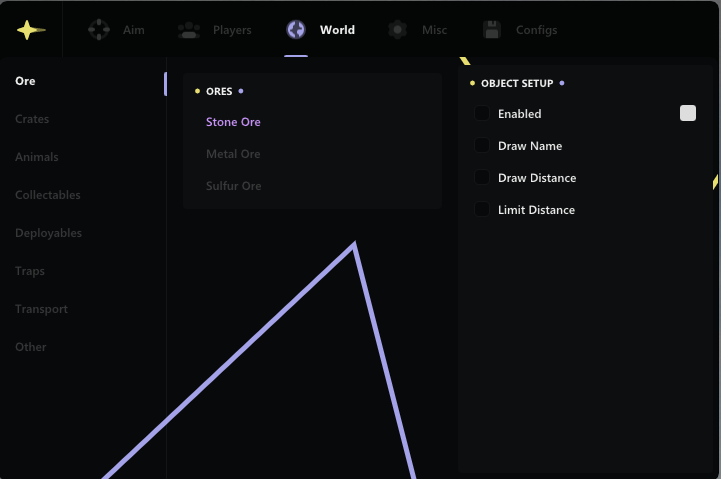
WORLD
- Ore
- Crates
- Animals
- Collectables
- Deployables
- Traps
- Transport
- Other
RAID
- Enable
- Raid Timer (slider)
- Draw C4
- Draw Rockets
- Draw Explosives
- Draw Satchel
- Draw Beancan
OBJECT SETUP
- Enable: color
- Draw Name
- Draw Distance
- Limit Distance (slider)
MISC
- General
- FPS limit
- Show FPS
- Battle Mode
- Battle Mode key
- Font Style: Pixel | Bold | Normal
- Language: English | Chinese
- Friendship
- Enable
- Add Friend key
- Other
- Panic Button
VISUAL ENHANCEMENTS
- Hand Chams (14 types)
- Weapon Chams (14 types)
- Last Death Position
- Debug Camera
- Debug Camera key
- Bright Night
- Bright Night Value (slider)
- Change Time
- Time Value (slider)
- Bright Caves
- Remove Layers: Water | Deployed | World | Terrain | Clutter | Tree
- Remove Layers Key
- Player FOV
- FOV Value (slider)
- Zoom
- Zoom key
MOVEMENT
- NoClip
- Infinity Jump
- Shoot In Air
- Omni Sprint
- Force Ladder
- No Player Collision
- No Head Collision
CONFIG
- Save Settings
- Share Config
- Load Settings
- Delete Settings
MEDIA