Rust
PRIVATE SOFTWARE
MH pro
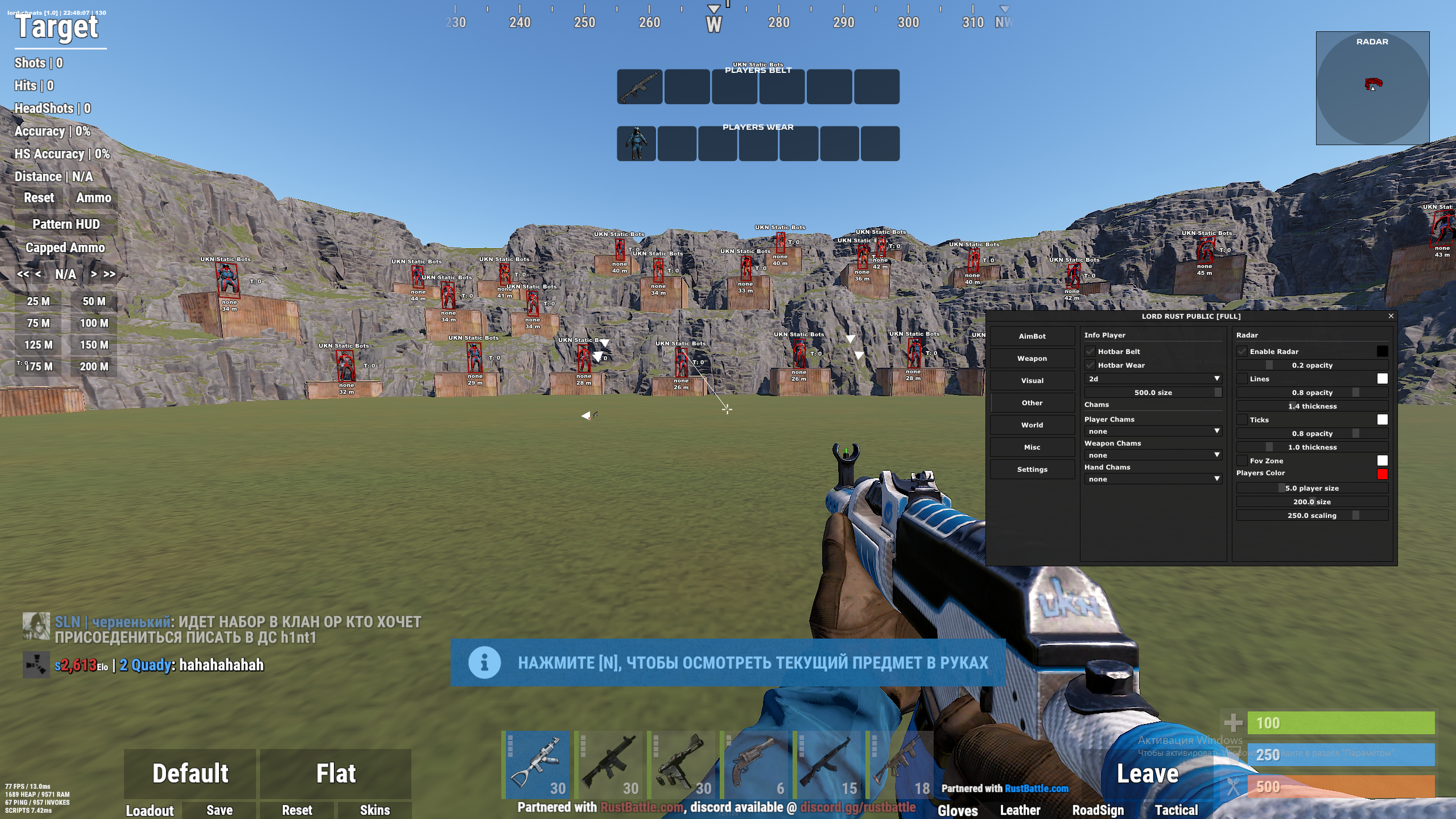
MH Pro for Rust is a powerful private cheat packed with advanced features to boost your gameplay. It includes player and loot ESP for complete map awareness, an accurate aimbot for precise targeting, and a range of game-breaking exploits. MH Pro is designed to give you full control and a significant advantage in every match.
STATUS
ON UPDATE
FEATURES
AIMBOT
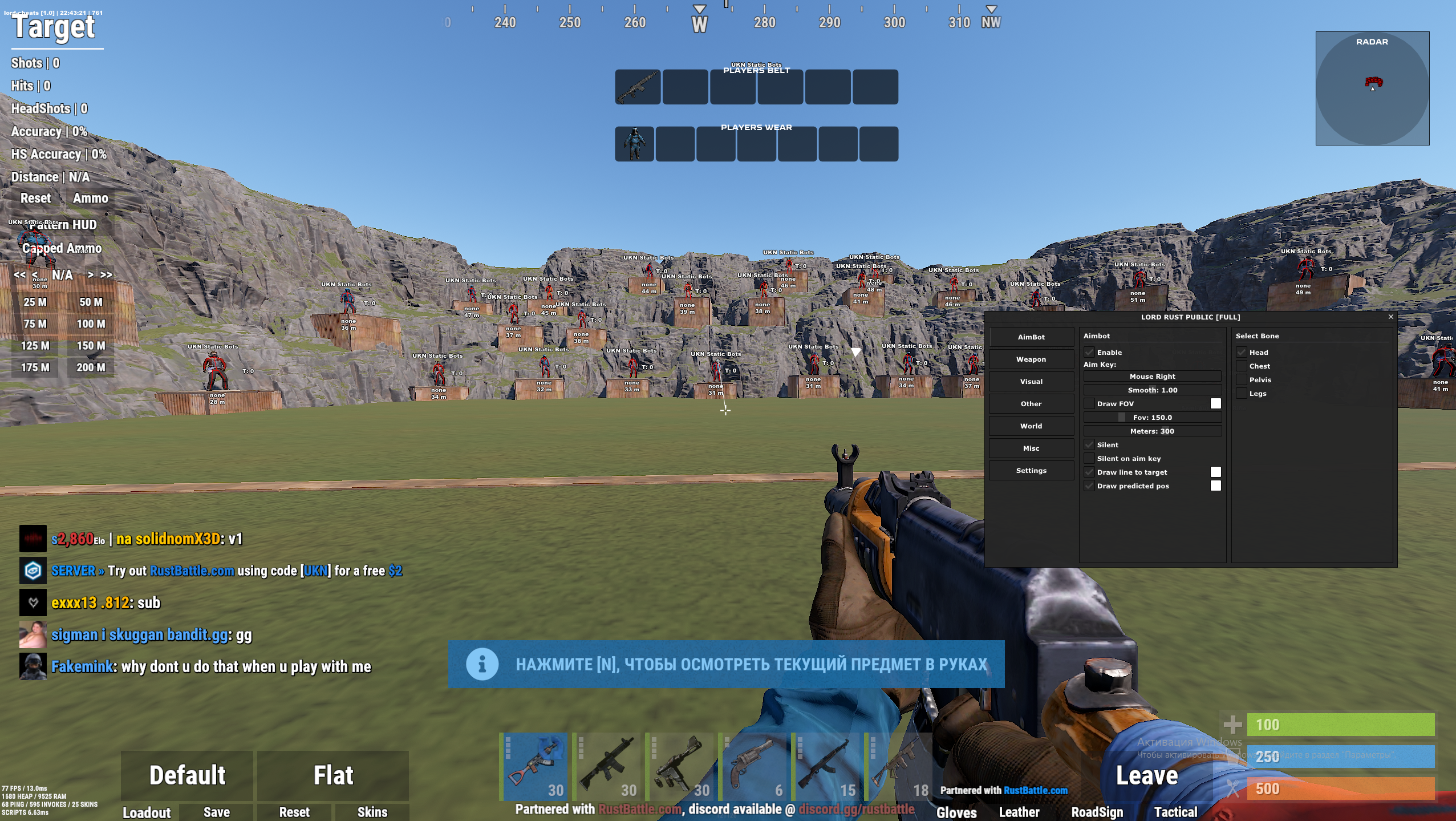
- Aimbot settings
- Enable — Toggle aimbot on/off
- Aim Key Bind — Set the activation key
- Smooth — Adjust aim smoothing
- Draw FOV (Color) — Show aim radius on screen
- FOV — Aimbot radius
- Meters — Aimbot operating distance
- Silent — Silent aiming without visible movement
- Silent on Aim Key — Silent only while holding aim key
- Draw line to target (Color) — Line to current target
- Draw predicted pos (Color) — Predicted target position
- Select Bone — Choose target bone: Head / Chest / Pelvis / Legs
WEAPON
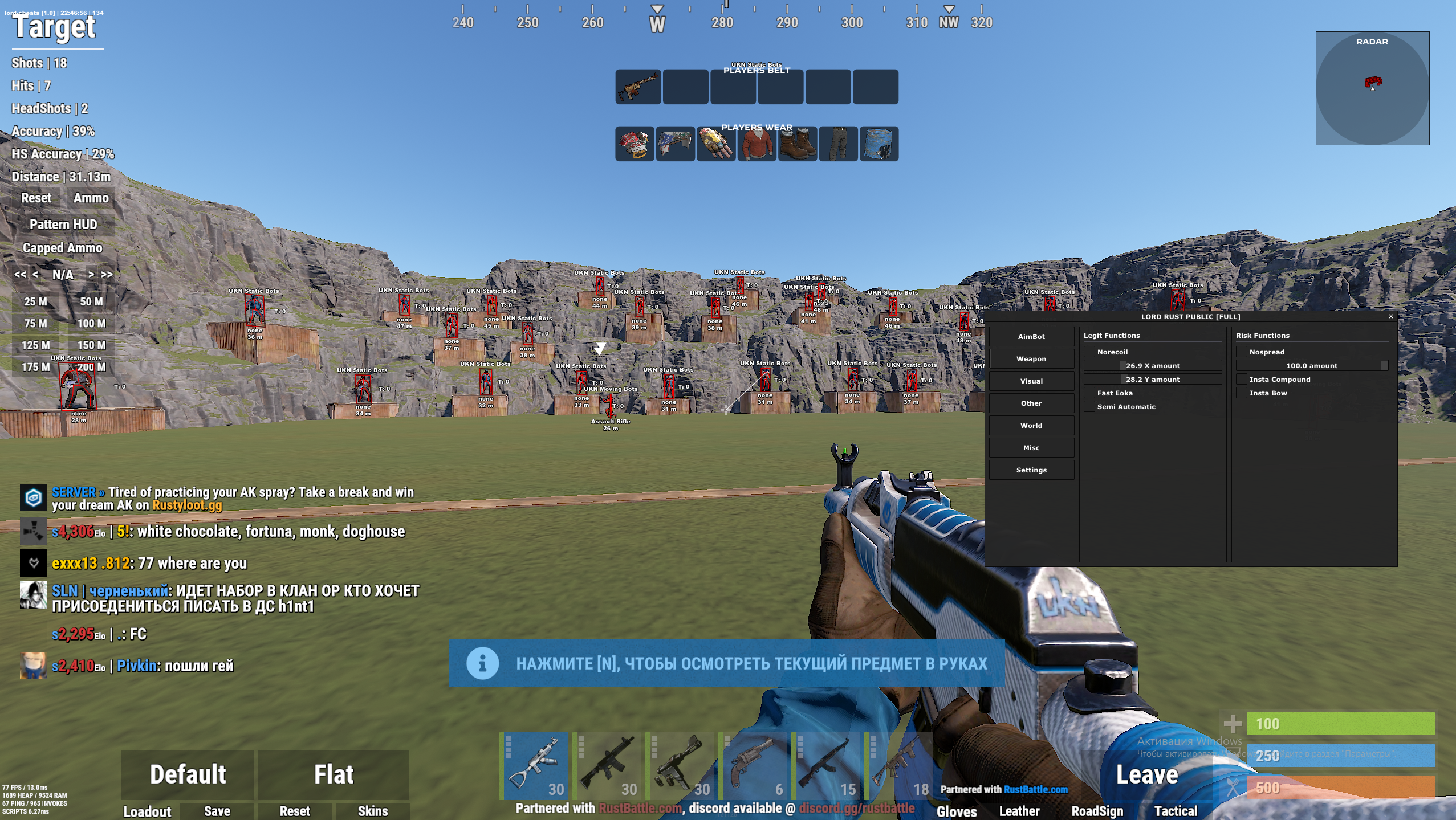
- Legit features
- No recoil — Remove recoil
- Fast recoil — Fast recoil recovery
- Semi Automatic — Make all weapons semi-automatic
- Rage features
- No spread (0–100) — Remove bullet spread
- Insta Compound — Instant shot with compound bow
- Insta Bow — Instant shot with regular bow
VISUALS
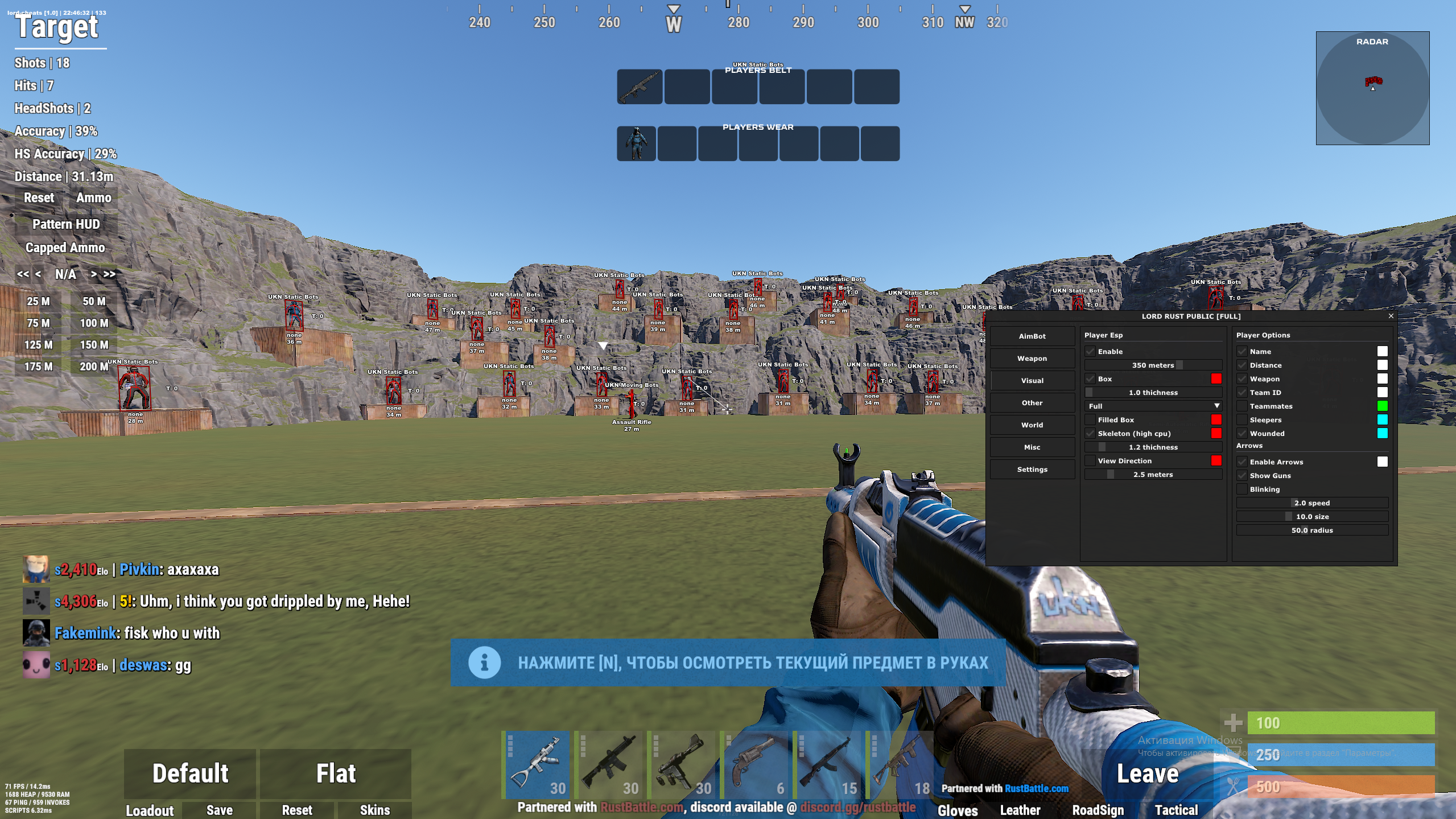
- Player ESP
- Enable — Toggle player ESP
- Distance — Show distance to players
- Box (Color) — Outline box
- Filled box (Color) — Solid filled box
- Skeleton (Color) — Skeleton overlay
- View direction (Color) — Show player view direction
- Player Options
- Name (Color) — Show player name
- Distance (Color) — Distance text
- Weapon (Color) — Weapon in hands
- Team ID (Color) — Team ID
- Teammates (Color) — Hide teammates / customize color
- Sleepers (Color) — Show sleeping players
- Wounded (Color) — Show wounded players
- Arrows
- Enable Arrows (Color) — Off-screen indicator arrows
- Show Guns — Show only armed targets
- Blinking — Enable blinking arrows
OTHER
- Info Player
- HotBar Belt — Show equipped belt
- HotBar Wear — Show worn gear
- Chams
- Player Chams — Highlight players
- Weapon Chams — Highlight weapons
- Hand Chams — Highlight hands
- Radar
- Enable Radar (Transparency, Color) — Enable radar
- Lines (Transparency, Color) — Lines to enemies
- Ticks (Transparency, Color) — Radar markers
- FOV Zone (Color) — Show FOV cone on radar
- Players Color (Color) — Player colors on radar
WORLD
- World ESP
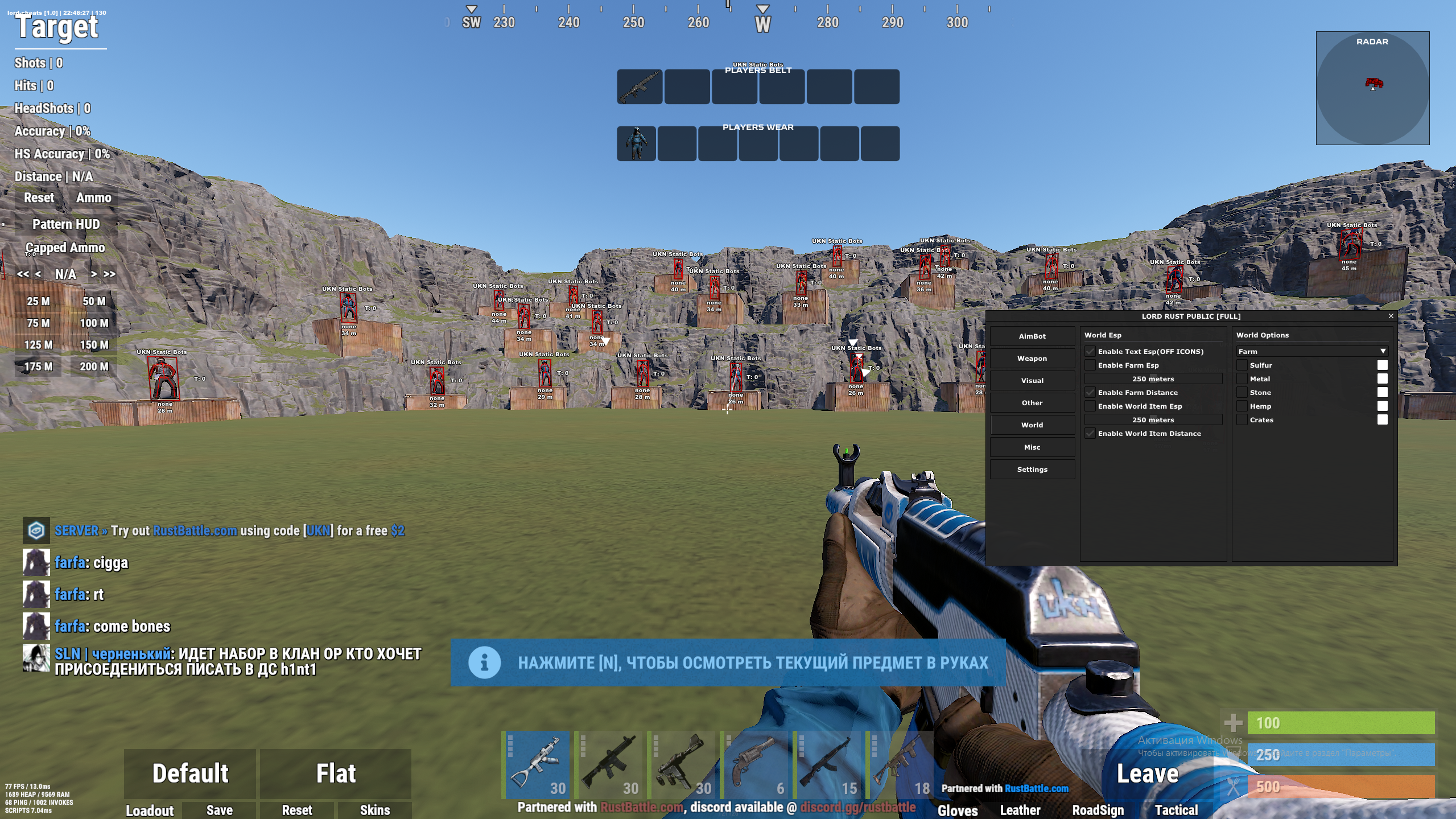
- Enable Text ESP (no icons) — Show object names
- Enable Farm ESP — Show resource nodes
- Enable Farm Distance — Show distance to resources
- Enable World Item ESP — Show world items
- Enable World Item Distance — Show distance to items
- World Options
- Farm
- Sulfur (Color) — Sulfur ore
- Metal (Color) — Metal ore
- Stone (Color) — Stone ore
- Hemp (Color) — Hemp plant
- Crates (Color) — Loot crates
MISC
- Misc Player
- No Weapon Animation — Remove weapon animations
- Always Shoot — Always allow shooting
- Camera Player
- Remove Constractions — Remove movement restrictions
- Debug Camera (Risky) — Enable debug/free camera
- Time
- Change Time (0–24h) — Set time of day
- Change Stars (Size, Brightness) — Adjust night sky stars
- Movement Player
- Spider — Wall climbing
- Always Sprint — Auto-run
- Fly (Speed) — Fly mode
- Other
- Crosshair (Color) — On-screen crosshair
- Reload Bar — Show reload progress
- Notify Looking at You (Color) — Alert when being watched
SETTINGS
- Config — Save/load configuration
- Performance Mode — Optimize performance
MEDIA