Rust
PRIVATE SOFTWARE
PRO
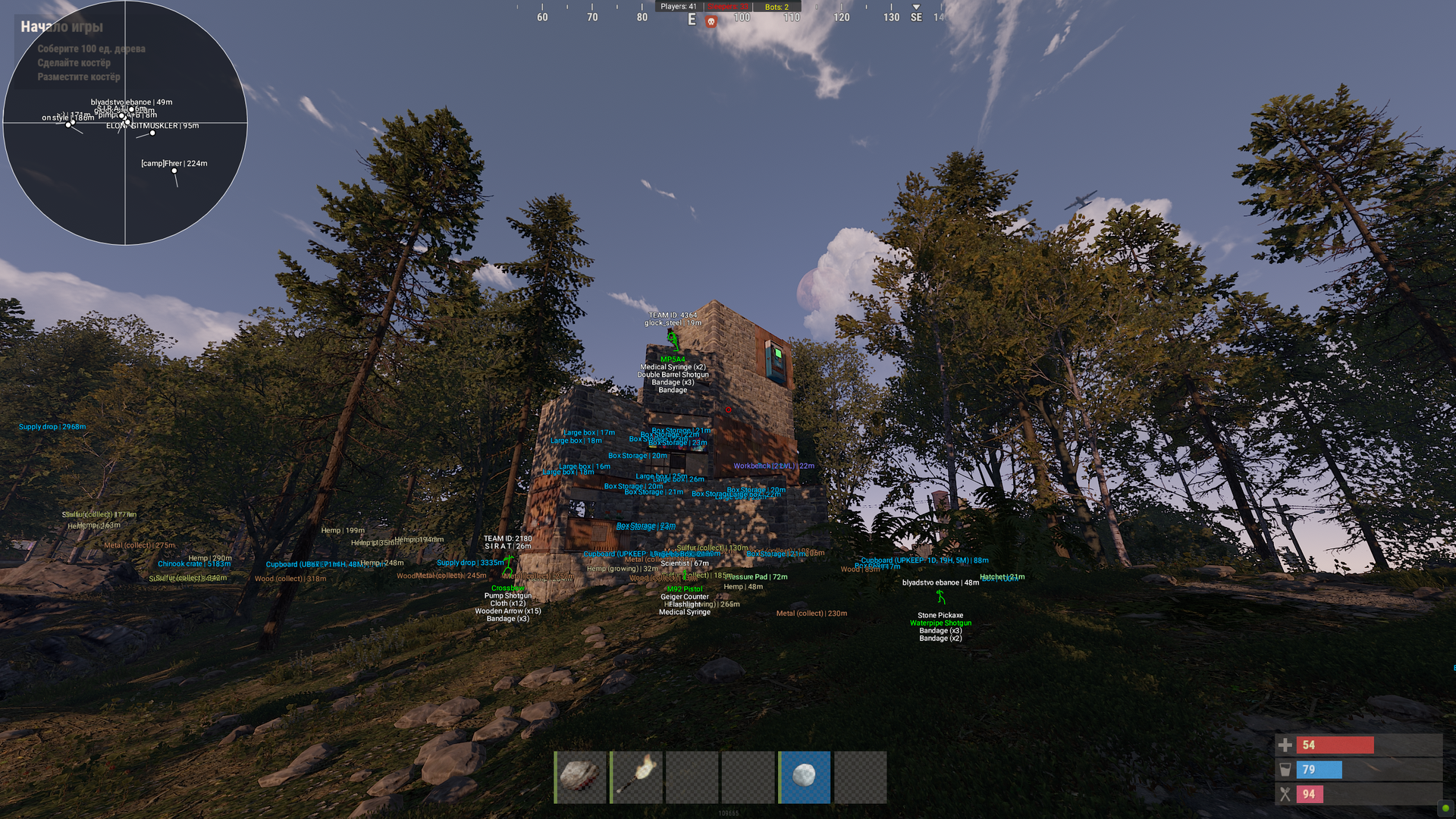
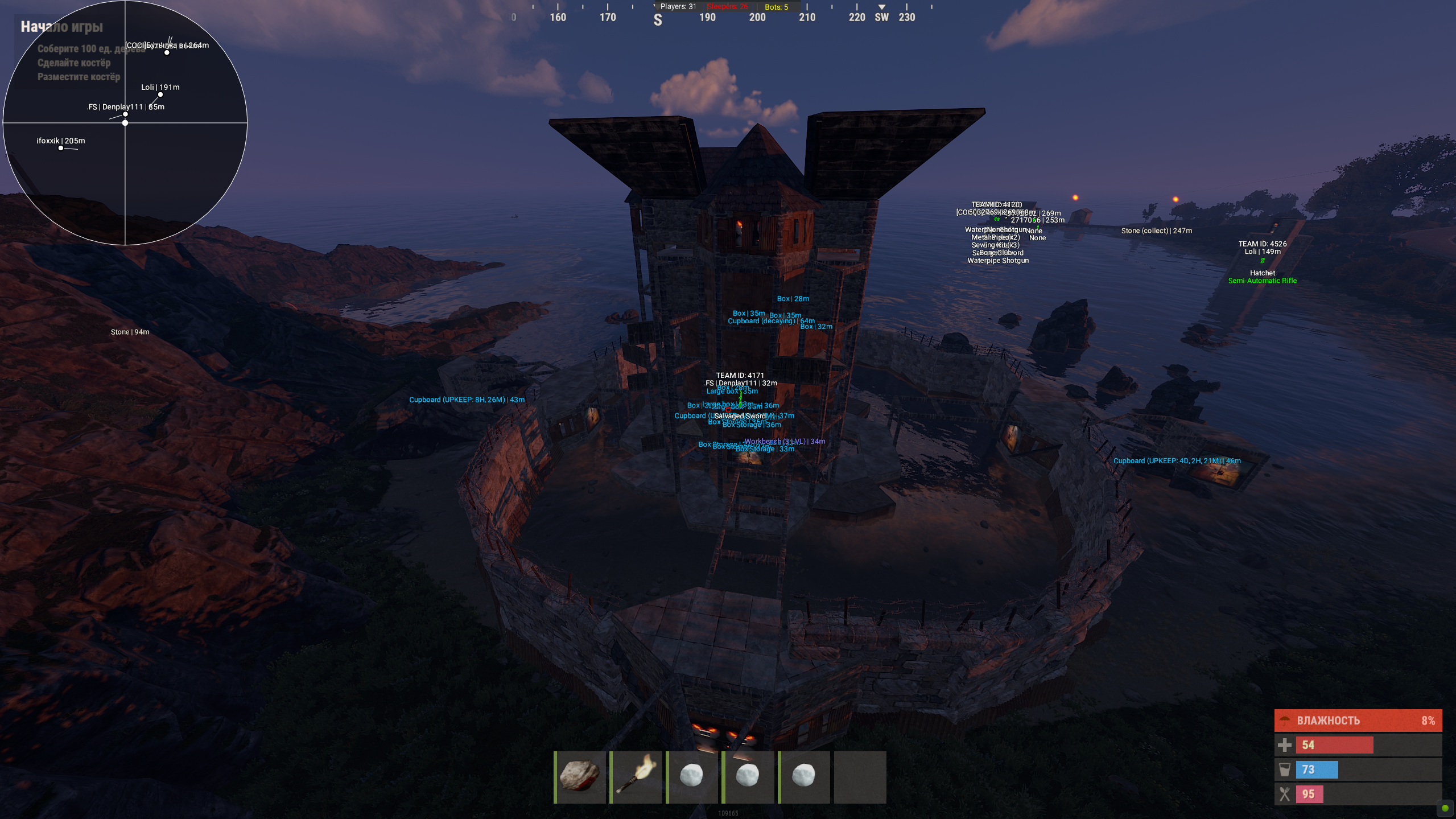
MrPro for Rust is a private cheat packed with powerful features, including an aimbot for precise targeting, ESP for players, loot, objects, and vehicles, as well as a radar for improved situational awareness. It also offers various exploits to enhance gameplay, giving you a significant edge in every encounter. Designed exclusively for Intel users, MrPro ensures optimal performance and reliability, and its streamproof functionality keeps it undetectable while streaming.
STATUS
UNDETECTED
FEATURES
AIMBOT
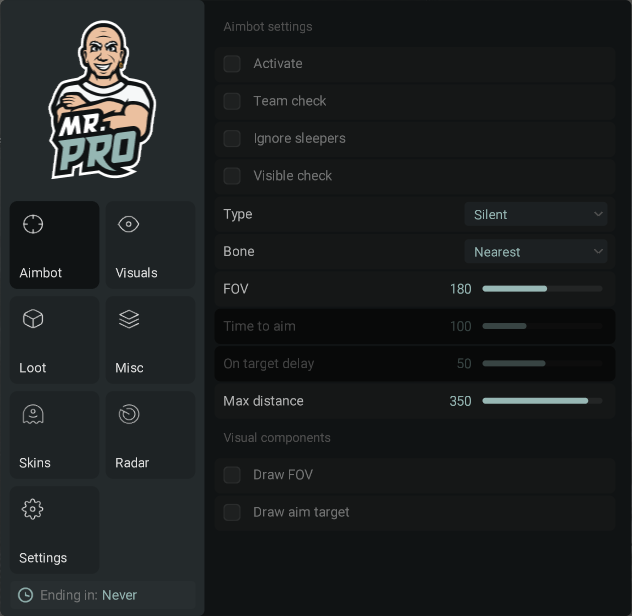
- Aimbot Settings
- Active (Key Bind Selection) - Activate Tab
- Team Check - Ignore teammates
- Ignore Sleepers - Ignore inactive players
- Visible Check - Target only visible enemies
- Type (Silent, Mouse) - Aim Type (Silent - Invisible, Mouse - Visible via Mouse)
- Bone (Nearest, Head, Pelvis, Chest) - Select Bone to Target
- FOV (1-300) - Field of View Radius
- Time to Aim - Time Required to Lock on Target
- On Target Delay - Target Change Delay
- Max Distance (1-400) - Maximum Targeting Distance
- Visual Components
- Draw FOV - Display Aimbot FOV
- Draw Aim Target - Highlight Targeted Enemy
VISUALS
- Characters
- NPC - Display NPCs, including static ones
- Sleeper - Display Sleepers
- Skeleton (Color Selection) - Draw Player Skeleton (Color Selection)
- TeamID (Color Selection) - Show Team ID (Color Selection)
- Nickname (Color Selection) - Display Player Nickname (Color Selection)
- Held Item - Show Equipped Weapon/Item
- Quick Slots - Show Quick Slot Items as a List
- 3D Box - Display Players in 3D Box
- Distance - Display Distance to Players
- Max Distance for Players (1-400) - Set Player Render Distance
- Max Distance for NPCs (1-400) - Set NPC Render Distance
- Player Corpses
- Active (Color Selection) - Enable Corpse ESP (Color Selection)
- Distance - Display Distance to Player Corpses
- Max Distance (1-400) - Set Player Corpse Render Distance
- Animal Corpses
- Active (Color Selection) - Enable Animal Corpse ESP (Color Selection)
- Distance - Display Distance to Animal Corpses
- Max Distance (1-400) - Set Animal Corpse Render Distance
- Animals
- Active (Color Selection) - Enable Animal ESP (Color Selection)
- Horse - Show Horses
- Bear - Show Bears
- Boar - Show Boars
- Stag - Show Stags
- Wolf - Show Wolves
- Shark - Show Sharks
- Chicken - Show Chickens
- Display Health - Show Animal Health
- Horse Energy - Show Horse Energy
- Distance - Show Distance to Animals
- Max Distance for Horses (1-400) - Set Horse Render Distance
- Max Distance for Other Animals (1-400) - Set Other Animal Render Distance
- Vehicles
- Active (Color Selection) - Enable Vehicle ESP (Color Selection)
- Minicopter - Show Minicopters
- Modular Car - Show Modular Cars
- Drones - Show Drones
- Bike - Show Bikes
- Motorcycle - Show Motorcycles
- Snowmobile - Show Snowmobiles
- Submarines - Show Submarines
- Tugboat - Show Tugboats
- Rowboat - Show Rowboats
- RHIB - Show Military Boats
- Diver Propulsion - Show Diver Propulsion Devices
- Attack Helicopter - Show Attack Helicopters
- Scrap Helicopter - Show Scrap Helicopters
- Health - Show Vehicle Health
- Distance - Show Distance to Vehicles
- Max Distance (1-400) - Set Vehicle Render Distance
- Traps
- Active (Color Selection) - Enable Trap ESP (Color Selection)
- Shotgun Trap - Show Shotgun Traps
- Auto Turret - Show Auto Turrets
- Flame Turret - Show Flame Turrets
- Snap Trap - Show Snap Traps
- Can Alarm - Show Can Alarms
- Landmine - Show Landmines
- SAM Site - Show SAM Sites
- NPC Turrets - Show NPC Turrets in Safe Zones
- Status - Display Trap Status
- Health - Display Trap Health
- Max Distance for SAM Sites (1-400) - Set SAM Site Render Distance
- Max Distance for Other Traps (1-400) - Set Other Trap Render Distance
LOOT
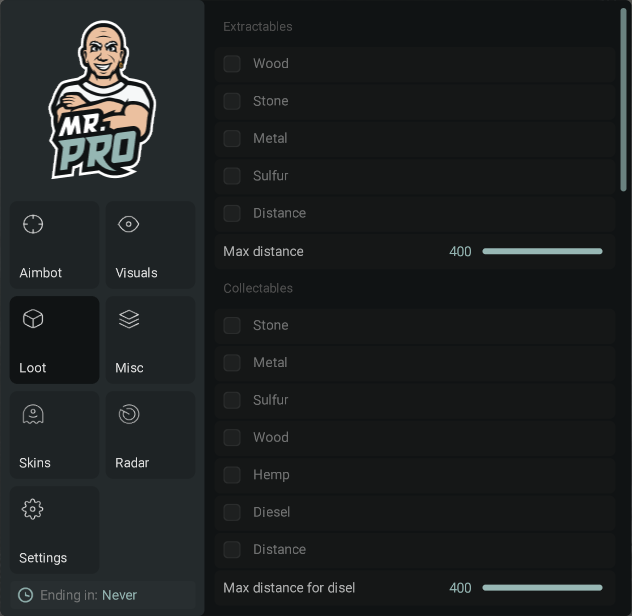
- Extractables
- Wood - Show Wood Nodes
- Stone - Show Stone Ore Nodes
- Metal - Show Metal Ore Nodes
- Sulfur - Show Sulfur Ore Nodes
- Distance - Show Distance to Resources
- Max Distance (1-400) - Set Resource Render Distance
- Collectibles
- Stone - Show Collectible Stone
- Metal - Show Collectible Metal
- Sulfur - Show Collectible Sulfur
- Wood - Show Collectible Wood Stumps
- Hemp - Show Hemp
- Diesel - Show Diesel Fuel
- Distance - Show Distance to Collectibles
- Max Distance for Diesel (1-400) - Set Diesel Fuel Render Distance
- Max Distance for Other (1-400) - Set Other Collectible Render Distance
- Radtown Loot
- Active - Enable Radtown Loot ESP
- Distance - Show Distance to Radtown Loot
- Max Distance (1-400) - Set Radtown Loot Render Distance
- Food
- Active - Enable Food ESP
- Food Crate - Show Food Crates
- Corn - Show Corn
- Mushroom - Show Mushrooms
- Pumpkin - Show Pumpkins
- Potato - Show Potatoes
- Other - Show Other Food Items
- Distance - Show Distance to Food Items
- Max Distance (1-400) - Set Food Render Distance
- Dropped Items
- Active (Color Selection) - Enable Dropped Item ESP (Color Selection)
- Distance - Show Distance to Dropped Items
- Max Distance (1-400) - Set Dropped Item Render Distance
- Other
- AirDrop - Show AirDrops
- Chinook Crate - Show Chinook Crates (with Timer)
- Distance - Show Distance to Other Items
- Deployables
- Active (Color Selection) - Enable Deployable ESP (Color Selection)
- Cupboards - Show Tool Cupboards
- Storages - Show Storage Boxes
- Workbench - Show Workbenches
- RF Receiver - Show RF Receivers
- RF Broadcaster - Show RF Broadcasters
- Enemy Tracker - Show Motion Sensors
- Cupboard Upkeep - Show Cupboard Upkeep Timer
- Distance - Show Distance to Deployables
- Max Distance for Cupboards (1-400) - Set Cupboard Render Distance
- Max Distance for Workbench (1-400) - Set Workbench Render Distance
- Max Distance for Other (1-400) - Set Other Deployable Render Distance
MISC
- Misc Features
- Draw Crosshair - Enable Crosshair
- Anti Recoil - Partial Recoil Compensation
- Anti Spread - Partial Bullet Spread Compensation
- Anti Sway - Partial Weapon Sway Compensation
- Automatic Weapon Mode - Convert Any Weapon to Automatic
- Success EOKA - EOKA Always Fires on First Try
- Melee Weapon Improvements - Increased Melee Weapon Range and Radius
- Custom Time (1-24) - Set Custom Time of Day (1-24)
- Fulbright - Improved Visibility in Caves
- Debug Camera (1-5) (Key Bind Selection) - Debug Camera Flight (Speed 1-5, Key Bind Selection)
- Enemies Counter (Movable) - Show All Enemies in Render Range
SKINS
- (Currently in Development)
RADAR (Movable)
- Radar Settings
- Active - Enable Radar
- Only Players - Show Only Players, Ignore NPCs
- Show Sleepers - Show Sleeping Players
- Directions - Show Player View Direction
- Name - Show Player Names
- Size (50-200) - Set Radar Size
- Text Size (10-20) - Set Text Size
- Distance - Show Distance on Radar
- Draw Distance - Set Radar Render Distance
SETTINGS
- General Settings
- Language - Select Language (Currently English Only)
- Visuals Font Size (10-20) - Adjust Visuals Font Size
- Menu Toggle (Key Bind Selection) - Menu Toggle Key
- Header - Customize Menu Header Color
- Home - Default Menu Toggle Key (Configurable)
- End (Panic Key) - Unload Cheat Immediately
MEDIA