Rust
PRIVATE SOFTWARE
STEALTH
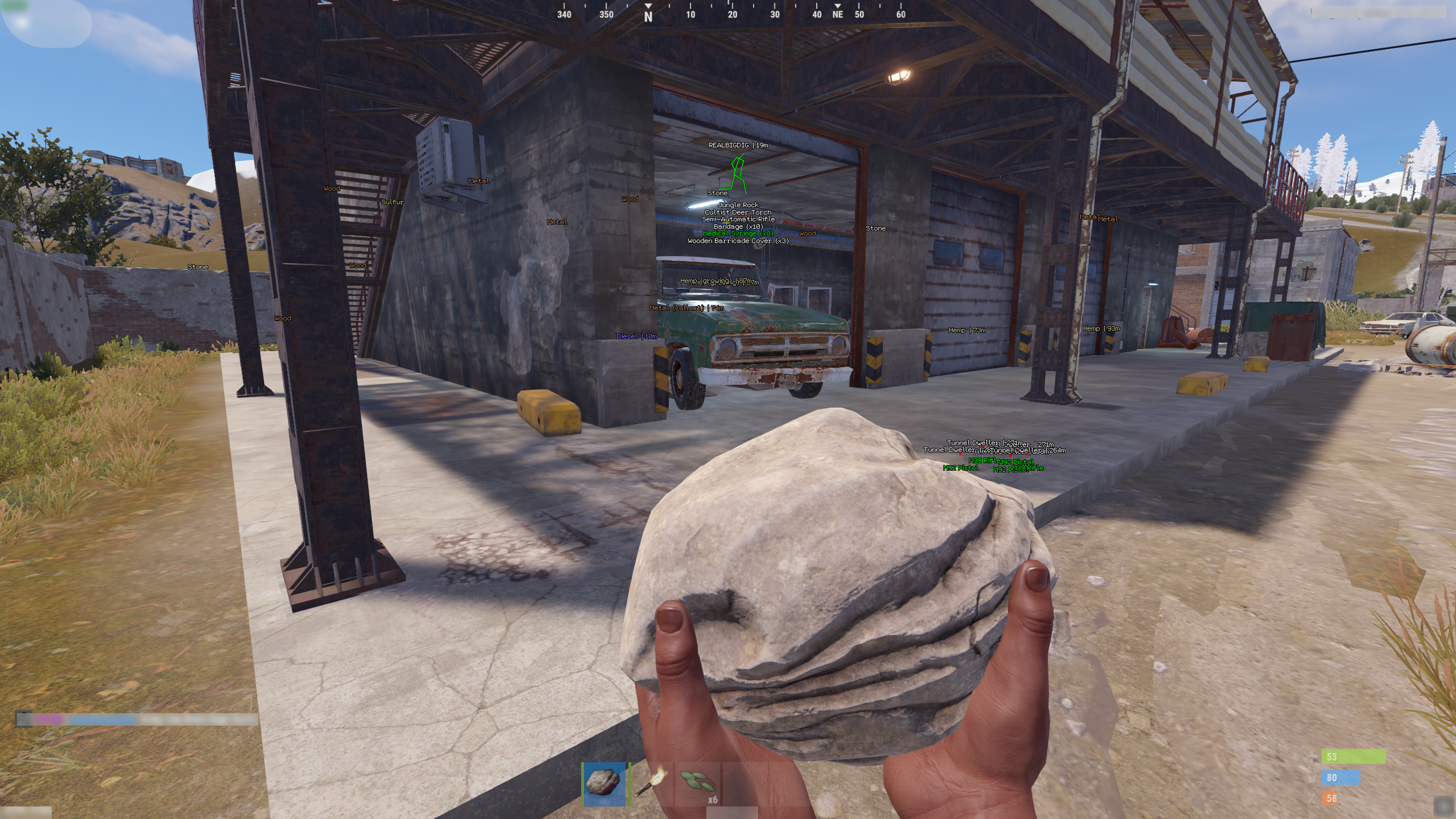
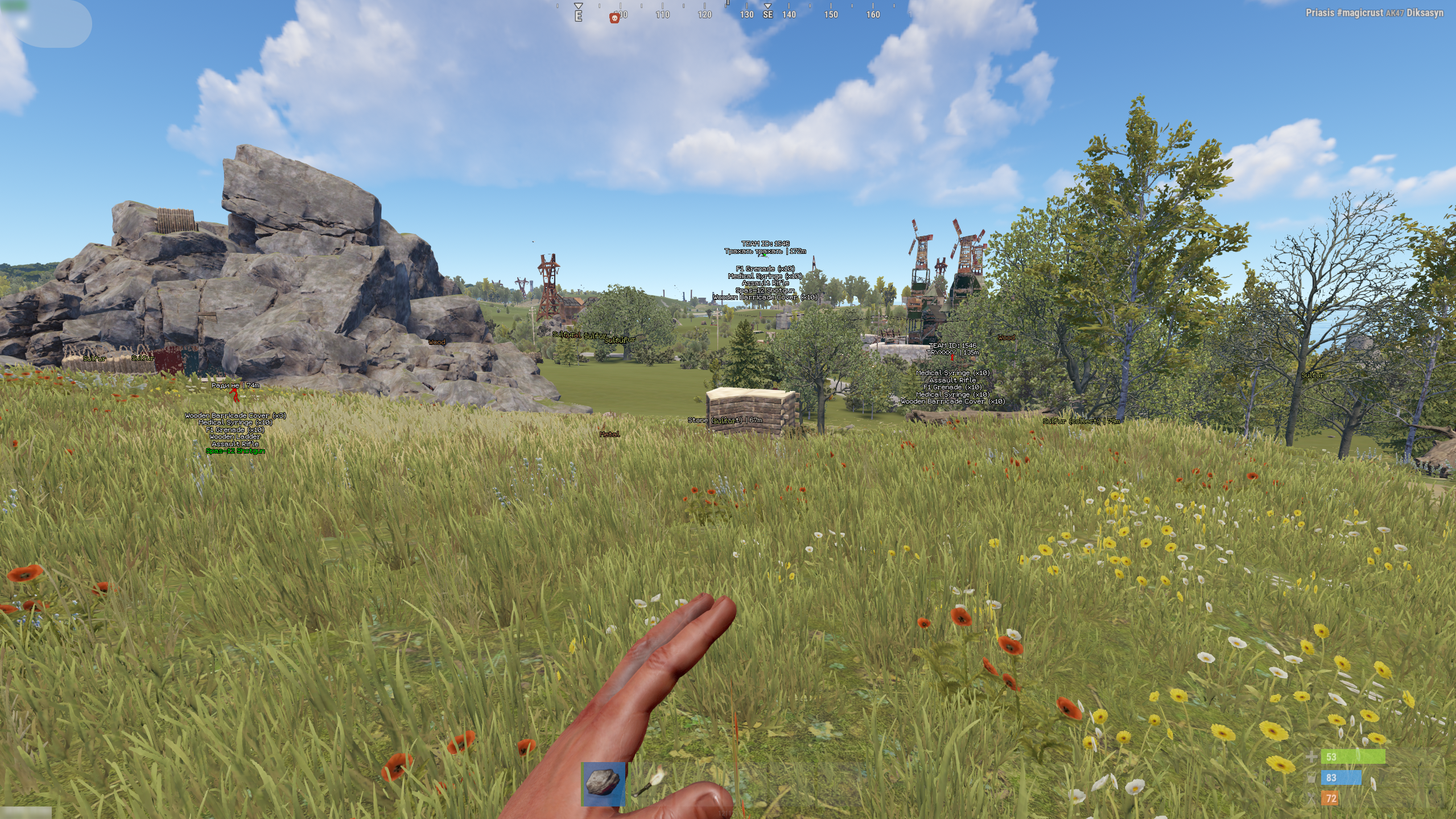
Stealth is a private cheat offering a solid set of features, including player ESP, object ESP, and resource ESP for full in-game awareness. It also comes with a precise aimbot and various exploits, giving you the tools to gain a clear advantage and control every encounter.
STATUS
UNDETECTED
FEATURES
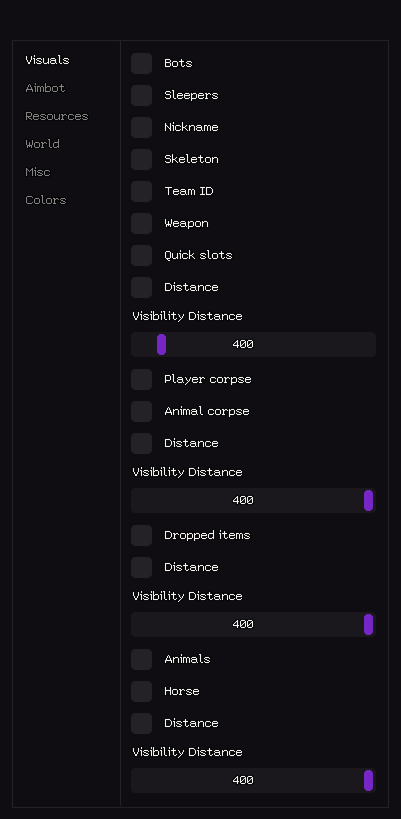
VISUALS
- Bots
- Sleepers
- Nickname
- Skeleton
- Team ID
- Weapon
- Quick slots
- Distance
- Visibility Distance (1–400)
- Corpses
- Player Corpse
- Animal Corpse
- Distance
- Visibility Distance (1–400)
- Dropped Items
- Distance
- Visibility Distance (1–400)
- Animals
- Horse
- Distance
- Visibility Distance (1–400)
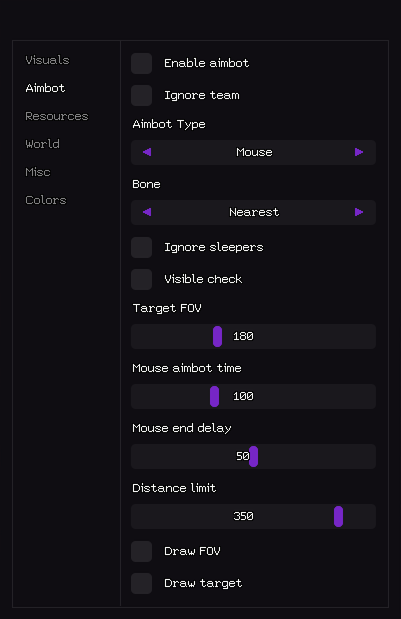
AIMBOT
- Enable Aimbot
- Ignore Team
- Aimbot Type (Silent, Mouse)
- Bone (Nearest, Head, Chest, Pelvis)
- Ignore Sleepers
- Visible Check
- Target FOV (1–400)
- Mouse Aimbot Time (1–400)
- Mouse End Delay (1–100)
- Distance Limit (1–400)
- Draw FOV
- Draw Target
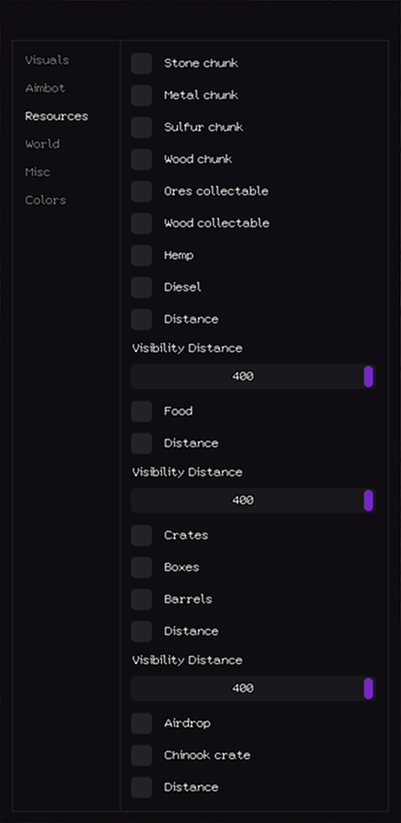
RESOURCES
- Stone Chunk
- Metal Chunk
- Sulfur Chunk
- Wood Chunk
- Ores Collectable
- Wood Collectable
- Hemp
- Diesel
- Distance
- Visibility Distance (1–400)
- Food
- Distance
- Visibility Distance (1–400)
- Crates
- Boxes
- Barrels
- Distance
- Visibility Distance (1–400)
- Airdrop
- Chinook Crate
- Distance
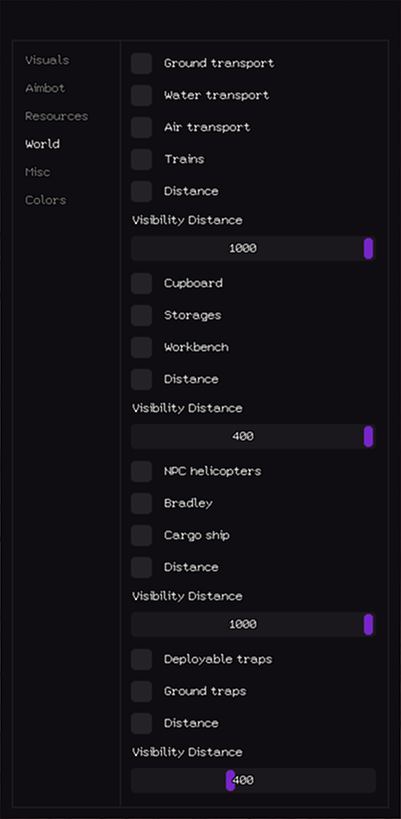
WORLD
- Ground Transport
- Water Transport
- Air Transport
- Trains
- Distance
- Visibility Distance (1–1000)
- Cupboard
- Storage
- Workbench
- Distance
- Visibility Distance (1–400)
- NFC Helicopters
- Bradley
- Cargo Ship
- Distance
- Visibility Distance (1–1000)
- Deployable Traps
- Ground Traps
- Distance
- Visibility Distance (1–400)
MISC
- World Time / Hour (1–24)
- Bright World
- Remove Near Construction
- Minimize Recoil
- Minimize Spread
- No Sway
- Automatic
- Easy EOKA
COLORS
- Player Sleeper
- Player Friend
- Player Text
- NPC Text
- Corpse
- Resources
- World
- Animals
- Aimbot Visuals
MEDIA