PRIVATE SOFTWARE
Mason Internal
Mason Internal for War Thunder brings tank aiming support and detailed battlefield information into one versatile cheat. Its tank-only aimbot, vehicle ESP and module highlighting help you assess targets, spot vulnerable components and approach engagements with greater control; aircraft receive a lead point only, not automatic aiming. HUD customization and Map Finder add flexibility, from choosing the information in your sights to filtering maps during matchmaking. Follow the battle, weigh your next target and keep your preferred view of the fight.
Supports Game launcher / Steam (x64, DirectX 11) and any game mode. The supplier lists Easy Anti-Cheat and BattlEye coverage; this is not an account-safety guarantee. The overlay is not hidden from streams, video recordings or screenshots.

FEATURES
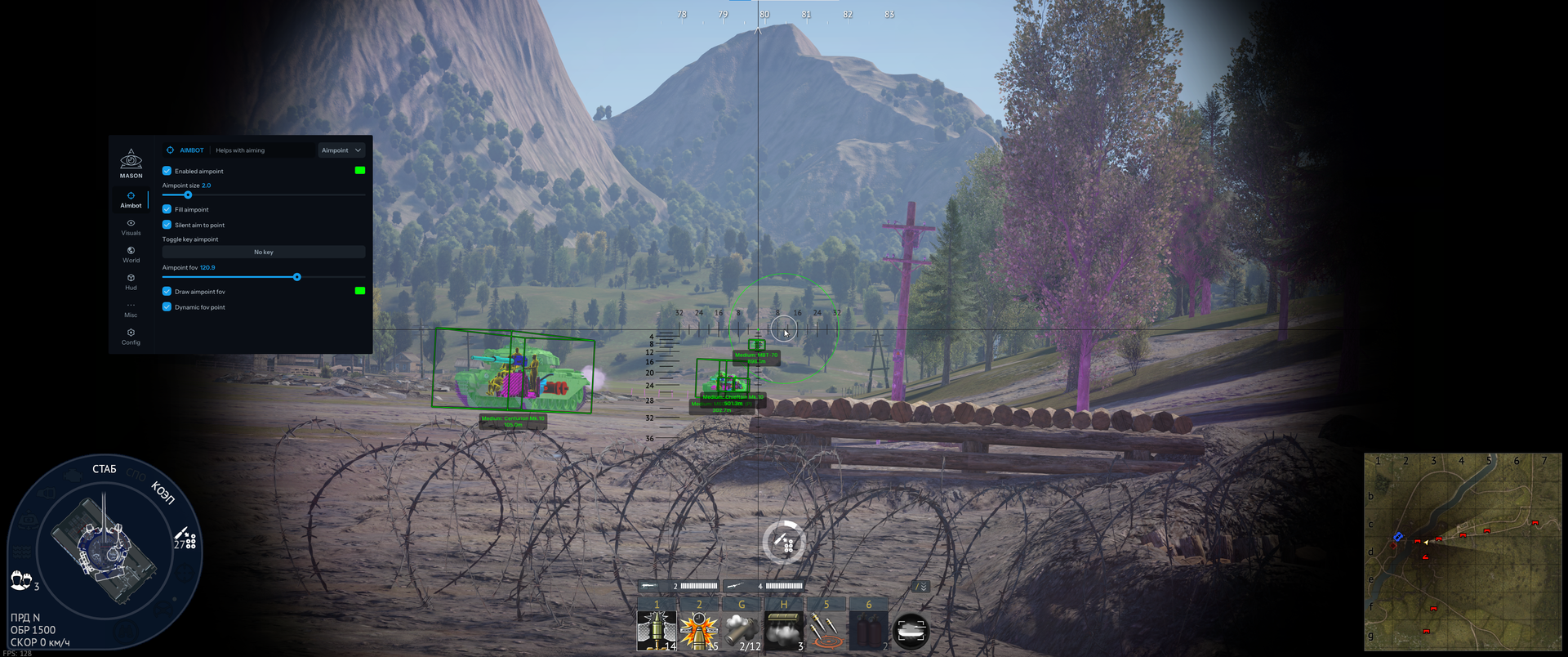
AIMBOT — TANKS ONLY
Aimbot supports tanks only. Aircraft receive a lead point only.
Aimpoint
- Enable aimpoint; Aimpoint color
- Aimpoint size
- Fill aimpoint
- Silent aim to point
- Toggle key aimpoint
- Aimpoint FOV
- Draw aimpoint FOV; FOV color
- Dynamic FOV point
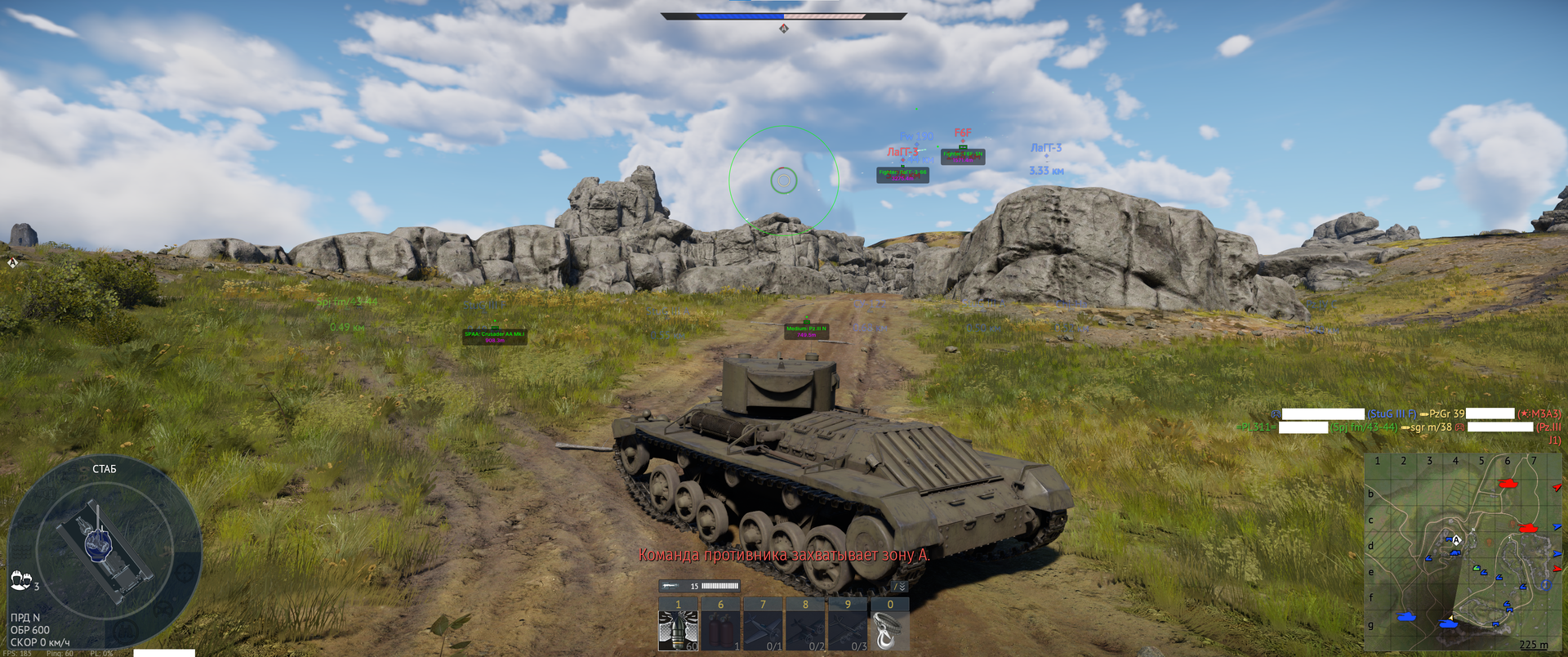
Lead
- Enable autolead
- Autolead FOV
- Draw autolead FOV; FOV color
- Dynamic autolead FOV
- Disable autolead for aircraft
Scout
- Enable autoscout
- Check whether scouting is available
Artillery
- Enable auto artillery
- Auto-artillery: target repairing vehicles only
- Enable type filter
- Tank type: SPAA; Light/Medium; Tank destroyer; Heavy
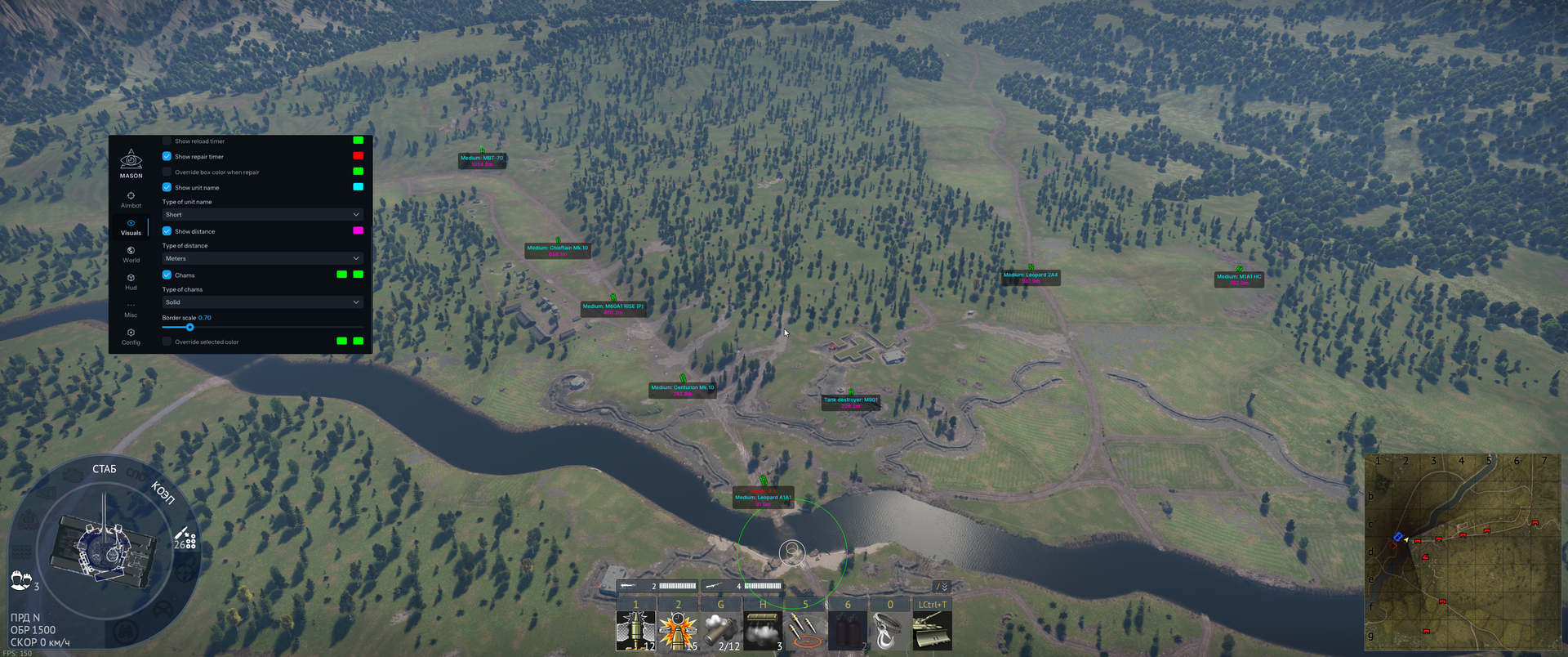
VISUALS
Player
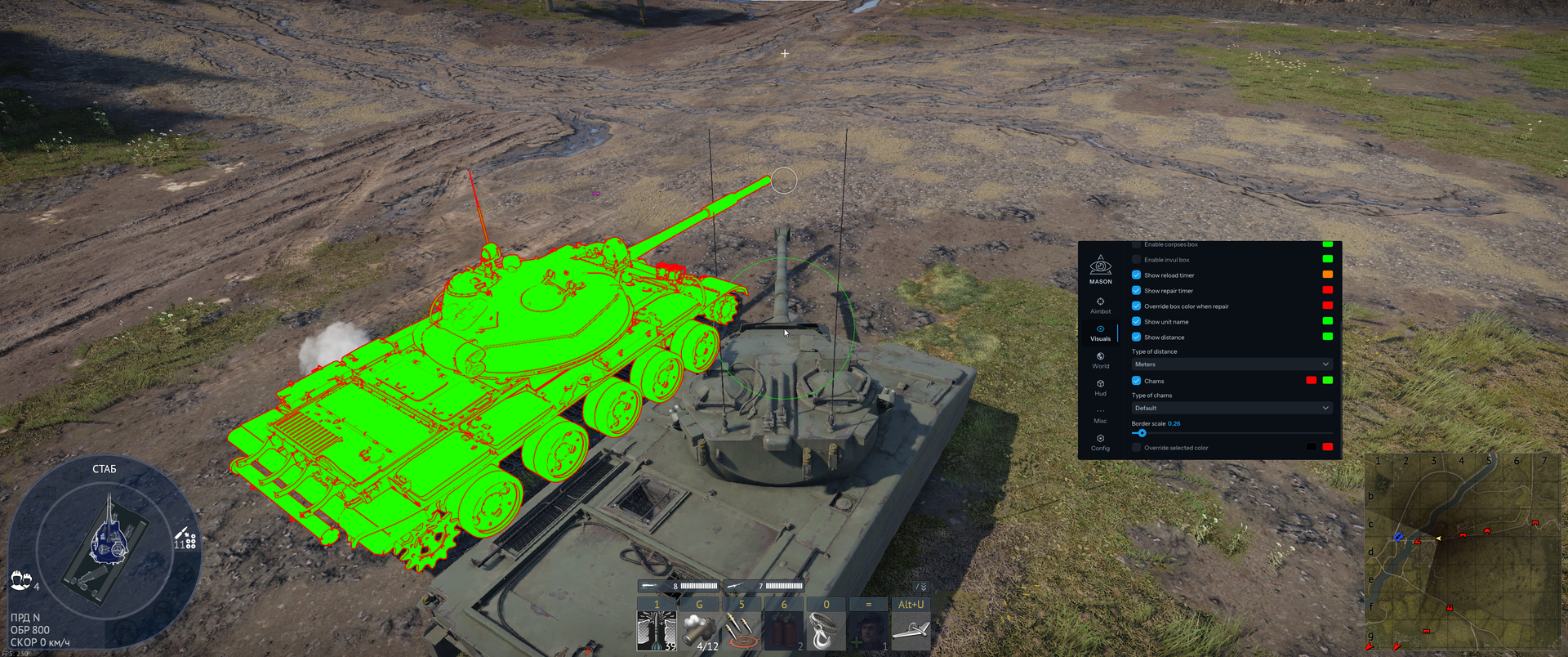
- Enable enemy ESP
- Box ESP; Box ESP color
- Type of box ESP: 3D Box, 2D Box, Corner Box
- Box thickness
- Corner box scale
- Draw forepart of box; Draw forepart color
- Enable corpses box; Enemy dead color
- Enable invul box; Enemy invul color
- Show reload timer; Enemy reload color
- Show repair timer; Enemy repair color
- Override box color when repair; Override box color when repair color
- Show unit name; Show unit name color
- Type of unit name: Short, Full, Translated
- Show distance; Show distance color
- Type of distance: Meters, Kilometers, Miles
- Chams; Chams fill color, Chams border color
- Type of chams: Default, Solid, Border only
- Chams border scale
- Override selected-target chams color; separate fill and border colors
Bot
- Enable bot ESP
- Box ESP; Box ESP color
- Type of box ESP: 3D Box, 2D Box, Corner Box
- Box thickness
- Corner box scale
- Draw forepart of box; Draw forepart of box color
- Enable corpses box; Bot dead color
- Enable invul box; Enemy invul color
- Show reload timer; Enemy reload color
- Show repair timer; Enemy repair color
- Override box color when repair; Override box color when repair color
- Show unit name; Show unit name color
- Type of unit name: Short, Full, Translated
- Show distance; Show distance color
- Type of distance: Meters, Kilometers, Miles
- Chams; Chams fill color, Chams border color
- Type of chams: Default, Solid, Border only
- Border scale
- Override selected-target chams color; separate fill and border colors
Exp
- Enable ESP for other entities (Exp)
- Box ESP; Box ESP color
- Box type: 3D Box / «Куб»; 3D Box / «Квадрат»; Corner Box / «Угловой бокс»
- Box thickness
- Corner box scale
- Draw forepart; Draw forepart color
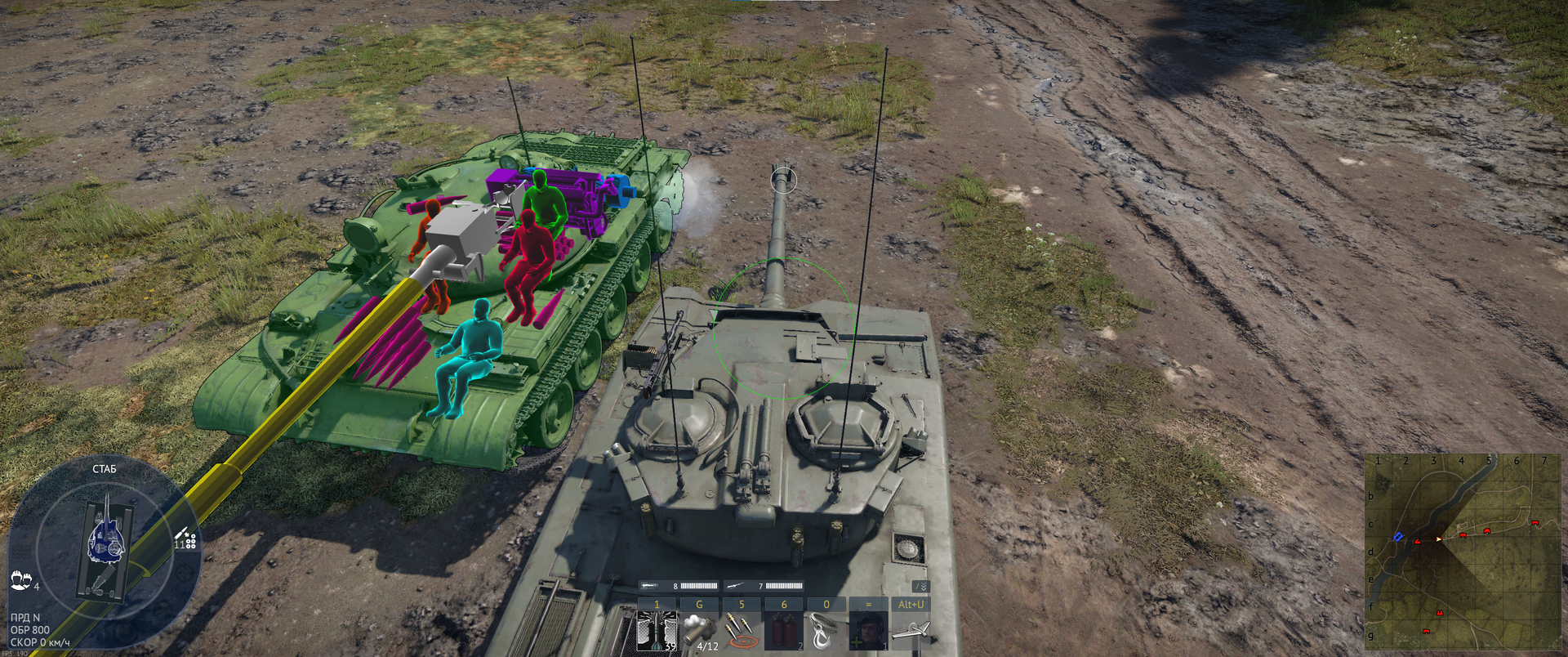
Modules
- Enable modules ESP
- Enable additional color; Additional color
- Entity type: Players, Bots
- Ammo body highlighting and color
- Ammo turret highlighting and color
- Commander; Commander dm color
- Gunner; Gunner color
- Loader; Loader color
- Driver; Driver color
- Engine; Engine dm color
- Transmission; Transmission dm color
- Gun barrel; Gun barrel dm color
- Cannon breech; Cannon breech dm color
- «Cls gun» highlighting and color
Rockets
- Enable rocket ESP
- Rocket owner: local player, enemy or teammate; rocket ESP color
- Show rocket trajectory and set its color
- Rocket dir time
- Show rocket distance
- Type of distance: Meters, Kilometers, Miles
Bombs
- Enable bomb ESP; Bombs ESP color
Bullets
- Enable bullet ESP
- Projectile owner: local player, enemy or teammate; projectile ESP color
- Projectile type: standard tank-gun shells, machine-gun rounds or aircraft machine-gun rounds
- Fill bullet circle
- Bullet ESP size
- Show bullet trajectory
- Projectile trajectory type: trail (Before) or forward direction (After)
- Bullet trajectory time
- Bullet trajectory update time
Other shells
- Enable torpedo ESP; Torpedoes ESP color
- Enable payload ESP; Payload ESP color
WORLD
General
- No trees
- Tree-removal hotkey
- «No fallen trees» toggle
- No smoke
- Smoke-removal hotkey
- No decor
- Change fog; Change fog color
- Fog color mult
Colors
- Change smoke color; Smoke color
- Smoke color mult
- Rainbow smoke color
- Rainbow smoke color speed
- Change water color; Change water color
- Water color mult
- Rainbow water color
- Rainbow water color speed
- Change world color; Change world color
- World color mult
- Rainbow world color
- Rainbow world color speed
HUD
General
- Preset: Arcade, Realistic, Hardcore, Custom
- Load preset
- Enable general HUDs
- General HUD elements: point of impact; marker arrows; tank distance in sight; outline on aiming; markers; aircraft map markers; ground-vehicle map markers; target selection; air-to-air aim indicator; third-person views; artillery camera; virtual views; bomb sight; projectile map marker; projectile-spawn markers
- Enable advanced HUDs
- Advanced HUD options: aim prediction; indicators; radar; radar indication; damage indicator; markers detected by team; tank gunner camera from sight; control loss due to stamina; stamina indication; targeting without markers for ships; targeting without markers for tanks on PC; warnings; enemy damage log; modern markers
- Disable the HUD smoke check
Advanced
- Infinity penetration cursor distance
- Show outlines
- Enable hud color changer
- HUD icon and outline color
- HUD text border color
- HUD text fill color
- Rainbow color
- Rainbow HUD targets: icon/outline, text border or text fill
- Rainbow color speed
MISCELLANEOUS
Main
- Zoom changer
- Small zoom
- Big zoom
- Zoom shadow
- Freecamera
- Freecamera speed
- Toggle key freecamera
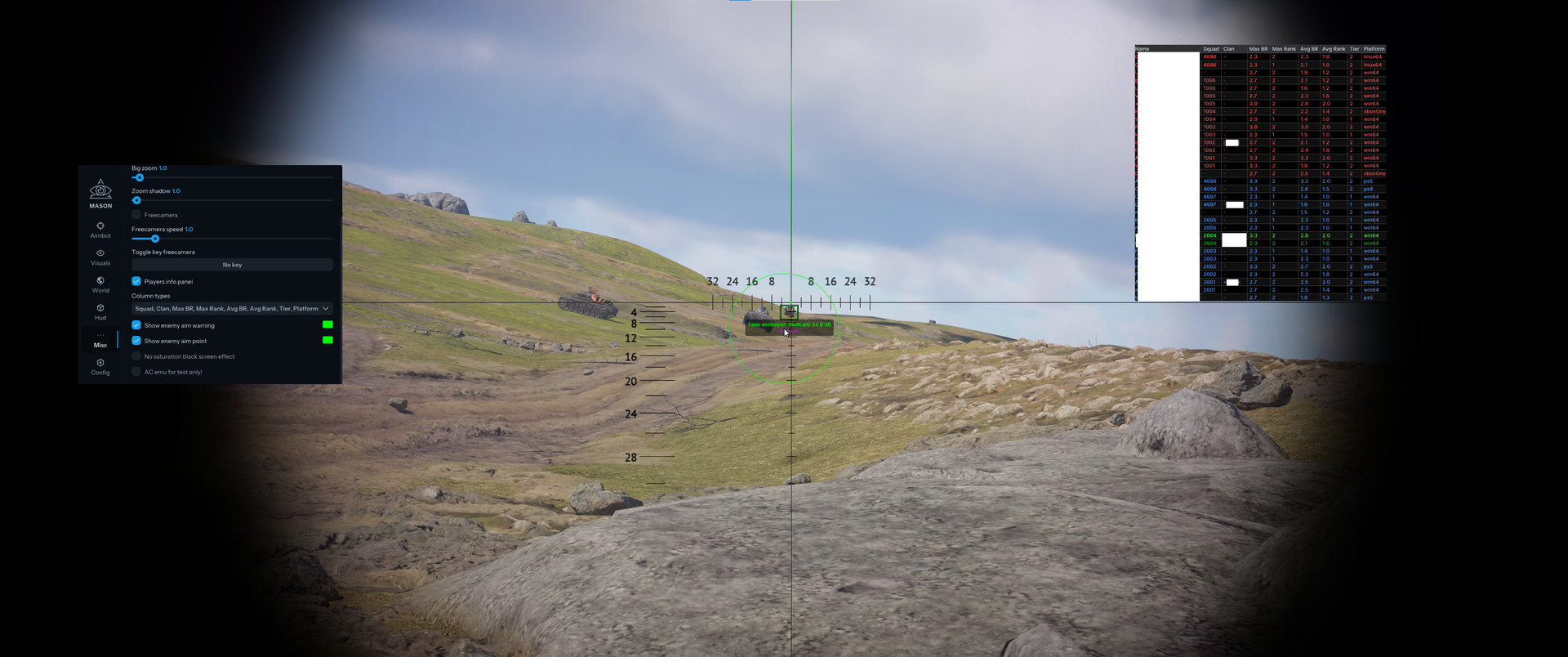
- Players info panel
- Player-info columns: squad; clan; maximum BR; maximum rank; average BR; average rank; tier; platform; country; vehicles
- Show enemy aim warning; Show enemy aim warning color
- Show enemy aim point; Show enemy aim point color
- Disable overload black-screen effects
- Bypass the simulator third-person-view restriction
- Demo Breaker: disrupt demo/replay display for everyone
- Demo Breaker disruption strength
- Fog-of-war bypass
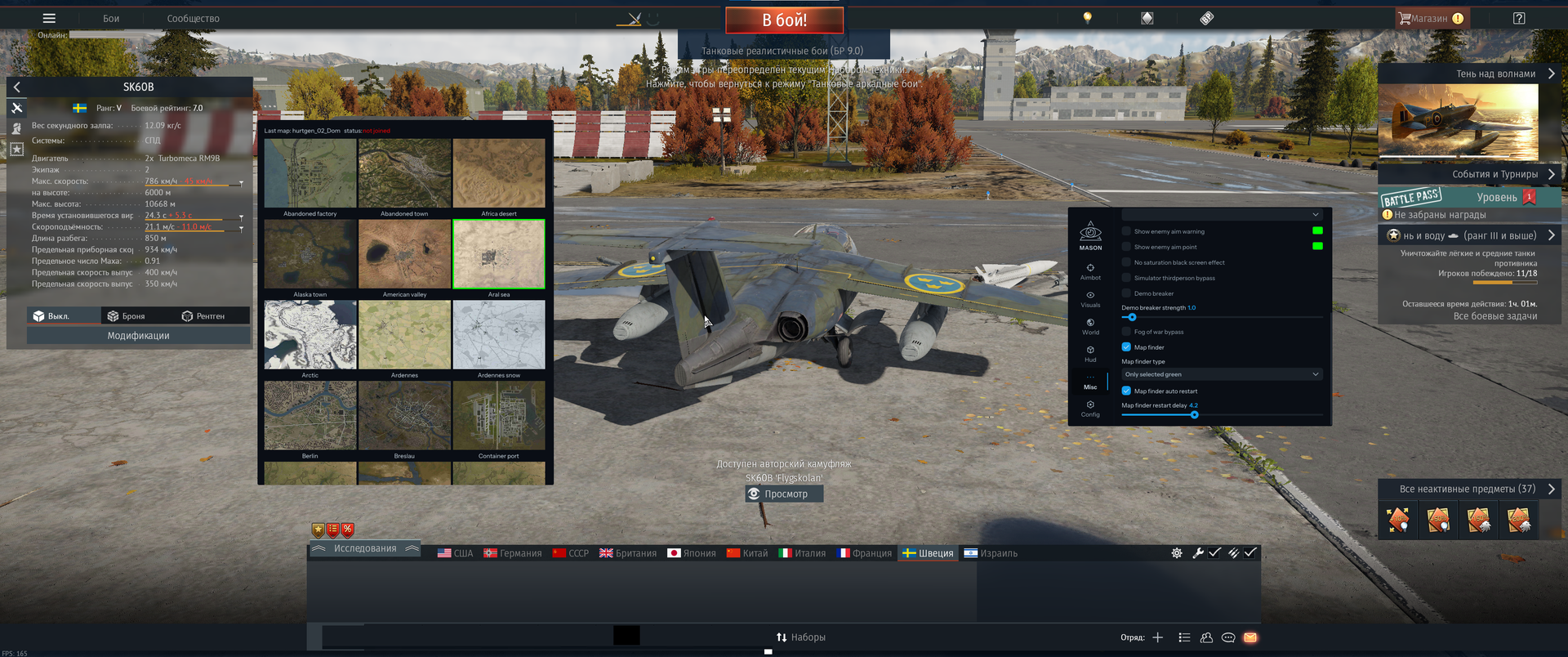
- Map Finder: scan the map during matchmaking
- Map Finder modes: Only selected green — accept only preferred green-listed maps; All without red — accept any map except red-listed maps
- Map Finder auto restart: cancel loading of an unsuitable map and search for the next match
- Map Finder restart delay: pause before starting the next search
- Bring the game window to the foreground after a suitable map is found and the match loads
- Nuke indicator: percentage of points toward a nuclear strike
Scripts
- Select current script
- Refresh
- Open folder
- Start script
- Unlock promo units
CONFIGURATION
Config
- Config name
- Add
- Select current configuration
- Load
- Save
- Delete
- Open folder
Settings
- Box style: Default, Shadow, Border
- Test font control
- Font size
- Interface language: English, Russian or Chinese
- ESP text background and its color
MEDIA