WARDOGS
PRIVATE SOFTWARE
arcane
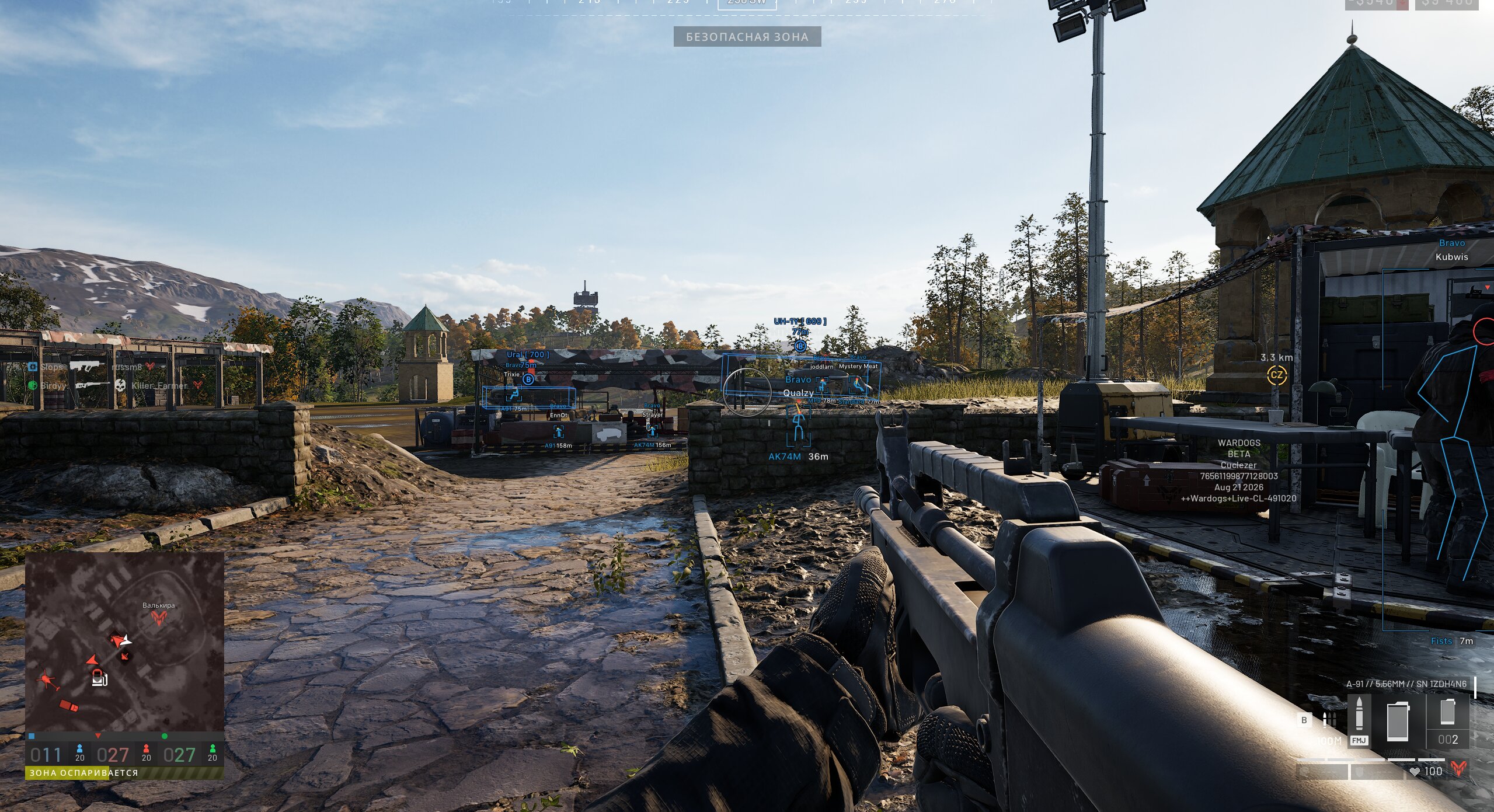
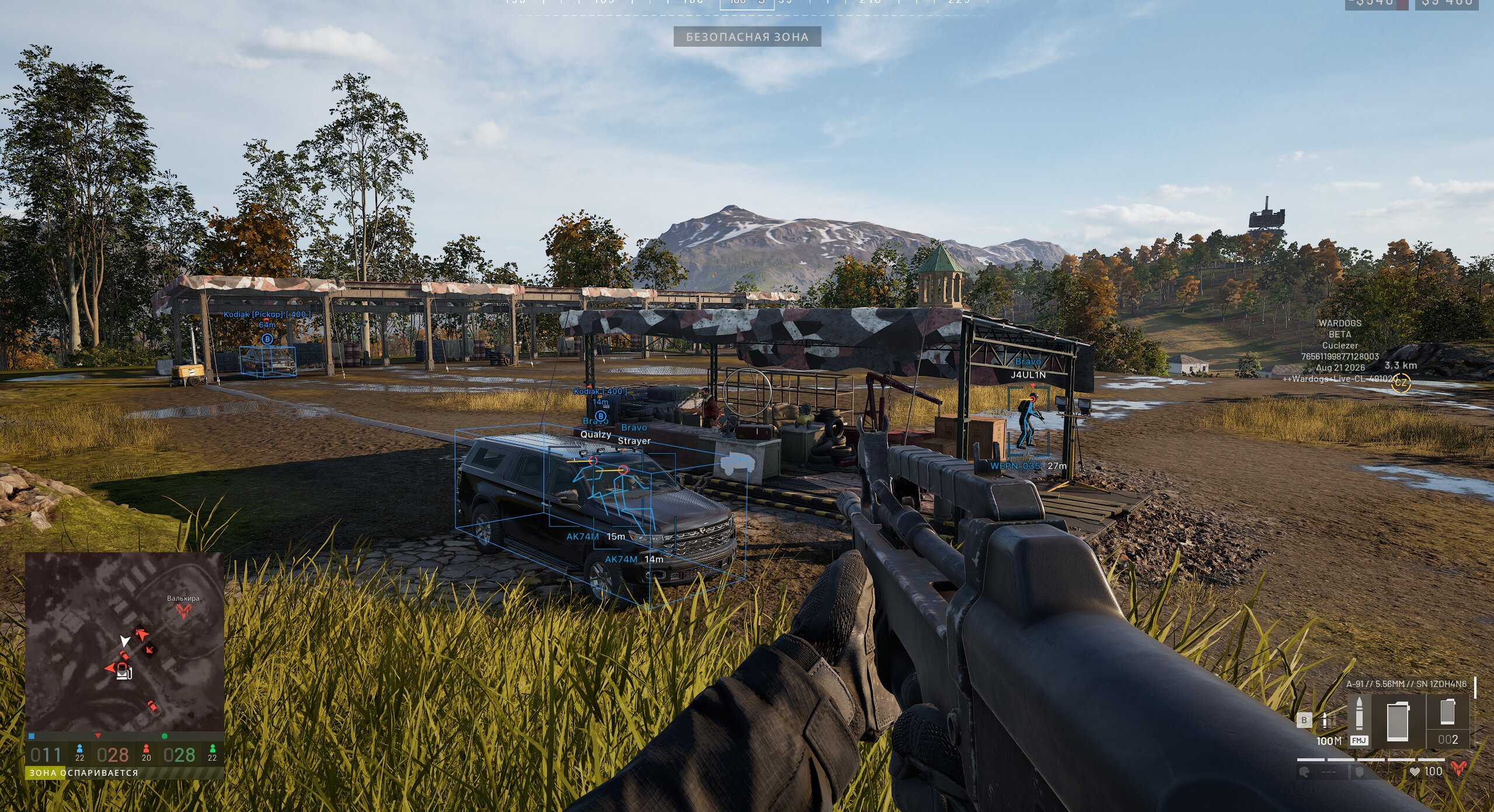
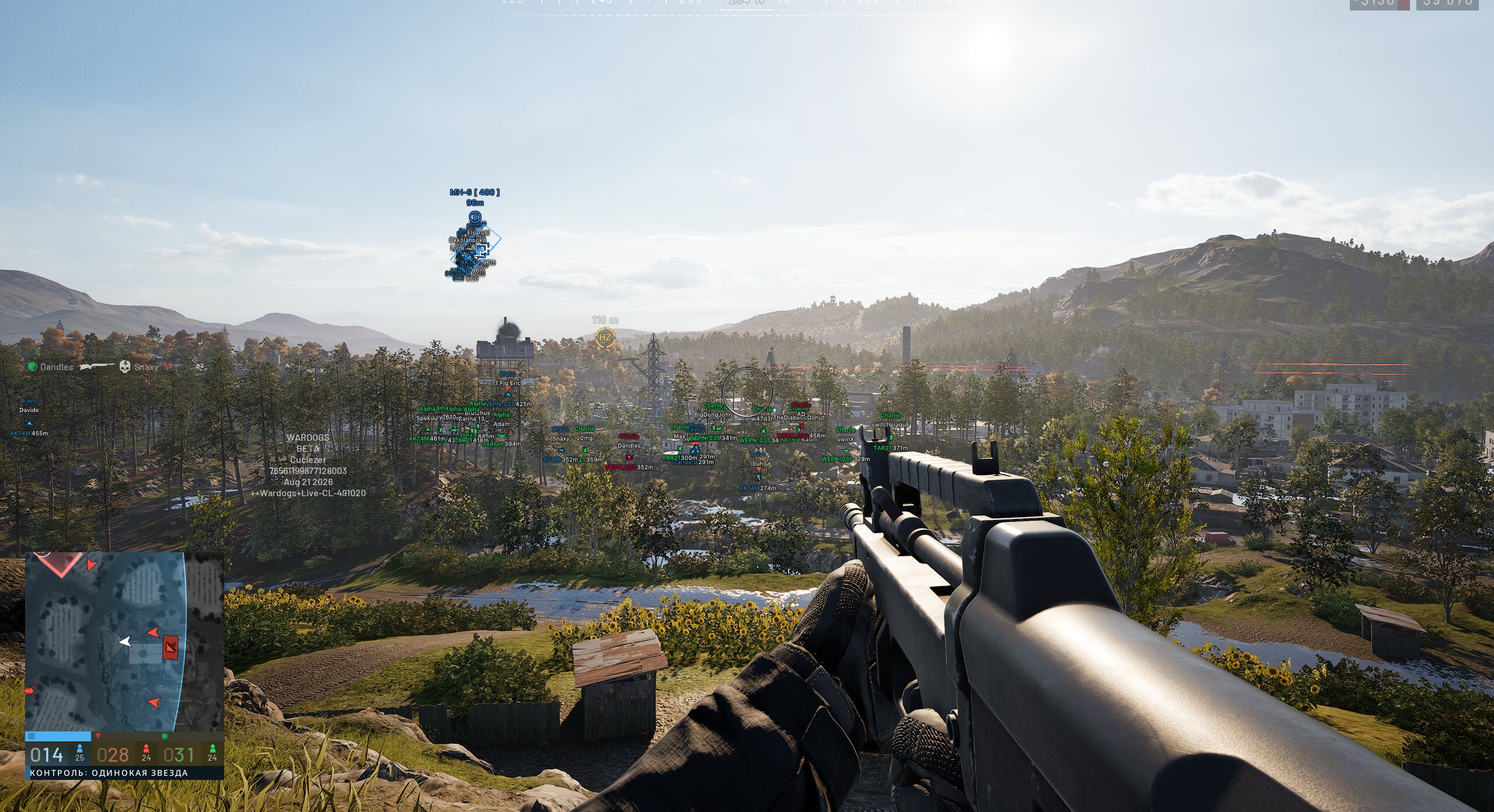
Arcane WARDOGS cheat brings aim control and clear player ESP into a focused tactical setup. Prediction, FOV, smoothing, and bone selection work with player names, teams, weapons, and distance, while world ESP for dropped items and vehicles keeps the area readable. It gives the information and adjustable control needed to make quicker decisions with confidence.
STATUS
UNDETECTED
FEATURES
AIMBOT
- Enable
- Activation key
- Force aim keybind
- Target movement prediction
- Aim type: Vector, pSilent, Hidden
- Activation mode: Always, While held
- Targets: Players, Bots, Allies, Downed players
- Bone selection: Selected, Nearest, Random
- Bones: Head, Neck, Chest, Pelvis, Body...
- Bone priority
- Bone freeze
- FOV size
- Dead zone
- Adaptive FOV
- Draw FOV
- Draw FOV background
- Draw target marker
- Target switch delay
- Bone switch delay
- Aim smoothing
- Humanize
- Hit chance
- Visibility check
- Maximum distance
PLAYER ESP
- Bounding box: Regular, Corner
- Box fill: Solid, Gradient
- Skeleton: Head circle, Thickness
- View line: Start color, End color
- Line to enemy: Color, Position
- Health: Text, Bar
- Glow: Style, Colors
- Mortar operator: Color, Distance
- Nicknames
- Show downed players
- Show corpses
- Visibility check: RayCast
- Fade near crosshair
- Team name - Team name
- Weapon in hands - Weapon in hands
- Distance - Distance
- Team colors - Team colors
- Max distance - Maximum distance
VEHICLE ESP
- Categories: Ground vehicles, Aircraft
- 3D box
- Transparency
- Show health
- Show distance
- Maximum distance
BUILDING ESP
- Buildings: Mortar, Mistral, Phalanx...
- Fortifications: Door, Gate, Bunker...
- 3D box
- Transparency
- Show on radar
- Show name
- Show distance
- Marker on radar edge
- Maximum distance
ITEM ESP
- Supplies: Supply crate, Construction materials pallet...
- Dropped items: Item, Backpack
- 3D box
- Transparency
- Show on radar
- Show name
- Show distance
- Marker on radar edge
- Maximum distance
GRENADE ESP
- Throwables: Grenade, Smoke grenade, C4...
- Mines: Claymore, Anti-tank mine
- Projectiles: Mortar shell, Phalanx shell...
- Grenade warning: Warning text, Blast radius
- Show on radar
- Show name
- Show distance
- Marker on radar edge
- Maximum distance
RADAR
- Enable
- Targets: Players, Downed players, Allies, Bots...
- Vehicles: Enemy, Allied
- Loot
- Rotate with view
- Show FOV cone
- Distance rings
- Scale rim markers by distance
- Look direction
IN-GAME MAP RADAR
- Enable
- Targets: Players, Downed players, Bots
- On minimap
- On tactical map
- Show distance
- Visibility check
- Mortar operator
OFF-SCREEN INDICATORS
- Enable
- Style: Size, Position, Transparency
- Targets: Players, Downed players, Bots
- Visibility check
- Maximum distance
WEAPON MODIFICATIONS
- No recoil
- No spread
- No sway
- Unlimited breath hold
- No weapon collision
- Always crit spot
- Crosshair: Enable, Style, Size, Thickness
VIEW EXPLOITS
- Fullbright
- Show flags
- Gamma
- FOV changer
- Super zoom
- No zoom limit
- Weapon offset
- Free camera
MISC
- Mortar helper: Prediction, Crosshair, Details, Target marker, Auto-aim
- Artillery helper: Crosshair, Details, Target marker, Auto-aim, Automatic minigame
- Shell trajectory: Mortar, Artillery
- Look alert: List window, Text size, Arrows, Radar, Visibility check
BATTLE MODE
- Activation key
- Hide players
- Hide corpses
- Hide world items
- Hide vehicles
- Hide buildings
- Hide projectiles
- Hide radar
- Hide in-game radar
- Hide off-screen indicators
- Hide mortar helper
- Hide aim FOV
- Hide crosshair
- Hide grenade warnings
- Hide glow
- Hide look alerts
SETTINGS
- Menu keybind
- Unload keybind
- DPI scale
- VSync
- Theme: Dark, Light
- Watermark
- Language: EN, RU, CH
CONFIGS
- Create - Create
- Get shared - Share (the ability to share the config with friends using a unique key)
- Launch - Download
- Save - Save
- Edit name - Edit name
- Share - Share
- Remove - Remove
MEDIA