WARDOGS
PRIVATE SOFTWARE
Ghost Lite
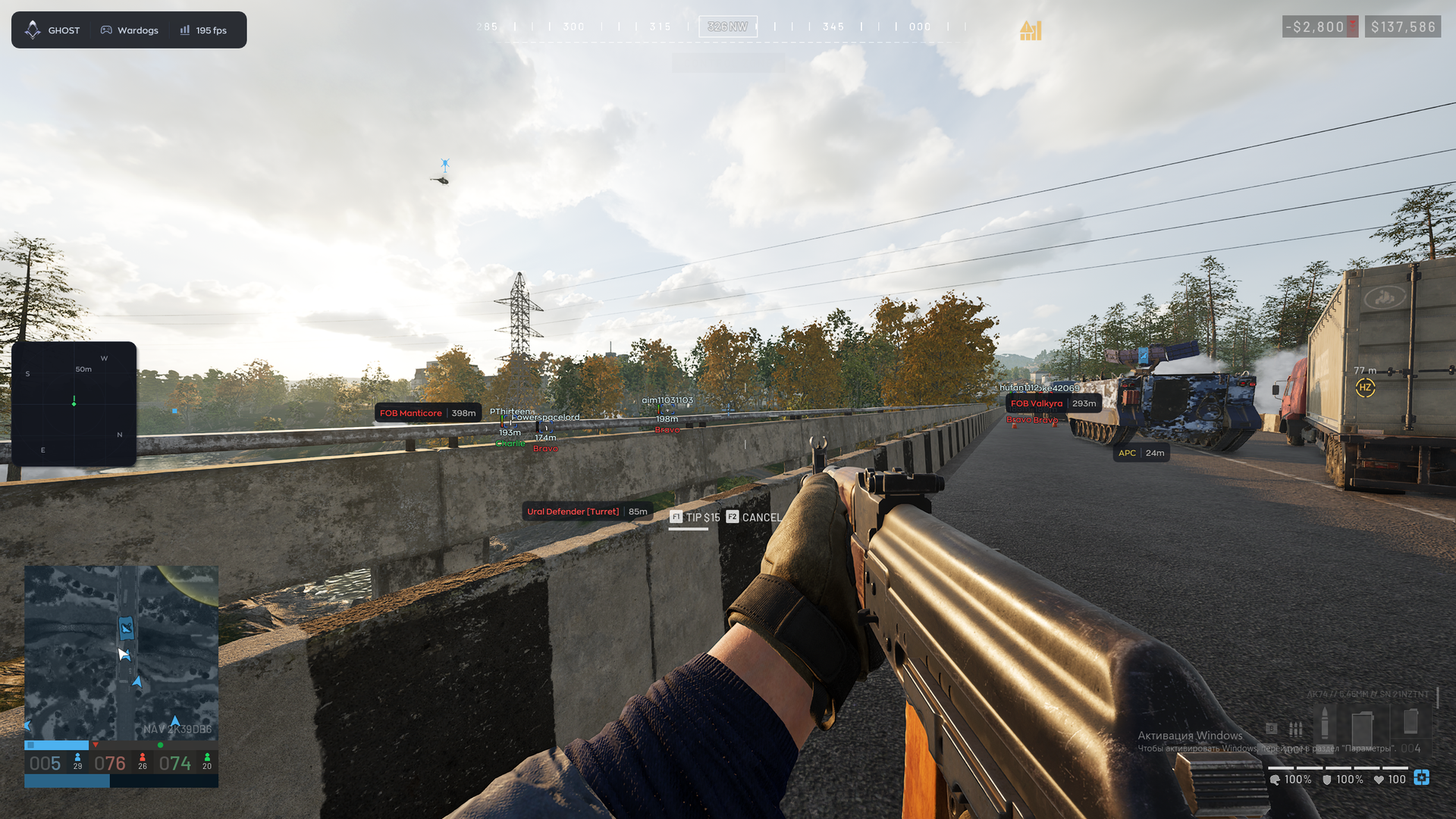
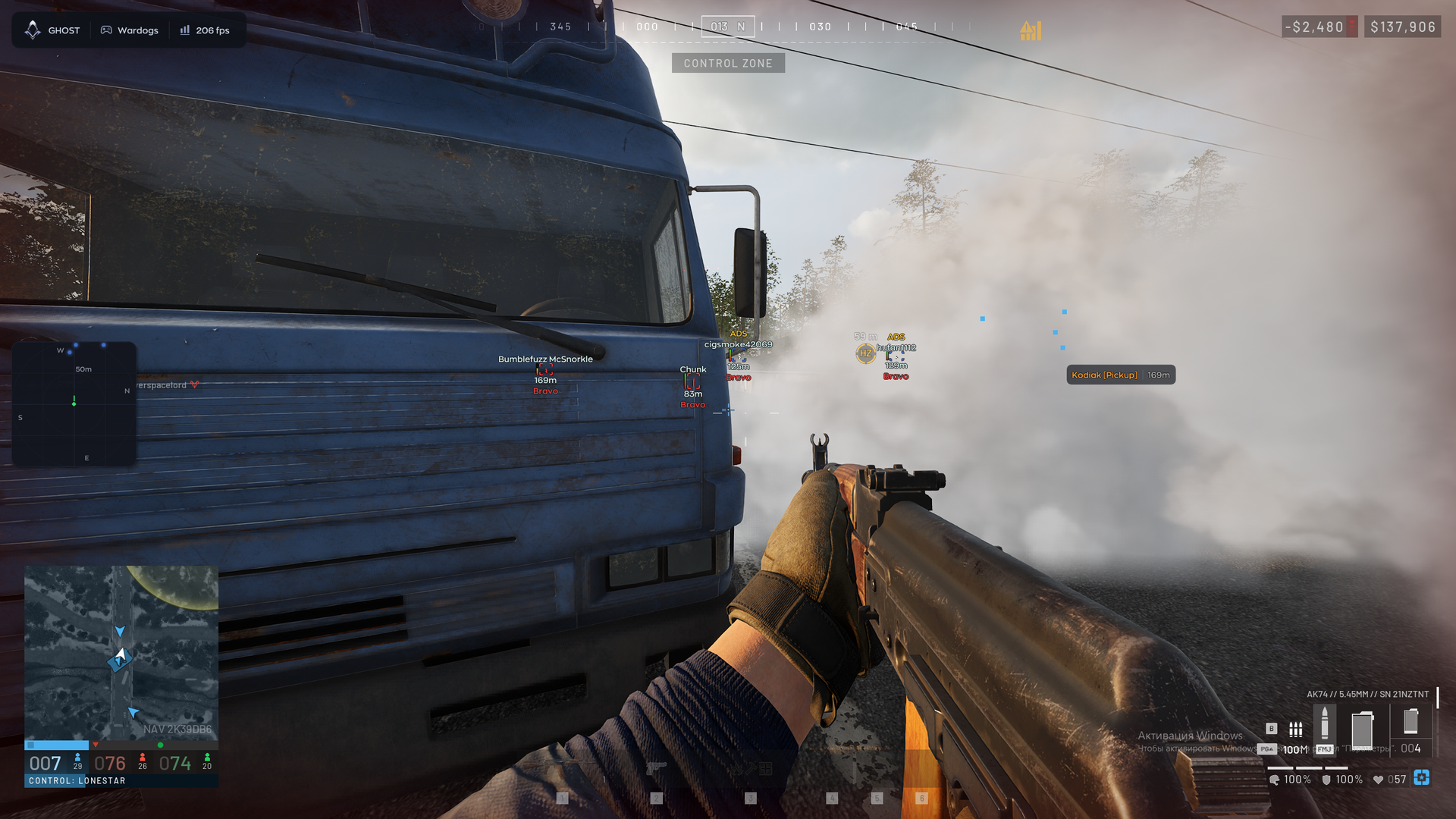
Ghost Lite for WARDOGS is an ESP-focused cheat for keeping the battlefield in view without filling your screen with information you do not need. Player, loot and vehicle ESP help you assess nearby threats, find supplies and weigh your next move, while the radar adds a separate positional reference. Configurable display options and saved profiles let you shape that view around your preferences. Keep the important details visible and approach the next engagement with a clearer picture.
STATUS
UNDETECTED
FEATURES
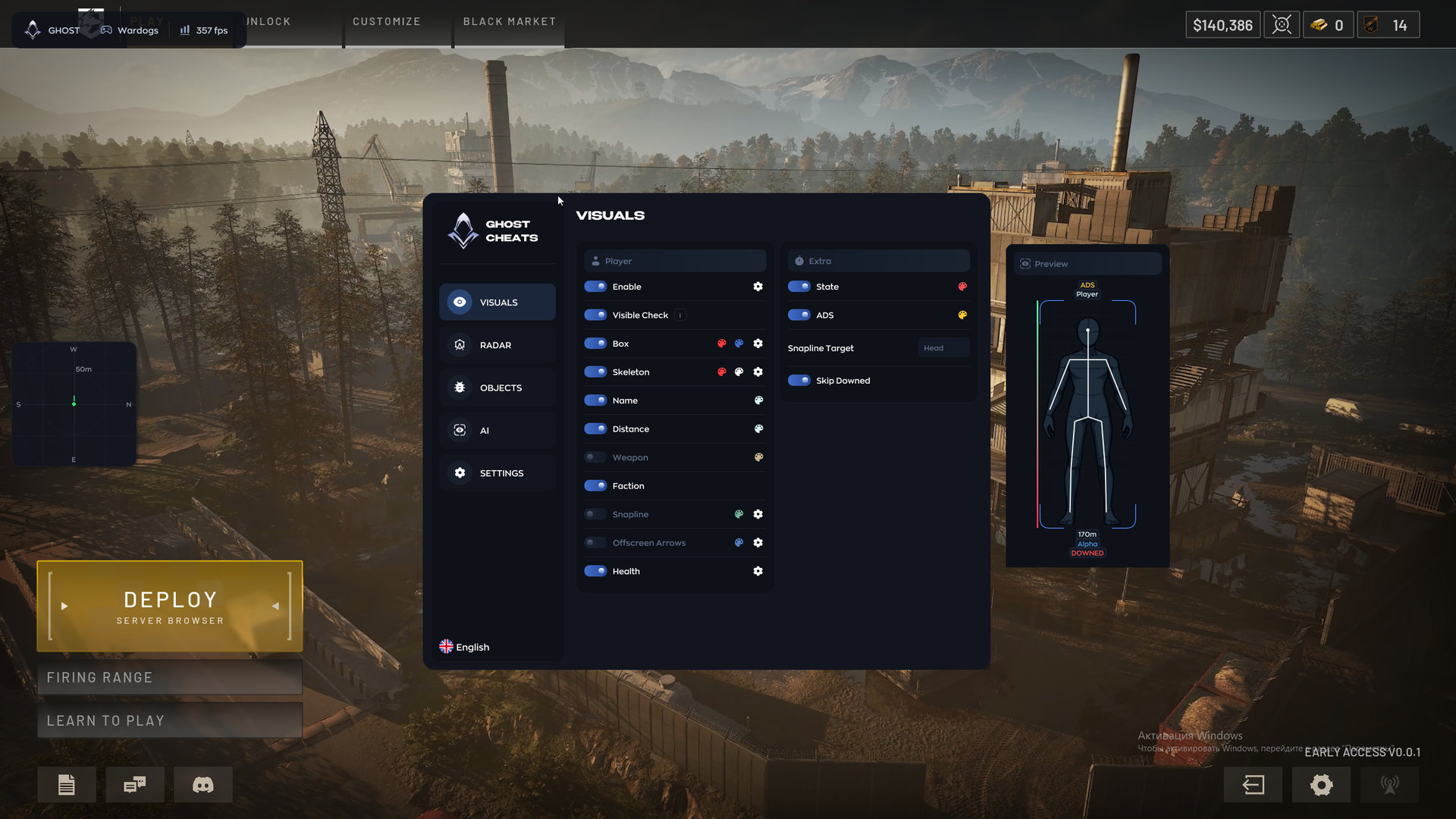
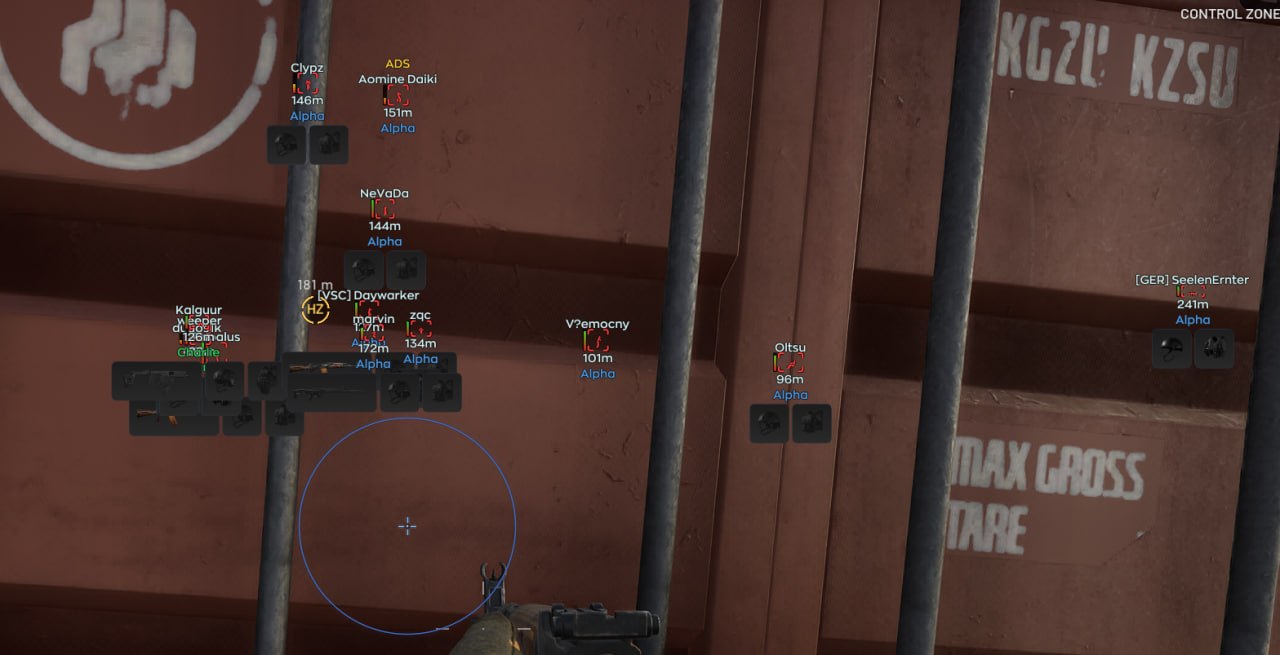
PLAYER ESP
- Enable player ESP
- Visible Check — different colors for visible and hidden targets
- Box — player boxes
- Skeleton — player skeletons
- Name — target nickname
- Distance — distance to the target
- Weapon — current enemy weapon
- Faction — ally or enemy affiliation
- Snapline — line from the screen center to the target
- Offscreen Arrows — directions to enemies outside your view
- Health — target health
- State — standing, prone or aiming
- ADS — shows when an enemy is aiming
- Snapline Target — choose the line endpoint, such as the head
- Skip Downed — hide downed players
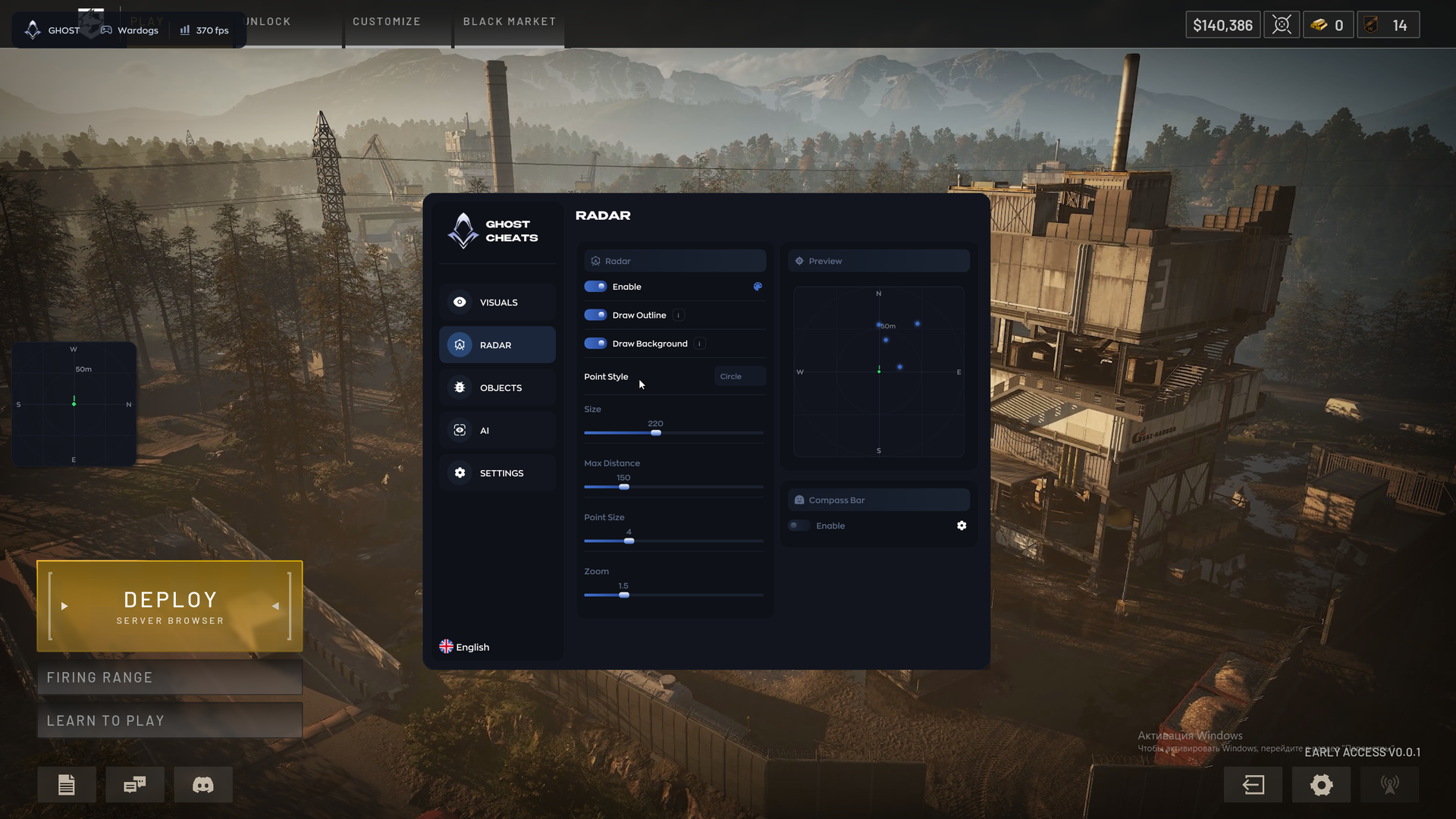
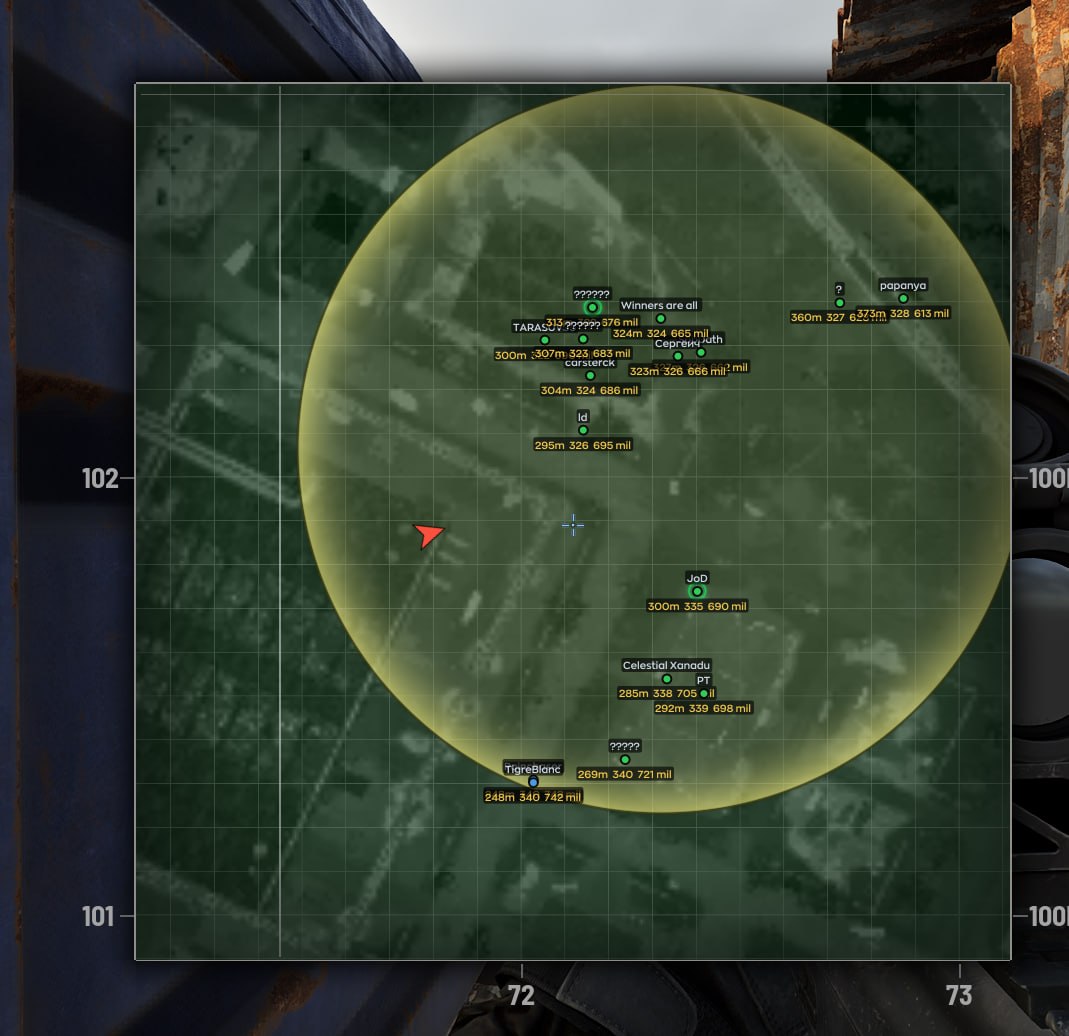
RADAR
- Enable the mini-radar
- Draw Outline — radar outline
- Draw Background — radar background
- Point Style — circle or square markers
- Size — radar size
- Max Distance — maximum display distance
- Point Size — radar marker size
- Zoom — radar scale
- Compass Bar — compass panel
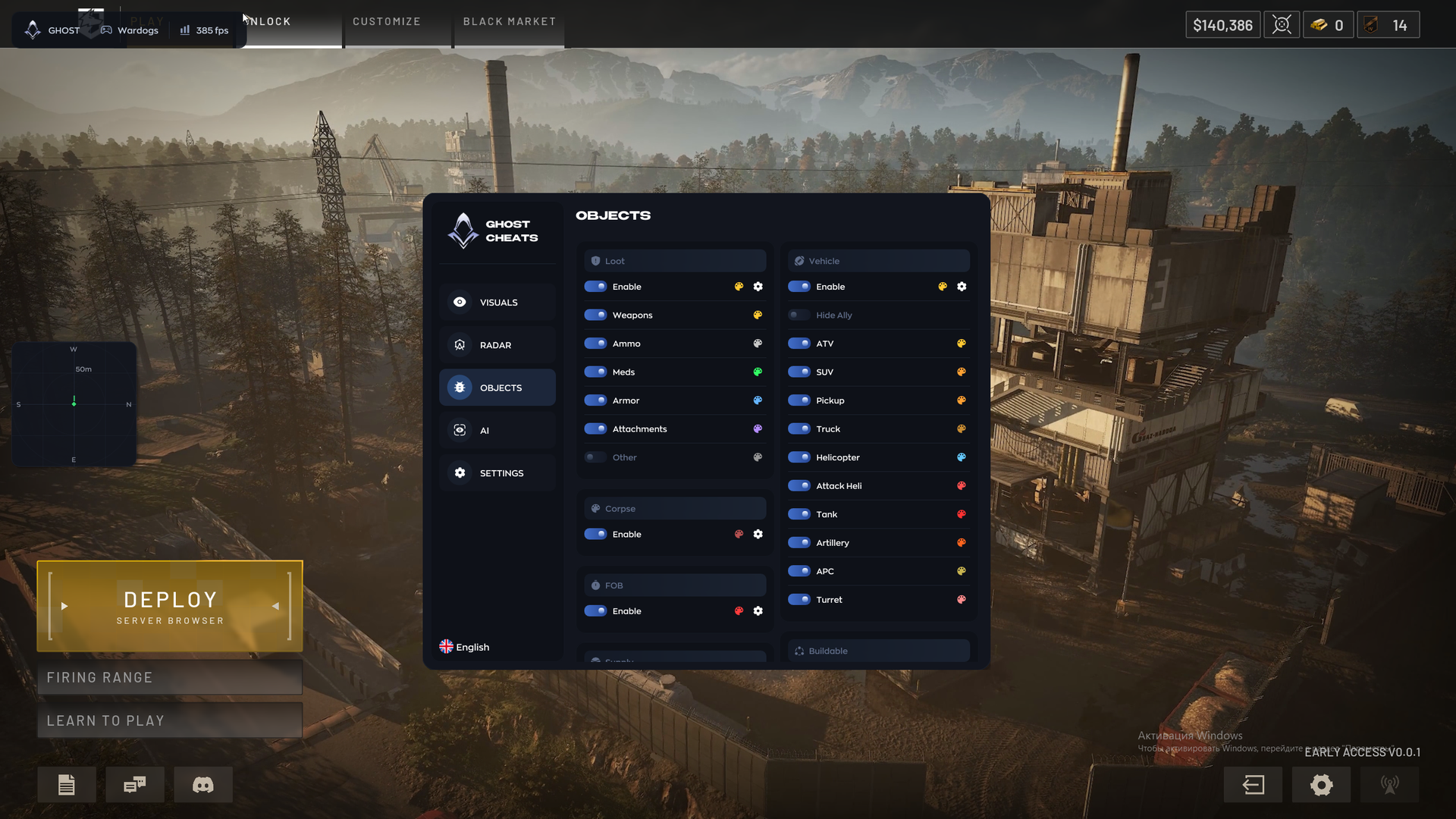
LOOT ESP
- Enable dropped-item labels with names and distances
- Weapons
- Ammo and magazines
- Meds
- Armor
- Attachments
- Other items
CORPSE ESP
- Enable ESP for dead players’ bodies
VEHICLE ESP
- Enable vehicle labels with names and distances
- Hide Ally — hide allied vehicles
- ATVs
- SUVs
- Pickups
- Trucks
- Helicopters
- Attack helicopters
- Tanks
- Corpse — player bodies
- FOB — bases
- Buildable — objects under construction
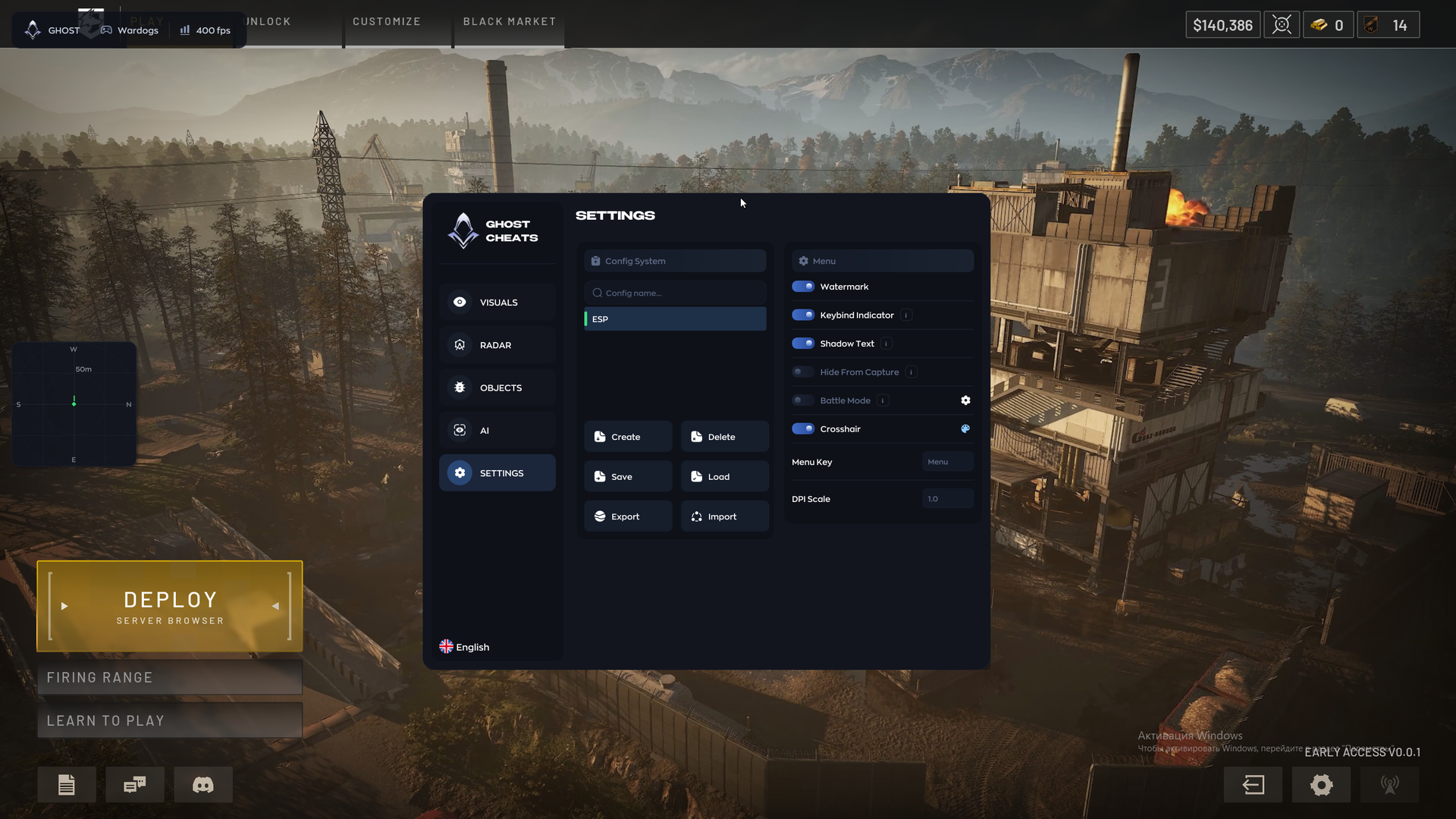
CONFIG SYSTEM
- Create, save, load and delete configurations
- Export and import configurations
MENU
- Watermark — on-screen cheat logo or watermark
- Keybind Indicator — assigned hotkey panel
- Shadow Text — shadows for menu and ESP text
- Battle Mode — quickly hide extra interface elements for a clear view
- Crosshair — custom crosshair overlay
- Menu Key — set the key to open and close the menu
- DPI Scale — menu interface scaling
MEDIA