WARDOGS
PRIVATE SOFTWARE
Phoenix
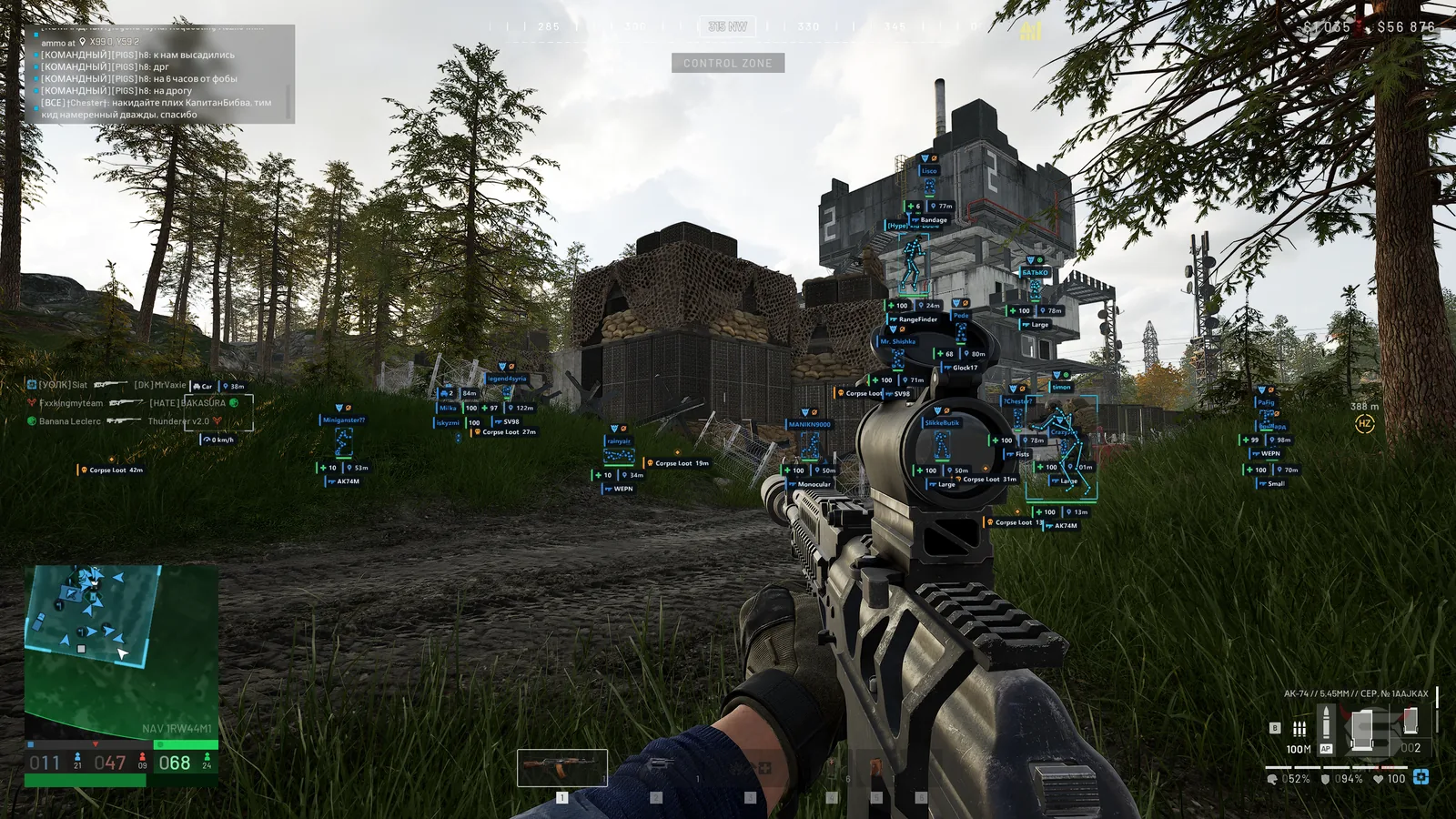
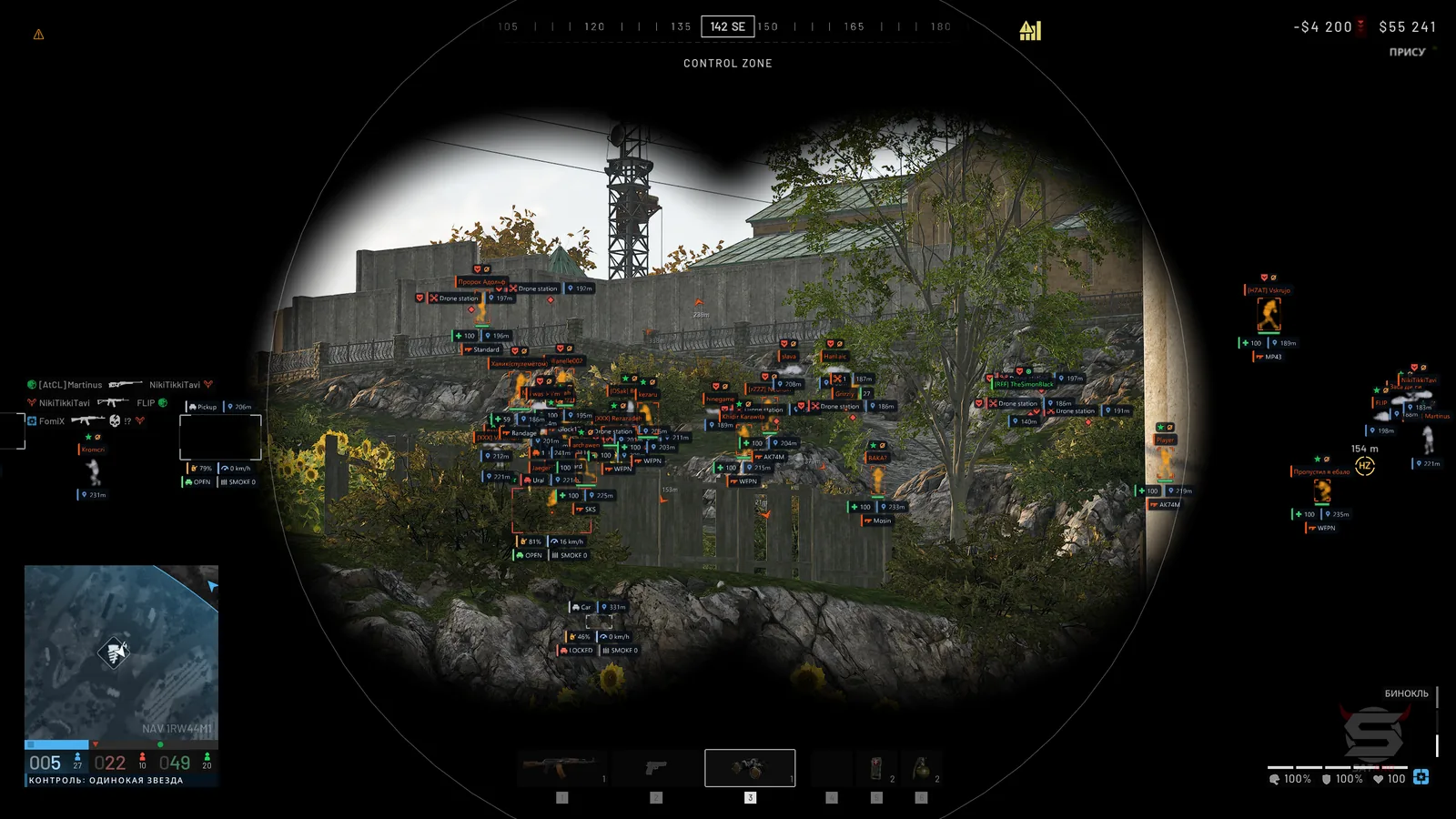
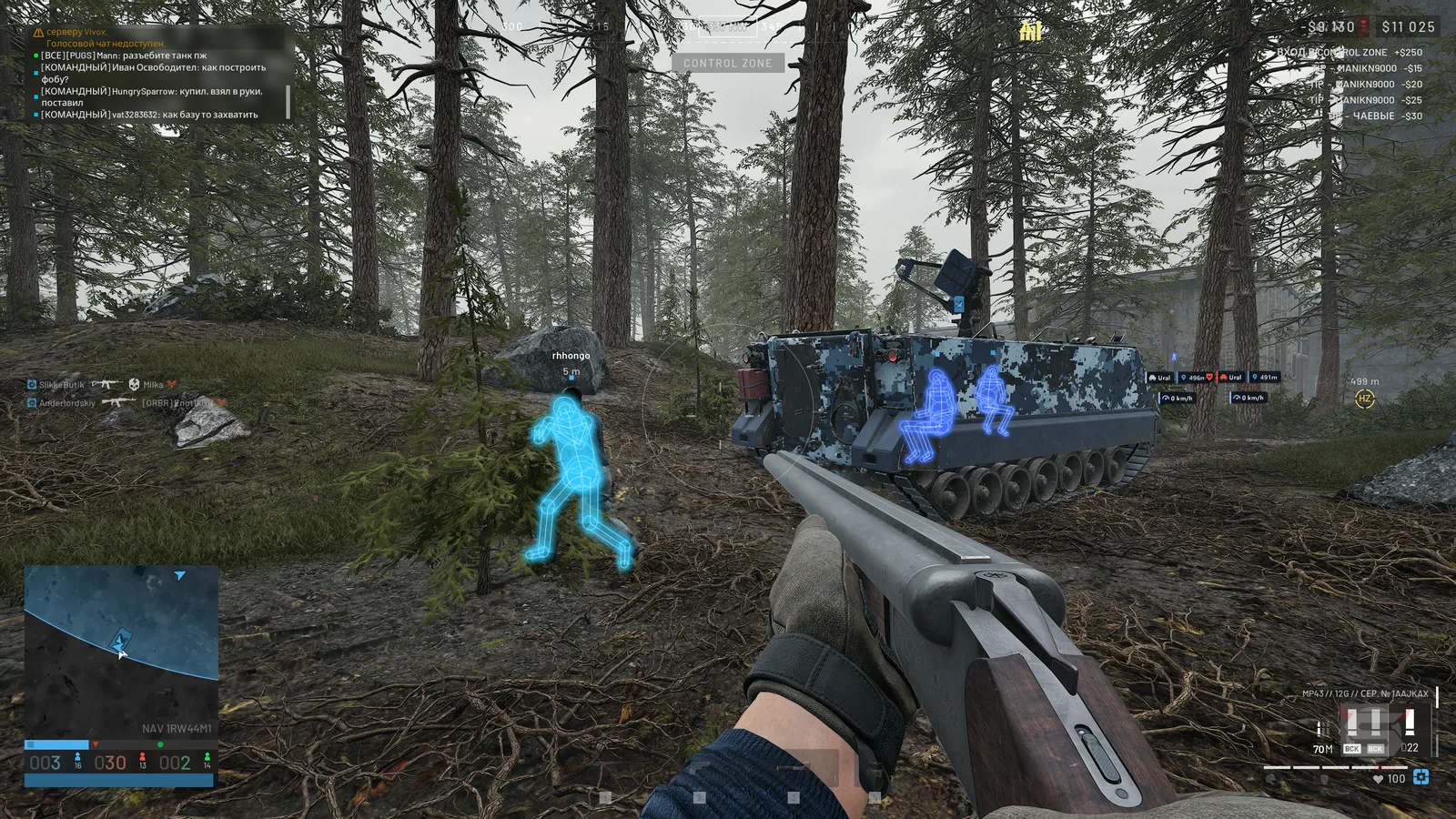
Phoenix for WARDOGS is a versatile cheat for controlled aiming and a clearer view of the battlefield. Player, loot and vehicle ESP, Chams, Glow and radar help you track threats, locate supplies and choose your next position. The aimbot and weapon controls support direct engagements, while artillery tools let you select targets on the map and read the expected shell trajectory. Vehicle alerts and warnings of incoming fire extend that awareness beyond the immediate fight, giving you more information for your next move on foot or in a vehicle.
STATUS
UNDETECTED
FEATURES
AIMBOT
- Enable — turn the aimbot on or off
- Key — set the aimbot activation key
- Silent — direct bullets at the target without moving the camera
- Teleport Bullet — move the bullet to the target immediately after firing
- Aim Bone — select head, neck, chest, pelvis or the bone nearest the crosshair
- Target Priority — prioritize proximity to the crosshair or distance
- FOV — adjust the target acquisition radius around the crosshair
- Smooth — adjust aiming smoothness
- Max Distance — set the target acquisition distance
- Visible Only — aim only at visible opponents outside cover
- Ignore Downed — exclude downed players from targeting
- Friendly Fire — aim at teammates
- Sticky Target — retain the selected target while holding the aimbot key
- Prediction — account for target movement and bullet drop when calculating lead
- Recoil Compensation — compensate for weapon recoil and camera displacement
- FOV Circle — display the target acquisition circle
- Aim Point — show the active aiming point
- Snapline — draw a line from the crosshair to the target
- Highlight — highlight the selected target and display TARGET or LOCKED markers
- Preview — show a potential target before activating the aimbot
WEAPON
- No Recoil — disable weapon recoil
- No Spread — eliminate shot spread
- Instant Bullet — move the bullet to a visible opponent in the line of fire
- Instant ADS — enter aim-down-sights mode immediately
- No Gun Sway — disable weapon sway
- No ADS Sway — remove sight sway while aiming down sights
- Grenade Prediction — display the predicted grenade throw trajectory
- Grenade Bounces — show grenade bounce points
- Blast Radius — display the grenade blast radius
- Victims — show targets within the blast radius
- Auto Calibrate — determine velocity, fuse time and blast radius automatically from a throw
ARTILLERY
- Mortar L81 — calculate aiming for the L81 mortar
- Howitzer SPH-2 — calculate aiming for the SPH-2 howitzer
- Tank Cannon — show the predicted tank shell impact point
- Shot Arc — select automatic, low or high shell trajectories
- Fire Cross — show a ready-to-fire indicator when the barrel is aimed at the target
- Info Panel — show target distance, aiming angle and miss distance
- Flight Path — display the shell flight trajectory
- Impact Point — show the predicted shell impact point
- Map Pick — select an opponent or an arbitrary point on the game map as a target
- Ping Aim — aim the gun at an in-game marker
- Follow Target — track the selected moving opponent or vehicle
- Auto Lay — automatically turn the gun toward the target
- Incoming Shells — warn about nearby incoming shells with a red ring and an «ОБСТРЕЛ» notification
- Emplacement ESP — display mortars, drone stations and emplacements with durability information and a friendly-object filter
PLAYER ESP
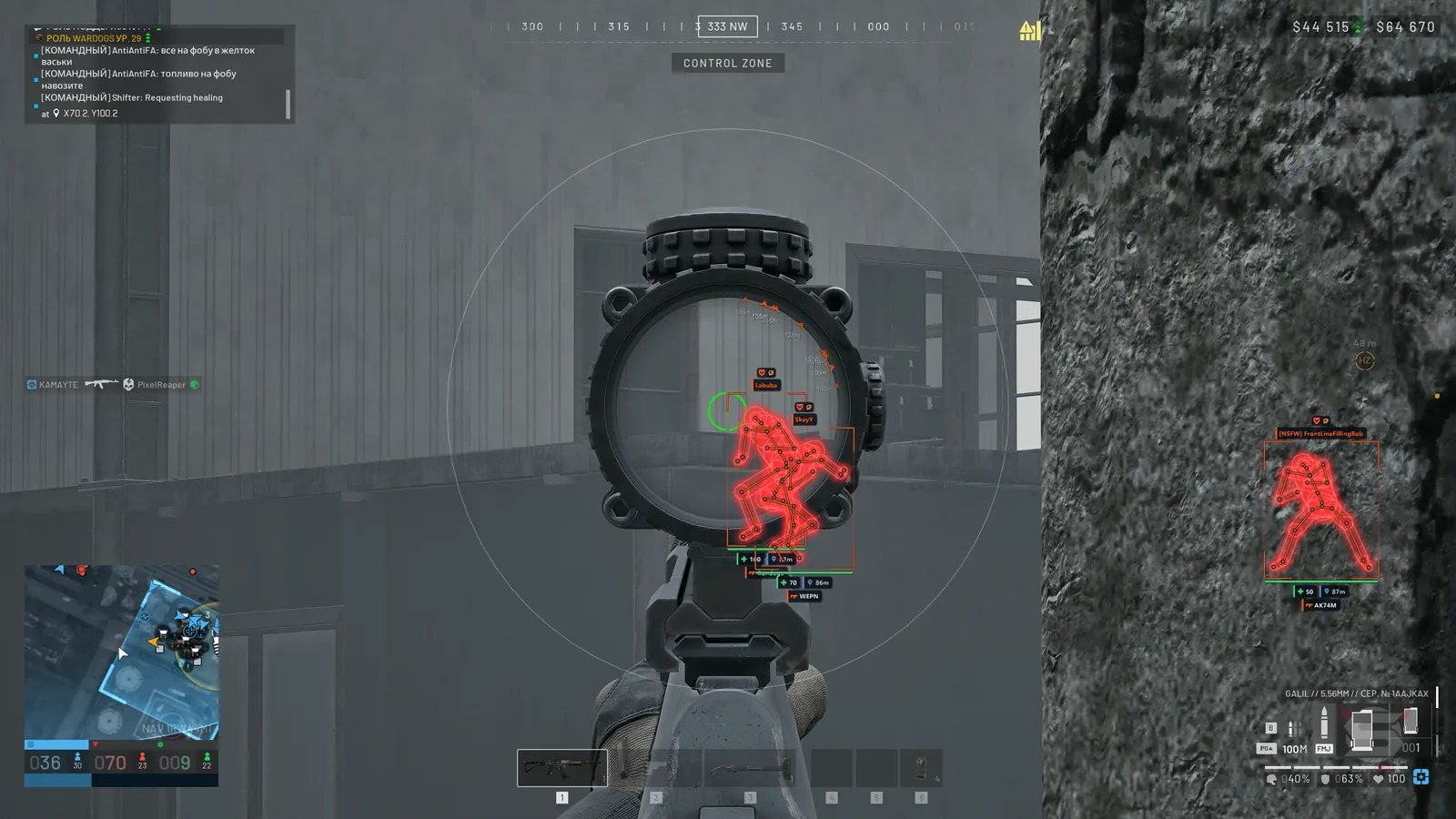
- Box — display players using 2D boxes, corner boxes or 3D boxes
- Health — show health as a number, a bar or both
- Team — show squad information and the faction emblem as text, an icon or both
- Max Distance — set the maximum player display distance
- Skeleton — display player skeletons with adjustable line thickness
- Name — show player nicknames
- Distance — display distance to players
- Weapon — show the weapon a player is holding
- Visibility Icon — indicate player visibility with an icon
- Ping — display a player's network latency
- Vehicle Crew — combine a vehicle's crew into one information panel
- Off-Screen Arrows — show direction arrows for off-screen players with adjustable radius and size
- Arrow Distance — display player distance beside the arrow
- Aiming at Me — highlight players who see you and aim in your direction, even beyond ESP distance
- Visible Check — use different colors for visible players and those behind cover
- Teammates — enable teammate display
- Downed — configure downed-player boxes, skeletons, nicknames, distance, faction, weapon, ping, visibility and arrows
- Corpse Loot — display loot on dead players separately from ordinary loot
- Combat Mode — hide or show extra ESP categories with a key press
- ESP Focus — restrict full ESP display to a circle around the crosshair or the area outside it
- ESP Text — configure label font, boldness, size, shadow, outline and background
LOOT & WORLD ESP
- Loot ESP — display item names with a separate distance setting
- Loot Kinds — configure weapons, ammunition, medicine, armor, items and crates with individual colors
- World ESP — show names and distances for world objects
- Grenade Warning — warn about grenade danger
- Grenade Radius — display the blast radius and lethal zone
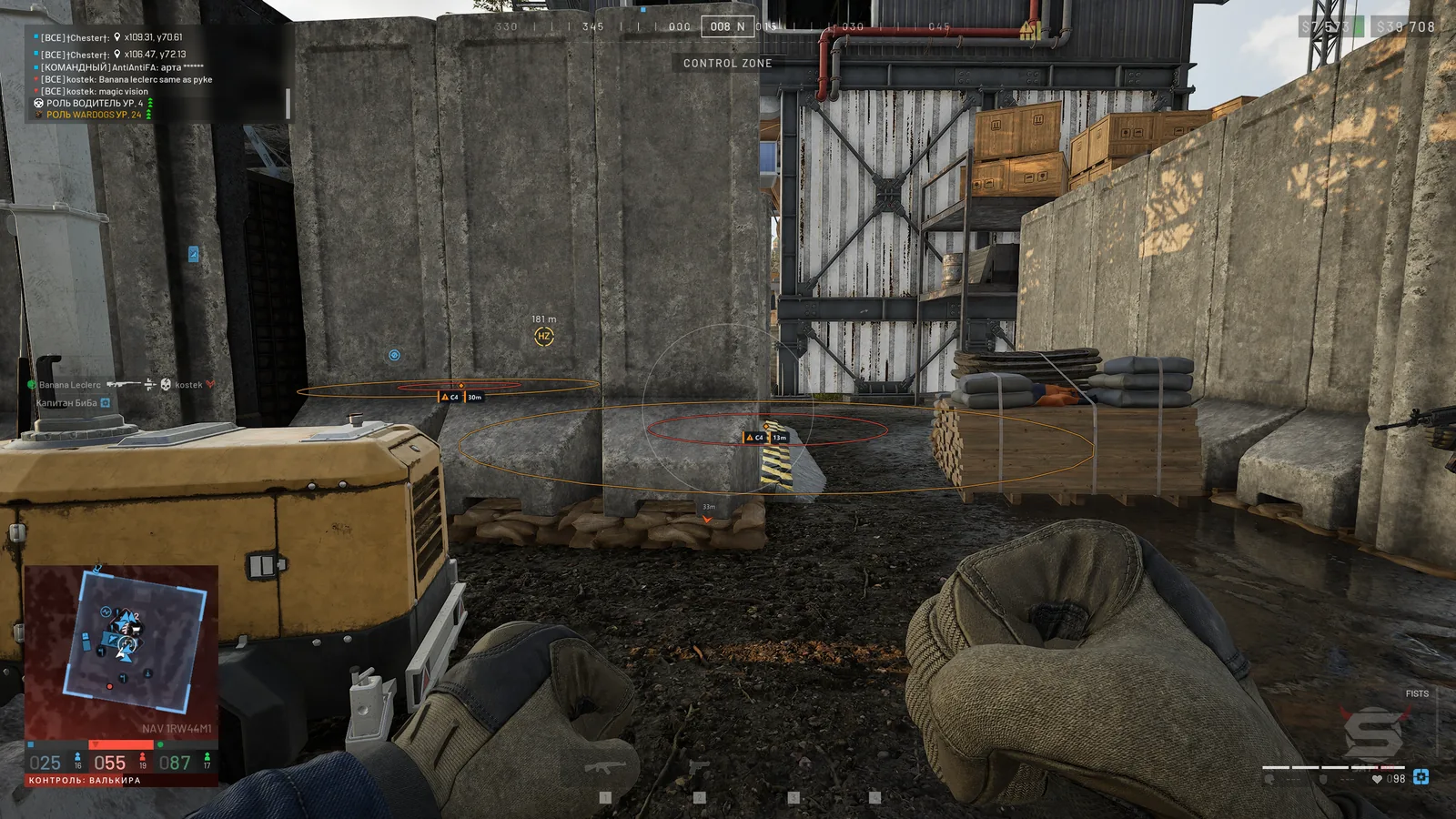
- Mines / Claymores — show mines and claymores with their trigger radius
- Other Deployables — display other deployable objects
- Drones — show drones and controllable devices with danger warnings
- Show Friendly — display your own mines and drones
- Grenades — mark grenades on the ground
- C4 / Explosives — display C4 and other explosive devices
- Objectives — show game objectives and mission objects
- Repair / Fuel — display repair and refueling points
- Radios — mark radios on the map
- Supply Drops — show supply points
- Helicopters — display helicopters as world objects
- Safe Zone — show the safe zone
VEHICLES
- Vehicle Box — display vehicles using corner boxes, 2D boxes or 3D boxes
- Marker — show a marker on a vehicle
- Name — display vehicle names
- Snapline — draw a line from the screen to a vehicle
- Health — show vehicle durability
- Status — display a vehicle's current state
- Fuel — show fuel level
- Fuel Leak — indicate vehicles with a damaged fuel tank
- Speed — display current vehicle speed
- Locked — show whether a vehicle is locked
- Smoke / Flares Left — display remaining smoke countermeasures and flares
- Ownership — filter vehicles as friendly, hostile or neutral
- Faction Mark — show the owner's faction emblem and name
- Colors — use one vehicle color, separate friendly/hostile/neutral colors or faction colors
- Nearby List — list nearby vehicles with their distance
- Auto Flares — automatically deploy flares on helicopters and airplanes
- Missile Warning — warn about missile lock and show time until impact
CHAMS
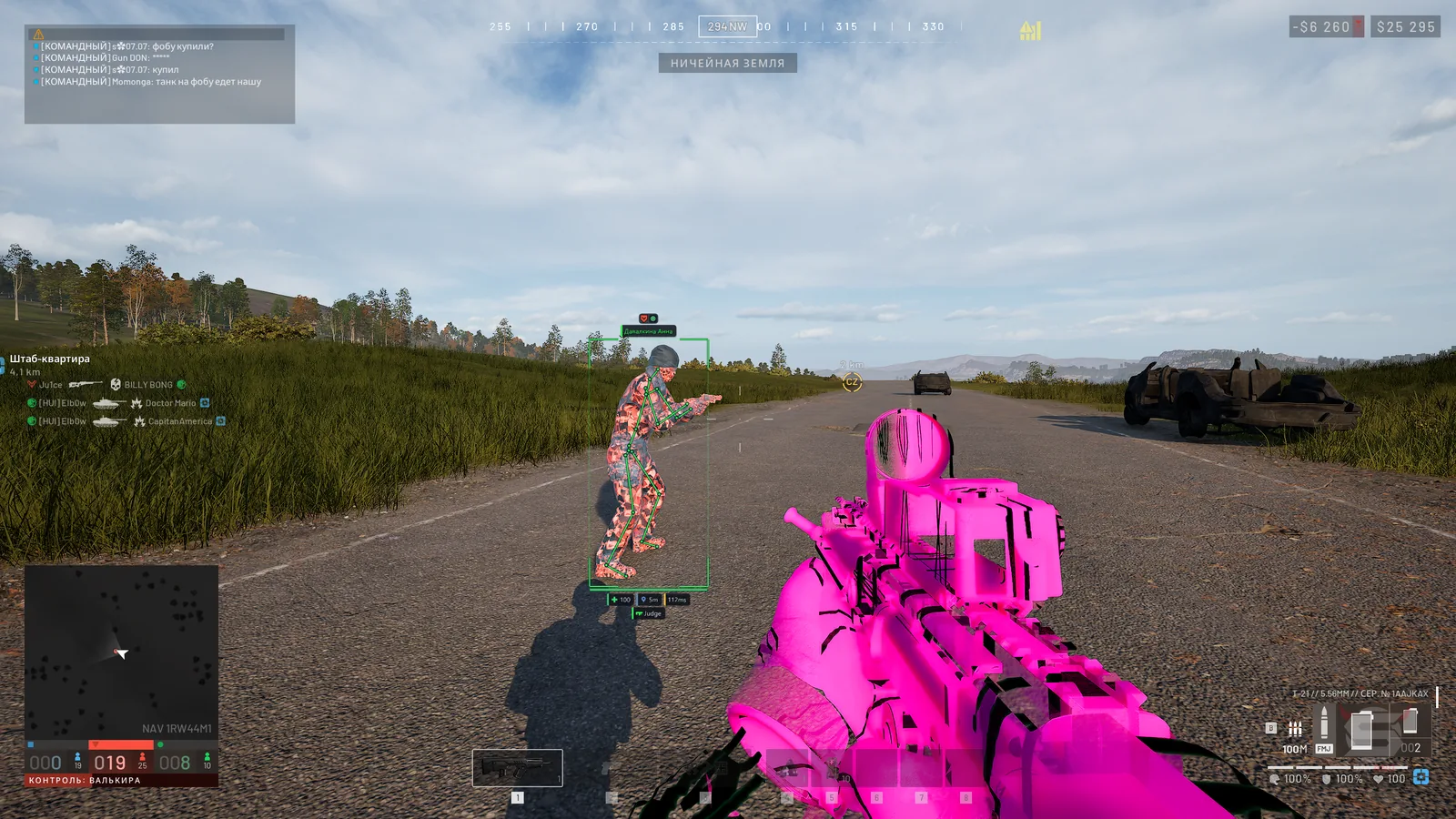
- Player Chams — apply a selected material and texture to player models through walls
- Wall Mode — render materials according to visibility or use two layers for visible and hidden parts
- Style — select solid color, wireframe, tinted material or a material from the list
- Overlay — add another layer with a selected color, wireframe or material
- Through Walls — display player models through walls
- Chams Colors — set separate colors for teammates and enemies, visible or behind walls
- Glow — adjust material glow intensity
- Auto Materials — automatically select materials during a match
- Hand Chams — apply a selected material to hand models
- Hand Mesh — select the automatic hand model, one of two model variants or the character mesh
- Rainbow — create a shifting rainbow effect on hands, optionally including the weapon
GLOW
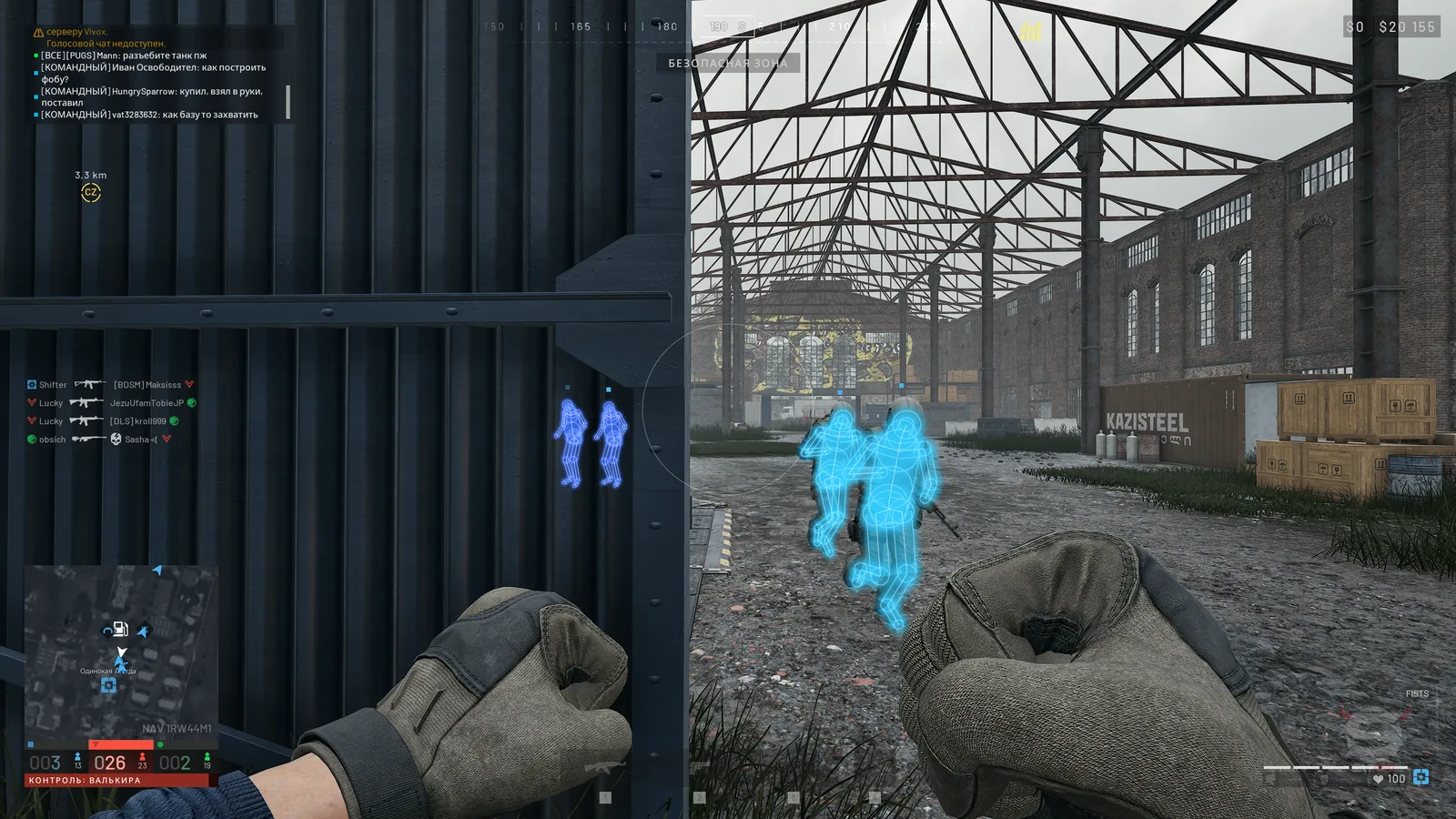
- Player Glow — highlight player silhouettes
- Glow Presets — choose soft, neon, outline or bright glow presets
- Glow Targets — select enemies, teammates and downed players for highlighting, with distance fade
- Glow Show — display glow always, only on visible targets or behind walls
- Glow Style — select soft glow, neon, outline or fill
- Glow Color — set colors by team, visibility, health level or a rainbow effect
- Pulse — add pulsing glow
- World Glow — highlight world objects, loot and vehicles
- World Presets — choose soft, beacon or radar object-highlighting presets
- World Style — select a halo, ring, light pillar or combined halo and pillar
- Object Kinds — select grenades, explosives, objectives, stations, radios, turrets, supplies, aircraft and the safe zone for highlighting
- Vehicle Frame — display a glowing frame around vehicles
- Danger Alert — highlight grenades and explosives within 15 meters in red with faster pulsing
- ESP Colors — use the same glow colors as the ESP settings
RADAR
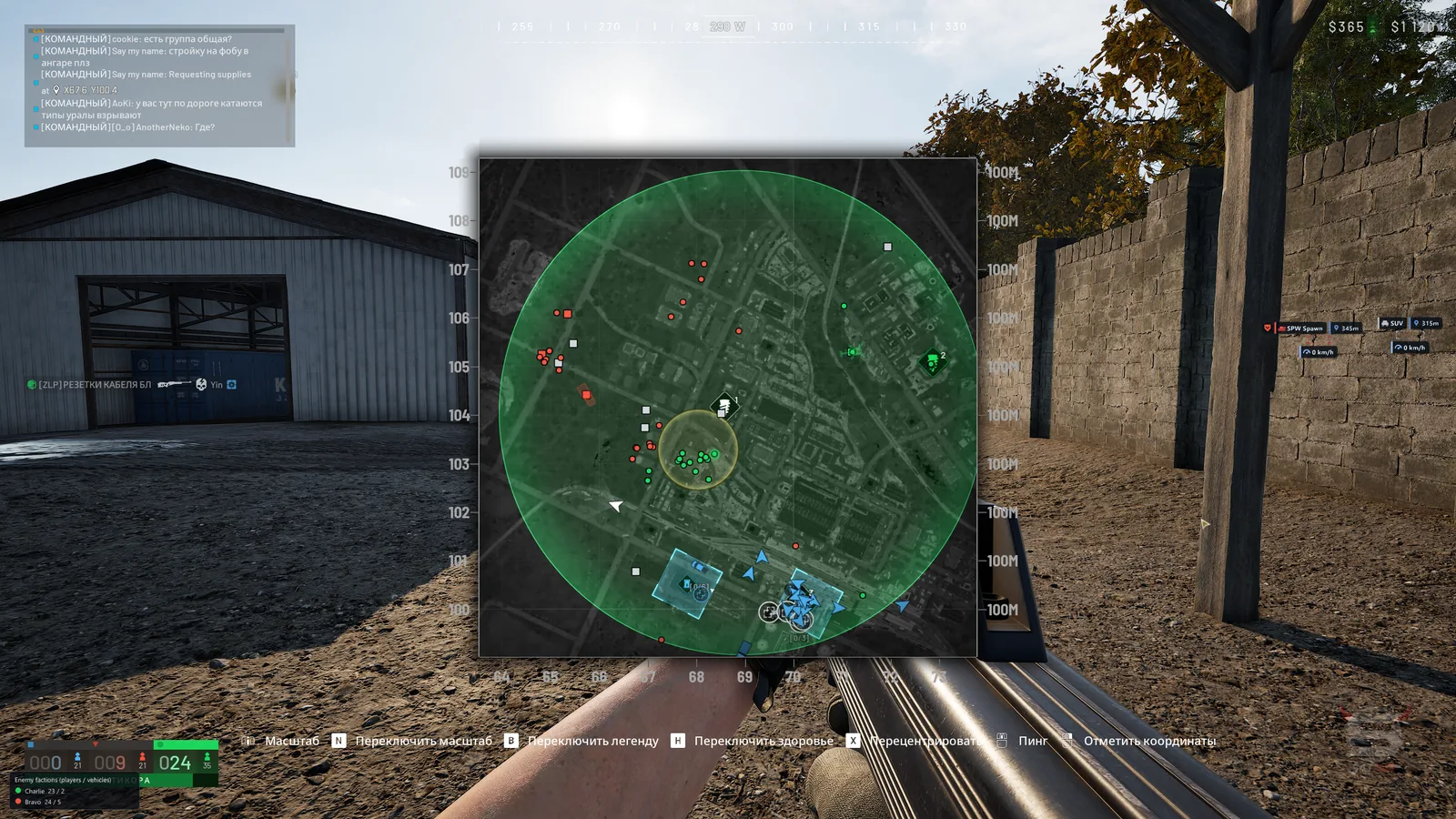
- Radar — display a circular or square radar with adjustable radius, size and transparency
- Rotate — rotate the radar with your view direction
- Grid — display a coordinate grid
- View Cone — show the player's view sector
- Height — indicate players and objects above or below you
- Clamp to Edge — clamp distant object markers to the radar edge
- Radar Filters — select enemies, teammates, downed players, vehicles and world objects for display
- Radar Loot — display Loot ESP categories, including loot on dead players
- Game Map — display enemies, downed players and vehicles on the game map
- Map Colors — color map markers according to faction affiliation
VIEW & GRAPHICS
- FOV Changer — change the camera field of view
- Super Zoom — zoom with an assigned key, with an option to disable the zoom limit
- Freecam — move the camera freely with WASD and up/down movement, with adjustable speed
- Third Person — use a third-person camera
- Weapon Offset — shift the weapon model forward, right and upward
- Fullbright — adjust world brightness
- No Fog — disable fog
- No Suppression — disable visual suppression effects
- No Tinnitus — disable the ringing-in-the-ears effect
- No Particles — disable particle effects
- No Foliage — disable grass and vegetation
- No Shadows — disable shadows
- No AA — disable anti-aliasing
- No Decals — disable surface decals
- No Translucency — disable surface translucency
- FPS Optimize — reduce graphics load with light, medium, strong or maximum optimization levels
- Bullet Tracers — display bullet trajectories as on-screen lines
WEATHER & EFFECTS
- Presets — choose clear day, golden hour, moonlit night, storm, neon, toxic, cinema, noir or dream profiles, or reset settings
- World Grade — adjust saturation, contrast, gamma, brightness, exposure, shadows and the overall image tint
- White Balance — adjust color temperature and green/magenta balance
- Tone Zones — adjust shadow, midtone and highlight colors separately
- Lens — adjust bloom, its threshold and chromatic aberration
- Vignette — darken screen edges
- Sky — adjust sky color, brightness and haze
- Clouds — adjust cloud density and color
- Fog — adjust fog density and color
- Time of Day — adjust time of day and sun position
- Light — adjust sunlight and skylight brightness and color
- Wind — adjust wind strength and speed
- Rain — adjust rain intensity, streaks, splashes, color and precipitation visual effects
- Shot Effects — configure impact effects, tracers and sparks, including scale and the number of simultaneous effects
MISCELLANEOUS
- Instant Interact — speed up actions that require holding a key
- Infinite Stamina — disable stamina consumption
- Auto Reload — automatically perform active reloads for vehicles and artillery
- Build Hit — direct hammer strikes at the yellow marker without moving the camera
- Configs — save and load multiple settings profiles
- Multiple Profiles — maintain separate configurations for different sets of settings
MEDIA