WARDOGS
PRIVATE SOFTWARE
Puss Radar
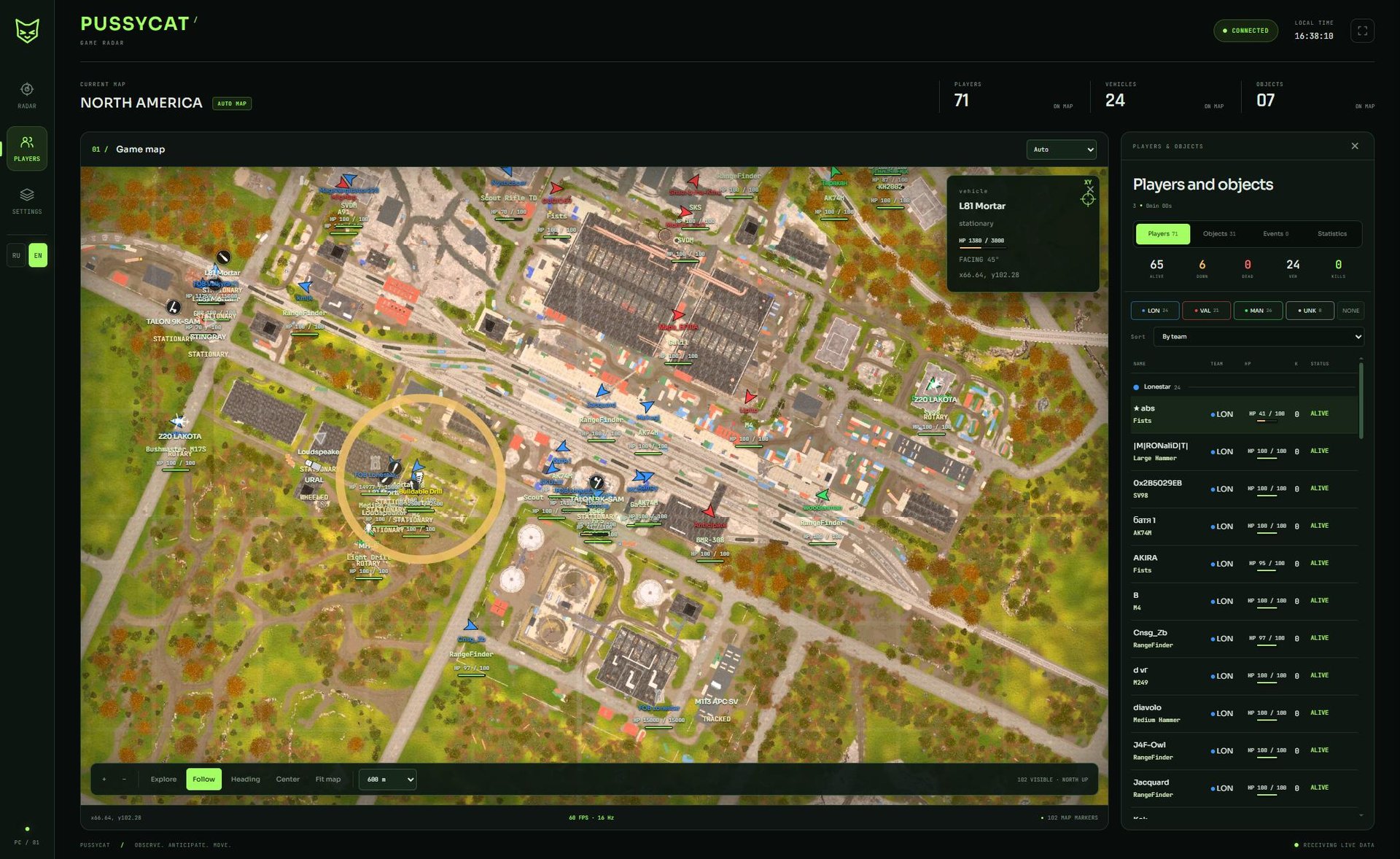
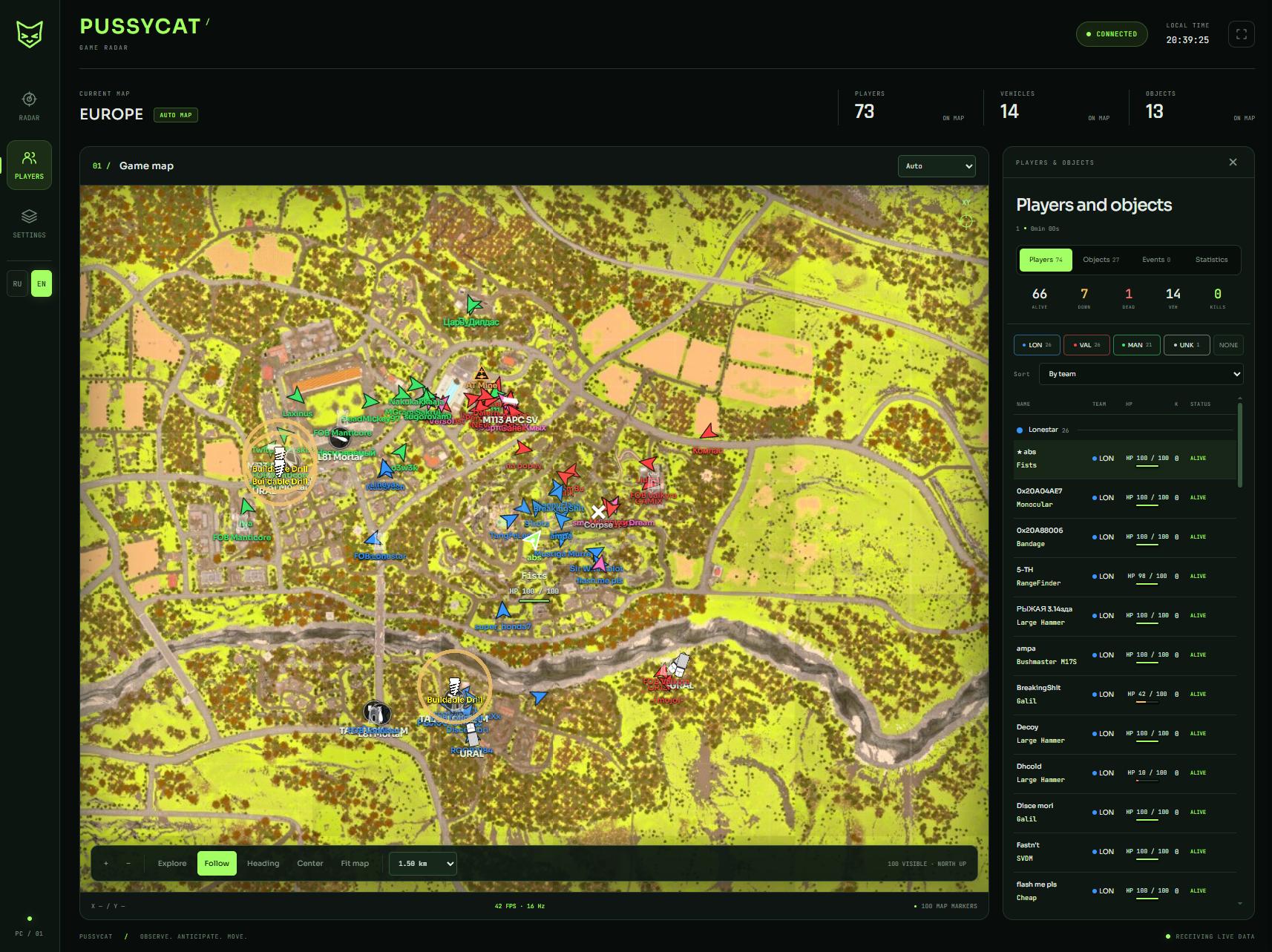
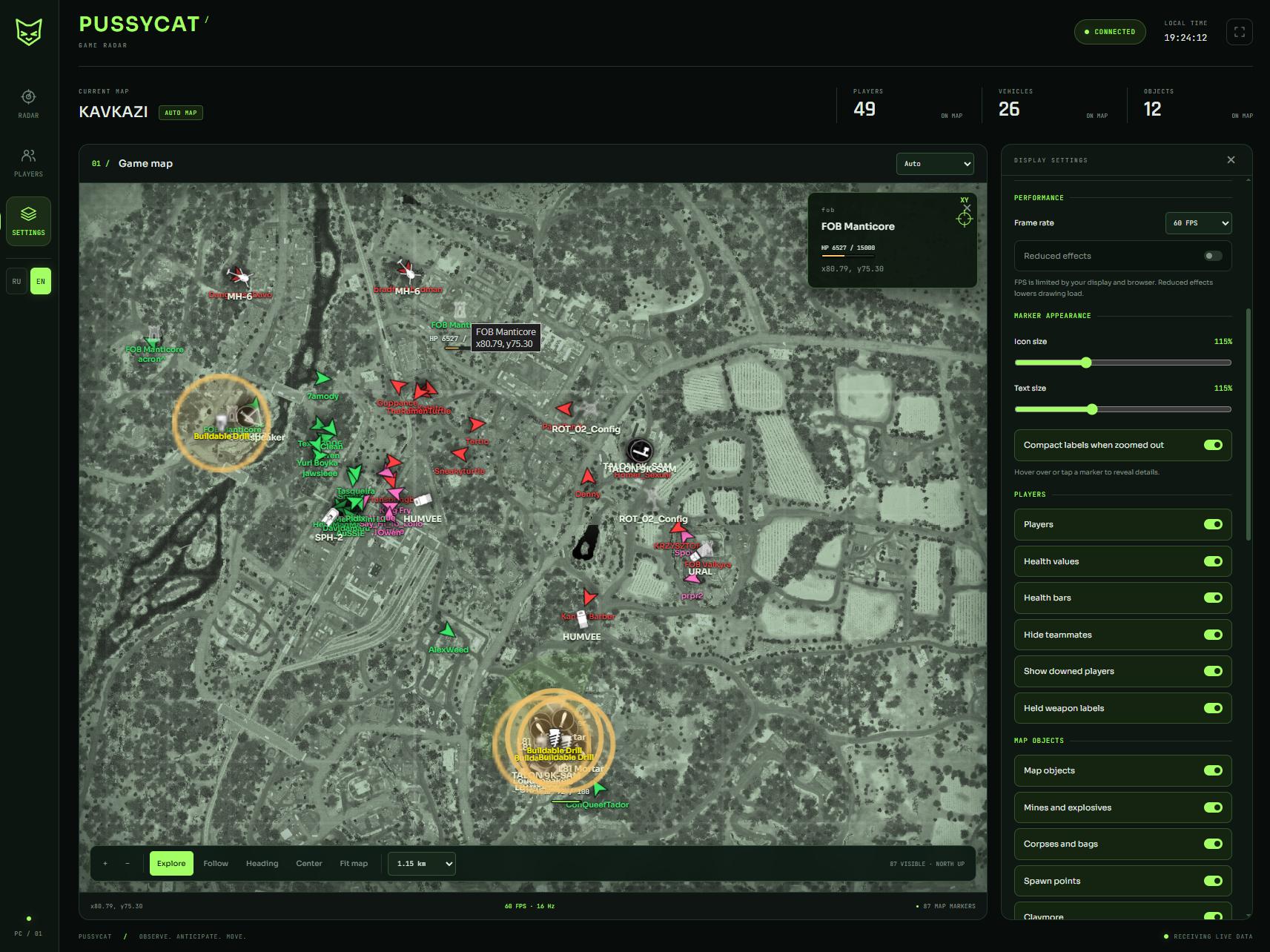
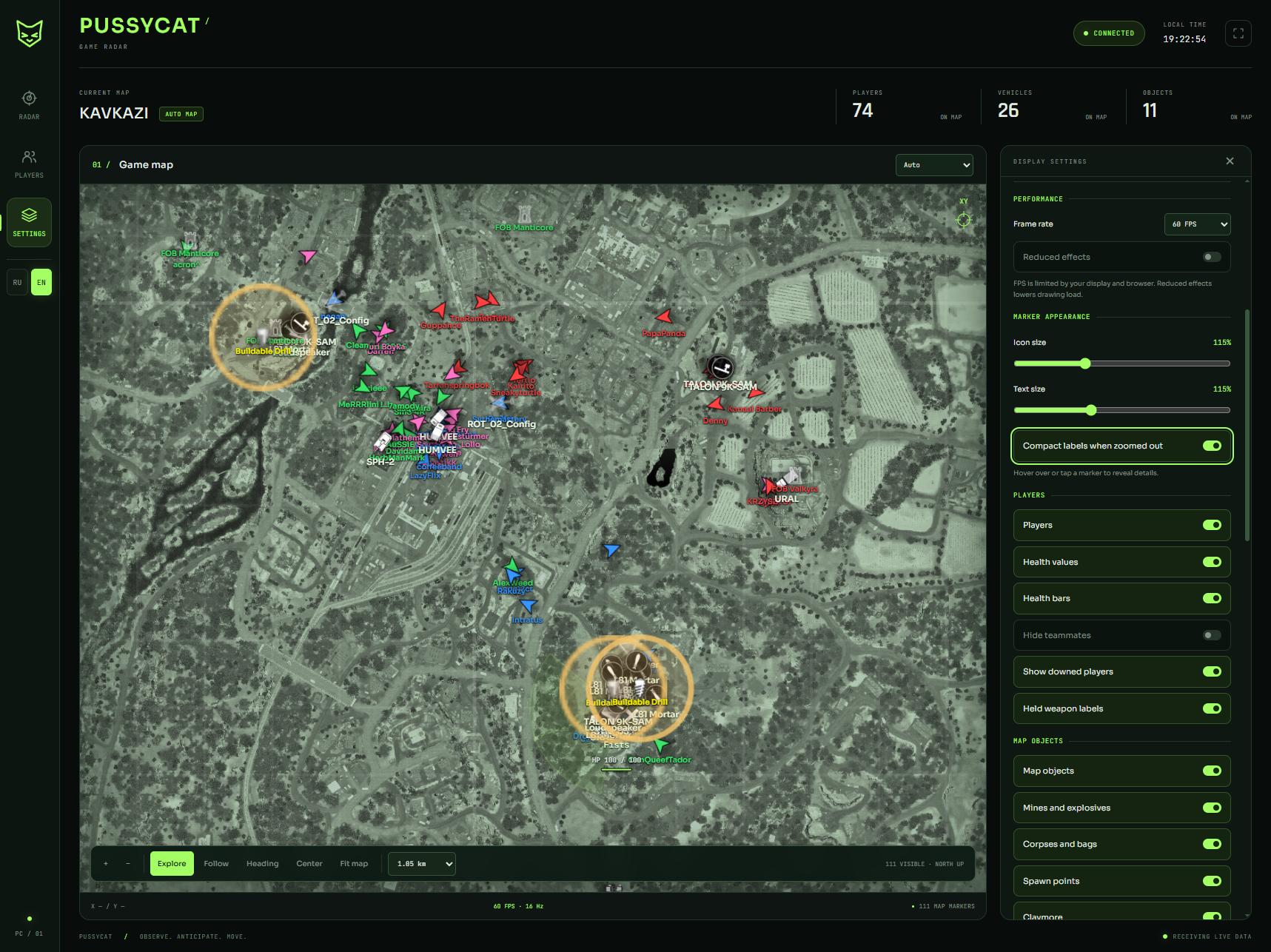
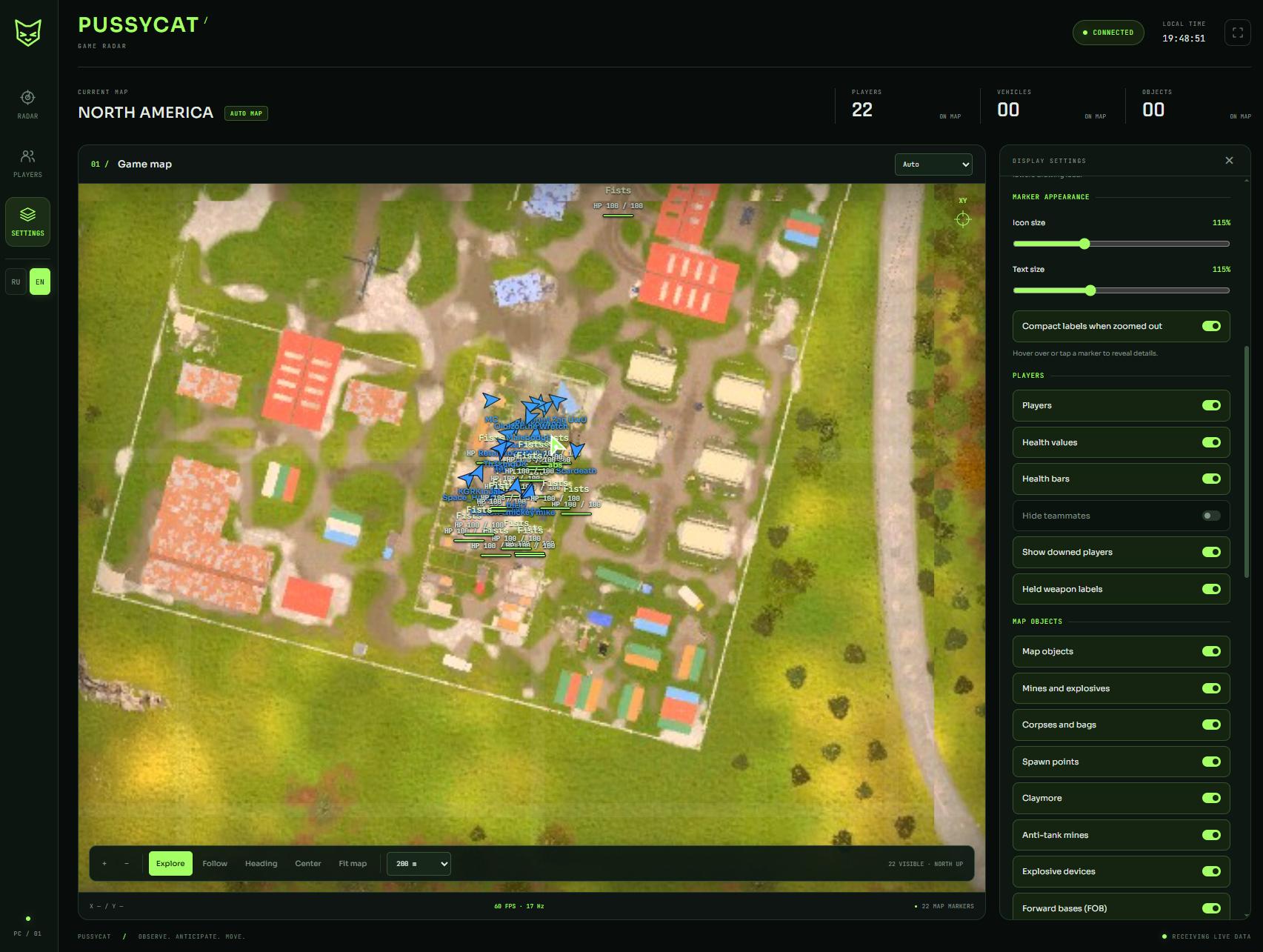
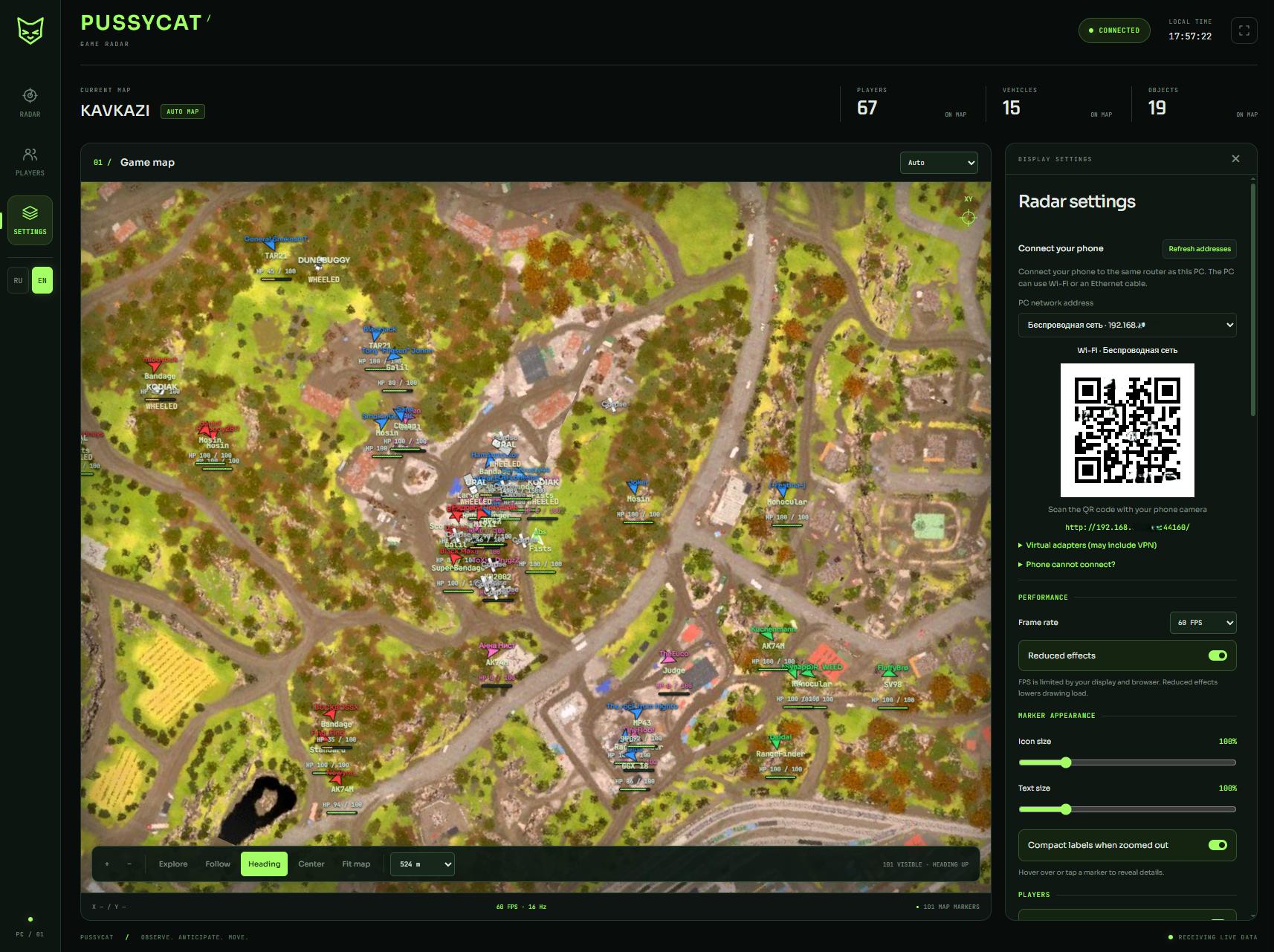
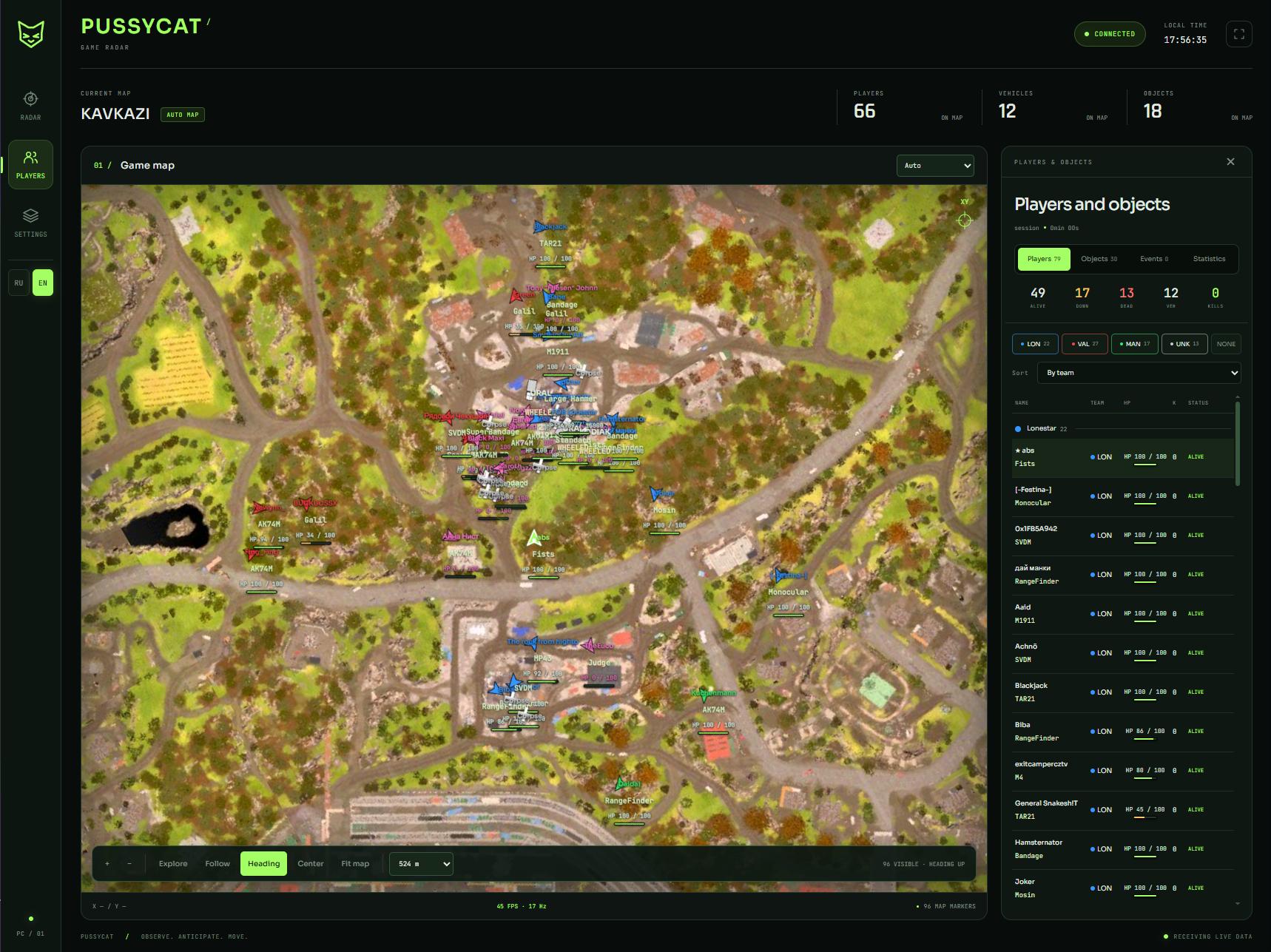
Puss Radar for Wardogs gives you a browser-based view of the battlefield for planning movement beyond the immediate fight. Track players, vehicles and objects together to assess nearby threats and choose your approach, with team filters keeping the map focused on the information you need. Open the radar on a PC, phone or second monitor and switch between map overview and player-following modes. Follow the wider battle and pick your next move with a clearer picture of what surrounds you.
STATUS
UNDETECTED

FEATURES
Radar
- Web Browser Interface
- PC
- Phone
- Second Monitor
- Open Radar [F2]
- Map Selection
- Auto
- Europe
- Kavkazi
- North America
- Russia
- Map Modes
- Explore
- Follow
- Heading
- Map Controls
- Zoom In
- Zoom Out
- Mouse Wheel Zoom [50 m]
- Map Viewing Distance
- Center on Player
- Fit Map
- Map Coordinates
- Marker Details
- Hover
- Click / Tap
- Smooth Movement
Players
- Show Players
- Visuals
- Names
- Held Weapon
- Health points
- Health bar
- Ignore Team
- Show Knocked
- View Direction and Cone
- Identification
- Local Player
- Team
- Squad
- Knocked [Pink]
- Player Details
- Name
- Held Weapon
- Health points
- Health bar
- Facing Direction
- Map Coordinates
- Player List
- Team Filters: Lonestar; Valkyra; Manticore; Unknown; All / None
- Sorting: By Team; By Name; By State
Objects
- Show Objects
- Corpses / bags
- SPW
- Mines and Explosives
- Claymore
- AT Mine
- Explosive Device
- FOB
- Buildable Drill
- Building Settings
- Ignore Team Build
- Health points
- Health bar
- Object List
- Object Details
- Name
- Map Coordinates
- Vehicle
- Show Vehicle
- Model Names
- Model Icons
- Vehicle type: Wheeled; Tracked; Rotary; Airplane; Stationary; Other
- Vehicle Details: Name; Vehicle type; Health points; Health bar; Facing Direction; Map Coordinates
Settings
- Map Display
- Names on Map
- View Direction and Cone
- Black Text Background
- Marker Appearance
- Icon Size
- Text Size
- Compact Labels When Zoomed Out
- Reveal Details on Hover / Tap
- Performance
- Frame Rate: 30 FPS; 60 FPS; 120 FPS; Auto
- Reduced Effects
- FPS / Data Update Rate
- Device Connection
- Network Adapter Selection: Wi-Fi; Ethernet; VPN / Virtual Adapter
- QR Code
- Connection Link
- Refresh Addresses
- Connection Instructions
- Language
- English
- Russian
- Config
- Auto Save Settings
- Auto Load Settings
MEDIA