WARDOGS
PRIVATE SOFTWARE
SMG
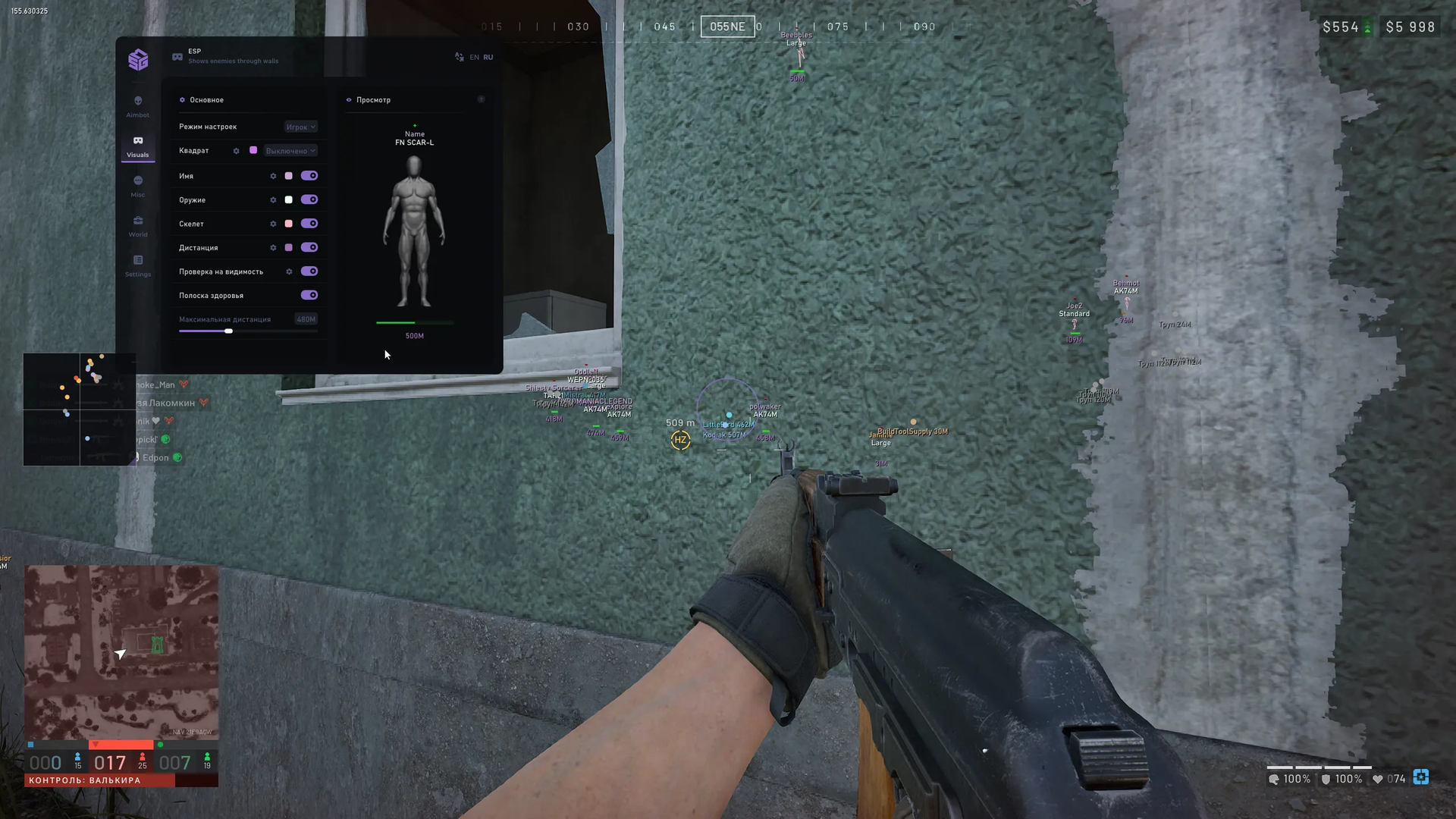
SMG for Wardogs brings aiming and battlefield awareness together for a more deliberate approach to the fight. Aimbot, player ESP and radar help you follow opponents and choose when to engage, while vehicle markers give you context beyond the next target. Loot ESP helps you locate equipment and supplies, and recoil control adds another way to tailor your weapon handling. Read the battlefield, plan your movement and approach the next engagement with a clearer view.
A built-in spoofer and cleaner are included. The listed launch prerequisites require Windows Defender and SmartScreen to be disabled, third-party antivirus software to be removed, and FACEIT and Vanguard to be removed before starting the software.
STATUS
UNDETECTED
FEATURES
AIMBOT
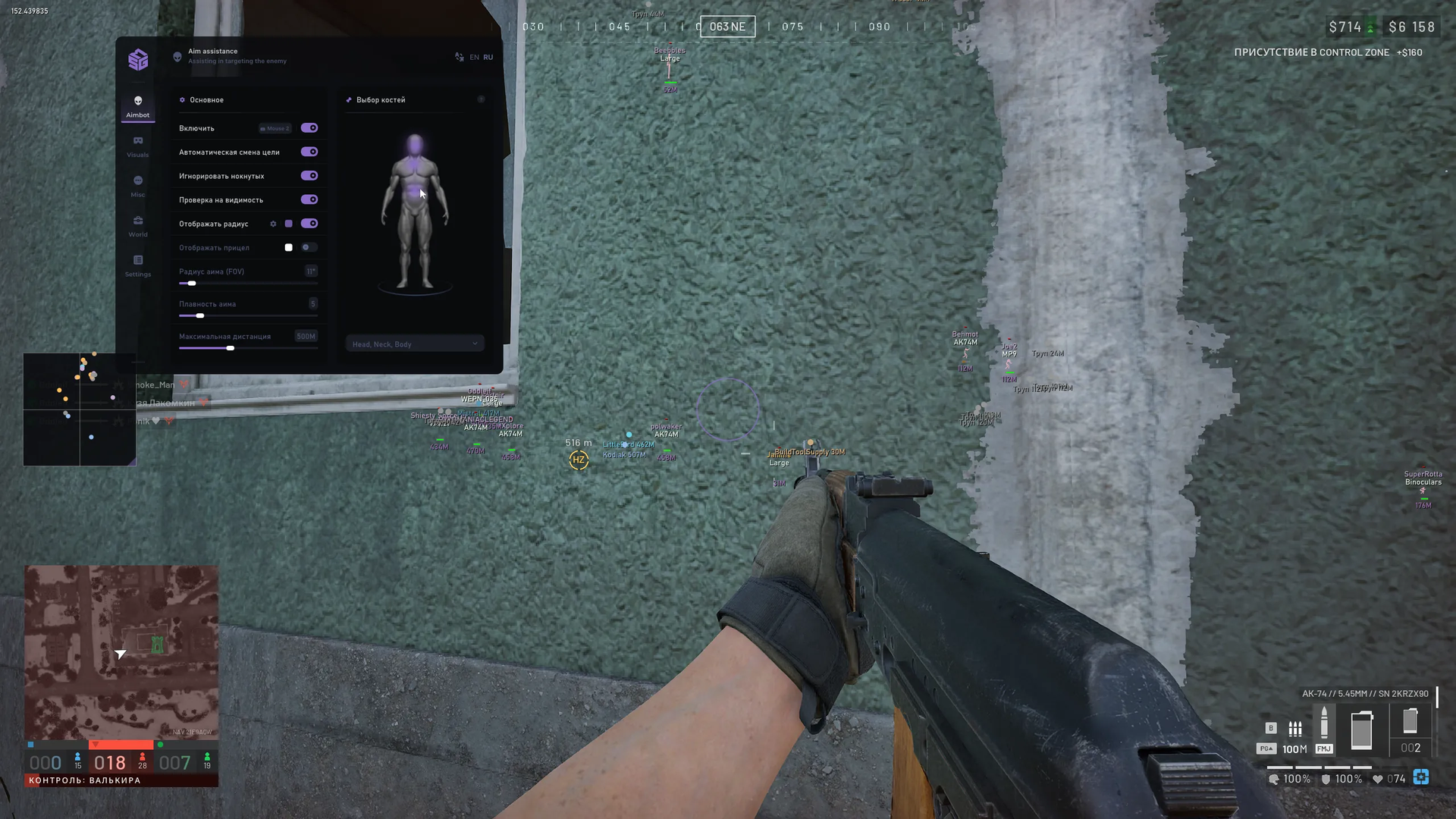
- Aim activation key
- Automatically switch to the next target after eliminating the current target
- Ignore knocked players
- Visibility check: do not aim at players behind impenetrable walls or cover
- Draw aim FOV; adjust line thickness and segment count
- Static crosshair at the centre of the screen
- Adjust target-acquisition FOV radius
- Adjust aim smoothing
- Maximum aimbot distance in metres
- Interactive bone selection using a mannequin
- Multi-bone priority: head, neck, body
VISUALS
- 2D player boxes: full or corner, fill, colour change when visible
- Player names; knocked-player colour and font-size settings
- Show the weapon held by an opponent
- Player skeletons through obstacles; line thickness and draw distance
- Player distance in metres
- Visibility indication: separate colours and text for visible and hidden players
- Player health bar
- Maximum player ESP draw distance
- Live ESP preview in the menu; draggable blocks
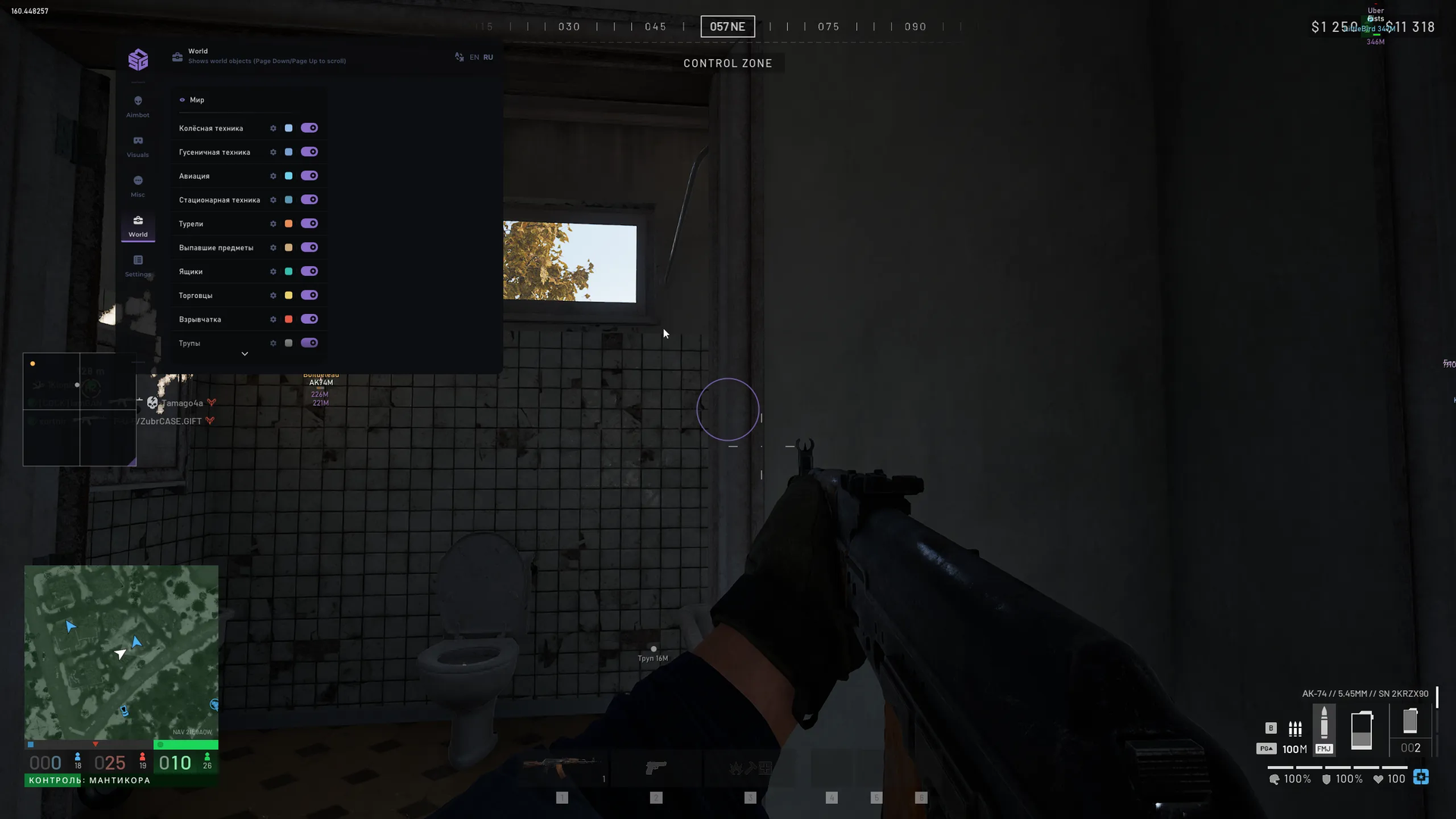
- Wheeled vehicles: distance, marker, custom name, friendly-vehicle filter
- Tracked vehicles: distance and faction distinction
- Aircraft: helicopters and planes
- Stationary weapons and machine-gun positions
- Automatic turret markers
RADAR
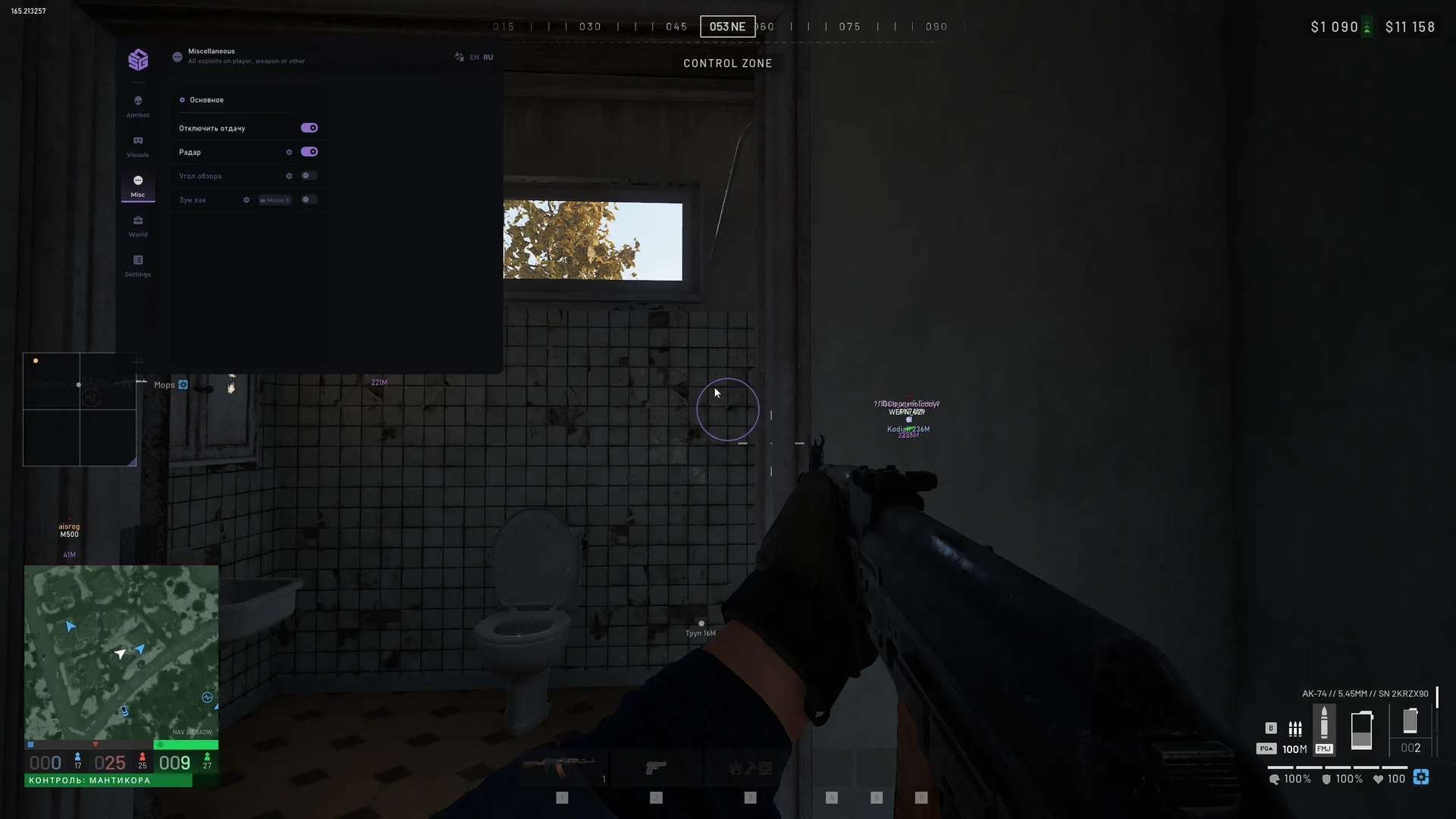
- On-screen 2D radar
- Radar scale
- Radar background transparency
- Fix radar window size
- Local player view direction
- Enemy view-direction lines
- Radar colours for alive, visible and knocked players
LOOT
- Dropped items, equipment and ammunition; distance
- Supply crates and loot boxes; custom titles
- Trader markers
- Placed mines, explosive devices and grenades
- Dead player body markers
MISC
- No recoil
- Camera field-of-view modifier
- Zoom on a hotkey
CONFIG
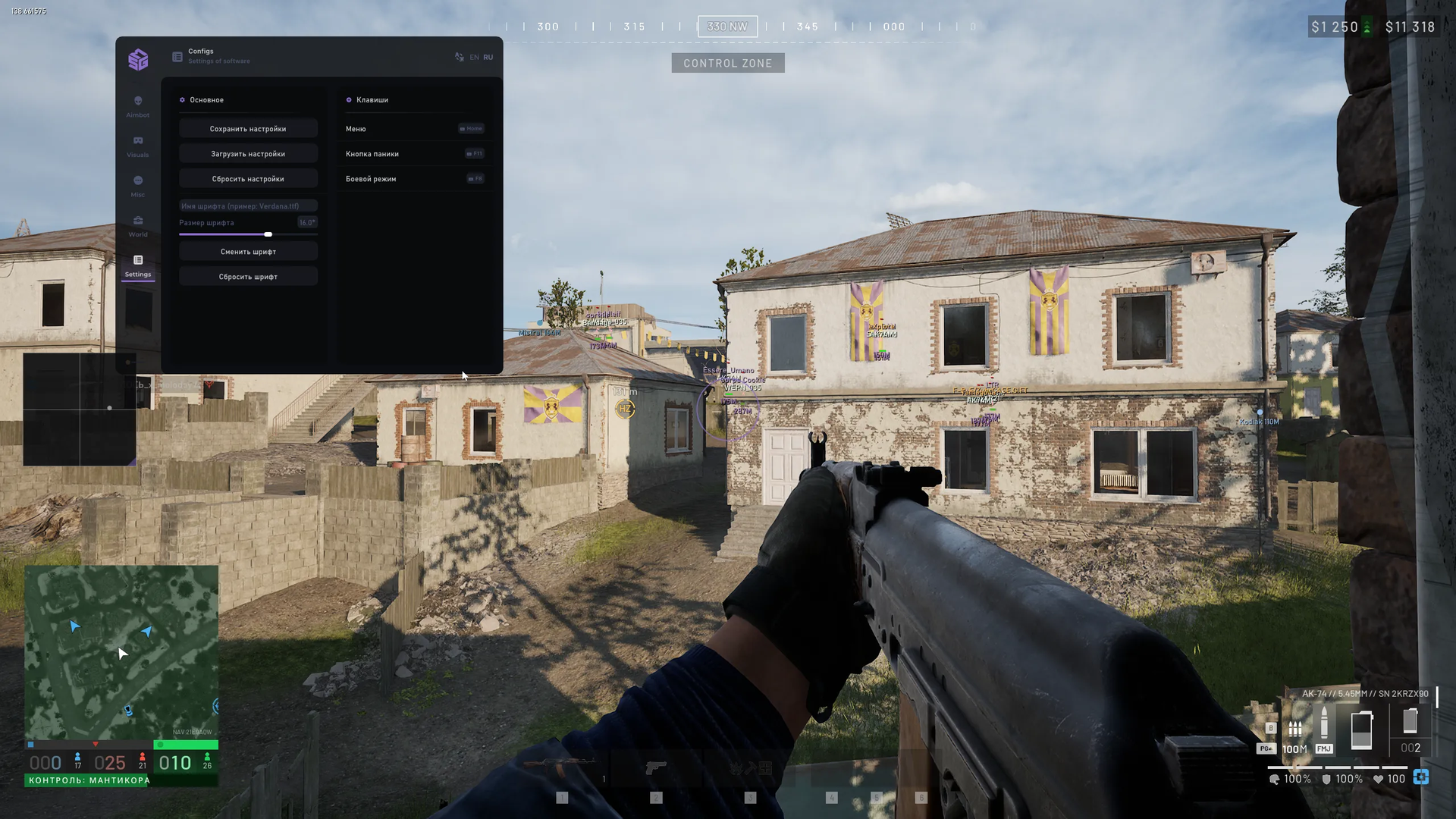
- Save settings to a configuration file
- Load a configuration preset
- Reset configuration to defaults
- Font family, size and text-display reset
- Menu show/hide key
- Panic key: disable visual and aiming functions
- Battle-mode key: hide extra visuals
MEDIA